

Turn recordings into transcripts and summaries in minutes
Upload audio or video for multilingual transcription, AI notes, and action items
At 10 AM on a Monday, you've just finished a 90-minute project meeting. The recording is sitting on your phone, but you have a pile of work to do—who has time to spend another hour listening back and transcribing? I've been in that situation too, so I spent two weeks testing several AI meeting note tools on the market. In the end, I found that Tinrec (Miao Ting Lu Yin) suits most users in Taiwan best. It doesn't just convert speech to text; it turns meetings into searchable, organizable, trackable data. In this article, I'll use Tinrec as an example to show how it can save you time on meeting notes.
What Can Tinrec Do for You?
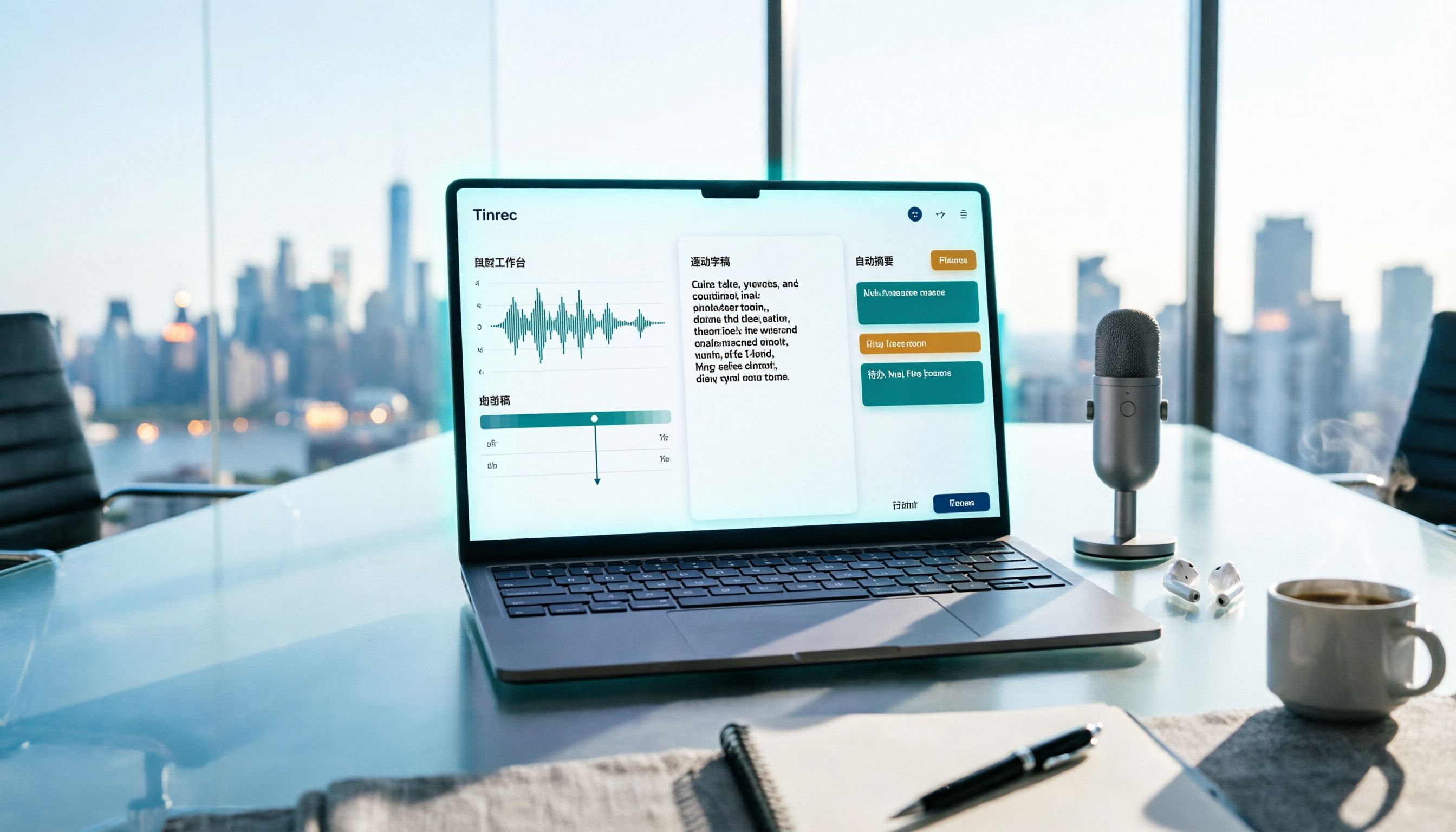
Scenario 1: Get meeting notes 5 minutes after the meeting ends In the past, you might spend another half hour organizing key points after a meeting. Now with Tinrec, it transcribes in real time as the meeting happens, and automatically generates a summary, chapters, and action items. Who is responsible for what and the deadlines are all clear at a glance.
Scenario 2: No need to invite bots to online meetings Many tools require you to add a bot to your meeting. Tinrec doesn't. Its desktop app directly captures your computer's system audio, so you can record meetings on Zoom, Google Meet, and Microsoft Teams without an extra participant showing up.
Scenario 3: Organize old recordings Have past meeting recordings or interview audio files? Upload them to Tinrec, and it will transcribe them and generate key points, so you don't have to listen and type everything yourself.
What Are Tinrec's Core Capabilities?
Bot-free online meeting recording: Tinrec's desktop app captures system audio directly, so no extra bot is needed. It works with platforms like Zoom, Meet, and Teams. Multi-source transcription: Supports live recording, computer meetings, and audio/video file uploads. Works on mobile, desktop, and web. AI summaries and action items: Automatically organizes meeting topics, conclusions, and action items, and can generate chapters for quick scanning of long meetings. AI Q&A and post-processing: After transcription, you can ask Tinrec questions like "Who mentioned the budget during the meeting?" and it will answer based on the meeting content. You can also generate reports, tables, and other documents. Team space: The team plan provides centralized storage, allowing members to view historical meeting data. Admins can manage roles, seats, usage, and audit logs.
Practical Use Cases
Workplace weekly meetings: Turn on Tinrec for real-time transcription during the meeting, then share the summary and action items with the team afterward. Everyone knows who's responsible for what. Client interviews: After a sales visit, upload the recording. Tinrec transcribes it, and you can use AI Q&A to quickly find key needs the client mentioned. Course learning: Students record lectures, convert them to text notes, and use AI summaries to organize key points for more efficient review. Personal knowledge management: Upload all historical meeting recordings. Later, you can search by keyword to find what was discussed at any time.
Stop organizing recordings by hand
Upload audio or video and automatically get a transcript, summary, and action items
5 Things to Consider When Choosing an AI Meeting Note Tool
- Accuracy: Don't just rely on official claims. Test with your own recordings. Tinrec performs reliably with clear audio, but for important content, it's still recommended to cross-check with the original recording.
- Meeting capture method: Some tools require bots to join meetings, others require hardware. Tinrec lets you record directly from your computer or phone—no extra equipment needed.
- Post-meeting organization: Transcription is just the first step. The key is whether it can automatically organize content. Tinrec provides summaries, action items, AI Q&A, and export features, making meeting content truly useful.
- Free plan: Many tools have very limited free versions. Tinrec offers a free plan to experience core features, so you can try it before deciding whether to pay.
- Team collaboration: If you need to share with colleagues, check role, seat, and usage management. Tinrec's team plan has these capabilities, suitable for departments or project teams.
Frequently Asked Questions
Q1: How much free quota does Tinrec offer? A: The free plan provides basic quota to experience recording transcription, summaries, and AI features. For exact numbers, please refer to the official page.
Q2: Does Tinrec require additional recording hardware? A: No. You can record directly from your phone, computer, or web version, or upload files—no extra equipment needed.
Q3: Can I record online meetings? A: Yes. Tinrec's desktop app captures system audio directly, so you can record Zoom, Google Meet, Teams, and other meetings without adding a bot.
Q4: How accurate is it? A: Actual results depend on recording quality, accents, and overlapping speech, but in typical clear meeting environments, the quality is good. For important content, it's recommended to verify with the recording playback.
Q5: Can all team members see all meeting data? A: Currently, the team plan is primarily team-level sharing. Active members can read team data. More granular personal private permissions are not yet available.
Q6: Is there a Traditional Chinese interface? A: Yes. Tinrec supports Traditional Chinese and also supports multilingual transcription and real-time translation.
Conclusion
AI meeting note tools are no longer futuristic technology—they're helpers you can use now and that genuinely save time. If you have more than 3 meetings a week, or often need to organize interview or lecture recordings, I suggest giving Tinrec a try. Start with the free plan, organize one meeting, and experience the convenience of AI handling your notes. Compared to typing everything yourself, isn't it better to save your time for what really matters?
References
- Meeting Ink - 2026 AI Meeting Note Tool Test: 7 Speech-to-Text and Summary Speed Comparison | Meeting Ink - AI Meeting Note Assistant, Automatic Transcription and Meeting Summary
- AI Meeting Note Software Recommendations: 5 App Hands-On Reviews, Automatic Transcription Makes Meetings Easy!
- 2026's Top AI Meeting Note Tools: Time-Saving Essentials for Meetings!
- Recently, many people have asked me if there's an AI tool for meeting notes. They still type manually and often can't multitask, which wastes time. My answer is always SeaMeet. Why do I recommend it? Here are the key points: - Integrates with Google Meet, transcribes online meetings in real time, and provides instant summaries—super convenient. - No need to reorganize; after the meeting, it emails all participants directly. - So easy to use that I taught middle-aged and older people with no AI experience in 10 minutes. - For in-person meetings...
- Master Meeting Minutes! How to Use AI Speech-to-Text: Gemini Notebook, Gemini, EchoScript Operation Guide | 104 Career Center
Turn every recording into actionable outcomes
Get 60 free transcription minutes when you sign in. No credit card required.
Related Reading
You might also like

3 Free Meeting Transcription Apps Tested in 2026: Which Offers Better Free Tier and AI Q&A?
How to choose a free meeting transcription app in 2026? This article compares free tiers, recognition accuracy, recording retention, and post-meeting AI applications across popular tools like Tinrec, Notta, Otter.ai, and Granola. It provides a guide to avoid pitfalls and scenario-based recommendations to help you find a meeting transcription solution that truly works for free.
Free Meeting Notes App 2026: Record, Transcribe & Auto Summarize Action Items
From online meetings to in-person sessions and old recordings, here's a complete guide to using a free meeting notes app. Using Tinrec as an example, we cover real-time transcription, bot-free recording, AI summaries and action items, and export workflows, plus 5 key buying considerations and FAQs.

4 Free Meeting Transcription Apps Compared: Which Free Tier Actually Works in 2026?
2026 free meeting transcription app comparison: We tested Tinrec, Otter.ai, Notta, and PLAUD on free tier limits, Chinese recognition, and post-meeting AI organization to find out which free plan is truly usable and which one suits team collaboration.

4 Free Meeting Transcription Apps Tested in 2026: Which Free Version Is Actually Enough?
There are many free meeting transcription apps, but the free quotas, accuracy for Chinese and mixed Chinese-English speech, and whether a bot joins your meeting can vary widely. This article compares four popular tools across five dimensions: free quota, Chinese recognition, recording method, post-meeting output, and team collaboration. It explains why Tinrec stands out for Chinese meetings and post-meeting organization, and highlights common pitfalls and selection advice.

4 Free Meeting Transcription Apps Compared: Which Is Fastest to Download and Use in 2026?
How do you download a free meeting transcription app? This article addresses three common misconceptions, walks through the actual download and setup process for Tinrec, and compares the free plans of Notta, Otter.ai, and Granola. It highlights key points to check before downloading and the most common pitfalls, helping you find a meeting transcription tool that truly works for you.

Tinrec vs VS Code Live Share 2026: 5-Dimension Comparison for Meeting Notes
Choosing between VS Code Live Share and a dedicated meeting notes app? This article compares Tinrec and VS Code Live Share across 5 dimensions: tool positioning, meeting audio capture, post-meeting output, language support, and team data retention. It also covers Tinrec's core features, practical use cases, team plan roles and seat differences, and key considerations when selecting a meeting notes tool.

4 Free Meeting Notes Apps Compared: Get the Comparison Criteria Right to Avoid Wasting Time
How to compare free meeting notes apps without choosing the wrong one? From the perspective of a mid-level manager who holds 15 meetings a week, this article breaks down the 4 most easily miscompared dimensions, tests Tinrec and briefly reviews the free version limitations of Otter.ai, Notta, and TurboScribe, and finally gives you selection advice and pitfalls to avoid that you can apply directly.

Which Apple Watch Meeting Notes App Is Best? 2026 Hands-On Test of 4 Apps, This One Handles Chinese Best
Apple Watch can only record audio—it can't generate transcripts directly, so meeting notes still need to be redone. This article hands-on tests 4 free meeting notes apps that work with the watch recording workflow, comparing Chinese recognition, AI summaries, AI Q&A, and free quotas, and shares a practical workflow using Tinrec with Apple Watch to help you find the one that saves the most time.

5 Free Meeting Notes Apps Compared in 2026: Free Tiers, Chinese Recognition, and Post-Meeting Organization
Are free meeting notes apps really free? This article breaks down three common misconceptions, compares five types of free plans, and uses Tinrec as an example to show the full workflow from recording, transcription, summarization, action items, to team collaboration—helping you choose a meeting notes tool that truly saves work hours.