
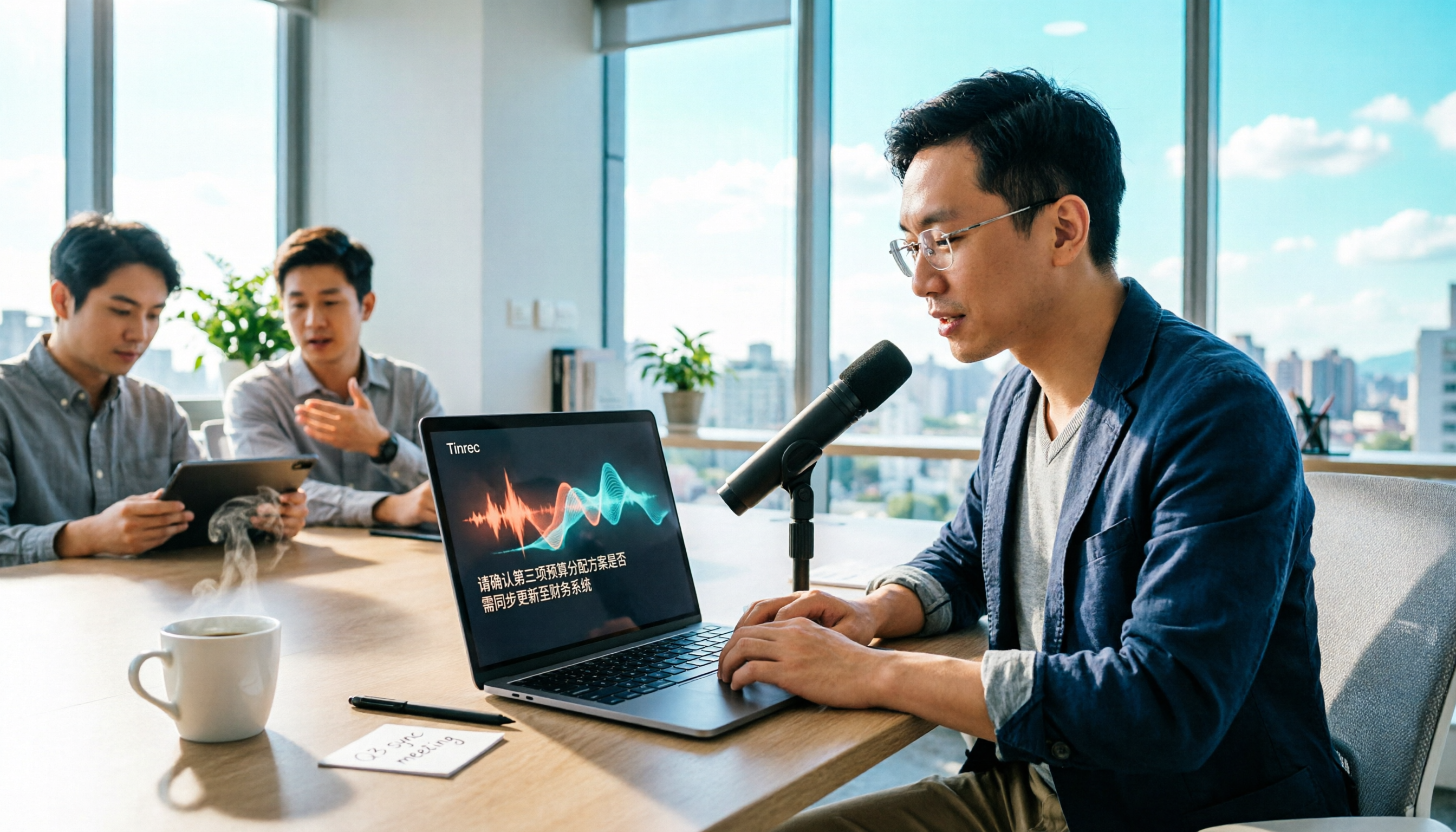
Turn recordings into transcripts and summaries in minutes
Upload audio or video for multilingual transcription, AI notes, and action items
When you want to convert meeting recordings or interview content into text, the first choice you face is: do you only need a verbatim transcript, or do you also want summaries, action items, or even the ability to ask questions directly? If you only occasionally transcribe a recording, free tools might suffice; but if you have meetings to organize every week, choosing the wrong tool can end up costing you more time in post-processing. In this article, I'll use Tinrec and Notta as examples to share my hands-on thoughts.
Why Are People Looking for Notta Alternatives?
Notta is a multi-platform transcription tool that supports recording, file import, and translation. Many people use it to organize meetings or create subtitles. However, some users start looking for alternatives after actual use: perhaps due to the 3-minute limit per recording on the free plan, the need for more comprehensive team collaboration features, or the desire to record online meetings without a meeting bot. If you have similar concerns, Tinrec is worth checking out.
Tinrec vs Notta: What's Different in Core Experience?
How you record online meetings is the most critical factor for most professionals. Notta primarily works by having a meeting bot join or by uploading files, while Tinrec's desktop app directly captures your computer's system audio, eliminating the need to invite a bot to Zoom, Google Meet, or Teams meetings. This means you can record meetings more discreetly without worrying about a bot disrupting participants.
Chinese language support is another key point. Notta has decent multilingual capabilities, but Tinrec is specifically optimized for Chinese meeting scenarios and offers a team custom vocabulary feature, making recognition of product names and proper nouns more accurate. If you often have meetings in Chinese or mixed Chinese-English discussions, this will make a noticeable difference.
Post-transcription organization also differs. Notta provides summaries and translation, but Tinrec adds AI Q&A, action item extraction, mind maps, and Agent post-processing. You can directly ask Tinrec, "What was the meeting conclusion?" or have it generate a report table, saving you the time of re-listening and organizing.
For team collaboration, Notta Business has role-based permissions, but Tinrec's team space emphasizes turning meeting data into a team asset. Members can view past meetings, and admins can manage seats, usage, and audit logs, making it suitable for departments or project teams that need to preserve meeting records long-term.
Overview of Tinrec's Core Features
Bot-free online meeting recording: Open the Tinrec desktop app, choose to record system audio, and you can capture Zoom, Google Meet, Microsoft Teams, or Webex meetings. You don't need to invite a meeting bot, and participants won't see an extra attendee.
Real-time transcription and translation: Text appears on screen as you record, with less than 1 second latency. You can view the original text, translation, or side-by-side bilingual view in real time, which is especially handy for cross-language meetings.
AI summaries and action items: After a meeting, Tinrec automatically generates a summary, chapters, and key points, and extracts action items from the discussion. You no longer need to manually organize the transcript; just read the summary to grasp the conclusions.
AI Q&A: This is my personal favorite feature. After recording a one-hour meeting, I directly ask Tinrec, "What was the meeting conclusion?" or "Who is responsible for what?" It provides answers based on semantic understanding, so I don't have to manually flip through 30 pages of transcript.
Multi-format export: Tinrec supports exporting to text files, Word, Notion, Google Docs, OneNote, and more, allowing meeting results to flow directly into your existing workflow.
Real-World Use Cases
Meeting notes: Whether it's an online or offline meeting, open Tinrec and it transcribes as you record. By the time the meeting ends, the transcript and summary are already done, and you can immediately send action items to relevant colleagues.
Stop organizing recordings by hand
Upload audio or video and automatically get a transcript, summary, and action items
Interview organization: When conducting user interviews or expert interviews, record with Tinrec and then ask questions like, "What are the main pain points mentioned by the interviewee?" to quickly extract key points without repeatedly replaying the recording.
Personal course notes: When attending classes or lectures, use your phone to record and transcribe, then use the AI summary and chapter features to organize key points into your own notes, which are easy to search later.
Key Considerations When Choosing a Speech-to-Text Tool
Does it support bot-free online meeting recording? If you frequently use Zoom, Meet, or Teams, choosing a tool that can directly capture system audio can save you the hassle of inviting bots. Tinrec's desktop app has this capability.
Is post-transcription organization sufficient? Getting just a transcript is not enough; it's best to have summaries, action items, and Q&A features. Tinrec provides a complete organization workflow after transcription, truly saving time.
Team collaboration and data retention: If meeting records need to be shared among multiple people or preserved long-term, the tool must have team spaces and permission management. Tinrec's team version ensures data belongs to the team, and member changes don't affect historical records.
Language support and specialized terminology: Chinese meetings often mix Chinese and English and include technical terms. A tool with team custom vocabulary can significantly improve recognition accuracy. Tinrec is specifically optimized for this.
Pricing and free plan limitations: Free plans usually have limitations, so it's advisable to try it out first. Tinrec's free version offers basic transcription experience, suitable for testing; Notta's free version limits each recording to 3 minutes, so long-term use may require an upgrade.
Conclusion: Is Tinrec Worth Trying?
If you're looking for a speech-to-text tool that supports bot-free online meeting recording, has good Chinese language support, and allows you to use AI to organize key points after transcription, Tinrec is one of the few options on the market that meets all these criteria. Especially for departments that need team collaboration, Tinrec's team space and seat management can truly preserve meeting records. I recommend starting with the free version, testing transcription and summary with your own recordings, and then deciding whether to upgrade.
Frequently Asked Questions
Q: How long can I transcribe with Tinrec's free version? A: Tinrec's free version provides basic usage credits that allow you to experience speech-to-text, summary, and transcription features. Specific limits are based on the official page; after downloading, check the remaining minutes shown in your account.
Q: What's the difference between Tinrec and regular recording software? A: Regular recording software only captures audio, while Tinrec goes further by converting it to text and automatically generating summaries, chapters, key points, and action items. It also supports AI Q&A, translation, and team collaboration.
Q: Does Tinrec require additional hardware? A: No. Tinrec has web, desktop, and mobile versions, so you can record and transcribe using your existing devices. Online meeting recording is done through the desktop app, and you don't need to purchase a voice recorder or meeting bot.
Q: Who is Tinrec's team version suitable for? A: It's suitable for departments or project teams that need to share meeting records among multiple people. The team version provides a dedicated space, member and seat management, usage analytics, and audit logs, allowing meeting data to be systematically stored and handed over.
Q: How accurate is the transcription? A: Actual accuracy depends on recording quality, background noise, accents, and multiple people speaking at once. Tinrec performs well with clear audio, but for important content, it's recommended to cross-check with the transcript and replay the recording.
References
- Online AI Speech, Video, and Audio File to Text - Free Trial - cSubtitle
- Tested 4 Best "Speech-to-Text" Online Tools Recommended, Free to Convert Audio Files to Transcripts
- Learn How to Convert Audio Files to Text!
- Free Audio to Text
- Today I researched how to convert audio files to text. I thought I could just drop the file into GPT and get it transcribed, but it turns out—it doesn't work 😂 I checked many netizens' shares; some use local models, which I've tried before. Although free, they are slow and not very accurate (and require a powerful computer). There are also paid tools, but subscriptions make me hesitate. Then I remembered I have an OpenAI API key, so I wanted to use their Whisper speech recognition to transcribe. Finally, I found a way using Google Colab.
Turn every recording into actionable outcomes
Get 60 free transcription minutes when you sign in. No credit card required.
Related Reading
You might also like

2026 AI Meeting Recorder Comparison: 5 Tools Tested — Don't Just Look at Transcription Minutes
Most people choose an AI meeting recorder based on free minutes, only to find unstable Chinese recognition or transcripts that still require manual reading. This article breaks down five key factors—capture method, Chinese-language experience, post-meeting outputs, team governance, and quota calculation—and compares Tinrec, Otter.ai, Notta, and Granola to help you choose the right tool.
2026 AI Meeting Notes Tool Review: 3 Common Dcard Questions and How Tinrec Solves Them
On Dcard, the most common questions about AI meeting notes are free quota, Chinese accuracy, and post-meeting organization. This article uses Tinrec to test a full meeting workflow—from recording and transcription to summaries and action items—and outlines 5 buying considerations and FAQs to help you decide which tool truly fits professionals and teams.

2024 AI Meeting Notes Tools Compared: Free to Team Plans Explained
How to choose an AI meeting notes tool in 2024? This article starts from real meeting pain points and compares Tinrec, Otter.ai, Notta, and Granola on transcription, summarization, AI Q&A, and team collaboration. It also covers selection criteria and pitfalls to help you find the right solution for Chinese-language meetings and team knowledge retention.

2026 AI Meeting Notes Comparison: 5 Key Buying Factors Beyond Transcription Minutes
In 2026, AI meeting notes are shifting focus from transcription speed to bot-free recording, post-meeting outputs, and team data governance. This article breaks down the decision with 5 key buying factors and demonstrates the workflow from recording to summary, action items, AI Q&A, and team seat management using Tinrec.

AI Meeting Notes Cost in 2026: Free Tiers and Team Plan Pricing Explained
Starting from common Dcard questions about free tiers, this guide breaks down how AI meeting notes costs are calculated and compares the free and paid plans of Tinrec, Granola, Otter.ai, and TurboScribe.

2026 AI Meeting Notes Table Tools Compared: Which One Actually Produces a Ready-to-Use Table?
A meeting notes table isn't just about downloading a template—the real question is whether you can produce something you can hand off right after the meeting ends. This article starts with three ways to get a meeting notes table, provides a copy-ready table structure, and walks through the full workflow with Tinrec from recording to transcript, summary, action items, and team knowledge retention. It wraps up with 5 key buying criteria and FAQs.

2026 AI Meeting Notes Showdown: Tinrec vs Otter.ai — Which Is Better for Chinese Meetings?
In 2026, Dcard discussions about AI meeting notes focus on free transcription and summary tools. This article narrows the scope to Tinrec and Otter.ai, comparing them across meeting capture methods, Chinese transcription, post-meeting outputs, team governance, and pricing to help you decide which fits your meeting scenarios.

How to Create AI Meeting Minutes Tables in 2026: 5 Steps from Recording to Table
Still manually pasting transcripts into tables after meetings? This guide starts with how to decide between a transcript and a table, then covers 4 key factors for choosing an AI meeting minutes table tool in 2025, Tinrec's actual workflow, 3 alternative solutions, and the 3 most common pitfalls, plus a 5-step process.

Best AI Meeting Notes Tools in 2026: 4 Tested, This One Excels for Chinese Meetings
We tested 4 AI meeting notes tools in 2026, comparing recording methods, post-meeting output, Chinese recognition, and team data management. Here's why Tinrec suits Chinese and mixed Chinese-English meetings, and which tools fit other needs or budgets better.