
Turn recordings into transcripts and summaries in minutes
Upload audio or video for multilingual transcription, AI notes, and action items
WhatsApp Voice-to-Text: First Decide Whether You Need a Transcript or Actionable Data
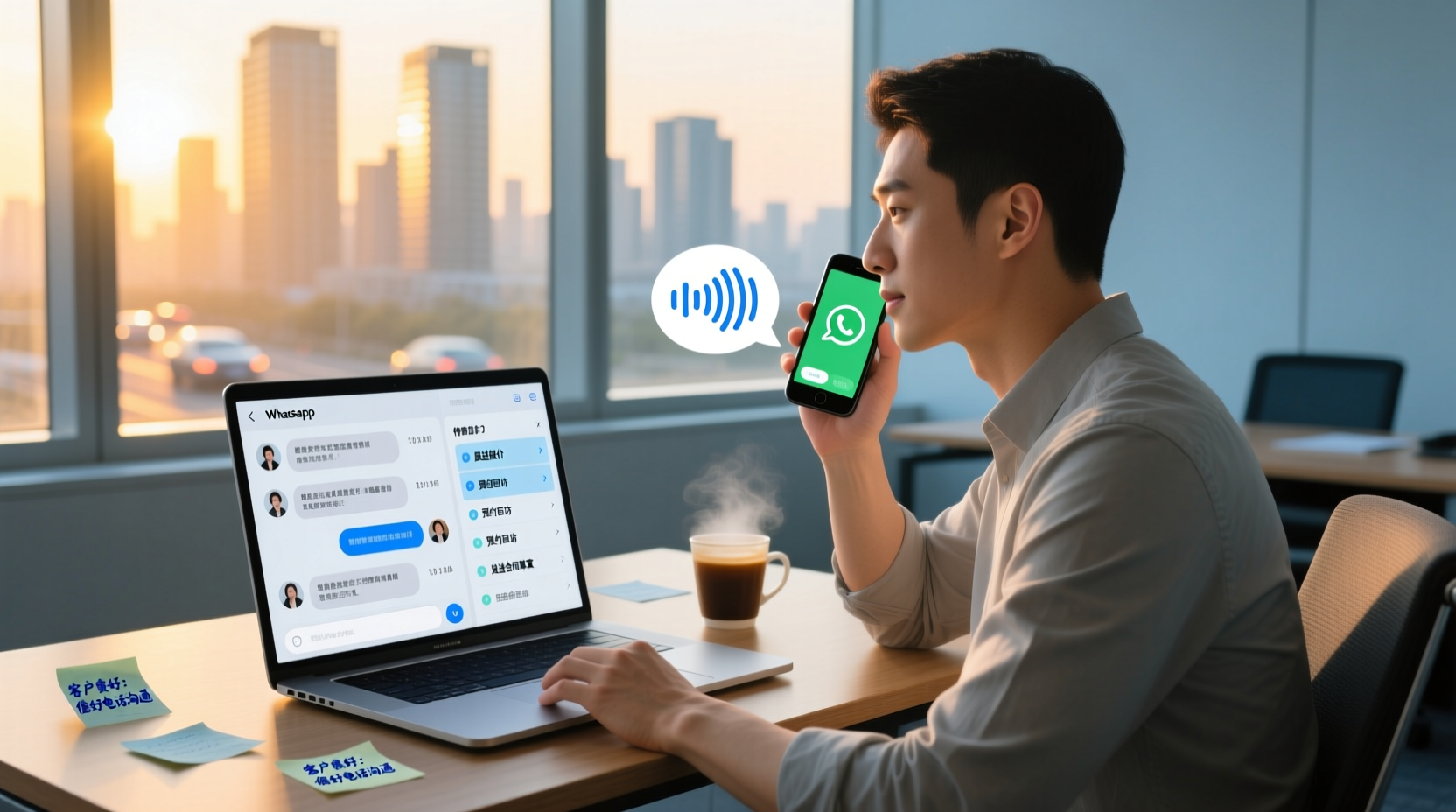
Have you ever experienced this: a client sends several voice messages in a row on WhatsApp, explaining requirements, promising timelines, and reminding you of next steps, but you're busy at the moment and can only leave them for later. When you finally have time to listen, you find that the voice messages have piled up to over a dozen. After listening to all of them, you still can't remember all the key points, let alone reply to the client with "Okay, I'll handle it" and still remember what they actually asked for.
For sales, business development, account managers, and product R&D professionals, WhatsApp voice messages often contain client needs, commitments, and next actions. If they are not converted into text records, it's easy to miss important information in the midst of busy work, and it can even affect subsequent follow-ups.
Converting WhatsApp voice messages to text is not just for "reading" purposes; more importantly, it turns these messages into data that can be searched, edited, forwarded, and archived. But before you start, think about this: do you just need a transcript, or do you need actionable data?
- Transcript: Converts the voice message verbatim into text, suitable for occasions requiring a complete record, but you still need to organize the key points and to-dos yourself.
- Actionable data: Builds on the transcript to further organize summaries, decisions, to-dos, and responsible persons, so you can directly use it to track clients and plan next steps.
If you only occasionally need to view a single voice message, WhatsApp's official transcription feature may be sufficient. But if you need to turn voice content into work data, or even collaborate with your team, you'll need a more comprehensive tool.
Key Point 1 | WhatsApp Official Transcription vs. Third-Party Tools: The Trade-off Between Privacy and Features
WhatsApp has officially launched the "Voice Message Transcripts" feature, which is currently being rolled out in phases worldwide, supporting Android and iOS (iOS 16 or later with Siri enabled). According to WhatsApp's official statement, transcribed message content is protected by end-to-end encryption and is generated only on the user's device. WhatsApp and any third parties cannot access or view the message content.
However, the official feature also has some limitations:
- Limited language support: You need to download the corresponding language pack to enable transcription. Some languages (such as Cantonese) may not be supported yet or may have incomplete support.
- View-only, no editing: The official transcription feature is mainly for quickly reading voice content within WhatsApp; you cannot edit, search, or export it.
- No batch processing: You can only transcribe one voice message at a time. If you have accumulated over a dozen messages, you'll have to transcribe them one by one manually.
Third-party tools offer a more complete processing workflow, such as:
- Support for multiple languages: Including Chinese, English, Cantonese, and more.
- Editable and searchable: The transcribed text can be edited and searched, making it easier to organize later.
- Exportable: You can export the transcript to text files, PDFs, and other formats for archiving or sharing.
- AI post-processing: Automatically generate summaries, chapters, to-dos, and even further produce follow-up materials.
| Comparison Item | WhatsApp Official Transcription | Third-Party Tools (e.g., Tinrec) |
|---|---|---|
| Privacy | End-to-end encrypted, processed only on device | Requires uploading audio files; pay attention to the service provider's privacy policy |
| Language Support | Limited; requires downloading language packs | More extensive, including Chinese, English, Cantonese, etc. |
| Editing and Search | Cannot edit or search | Editable and searchable |
| Export | Cannot export | Exportable in multiple formats |
| AI Post-Processing | None | Can generate summaries, to-dos, follow-up materials |
| Batch Processing | One at a time | Can batch process multiple voice messages |
Which one you choose depends on your needs. If you only occasionally view a single voice message, the official feature is sufficient; if you need to turn voice messages into work data, third-party tools are more suitable.
Key Point 2 | How to Turn Voice Messages into Importable Audio Files: The Boundary Between Export and Recording
To convert WhatsApp voice messages to text, you first need to obtain the audio file. WhatsApp currently does not provide a direct export feature for voice messages, but you can obtain the audio through the following methods:
Stop organizing recordings by hand
Upload audio or video and automatically get a transcript, summary, and action items
- Screen recording: While playing the voice message, use your phone's screen recording feature to capture the audio, then convert the recorded video to an audio file.
- Other recording tools: Use your phone's built-in voice recorder or other recording apps to record the audio while playing the voice message.
- Third-party tools: Some third-party tools may offer direct export of WhatsApp voice messages, but be aware of security and privacy risks.
Once you have the audio file, you can import it into Tinrec for transcription.
Method 1 | Using Tinrec to Convert WhatsApp Voice to Text: From Import to Transcript
Tinrec (秒聽錄音) is an AI meeting notes and collaboration tool that supports audio file import. It can convert WhatsApp voice messages into transcripts and further organize them into summaries, chapters, and to-dos.
Step 1: Export or Record the WhatsApp Voice Message
As mentioned earlier, use screen recording or other recording tools to capture the WhatsApp voice message as an audio file.
Step 2: Import the Audio File into Tinrec
Open Tinrec, select "Import File," and upload the recorded audio file. Tinrec will automatically start transcribing.
Step 3: Review and Edit the Transcription Result
After transcription is complete, you can review the transcript and make edits. Tinrec automatically generates summaries, chapters, and key points to help you quickly grasp the voice content.
Step 4: Use AI Summaries and To-Do Extraction
Tinrec automatically extracts to-do items. You can also use AI Q&A to directly ask questions like "When does the client require a response?" or "What are the next actions?" to quickly find key information.
Step 5: Export and Share
You can export the transcript and summary to text files, PDFs, or other formats, or share them directly to other platforms.
Method 2 | Using WhatsApp Official Transcription or Built-in Phone Features: Suitable for Light Use Cases
If you only occasionally need to view a single voice message, you can use WhatsApp's official transcription feature.
iOS Setup Steps:
1. Open WhatsApp and tap "Settings" in the bottom-right corner.
2. Tap "Chats" > "Voice Message Transcripts."
3. Enable the "Voice Message Transcripts" feature and download the required language pack.
Android Setup Steps:
1. Open WhatsApp and tap the three-dot menu in the top-right corner > "Settings."
2. Tap "Chats" > "Voice Message Transcripts."
3. Enable the feature and download the language pack.
After setup, when you receive a voice message, the text content will automatically appear below the message.
Additionally, your phone's built-in voice-to-text features (such as iOS Dictation) can be used as a supplement, but they usually require manual operation and cannot handle batch processing.
After Transcription: How to Organize Text into Actionable To-Dos and Follow-Up Materials
Transcription is just the first step; the real value lies in turning the text into actionable data. Using Tinrec as an example, after transcription, you can:
1. Organize to-dos: Tinrec automatically extracts to-dos from the voice message. You can review and add responsible persons and deadlines.
2. Generate follow-up materials: Use the AI assistant to further process to-dos into client follow-up plans, action plans, or meeting minutes. For example, you can enter a command like: "Based on this voice message, create a client follow-up plan including client needs, commitments, next steps, and timelines." The AI assistant will generate a structured document based on the voice content.
3. Export and share: Export the organized data to text files, PDFs, or share directly to team spaces.
Important reminder: AI-generated follow-up materials are for reference only. Important decisions and content sent externally still require human confirmation.
Team Collaboration: Making WhatsApp Voice Data a Team Asset
When WhatsApp voice messages involve client communication or project collaboration, relying solely on individual organization is often insufficient. Tinrec's team spaces allow you to centrally store voice transcription data, enabling team members to share, search, and continue follow-ups.
Specific operational steps:
1. Create a team space and invite members: Create a team space in Tinrec and invite sales, business development, or project members via an invitation link.
2. Share meeting materials: Upload the transcribed transcripts, summaries, and to-dos from WhatsApp voice messages to the team space. All members can view, play, and read them.
This way, even if the colleague responsible for follow-up is on leave or leaves the company, the team can transfer resources to other members through a handover mechanism, ensuring that client data is not lost due to an individual's departure.
Important Considerations: Privacy, Accuracy, and Human Confirmation
- Privacy and legal compliance: Before recording or transcribing voice messages, you should comply with local laws and try to obtain the other party's consent. While WhatsApp's official transcription feature processes on-device, third-party tools require uploading audio files, so you need to pay attention to the service provider's privacy policy.
- Accuracy: Transcription accuracy is affected by recording quality, background noise, accents, and overlapping speech. No fixed accuracy rate can be guaranteed. It is recommended to record in a quiet environment and manually verify key information after transcription.
- Human confirmation: Important decisions, externally sent content, and client commitments must be confirmed by humans. AI-generated materials cannot directly replace human judgment.
Converting WhatsApp voice messages to text is not just for convenient reading; it's about turning every word from your clients into trackable, actionable data. Choosing the right tool and establishing a complete organization process will truly make voice messages a work asset for you.
References
- WhatsApp Voice-to-Text Feature Complete Guide: How to Enable and FAQs – AirDroid
- WhatsApp Voice-to-Text Officially Launches in Hong Kong! iOS/Android Simple 3-Step Setup Tutorial with Unofficial AI Conversion Methods
- WhatsApp Voice-to-Text: How to Set It Up? Which Languages Are Supported? (With SMB Use Cases)
- "Latest" WhatsApp Voice-to-Text 2026 Official Method!
- Introducing Voice Message Transcripts - WhatsApp Blog
Turn every recording into actionable outcomes
Get 60 free transcription minutes when you sign in. No credit card required.
Related Reading
You might also like

4 Live Transcription Apps Tested: Which Is Best for Chinese Meetings in 2026?
Live transcription is more than converting speech to text. Starting from a real interview pain point, this article shows what a usable transcript looks like, breaks down 4 key buying criteria, and compares Tinrec, Yating Transcription, cSubtitle, and Otter.ai on real-time capability, post-meeting organization, and team collaboration. It also includes a pitfalls guide and a starter checklist.

4 Live Transcription Apps Tested for 2026: Which Handles Chinese Meetings and No-Bot Recording Best?
How to choose a live transcription app? This article examines four key aspects: audio capture method, post-meeting output, Chinese recognition, and data ownership. It compares Tinrec, Notta, Otter.ai, and Granola through hands-on testing, and outlines four common purchasing pitfalls to help you determine which tool truly saves time on meeting organization.

4 Free Real-Time Transcription AI Tools Compared in 2026: Quotas, Chinese Recognition, and Post-Meeting Organization
There are many free real-time transcription AI tools, but their quota calculations, definitions of 'real-time,' and post-meeting organization capabilities vary widely. This article starts with common misconceptions, outlines four key purchasing criteria, and compares the free plans, Chinese language support, and team collaboration features of Tinrec, inFin, cSubtitle, and Otter.ai to help you choose one that meets your needs without pitfalls.

2026 Real-Time Transcription Tools Compared: 5 Top Picks Tested — What Makes Live Text Actually Work?
Real-time transcription isn't just hitting record — it's about where your meeting happens and what you need afterward. We tested Tinrec, Yating, Vocol.ai, Transcribe, and cSubtitle against 5 key buying criteria to help you choose the right tool for personal or team use, plus 4 common pitfalls to avoid.

2026 Real-Time Transcription Translation Guide: Bilingual Transcripts + AI Meeting Summaries
The hardest part of cross-language meetings isn't understanding—it's not having time to take notes. This guide covers three common inefficient approaches, explains how to choose and use real-time transcription translation, and tests Tinrec's real-time bilingual workflow, free and paid plan limits, plus who Google Translate transcription, Yating Transcription, and Transcribe are each best for.

2026 Live Transcription Showdown: Tinrec vs Otter.ai for Chinese Meetings
How to get live transcripts without replaying recordings? This side-by-side comparison of Tinrec and Otter.ai covers Chinese and mixed-language recognition, bot-free recording, post-meeting summaries and action items, audio retention, team seat management, and pricing quotas, plus four practical tips to help you choose the right tool for your meeting scenarios.

2026 Comparison of 4 Live Transcription AI Tools: Which One Actually Saves Time?
Online meetings, interviews, and classes need live transcription, but with so many tools available, is the free version enough? This article tests and compares four popular AI transcription tools—Tinrec, Otter.ai, Notta, and Granola—from real-time accuracy, post-meeting organization, team collaboration, to pricing, to help you find the most time-saving choice.

2026 Comparison of 4 Live Transcription Tools: Which Free Online Tier Is Most Generous?
A roundup of live transcription and free online speech-to-text tools available in 2026, compared across four dimensions: free quota, Chinese recognition, post-meeting organization, and team collaboration. Includes hands-on testing of Tinrec's live transcription, AI summaries, and action item extraction to help you decide which tool truly saves time on transcript cleanup.

Tinrec vs Yating Transcription 2026: 5-Dimension Comparison — How to Calculate Real-Time Transcription Costs
The cost of real-time transcription software isn't just the per-minute price. This article compares Tinrec and Yating Transcription across five dimensions—free quota, real-time transcription method, post-meeting organization, team governance, and export integration—to break down the factors that truly affect procurement costs and help you determine which tool fits your actual usage scenario.