
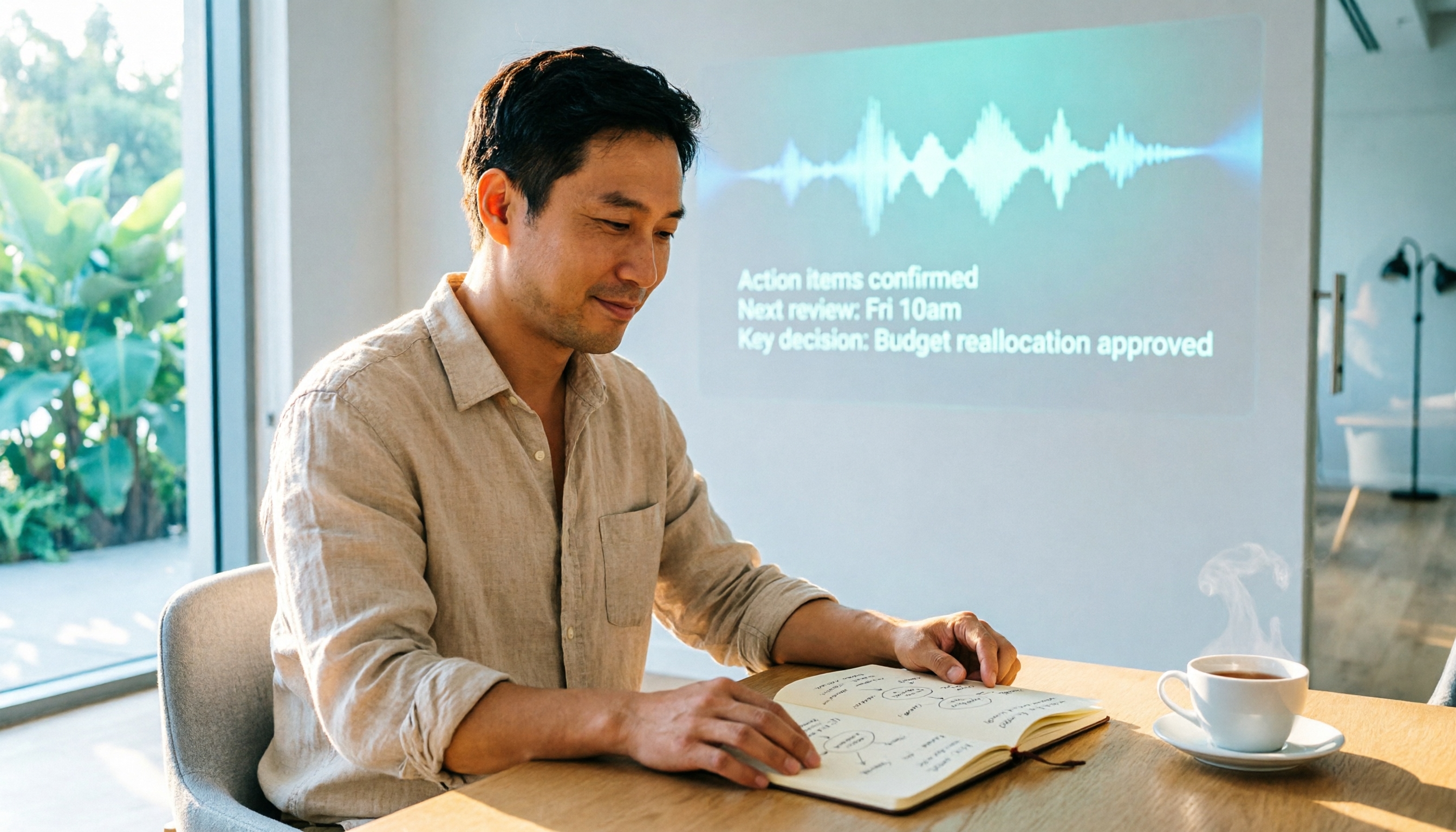
Turn recordings into transcripts and summaries in minutes
Upload audio or video for multilingual transcription, AI notes, and action items
Why You Need an AI Meeting Note Tool?
The most exhausting part of a meeting is often not the discussion itself, but the follow-up. You have to recall what was said, type up the key points, and track action items.
Now, many people use AI meeting note tools to handle this. These tools can turn meeting conversations into transcripts, automatically generate summaries, key points, and to-dos, and even let you ask follow-up questions based on the meeting content.
This article reviews 5 popular AI meeting note tools. I'll cover recording methods, transcripts, AI organization, team features, and pricing, so you can quickly determine which one fits your needs.
Tinrec (Miao Ting Lu Yin)—Turn Meetings into Searchable Team Knowledge
Tinrec is an AI meeting note and collaboration tool designed for individuals and teams. It doesn't just convert audio to text; it emphasizes post-meeting organization, Q&A, export, and team sharing.
What I like most is its desktop app's bot-free recording method. You don't need to add an extra meeting bot to Zoom, Google Meet, or Microsoft Teams. Just open the Tinrec desktop app, and it directly captures your computer's system audio, transcribing it in real time. This is especially useful if you don't want an unfamiliar participant in your meetings.
After transcription, Tinrec generates summaries, chapters, key points, and to-dos. You can also ask follow-up questions about the meeting content, such as "What budget issues were discussed in this meeting?" or "What follow-up needs did the client mention?"
Additionally, you can export meeting results to tools like Notion, Google Docs, OneNote, and Dropbox, and generate reports, tables, or meeting minutes. The team plan offers team spaces, member management, seats, usage analytics, and audit logs, making it suitable for departments or project teams that want to centralize meeting data.
For pricing, the personal plan includes a free trial, as well as weekly, Pro monthly, and Pro annual options. The team plan is billed per seat and also offers a trial. Actual prices and benefits are subject to the official purchase page.
If you need Chinese meeting notes and want to turn meeting content into searchable team knowledge, Tinrec is definitely worth trying first.
Notta—Excels in Multilingual Transcription and Translation
Notta is an AI transcription service from Japan, supporting transcription and translation in multiple languages, and is used in meetings, interviews, lectures, and more.
Compared to Tinrec, Notta leans more toward a multi-device transcription and translation tool. You can upload audio files to convert to text, and it also supports online meeting notes. Official data shows its transcription and translation cover multiple languages.
The free plan offers about 120 minutes per month, with a max of 3 minutes per session; the Pro plan, billed annually, is approximately USD 8.17/month, providing 1,800 minutes per month; the Business plan, billed annually, is approximately USD 16.67/seat/month.
It's suitable for users who need multilingual transcription, translation, or subtitle processing.
Otter.ai—A Mature English Meeting Assistant
Otter is a well-established AI meeting assistant that supports platforms like Zoom, Microsoft Teams, and Google Meet, offering real-time transcription, speaker identification, AI Chat, and team management features.
It's particularly strong in English business meetings. If your meetings are primarily in English, Otter is a common choice. However, it's not the strongest option for Chinese meeting scenarios.
The free version offers 300 minutes per month; the Pro plan, billed annually, is approximately USD 8.49/user/month, including 1,200 minutes of in-app recording and 10 file imports per month.
It's suitable for individuals or teams whose meetings are mainly in English and who need mature meeting assistant features.
Fireflies.ai—Strong in Meeting Automation and Team Analytics
Fireflies excels in meeting automation, AI summaries, AskFred Q&A, and extensive third-party integrations. It leans more toward a meeting bot model, suitable for teams that need to automatically record many online meetings.
Stop organizing recordings by hand
Upload audio or video and automatically get a transcript, summary, and action items
Fireflies' free plan is USD 0; the Pro plan, billed annually, is USD 10/seat/month; the Business plan is USD 19/seat/month. Note that its "unlimited transcription" is still subject to storage space, file upload rates, and AI Credit rules.
It's suitable for teams that need meeting automation, sales analytics, or extensive integrations.
Granola—Bot-Free AI Meeting Notes
Granola, like Tinrec, uses a bot-free approach, capturing system audio and microphone via a desktop device to transcribe meetings in real time.
Its unique feature is combining your own handwritten notes with AI to generate meeting content that's more tailored to your needs. Granola supports real-time transcript viewing, copying, and searching, but it doesn't support uploading pre-recorded audio files and doesn't retain meeting audio.
The free version is Basic; the Business plan is USD 14/user/month; the Enterprise plan is USD 35/user/month.
It's suitable for users who like taking notes during meetings and don't need to keep audio files.
With So Many Options, How Do You Choose?
- Want bot-free recording for online meetings while keeping both audio and transcript → Tinrec (desktop app captures system audio directly, no extra participant needed)
- Need Chinese meeting notes, AI Q&A, to-do organization, and team knowledge building → Tinrec (can summarize, ask follow-ups, and export after transcription)
- Need multilingual transcription and translation, especially for Japanese or other languages → Notta (more comprehensive multilingual support)
- Meetings are mainly in English and you need a mature AI meeting assistant → Otter.ai (stronger in English business scenarios)
- Need extensive meeting automation and sales analytics → Fireflies.ai (stronger integration and automation capabilities)
- Prefer taking your own notes and don't want to keep meeting audio → Granola (notes plus AI enhancement)
4 Things to Know Before Using AI Meeting Note Tools
1. Check if the Recording Method Fits Your Meetings
Some tools join meetings as bots, while others like Tinrec and Granola capture your computer's system audio directly. If you don't want an unfamiliar participant in your meetings, consider bot-free options first.
2. Don't Just Look at Transcription Minutes
Free quotas and paid minutes are important, but what matters more is the post-transcription organization capability. Tinrec's value lies in generating summaries, to-dos, AI Q&A, and exports after transcription, which saves more time than just getting a transcript.
3. Clarify Roles and Seats for Team Use
A team plan doesn't mean multiple people share one account. With Tinrec, for example, roles determine who can manage the team, and seats determine who can upload, edit, and export. Members without seats can usually still view team data.
4. Double-Check Important Content Against the Recording
AI transcription can greatly reduce manual work, but errors can still occur with heavy accents, overlapping speech, or technical jargon. For important decisions or client requirements, it's advisable to verify against the transcript timestamps and the recording.
Conclusion
The key point of AI meeting note tools isn't just converting audio to text; it's about saving you time on post-meeting organization.
If you need a tool that can record online meetings without bots, supports Chinese content, and turns meeting data into team assets, Tinrec is a comprehensive choice right now. You can start with a free trial or short-term plan to see if the transcription and organization process fits your workflow.
FAQ
What's the difference between Notta and Tinrec?
Notta focuses more on multilingual transcription and translation, suitable for users who need subtitles, translation, and file transcription. Tinrec, on the other hand, emphasizes post-meeting AI Q&A, to-do organization, export, and team spaces. They overlap quite a bit, but Tinrec stands out with its team collaboration and bot-free desktop recording.
Is the free version of AI meeting note tools enough?
If you only occasionally transcribe a recording or meeting, the free version is worth trying. However, free versions often have minute and session length limits, like Notta's 3-minute max per session. If you have meetings to organize weekly, a paid plan is more stable.
Do these tools automatically join all meetings?
Not necessarily. Otter and Fireflies have meeting bot modes, but Tinrec and Granola capture system audio via a desktop app, so no extra bot is needed. Tinrec currently shouldn't be understood as automatically joining all calendar meetings.
Will meeting data disappear when a team member leaves?
With Tinrec's team plan, team data belongs to the team. When a member exits or is removed, resources need to be transferred to other active members; they won't just disappear.
Can AI transcription be 100% accurate?
It's not advisable to expect that. Actual performance is affected by recording quality, noise, accents, overlapping speech, and technical jargon. For important content, it's best to cross-check with the transcript and recording.
References
Turn every recording into actionable outcomes
Get 60 free transcription minutes when you sign in. No credit card required.
Related Reading
You might also like

2026 AI Meeting Recorder Comparison: Which Free Version Is Good Enough?
Stop typing meeting notes by hand. This hands-on comparison of Tinrec, Otter.ai, Notta, and Granola looks at how each AI meeting platform captures meetings, handles Chinese and mixed-language transcription, organizes post-meeting output, and what their free tiers actually include. It also covers five buying criteria and four common pitfalls to help you decide which one fits your needs.

2026 AI Meeting Notes Tools Compared: Which Is Fastest for Online Meeting Transcripts and Summaries?
Tired of waiting for downloads and transcription after meetings? This article focuses on how quickly you can view transcripts online after a meeting, outlines 4 key factors for choosing an AI meeting notes tool, and compares Tinrec, Otter.ai, Notta, and Granola on recording methods, audio retention, post-meeting organization, and free tiers, plus 3 common pitfalls to avoid.

AI Meeting Notes Comparison 2026: Tinrec vs Granola — Which Fits You Across 5 Key Dimensions?
Instead of replaying recordings after online meetings, first figure out how to choose an AI meeting notes tool. This article compares Tinrec and Granola across meeting capture, historical audio organization, recording retention, post-meeting outputs, Chinese-language experience, and team collaboration to help you decide which fits your workflow.

5 AI Meeting Note Apps Compared for 2026: Free Tiers, Summaries, and Exports Explained
Tired of replaying recordings and typing transcripts after meetings? This article compares AI meeting note apps like Tinrec, Otter.ai, Notta, and PLAUD from four angles: free tier limits, meeting audio capture, summary quality, and team management. It offers practical selection advice and common pitfalls to avoid.

2026 AI Meeting Notes Software Comparison: Which Is Fastest for Chinese Transcription and Post-Meeting Organization?
2026 AI meeting notes software hands-on comparison: breaking down the differences between Tinrec, Notta, Granola, and PLAUD across Chinese transcription, bot-free online meeting recording, post-meeting AI Q&A, action item extraction, and team knowledge retention to help you choose the most time-saving meeting notes tool.

2026 AI Meeting Notes Platform Buying Guide: 4 Tools Compared and Selection Advice
Starting from common misconceptions, this guide covers key factors for choosing an AI meeting notes platform, Tinrec's practical workflow, the positioning differences of Otter.ai, Notta, and PLAUD, and the pitfalls teams most often encounter before adoption.

7 Best Free AI Meeting Notes Tools in 2026: A Complete Comparison
How to choose an AI meeting notes tool? This guide compares 7 tools—Tinrec, Otter, Fireflies, Notta, TurboScribe, Granola, and PLAUD—based on free tier limits and meeting capture methods, including paid starting prices. It also walks through Tinrec's complete workflow from recording, transcription, proofreading, and note generation to export and sharing.

Tinrec vs Notta in 2026: 5-Dimension Comparison — Which Free Version Is Better for Chinese Meetings?
There are many free AI meeting note tools, but the word "free" means very different things for each tool. This article compares Tinrec and Notta from four angles: the shape of the free quota, how online meetings are recorded, post-meeting organization capabilities, and data ownership. It also includes use cases for Otter.ai and Granola, plus four common purchasing pitfalls.

2026 AI Meeting Notes Platform Comparison: Tinrec vs Notta — Which Is Better for Leading a Team?
Starting from the real pain points of a mid-level manager juggling 15 meetings a week, this hands-on comparison examines Tinrec and Notta across five dimensions: meeting capture, post-meeting outputs, Chinese terminology handling, team governance, and data handover. It also offers guidance on choosing an AI meeting notes platform in 2026 and a framework for evaluating costs.