
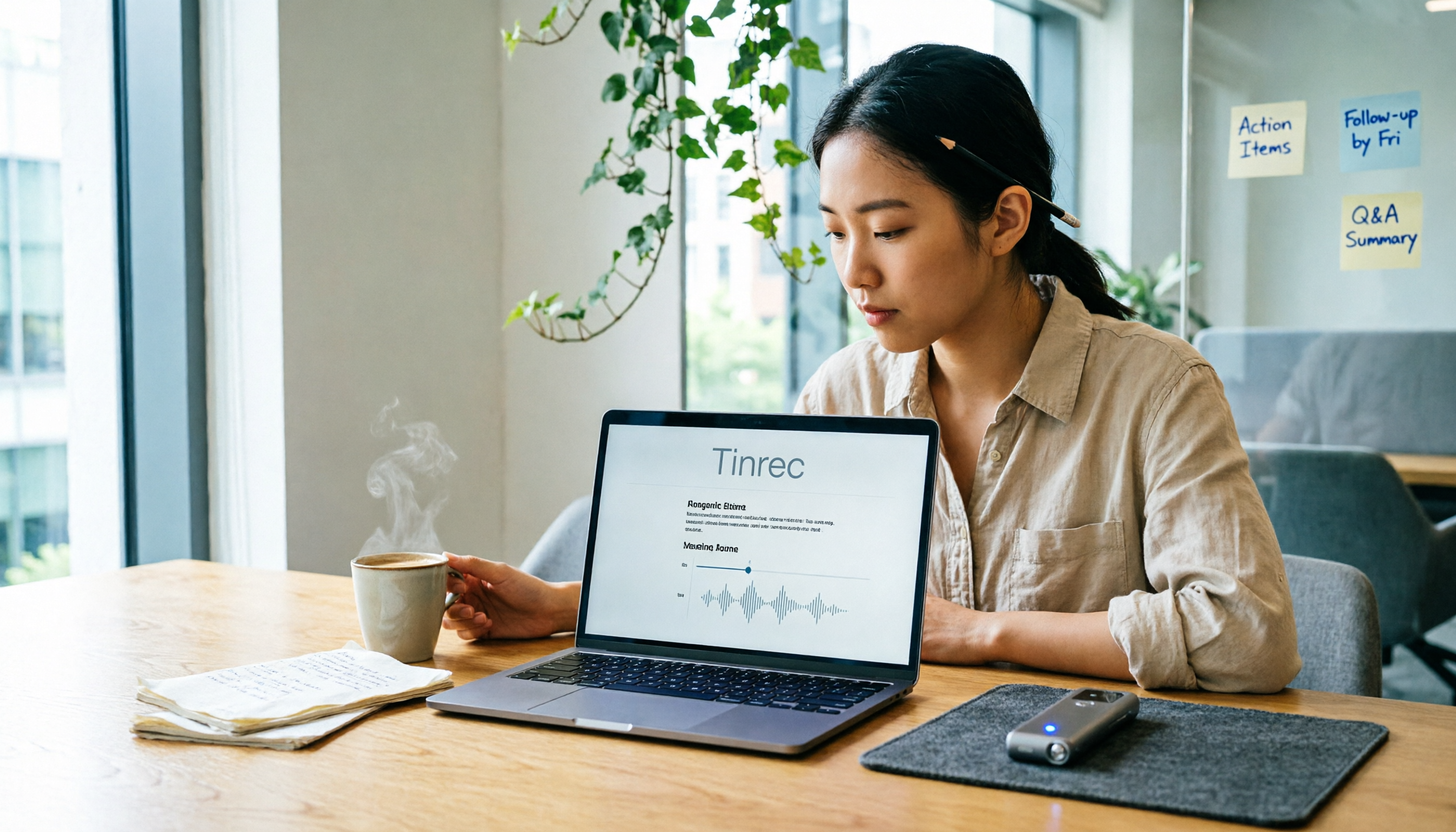
Turn recordings into transcripts and summaries in minutes
Upload audio or video for multilingual transcription, AI notes, and action items
First, Clarify: Do You Need a "Transcription Tool" or a "Meeting Organization Tool"?
Before diving into Notta reviews, there's a more important question to answer: Do you just want to convert audio files into text, or do you want someone to help you organize summaries, key points, and action items after meetings?
This directly affects whether Notta is right for you and how you interpret Reddit reviews.
If you only occasionally transcribe recordings, transcription tools like Notta are indeed convenient. But if you have weekly meetings and need to track progress afterward, a raw transcript often isn't enough. Take TInrec, for example—it's positioned closer to the latter: besides transcription, it generates summaries, chapters, and action items, and allows you to manage meeting materials in a team space.
Clarify your needs first, then read reviews—this can save you a lot of detours.
What Can Notta Do for You?
Notta is a speech-to-text tool primarily used to convert meetings, interviews, courses, or video content into transcripts, and it also offers translation and summarization features.
On Reddit and review sites, Notta is commonly mentioned in these use cases:
Use Case 1: Online Meeting Transcription
Users can record meetings from Zoom, Google Meet, or Microsoft Teams and upload them for transcription. This saves time for those who need meeting records without manual typing.
Use Case 2: Interview and Course Organization
Journalists, researchers, or students upload interview recordings or lecture recordings to Notta to quickly get transcripts and then mark key points.
Use Case 3: Video and Podcast Content Organization
Some people import YouTube video links or podcast audio files, convert them to text, and then take notes or translate.
Note that Notta's use cases lean toward "transcription" and "translation." If you need post-transcription organization, tools like TInrec place summaries, action items, AI Q&A, and export features at the core.
What Are Notta's Core Capabilities?
Based on Reddit discussions and public reviews, Notta's main capabilities can be summarized as follows:
Multi-Device Recording and Transcription
Notta supports mobile, desktop, and web versions, allowing users to record on different devices and convert audio to text.
Real-Time Translation and Bilingual Transcripts
Notta offers translation features, letting users view original text, translations, or bilingual content during recording or transcription. This is convenient for cross-language communication.
AI Summaries
After transcription, Notta generates summaries to help users quickly grasp key points.
File Export
Users can export transcripts in common formats for further editing in other tools.
Team Plans
Notta's Business plan offers role permissions and usage reports, suitable for team use.
However, Reddit users have also mentioned a few things to watch out for. One thread noted that a user assumed Notta's speech recognition supported multiple languages but later found that certain features only supported Japanese. This reminds us: "Multi-language support" on official pages doesn't mean every feature supports all languages.
In contrast, TInrec has a clearer positioning for Chinese meeting scenarios. It supports Chinese, Traditional Chinese, and mixed Chinese-English content, and offers real-time translation with bilingual viewing. If you primarily handle Chinese meetings, prioritize checking a tool's actual performance with Chinese content.
How TInrec Addresses Issues Notta Users Face
Reddit discussions about Notta generally focus on three aspects: free trial requiring a credit card, language support falling short of expectations, and pricing being high for light users.
These three issues are perfect for illustrating an alternative.
Issue 1: Free Trial Requires a Credit Card, and Forgetting to Cancel Leads to Charges
Reddit users have mentioned that Notta's free trial requires credit card details upfront. One user said they deleted their account after a one-day trial but were still charged $189.90.
This type of dispute isn't uncommon with subscription tools, but it's a real risk for budget-conscious users.
Stop organizing recordings by hand
Upload audio or video and automatically get a transcript, summary, and action items
TInrec's free version doesn't require a credit card upfront, allowing you to try recording, importing, and summarization with basic credits. If you just want to test it out, you don't need to worry about automatic charges from the start.
Issue 2: Language Support Doesn't Match Expectations
In the Reddit discussion mentioned earlier, a user was disappointed because Notta's speaker separation feature only supported Japanese. This shows that if you only look at marketing copy before purchasing, it's easy to miss feature-level language limitations.
TInrec's recommendation: test with your own recordings first. Especially for scenarios with multi-speaker meetings, mixed Chinese-English content, or background noise, actual testing reveals the real performance. TInrec also offers team-specific vocabulary features to maintain common industry terms, improving recognition in specialized meetings.
Issue 3: Monthly Fees Are High for Light Users
Some Reddit users mentioned that Notta didn't meet their "low-cost" expectations, and some were even looking for cheaper alternatives.
If you only have one or two meetings a week, TInrec's free version is a good starting point. For short-term intensive meetings or interviews, a weekly pass is another option. For long-term use, consider a Pro monthly or annual plan. The key is to choose based on actual usage frequency rather than committing to a long-term subscription from the start.
4 Things to Consider When Choosing a Meeting Transcription Tool
Whether you choose Notta or another tool, here are 4 things to verify first:
1. Does the Free Trial Require a Credit Card?
This is the most common source of complaints on Reddit. Read the terms carefully before trying, and confirm the cancellation process, charge timing, and refund policy. TInrec's free version doesn't require a credit card, reducing this concern.
2. Does Language Support Cover Your Actual Scenarios?
Don't just look at "multi-language support." Confirm that the features you need—like speaker separation, real-time translation, and summaries—support your language. TInrec has clearer positioning for Chinese meetings and mixed Chinese-English content.
3. Can It Help You Organize After Transcription?
A transcript is just the first step. Whether it can generate summaries, action items, AI Q&A, and export to Notion or Google Docs is key to work efficiency. TInrec places these post-processing capabilities at its core.
4. For Team Use, Who Manages the Data?
If you're using it as a team, confirm whether meeting data is centrally managed and whether data disappears when a member leaves. TInrec's team version provides a dedicated team space where meeting data belongs to the team, and resources can be handed over when a member exits.
Frequently Asked Questions
Does Notta's free trial auto-charge?
Reddit users have reported that Notta's free trial requires a credit card, and charges may still occur after account deletion. Actual billing rules may change over time, so read the terms carefully before trying and cancel proactively before the charge date.
Does Notta only support Japanese?
Notta itself supports multiple languages, but some users have noted that specific features, like speaker separation, may only support Japanese. This doesn't mean the entire product is Japanese-only, but it's a reminder to verify feature availability for your language before purchasing.
What's the difference between TInrec and Notta?
Notta leans toward multi-device transcription, translation, and file processing. TInrec, besides transcription, emphasizes post-meeting summaries, action items, AI Q&A, export, and team spaces. Another difference is that TInrec's desktop version can record online meetings like Zoom, Meet, and Teams without a bot.
Does TInrec's free version require a credit card?
No. TInrec's free version provides basic credits, allowing you to try recording, importing, and summarization without needing to bind a credit card.
I'm not sure if Notta or TInrec is right for me. How do I decide?
First, consider what you primarily handle. If you often do cross-language translation or large-scale file transcription, you can try Notta. If you focus on Chinese meetings and need summaries, action items, and team data management after meetings, TInrec's design is closer to that workflow.
Summary
The biggest takeaway from Reddit reviews of Notta is: don't just look at marketing copy—check credit card terms, language support scope, and actual use cases before trying.
If you only transcribe occasionally, a flexible plan is enough. If you want transcripts, summaries, action items, and team data all organized in one place after meetings, TInrec offers another approach that's closer to meeting workflows.
We recommend starting with a free version, testing with your own recordings, and confirming the tool fits your language and usage habits before deciding to pay.
References
- r/AiNoteTaker on Reddit: I feel misled by Notta.ai
- Honest Notta AI Review (2026): I Tried Notta So You Don't Have To - tl;dv
- r/NoteTaking on Reddit: Can’t afford Notta AI anymore. Any alternative recommendations?
- Notta AI Review – Is This Transcription Tool Actually Worth It? - Fritz ai
- r/OpenAI on Reddit: Any audio-to-text generator better than Notta.ai that combines accuracy, ease of use and low cost?
Turn every recording into actionable outcomes
Get 60 free transcription minutes when you sign in. No credit card required.
Related Reading
You might also like

4 AI Meeting Recorder Tools Tested: Free Tiers and Chinese Meeting Support Compared (2026)
Is more free minutes always better? This hands-on comparison of Tinrec, Otter.ai, Notta, and Granola walks through real meeting workflows—how meetings get captured, what you get after transcription, Chinese-language performance, free tiers, and team permission management—plus four common selection mistakes and scenario-based recommendations.

2026 AI Meeting Notes Comparison: Tinrec vs Notta vs Otter.ai — Which Is Best?
After a two-hour meeting, your notes are just scattered fragments. This article compares Tinrec, Notta, and Otter.ai using the same criteria: how well they handle Chinese meetings, how they record online meetings, what you get after the meeting, whether teams can manage them, and how pricing works—so you can decide which one fits you best.

2026 AI Meeting Notes Software Comparison: Transcription Doesn't Equal Deliverable Minutes
Starting from the most common selection pitfalls, this hands-on comparison of Tinrec, Notta, Otter.ai, and PLAUD Note examines differences in meeting recording methods, post-meeting output, Chinese recognition, and team management. It also covers key buying criteria, pitfalls to avoid, and selection advice to help you find AI meeting notes software that truly saves post-meeting organization time.

How to Choose an AI Meeting Recorder in 2026: Testing 3 Tools + Tinrec Chinese Transcription and Post-Meeting Action Items
Before searching for 'which AI meeting recorder is best,' clarify your meeting language, recording method, and post-meeting needs. This article covers 4 key buying factors, hands-on comparisons of Tinrec, Otter.ai, Notta, and Granola, and 4 common pitfalls to help you choose the one you'll actually use.

2026 AI Meeting Notes Software Comparison: Free Tiers and Post-Meeting Organization—Which Is Enough?
A hands-on comparison of four AI meeting notes tools in 2026, covering recording methods, post-meeting outputs, AI Q&A, and team data ownership, plus three common buying mistakes to help you decide if a free plan is enough or a team plan is worth it.

Tinrec AI Meeting Recorder Review (2026): Bot-Free Recording & Chinese Transcripts
Most people choosing an AI meeting notes app ask 'which one is free' first, but overlook whether it understands Chinese, keeps audio files, and produces usable post-meeting output. This review compares Tinrec and Granola across 5 dimensions, with a 3-step getting-started guide and FAQs to help you decide which fits your meeting scenarios.

2026 AI Meeting Notes Free Plans Compared: 4 Tools at a Glance
Are free AI meeting notes tools good enough? This article compares Tinrec, Otter.ai, Notta, and TurboScribe on free quota calculation, per-session limits, Chinese recognition, and post-meeting organization, with hands-on testing to help you find the most suitable tool without spending money.

Which AI Meeting Notes Tool Is Best in 2026? 5 Steps to Find Your Perfect Fit
Spending extra time organizing meeting notes after a meeting is a common pain point for many office workers. This article starts from real-world usage scenarios and uses 5 steps to help you decide how to choose an AI meeting notes tool. Using Tinrec as an example, it explains how real-time transcription, AI summaries, action item extraction, AI Q&A, and team knowledge retention work in practice, helping you pick the one that truly works for you.

2026 AI Meeting Notes Tools Compared: Which Is Easiest to Learn and Fastest to Use?
Buying a meeting notes tool you can't use is more wasteful than not taking notes at all. Instead of stacking specs, this hands-on comparison looks at ease of learning across Tinrec, Otter.ai, Notta, Granola, and more. It breaks down four key factors that determine how quickly you can get up to speed, and honestly covers each tool's free tier, Chinese-language performance, and real limitations—so you can pick the one you can open and use right away.