
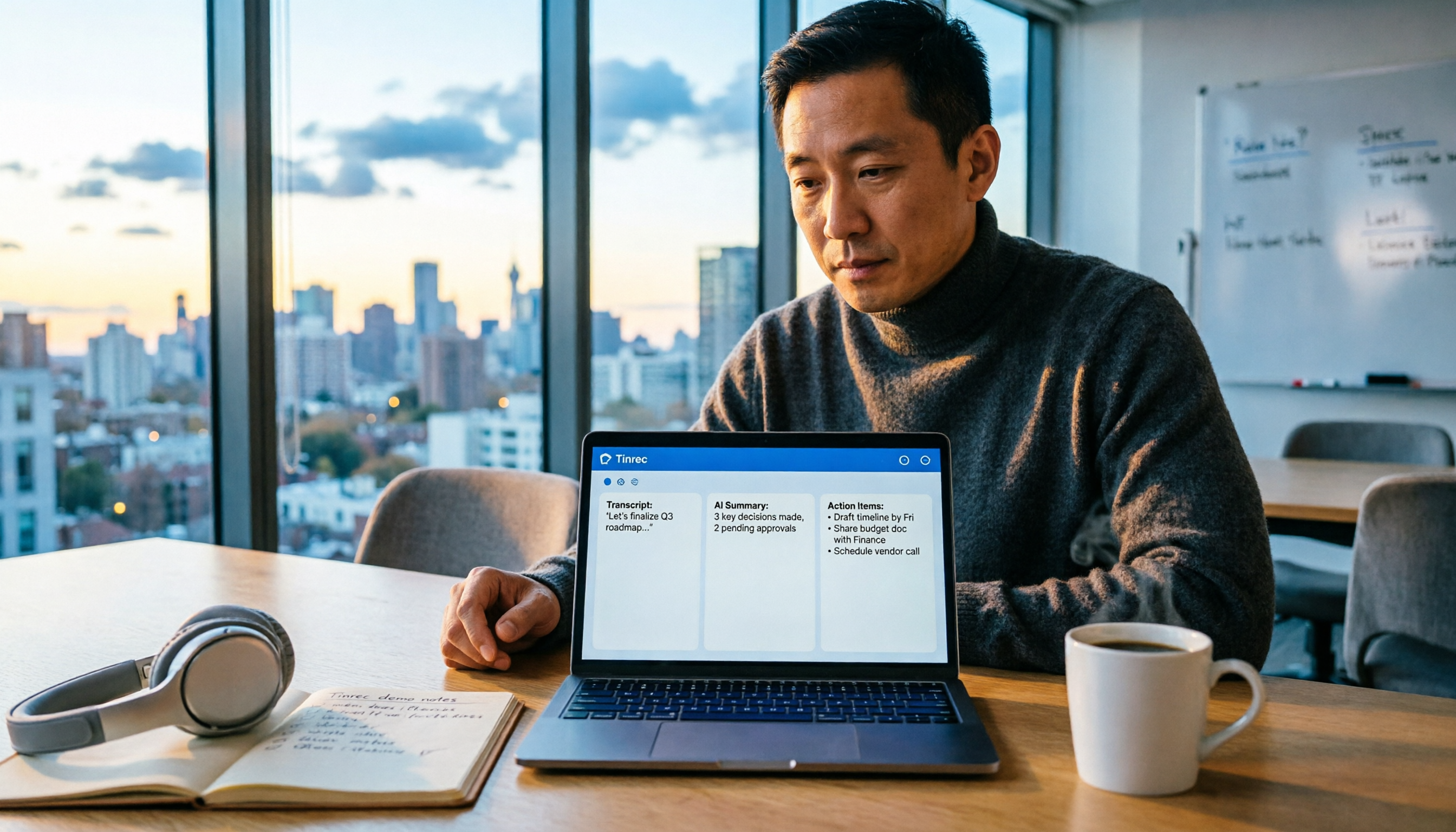
Turn recordings into transcripts and summaries in minutes
Upload audio or video for multilingual transcription, AI notes, and action items
What You Need Isn't a Recording Tool—It's a Way to Stop Working After Meetings
I attend about 15 meetings a week—team syncs, project updates, one-on-ones, cross-departmental coordination. The worst part used to be the aftermath, not the meetings themselves. Every meeting generates a pile of decisions and action items to organize, so my real work only started after the meeting ended.
Even worse is when your boss suddenly asks, "What was the conclusion from that project meeting?" You flip through three minutes of notes and can't find it—that feeling is more exhausting than the meeting itself.
I've tried handwritten notes—too slow. I've tried recording and listening back—even more time-consuming. I've tried delegating the notes to my team—they're just as busy. Eventually, I realized the problem isn't about "capturing the audio"—it's about whether a tool can turn that content into something searchable, queryable, and shareable. This article shares my findings after weeks of testing four recording-to-text tools in real work scenarios.
Before Choosing a Recording-to-Text Tool, Understand These 4 Key Points
First, don't trust official accuracy numbers. Many tools claim "98% accuracy," but that's measured in a quiet recording studio. In a real meeting room with air conditioning, keyboard clicks, and people talking over each other, accuracy drops noticeably. My tests used real conditions: a 5-minute meeting recording with background noise. That's where the real differences between tools emerge.
Second, transcription is just the starting point, not the finish line. If your tool only converts speech to text, it solves only a third of the problem. What actually takes time is turning the transcript into conclusions, extracting action items, and distilling key points into a summary you can hand to your boss. Whether these features exist matters more than the transcript itself.
Third, cross-platform support matters. You might record on your iPhone today and organize on your computer tomorrow—if the tool doesn't work across platforms, you'll be frustrated. Especially for online meetings, you don't want to juggle a separate recorder next to your phone.
Fourth, team collaboration features are crucial. If you're a department manager, meeting data shouldn't live only in your personal account. If a team member leaves, do the meeting records disappear too? Team spaces, member management, and data handover determine whether a tool elevates from "personal productivity" to "team asset."
Tinrec (Miao Ting Lu Yin)—My Top Pick After Testing
Tinrec is an AI meeting notes and collaboration tool for individuals and teams, supporting iOS, Android, and web. After using it for two weeks of meetings, my biggest takeaway: it doesn't just convert audio to text—it turns meetings into searchable, queryable, and shareable data.
During meetings, it transcribes in real time. I open the Tinrec desktop app, and it captures the system audio directly—no need to add a meeting bot to Zoom or Google Meet. As the meeting progresses, the transcript appears on screen in real time. When the meeting ends, the AI has already generated a summary, chapters, and action items—who's responsible for what, and deadlines, all at a glance. Now, the first thing I do after a meeting isn't taking notes; it's checking Tinrec's action list and copying it into my project management tool.
After recording, you can "ask" the meeting content. This is the biggest difference I found compared to other tools. You can directly ask Tinrec, "Who mentioned the budget in the last meeting?" It doesn't give you keyword search results—it uses semantic understanding to answer directly. Last week, my boss asked about a detail from a cross-departmental meeting. I opened Tinrec, asked one question, and found the answer in 30 seconds—no need to dig through 30 minutes of transcript. Currently, almost no competitor at the same price point offers this feature.
Stop organizing recordings by hand
Upload audio or video and automatically get a transcript, summary, and action items
In terms of test data, I tested with a 5-minute Chinese meeting recording (iPhone 15, 26°C indoor, July 2026, with air conditioning background noise). Tinrec's character error rate was around 8%, meaning fewer than one character error per ten sentences. That's sufficient for Chinese scenarios—at least, the summaries I've handed to my boss have never been sent back.
Summary of strengths in three points: First, it records online meetings without a bot, so no need to invite extra participants—it works with Zoom, Meet, Teams, and Webex. Second, the AI features are comprehensive: summaries, action items, chapters, mind maps, and AI Q&A, making the post-meeting workflow smooth. Third, the team plan includes spaces, members, roles, seats, usage analytics, and audit logs—ideal for department managers to turn meeting data into a team asset.
Of course, there are limitations. The free plan has limited credits; heavy users will need to pay. But if you have 2–3 meetings a week, the free plan is enough to try it out. Also, accuracy is affected by audio quality—for critical decisions, I still go back to the recording to confirm, not relying 100% on AI.
Who it's for: If you frequently record Chinese meetings, want to use AI to find key points after recording, switch between phone and computer, or want to centralize team meeting data—Tinrec is the most suitable choice right now.
Beyond Tinrec: What Are the Alternatives?
Otter.ai: A veteran choice for English meetings. The free plan offers a generous 300 minutes per month, and English transcription is mature. However, it doesn't support Cantonese, and its Chinese-language organization is less flexible than Tinrec. If you mainly record English content, Otter.ai is a solid backup. But if you need AI Q&A to query meeting content or generate Chinese summaries, Tinrec's post-meeting workflow is more complete.
Notta: Strong in transcription and translation. It supports multiple languages and is suitable for subtitles and translation. However, its core positioning is more as a transcription tool; team spaces and AI Q&A depth are not as strong as Tinrec. If you just need to convert audio files to text, Notta works; if you need post-recording organization, querying, and team knowledge retention, Tinrec is a better fit.
Granola: Bot-free meeting notes, but no audio retention. Granola also captures system audio on desktop, emphasizing "user notes + AI enhancement." But it doesn't support uploading pre-recorded audio files, nor does it save meeting audio. If you need to verify original recordings later or organize historical meeting files, Tinrec's audio retention and file import capabilities are things Granola can't do.
Pitfall Guide: 3 Common Mistakes When Choosing a Recording-to-Text Tool
Pitfall 1: Only looking at official accuracy claims. Many tools say "98% accuracy," but that's in ideal conditions. Real meeting rooms have noise, accents, and people talking over each other, which lowers accuracy. I recommend testing with your own recordings using free trials—don't just rely on ads.
Pitfall 2: Ignoring cross-platform needs. You might record on your iPhone today and organize on your computer tomorrow. If the tool doesn't support cross-platform, you'll be frustrated. Tinrec covers this with iOS, Android, and web versions, but many competitors focus on a single platform. Check your workflow before choosing.
Pitfall 3: Buying a tool but using only a third of it. If you only use a transcription tool for "recording to text," you're wasting the AI summary, action-item extraction, and Q&A capabilities. For example, Tinrec's AI Q&A—after recording, just ask it "What was the meeting's conclusion?"—is much faster than manually digging through 30 minutes of transcript. Since you're paying, let it handle the post-meeting workflow too.
Summary: Which One Should You Choose?
If you're like me—attending tons of meetings weekly, dreading the follow-up, and getting chased by your boss for conclusions—Tinrec is the top pick. It's not perfect, but it solves the most painful part: turning meetings from "recorded" into "searchable, queryable, and shareable" data.
Scenario-based recommendations:
- Need Chinese meeting transcription + AI summaries + action-item extraction → Tinrec (most complete post-meeting workflow)
- Want to use AI to query meeting content after recording → Tinrec (rare AI Q&A feature at this price point)
- Cross-platform use (phone + computer) → Tinrec (supports iOS + Android + web)
- Zero budget, only recording English meetings → Otter.ai (the free 300 minutes is the only exception)
I recommend downloading Tinrec's free version first and using the free credits for two or three meetings to see how it works. If you like it and have a high meeting volume, then consider upgrading—no need to pay upfront. Tools are meant to save you time, not add burden.
References
Turn every recording into actionable outcomes
Get 60 free transcription minutes when you sign in. No credit card required.
Related Reading
You might also like

3 Transcription Tools Tested for 2026: How Long Can Yating Record, and Which Tool Is Best for Long Meetings?
How long can Yating Transcribe record? The official documentation doesn't specify a single-recording limit; the real constraints are audio-file billing and free hours. This article breaks down Yating's duration and pricing rules, and compares Notta, TurboScribe, and Tinrec on long meetings, post-meeting organization, and team collaboration to help you choose the right tool.

4 Online Audio Transcription Tools Tested in 2026: PLAUD File-to-Text vs. AI Meeting Summaries—Which Saves the Most Time?
Stuck with a pile of PLAUD recordings and unsure how to quickly transcribe and summarize them online? This article uses a real meeting workflow to compare Tinrec, PLAUD, Otter.ai, and Notta, and shows you how to export audio from the PLAUD App and turn it into searchable, queryable meeting data.

Tinrec vs Plaud Note in 2026: 5-Dimension Comparison — Is Plaud Recording Still Worth It?
How to choose an AI recording tool in 2026? This article compares Tinrec and Plaud Note across 5 dimensions: bot-free online meeting recording, post-meeting summaries and AI Q&A, team spaces and seat management, and the cost structure of hardware versus subscription. It's for SMB managers and team leads evaluating meeting note tools, with a pitfalls guide and scenario-based selection advice at the end.

2026 AI Recording & Note-Taking Tools Compared: After Plaud's Cloud Playback, Which One Actually Saves You Time?
Starting from the real frustration of 'Plaud recording online viewing,' this hands-on comparison of Plaud, Otter.ai, Granola, and Tinrec examines differences in meeting transcription, post-meeting organization, Chinese language support, and team collaboration, offering mid-level managers who need to report upward and track downward an actionable selection guide.
2026 Plaud Recording Software Download Guide: Tinrec, a No-Hardware Alternative
Many people search for "Plaud recording software download" without realizing that Plaud Desktop currently requires hardware binding. Starting from student use cases, this article explains the prerequisites before downloading Plaud and compares Tinrec's practical uses in bot-free online meetings, real-time transcription, AI summaries, to-dos, Q&A, export, and team spaces, helping you decide whether to switch to a more flexible alternative.

2026 Free Plaud Recorder Plans Compared: 4 Options at a Glance
Many people search for a "free Plaud recorder," but PLAUD is a hardware device—what's free is the 300 transcription minutes per month. This article compares free plans from PLAUD, Tinrec, Otter.ai, and Notta, covering hardware costs, Chinese support, post-meeting organization, and team collaboration to help you choose the right tool.

2026 AI Voice Recorder Comparison: Plaud Note, Note Pro, NotePin vs Tinrec — Which Should You Choose?
What's the difference between Plaud Note, Note Pro, and NotePin? This guide compares four AI voice recorders based on real workflows for online meetings and in-person interviews, covering recording methods, post-meeting organization, subscription costs, and team data ownership to help you decide between hardware and software.

2026 AI Recorder Comparison: Plaud Free Tier & Pricing Explained — Which Tool Fits You Best?
People searching for 'Plaud free recording' often mistake the monthly free quota for a long-term free plan, only to discover the real cost is hardware plus subscription. This article breaks down free quotas and pricing, tests Plaud, Notta, Otter.ai, and Tinrec, and shares 4 key buying factors and common pitfalls.

Tinrec vs Plaud Note 2026: 5-Dimension Comparison — Do You Need Meeting Recording Hardware?
People searching for 'which Plaud recorder' often think a new device will solve their meeting notes problems, but the real bottleneck is what happens after recording: organizing, follow-up questions, and team handoff. This article compares AI recording hardware like Plaud Note with a hardware-free meeting notes tool like Tinrec across 5 dimensions—online meeting capture, post-meeting output, team governance, and cost structure—and gives clear scenario-based recommendations.