

Turn recordings into transcripts and summaries in minutes
Upload audio or video for multilingual transcription, AI notes, and action items
2026 Free Plaud Recorder Plans Compared: 4 Options at a Glance
Many people search for a "free Plaud recorder," and the first misunderstanding is thinking there's a PLAUD recorder that costs nothing. To be honest, PLAUD is a hardware device—you have to buy the device itself. What's called "free" usually refers to the Starter plan included after registration, which offers 300 transcription minutes per month.
Another common misconception is looking only at free minutes. 300 minutes sounds like a lot, but without summaries, to-dos, Q&A, and export, you'll still spend time re-listening and organizing. Rather than comparing who gives more, first consider your recording scenario: is it portable recording, online meetings, or organizing existing audio files?
In this article, I'll clarify the misunderstandings first, then help you choose a plan by comparing four common options: PLAUD, Tinrec, Otter.ai, and Notta. The point isn't which is more comprehensive overall, but which suits your use case.
What Is a Free Plaud Recorder? Let's Clear Up a Common Misunderstanding
PLAUD is an AI recording hardware brand, with representative products like PLAUD NotePin and PLAUD Note Pro. What users buy is a device that can be carried around, record phone calls, and record for long periods—not a free app download.
Currently, PLAUD's US official website shows NotePin at USD 159 and Note Pro at USD 189. The free part is the Starter plan, which provides 300 transcription minutes per month; the Pro plan is USD 99.99/year with 1,200 minutes per month; the Unlimited plan is USD 239.99/year. Prices and benefits are subject to the official page.
So, if you're asking "Is there a free PLAUD recorder?" the answer is more like: you have to buy the device, but you can try transcription with the free plan first. If you don't want to carry an extra hardware device and only want to record online meetings on your computer, a software-based tool like Tinrec would be a more direct approach.
Also, a reminder: before recording, it's best to inform the other party and get consent. Regulations vary by location, so don't skip this step.
Before Choosing a Free Recording Plan, Understand These 4 Key Points
1. What scenario are you recording? For portable interviews and phone calls, hardware has advantages; for online meetings like Zoom, Google Meet, Teams, and Webex, desktop software is more convenient. PLAUD excels at portable hardware, while Tinrec excels at desktop recording of online meetings without a bot.
2. Is the free quota "transcription minutes" or "recording minutes"? Some plans offer 300 minutes per month, some 120 minutes per month, and some limit single-session length. You need to look at what happens after exceeding the quota, not just the free number.
3. How well does it handle Chinese and mixed Chinese-English? Meetings in Taiwan often mix Chinese with English terms. PLAUD's official page mentions multiple languages and templates; Tinrec explicitly supports Chinese, Traditional Chinese, multiple languages, real-time translation, and team hotwords. Actual performance still depends on your accent, noise, and microphone.
4. Can you use it directly after recording? If you only get a transcript, you still have to highlight key points yourself. If it can automatically generate summaries, chapters, and to-dos, or even let you ask AI "Who mentioned the budget in the last meeting?", the post-meeting organization time will be very different. This is also the biggest difference between Tinrec and pure transcription tools.
Tinrec — My Go-To Choice When You Don't Want to Buy Hardware
Tinrec is an AI meeting notes and collaboration tool for individuals and teams. It doesn't just convert audio to text; it organizes meeting recordings into searchable, summarizable, queryable, and exportable data, suitable for Chinese meetings, online meetings, and teams that need to retain knowledge after meetings.
Here's a real use case: when starting a Zoom or Teams meeting, use the Tinrec desktop app to capture computer system audio directly—no need to invite a meeting bot. During the meeting, it generates a live transcript, and after the meeting, it automatically organizes summaries, chapters, and to-dos. Participants don't have to frantically take notes while listening, and they don't have to re-listen from the beginning afterward.
More importantly, you can ask follow-up questions after the meeting. You can ask Tinrec about a single meeting or multiple meetings: "What were the client's concerns about pricing?" "Who is responsible for the next step decided last week?" It answers based on meeting content, not just keyword search results. For those who need to review decision context, this is much more practical than a simple transcript.
Stop organizing recordings by hand
Upload audio or video and automatically get a transcript, summary, and action items
It also supports importing audio and video files, real-time translation and bilingual viewing, and exporting to tools like Notion, Google Docs, OneNote, and Dropbox. The team version puts meeting data into a separate team space, where administrators can manage members, roles, seats, sharing permissions, usage analytics, and audit logs; when a member leaves, team resources can be handed over and won't disappear with the individual account.
Limitations should also be clear. Tinrec's free version provides a basic quota, suitable for trying out; heavy users need to look at paid plans. It doesn't automatically join all calendar meetings; instead, users initiate recording actively. The team version currently offers team-level sharing with role and seat management, not file-level granular permissions; members without a seat can view team data but cannot upload, edit, or export. As for accuracy, it's not recommended to chase a fixed number—important content should still be verified against the recording and transcript.
If you mainly record Chinese meetings, don't want to buy hardware, and want to use AI to ask key points after meetings, Tinrec will fit your workflow better than a pure recording device.
Besides Tinrec, What Other Free Plans Are There?
PLAUD NotePin / Note Pro: Hardware AI recording devices, suitable for portable recording, phone calls, and long recordings. The free Starter plan offers 300 minutes per month, and the device starts at USD 159. Its advantage is "recording without taking out your phone," but the downside is carrying an extra device, and online meetings aren't its main strength. Tinrec requires no hardware purchase; the desktop version can handle online meetings directly and offers AI Q&A and team spaces.
Otter.ai: A mature choice for English meetings. The Basic free plan offers 300 minutes per month, suitable for English-focused teams. It has a strong understanding of English business meetings, but Chinese and mixed Chinese-English are not its main strengths. If you mainly record English meetings, Otter.ai is sufficient; if you need Chinese transcripts, real-time translation, and team knowledge retention, Tinrec is more suitable.
Notta: A multilingual transcription tool. The Free plan offers 120 minutes per month, with a maximum of 3 minutes per session; the Pro annual plan is about USD 8.17/month, with 1,800 minutes per month. It's suitable for short-term, small-volume, multilingual file transcription. However, the free version's 3-minute limit per session is quite strict and not suitable for long meetings; Tinrec focuses on real-time meetings, post-meeting summaries, AI Q&A, and team collaboration.
Pitfall Guide: The 3 Most Common Mistakes When Looking for a Free Recorder
Pitfall 1: Mistaking "free transcription" for a "free device." When you see "free PLAUD," first confirm: is the device free, or is it 300 minutes included upon registration? PLAUD's device must be purchased separately; the free plan is just an entry-level quota. The right approach is to calculate the hardware price and subscription cost together, not just look at how many minutes are given per month.
Pitfall 2: Looking only at minutes, not the post-recording organization cost. If 300 minutes of transcript has no summaries, to-dos, and Q&A, you'll still spend time re-listening. When choosing a tool, rather than comparing who gives more, compare who can help you organize less.
Pitfall 3: Ignoring Chinese, accents, noise, and overlapping speakers. No tool can guarantee 100% accuracy. Technical terms, background noise, and multiple people talking over each other will increase error rates. It's recommended to record a segment of your own real meeting and see if the transcript is usable. Tinrec has team hotwords to maintain technical terms, but important content should still be verified against the original.
Pitfall 4: Ignoring team data ownership. If you record with a personal account, what happens to the data after a member leaves? The team version should have a separate space, roles, seats, and data handover. Tinrec's team version makes resources owned by the team, and handover is possible when members leave; but note that people without a seat can only view, not edit.
Conclusion: Which One Should You Choose?
If you want portable hardware, phone recording, long battery life, and don't mind carrying an extra device: choose PLAUD NotePin or Note Pro, and try the Starter plan with 300 minutes per month first.
If you mainly record online meetings, don't want to buy hardware, and need Chinese transcripts and post-meeting AI Q&A: choose Tinrec. Its desktop version doesn't need a meeting bot, and after meetings, it offers summaries, to-dos, Q&A, export, and team spaces—closer to daily work for users in Taiwan.
If English meetings are the main focus and 300 free minutes are enough: Otter.ai Basic is worth considering. Its English experience is mature, but Chinese is not its focus.
For multilingual file transcription and short-term, small-volume use: Notta Free is worth a try, but be sure to check the 120 minutes per month and 3 minutes per session limits first.
In short, rather than looking for a "free PLAUD recorder," first confirm whether you need hardware, transcription quota, or post-meeting organization. Record a real meeting with a free plan first, see if the transcript and summary are usable, and then decide whether to pay—this is more reliable than buying hardware or an annual plan from the start.
References
- Plaud Taiwan | Official Website | Leading Brand in AI Recording Devices
- Plaud Note │ The Smartest AI Voice Recorder Card Ever
- PLAUD NOTE | AI Smart Voice Recorder Card | Free 300 Minutes of Transcription per Month - eSENTRA
- Plaud Note Pro Unboxing Review | Portable AI Smart Recording Evolves Again! Is It Good? Who Is It For? - Mr. Mad
- Plaud AI Plans and Pricing
Turn every recording into actionable outcomes
Get 60 free transcription minutes when you sign in. No credit card required.
Related Reading
You might also like

3 Transcription Tools Tested for 2026: How Long Can Yating Record, and Which Tool Is Best for Long Meetings?
How long can Yating Transcribe record? The official documentation doesn't specify a single-recording limit; the real constraints are audio-file billing and free hours. This article breaks down Yating's duration and pricing rules, and compares Notta, TurboScribe, and Tinrec on long meetings, post-meeting organization, and team collaboration to help you choose the right tool.

4 Online Audio Transcription Tools Tested in 2026: PLAUD File-to-Text vs. AI Meeting Summaries—Which Saves the Most Time?
Stuck with a pile of PLAUD recordings and unsure how to quickly transcribe and summarize them online? This article uses a real meeting workflow to compare Tinrec, PLAUD, Otter.ai, and Notta, and shows you how to export audio from the PLAUD App and turn it into searchable, queryable meeting data.

Tinrec vs Plaud Note in 2026: 5-Dimension Comparison — Is Plaud Recording Still Worth It?
How to choose an AI recording tool in 2026? This article compares Tinrec and Plaud Note across 5 dimensions: bot-free online meeting recording, post-meeting summaries and AI Q&A, team spaces and seat management, and the cost structure of hardware versus subscription. It's for SMB managers and team leads evaluating meeting note tools, with a pitfalls guide and scenario-based selection advice at the end.

2026 AI Recording & Note-Taking Tools Compared: After Plaud's Cloud Playback, Which One Actually Saves You Time?
Starting from the real frustration of 'Plaud recording online viewing,' this hands-on comparison of Plaud, Otter.ai, Granola, and Tinrec examines differences in meeting transcription, post-meeting organization, Chinese language support, and team collaboration, offering mid-level managers who need to report upward and track downward an actionable selection guide.
2026 Plaud Recording Software Download Guide: Tinrec, a No-Hardware Alternative
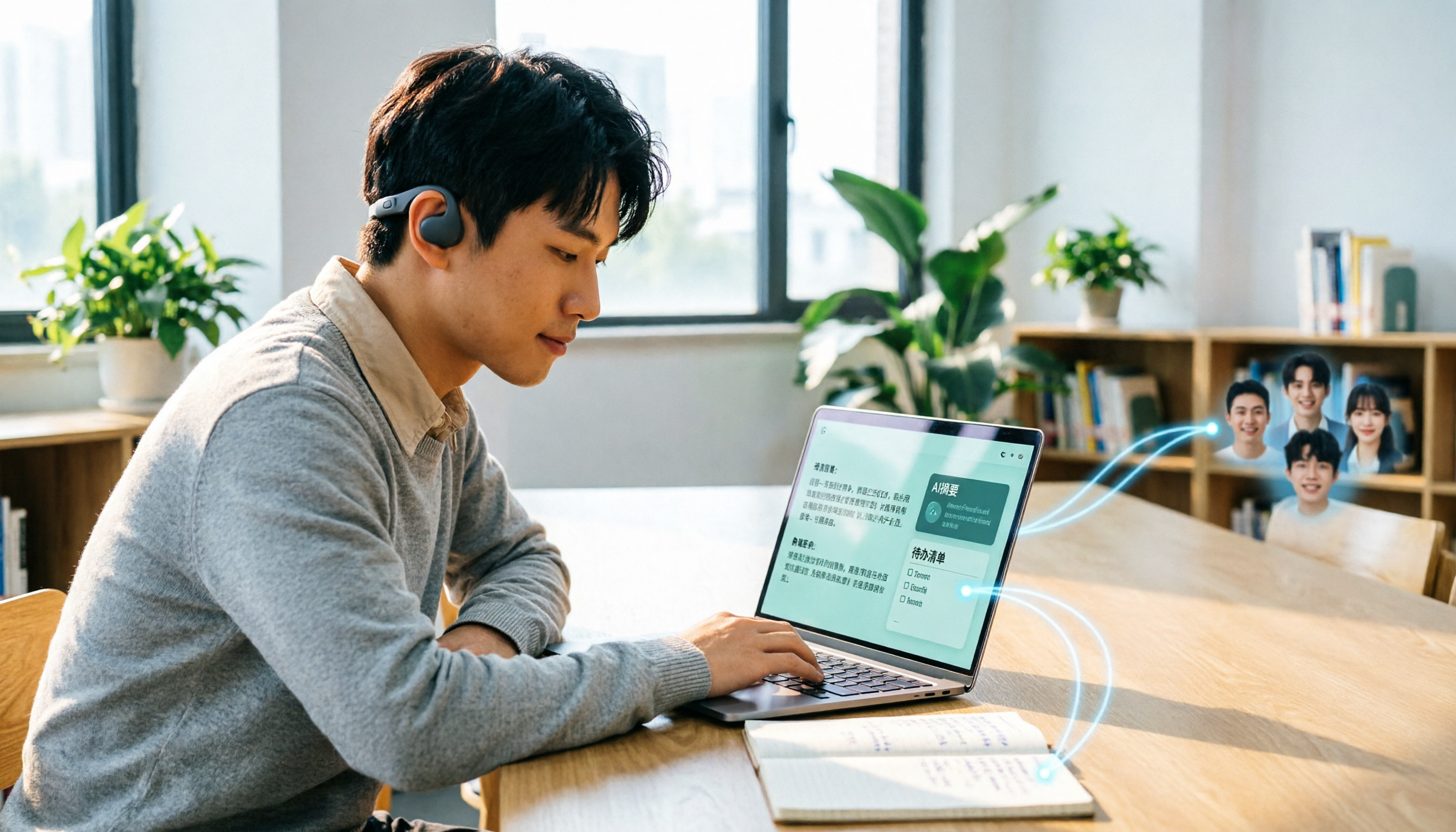
Many people search for "Plaud recording software download" without realizing that Plaud Desktop currently requires hardware binding. Starting from student use cases, this article explains the prerequisites before downloading Plaud and compares Tinrec's practical uses in bot-free online meetings, real-time transcription, AI summaries, to-dos, Q&A, export, and team spaces, helping you decide whether to switch to a more flexible alternative.

2026 AI Voice Recorder Comparison: Plaud Note, Note Pro, NotePin vs Tinrec — Which Should You Choose?
What's the difference between Plaud Note, Note Pro, and NotePin? This guide compares four AI voice recorders based on real workflows for online meetings and in-person interviews, covering recording methods, post-meeting organization, subscription costs, and team data ownership to help you decide between hardware and software.

2026 AI Recorder Comparison: Plaud Free Tier & Pricing Explained — Which Tool Fits You Best?
People searching for 'Plaud free recording' often mistake the monthly free quota for a long-term free plan, only to discover the real cost is hardware plus subscription. This article breaks down free quotas and pricing, tests Plaud, Notta, Otter.ai, and Tinrec, and shares 4 key buying factors and common pitfalls.

Tinrec vs Plaud Note 2026: 5-Dimension Comparison — Do You Need Meeting Recording Hardware?
People searching for 'which Plaud recorder' often think a new device will solve their meeting notes problems, but the real bottleneck is what happens after recording: organizing, follow-up questions, and team handoff. This article compares AI recording hardware like Plaud Note with a hardware-free meeting notes tool like Tinrec across 5 dimensions—online meeting capture, post-meeting output, team governance, and cost structure—and gives clear scenario-based recommendations.

Plaud Note Pro vs Note vs NotePin: 2026 Comparison Review — Which One Is Right for You?
How do Plaud Note, Note Pro, and NotePin differ? This comparison breaks down recording form factor, transcription quotas, and post-meeting workflows. It also explains why you may not need dedicated hardware if most of your meetings are online, and what a software-only option like Tinrec can actually do.