

Turn recordings into transcripts and summaries in minutes
Upload audio or video for multilingual transcription, AI notes, and action items
Plaud Note Pro vs Note vs NotePin: 2026 Comparison Review — Which One Is Right for You?
Many people assume that buying an AI voice recorder means meeting notes will generate themselves.
In reality, these are two separate things. The recorder is responsible for capturing the audio, but turning a 60-minute recording into meeting minutes you can hand off involves transcription, correction, identifying key points, and organizing action items.
This is the gap I see most often in reader comments: they buy the hardware, install the app, and still end up typing notes by hand.
In this article, I'll clearly explain the differences between Plaud's three current recorders, and I'll be honest about one thing: if you mainly record online meetings, you may not need to buy an extra piece of hardware.
(Prices and benefits below are based on official pages as of August 2026. Actual checkout amounts are subject to the official website.)
Do You Want "Recording" or "Meeting Notes"?
Let's start with a common scenario.
A salesperson brings a recorder to a client meeting, talks for an hour, and comes back with a clear audio file—but still has to listen to it again to write the meeting summary for their manager. The recorder only solves "not missing anything," not "not wanting to listen again."
The second scenario is online meetings. Many people place a recorder next to the speaker during a Zoom or Teams meeting, resulting in muffled voices from the other side and loud local voices, and the transcript gets all the names wrong.
The third scenario is teams. Meeting recordings are stored on a colleague's phone, and when they leave, a whole year of client interview records disappears with them.
None of these three problems can be solved by "which recorder to buy"—it's about "where your toolchain ends." Once you think this through, looking at specs becomes much more grounded.
4 Key Points to Understand Before Choosing a Plaud Recorder
1. Are you recording in-person conversations or online meetings?
The strength of hardware like Plaud lies in in-person scenarios: client visits, interviews, classes, medical appointments. When you're on-site and it's inconvenient to take out your phone, it's more useful than a phone. But if 80% of your meetings each week are on Google Meet or Teams, hardware becomes a detour.
2. Transcription quota is more critical than recording time.
Just because you can record 30 hours doesn't mean you can transcribe 30 hours. Plaud's AI membership is priced separately: Starter at 300 minutes per month, Pro at USD 99.99 per year (1,200 minutes per month), Unlimited at USD 239.99 per year. Before buying, calculate how many minutes you speak per month—this number is far more important than battery life.
3. After recording, where does the data go?
This is a column that spec sheets never show. Can the transcript be searched? Can you directly ask it "who mentioned the budget in the last meeting?" Can it be exported to Notion or Google Docs? These determine whether you'll use it a second or third time.
4. Does the data belong to individuals or the team?
For personal use, it doesn't matter, but once you start managing people or have handovers, the ownership of meeting data becomes an issue. This is something I recommend everyone think about in advance.
Tinrec — An Option Without Carrying an Extra Device
Let's clarify its positioning first. Tinrec is an AI meeting notes and collaboration tool for individuals and teams, supporting web, desktop, and mobile. Its biggest difference from a recorder is: the phone and computer you already use are its recording source.
Online meetings: record without adding a bot.
Tinrec's desktop version directly captures your computer's system audio, handling meetings on platforms like Zoom, Google Meet, Microsoft Teams, and Webex. No "AI assistant" participant appears in the meeting, and the participant list won't be filled with strange accounts.
Note that this is not "automatically joining all meetings on your calendar"—you open Tinrec yourself to start recording. Many reviews make this sound too good, and I think it should be clarified.
In-person meetings and interviews: transcribe while recording.
With real-time recording on your phone, you can transcribe as you record, so you don't need to go back to your desk to grab equipment when called into a meeting room. For cross-language situations, you can enable real-time translation and view in original, translated, or bilingual mode—especially useful for meetings with mixed Chinese and English.
The post-meeting part is the key: summaries, chapters, action items, Q&A.
This is where it differs most from pure recording tools. After the meeting, the system generates summaries, chapters, key points, and action items, so you can skim long meetings by reading only the chapters.
Even better is the AI Q&A: you can directly ask "What was the conclusion about the budget in this meeting?" and it will answer based on the meeting content, rather than dumping a bunch of keywords for you to search through yourself.
The output side is also practical: transcripts and minutes can be exported to existing workflows like Notion, Google Docs, OneNote, and Dropbox; when formal delivery is needed, you can use Agent post-processing to generate reports, tables, or documents.
Team version: turn meetings into team assets.
If you're a multi-person team, the team version is a separate team space, not "multiple people sharing one account." You can create multiple teams, invite members via link, and manage "roles" and "seats" separately: roles determine who can manage the team and audit logs, seats determine who can record, upload, edit, and export.
Stop organizing recordings by hand
Upload audio or video and automatically get a transcript, summary, and action items
Members who are active but have no seat can still view, play, and read team data. The admin side also includes team usage trends, member rankings, team hot words, audit logs, and an audio recycle bin (currently retained for 30 days; TODOs are not included in the recycle bin). When a member leaves or loses their seat, the team resources they were responsible for need to be handed over to other active members and won't be taken away personally.
Pricing: the first eligible team trial is 7 days, 1 free seat, and 300 minutes of team shared import quota; team monthly is USD 29.80 per paid seat per month, annual is USD 199 per paid seat per year (equivalent to about USD 16.58 per month). Each paid seat provides 2,000 minutes of team shared import quota per month; under an active team plan and active seat, real-time recording is currently not deducted by minute.
Honestly, where its limitations are.
It has no dedicated hardware, so it lacks the "set it down and record" battery advantage, and unlike Plaud Note, it can't magnetically attach to the back of your phone to record calls. Recording quality depends on your microphone and environment; when multiple people talk over each other, there's air conditioning noise, or heavy accents, the transcription still needs manual review.
Also, transcription accuracy is affected by audio quality, noise, and technical terminology—I won't tell you it's 100% accurate. For important numbers, I recommend listening back to the original audio at the corresponding transcript timestamp.
Who is it for? Mainly for those who have online meetings, need Chinese transcripts and post-meeting organization, want to ask questions directly about meeting content, or want to turn meeting data into team assets. Individuals can start with the free version; for short-term intensive use there's a weekly pass, and for long-term there are Pro monthly and annual plans.
So How Do the Three Plaud Models Differ? Other Options at a Glance
Plaud Note Pro: The flagship of the three, priced at USD 189 on the US official website. Aerospace-grade aluminum alloy body with sandblasted anodized finish—the build quality is genuinely good. During recording, you can press a button to mark key points, and the AI will specifically incorporate those marks during post-processing; the app offers models like GPT-5, Gemini 2.5 Pro, and Claude 4, plus over a hundred summary templates, and supports asking questions about note content. Suitable for those who frequently attend in-person meetings and interviews and value device feel.
Plaud Note: Card-style design that magnetically attaches to the back of your phone via MagSafe, featuring both ambient and call recording modes. The official page states support for transcription in 112 languages, 30 hours of continuous recording, 64 GB storage, and long standby time. Small and intuitive to carry, it's the most classic form in this series.
PLAUD NotePin: USD 159 on the US official website, smaller and designed for wearability and long-duration recording. If what you need is continuous recording that you "almost forget exists," this form factor is more suitable than the card; but correspondingly, operation and status display are more minimal.
Philips VTR5900: Pen-shaped, about 25 grams, with replaceable refills, no screen—operated entirely via body buttons and LED indicators. Some media tests note its transcription error rate is relatively higher, and status display is less intuitive than Plaud. Suitable for light users who want "a pen that records conveniently."
To draw a simple line: the value of Plaud's three models is "independent recording in in-person scenarios," while Tinrec's value is "no extra device to carry, and completing post-meeting organization and team collaboration together." They are not entirely the same thing.
Pitfall Guide: 4 Most Common Mistakes When Choosing an AI Voice Recorder
Pitfall 1: Assuming buying hardware automatically gives you meeting notes.
Hardware only handles audio capture. Transcription requires quota, and organization requires a workflow. Many people buy it only to find the 300 minutes per month runs out quickly and they need an additional subscription.
Pitfall 2: Looking only at recording time, not transcription quota.
30 hours of battery life is attractive, but if your plan only allows 300 minutes of transcription per month, the 30 hours means little. Calculate your actual monthly meeting hours first.
Pitfall 3: Using hardware to record online meetings.
Placing a recorder next to the speaker usually doesn't sound as good as directly capturing system audio. If 80% of your meetings are on a computer, try a software solution first before deciding whether to buy equipment.
Pitfall 4: Ignoring data ownership and handover.
Recordings stored in personal accounts scatter when the person leaves. Before team use, clarify: who owns the data, how to hand over upon departure, and who can see it.
One final reminder: before recording, proactively inform the other party and obtain consent. Regulations vary by location, and this is both basic courtesy and a compliance requirement.
Conclusion: Which One Should You Choose?
Frequently on-site, interviews, classes, need an independent device → Plaud Note or NotePin, grab and go, no worries about phone battery.
Value hardware build quality and instant operation feedback, budget is sufficient → Plaud Note Pro, the button-marking feature is very useful in long meetings.
More than half of your weekly meetings are on Zoom, Meet, or Teams → Tinrec. The desktop version directly captures system audio, no bot invitation needed, with Chinese transcripts and post-meeting summaries all in one.
Want to ask questions directly about meeting content after recording, without manually scrolling through transcripts → Tinrec, AI Q&A is currently the most distinctive differentiator among similar tools.
Team needs to share meeting data, manage members and usage → Tinrec team version, with roles, seats, audit logs, and recycle bin designed for this purpose.
Budget-first, just want to test the waters → Use Tinrec's free version for two or three meetings first, confirm you'll actually use it, then consider paying or buying hardware.
Two more common reader questions: Can a Plaud recorder replace meeting software? If meetings are all online, usually not, because the audio capture method is wrong. Does Tinrec require extra hardware? No, your phone and computer are your recording devices.
Tools have no absolute good or bad—only whether they match your use case. First figure out how many meetings you handle per month and who ultimately receives the data, and the answer usually becomes clear.
References
- Plaud Taiwan | Official Website | Leading AI Recording Device Brand
- Plaud Note │ The Smartest AI Voice Recorder Ever
- Plaud Note Pro Unboxing Review | Portable AI Smart Recording Evolved! Is It Good? Who Should Buy It? - Mr. Mad
- AI Meeting Notes Tools Compared: Plaud Note Pro, Philips VTR5900, NotebookLM — Which Is Most Reliable? - Apple Almond
- PLAUD NOTE | AI Smart Recording Card | Includes 300 Free Transcription Minutes per Month - eSENTRA
Turn every recording into actionable outcomes
Get 60 free transcription minutes when you sign in. No credit card required.
Related Reading
You might also like

3 Transcription Tools Tested for 2026: How Long Can Yating Record, and Which Tool Is Best for Long Meetings?
How long can Yating Transcribe record? The official documentation doesn't specify a single-recording limit; the real constraints are audio-file billing and free hours. This article breaks down Yating's duration and pricing rules, and compares Notta, TurboScribe, and Tinrec on long meetings, post-meeting organization, and team collaboration to help you choose the right tool.

4 Online Audio Transcription Tools Tested in 2026: PLAUD File-to-Text vs. AI Meeting Summaries—Which Saves the Most Time?
Stuck with a pile of PLAUD recordings and unsure how to quickly transcribe and summarize them online? This article uses a real meeting workflow to compare Tinrec, PLAUD, Otter.ai, and Notta, and shows you how to export audio from the PLAUD App and turn it into searchable, queryable meeting data.

Tinrec vs Plaud Note in 2026: 5-Dimension Comparison — Is Plaud Recording Still Worth It?
How to choose an AI recording tool in 2026? This article compares Tinrec and Plaud Note across 5 dimensions: bot-free online meeting recording, post-meeting summaries and AI Q&A, team spaces and seat management, and the cost structure of hardware versus subscription. It's for SMB managers and team leads evaluating meeting note tools, with a pitfalls guide and scenario-based selection advice at the end.

2026 AI Recording & Note-Taking Tools Compared: After Plaud's Cloud Playback, Which One Actually Saves You Time?
Starting from the real frustration of 'Plaud recording online viewing,' this hands-on comparison of Plaud, Otter.ai, Granola, and Tinrec examines differences in meeting transcription, post-meeting organization, Chinese language support, and team collaboration, offering mid-level managers who need to report upward and track downward an actionable selection guide.
2026 Plaud Recording Software Download Guide: Tinrec, a No-Hardware Alternative
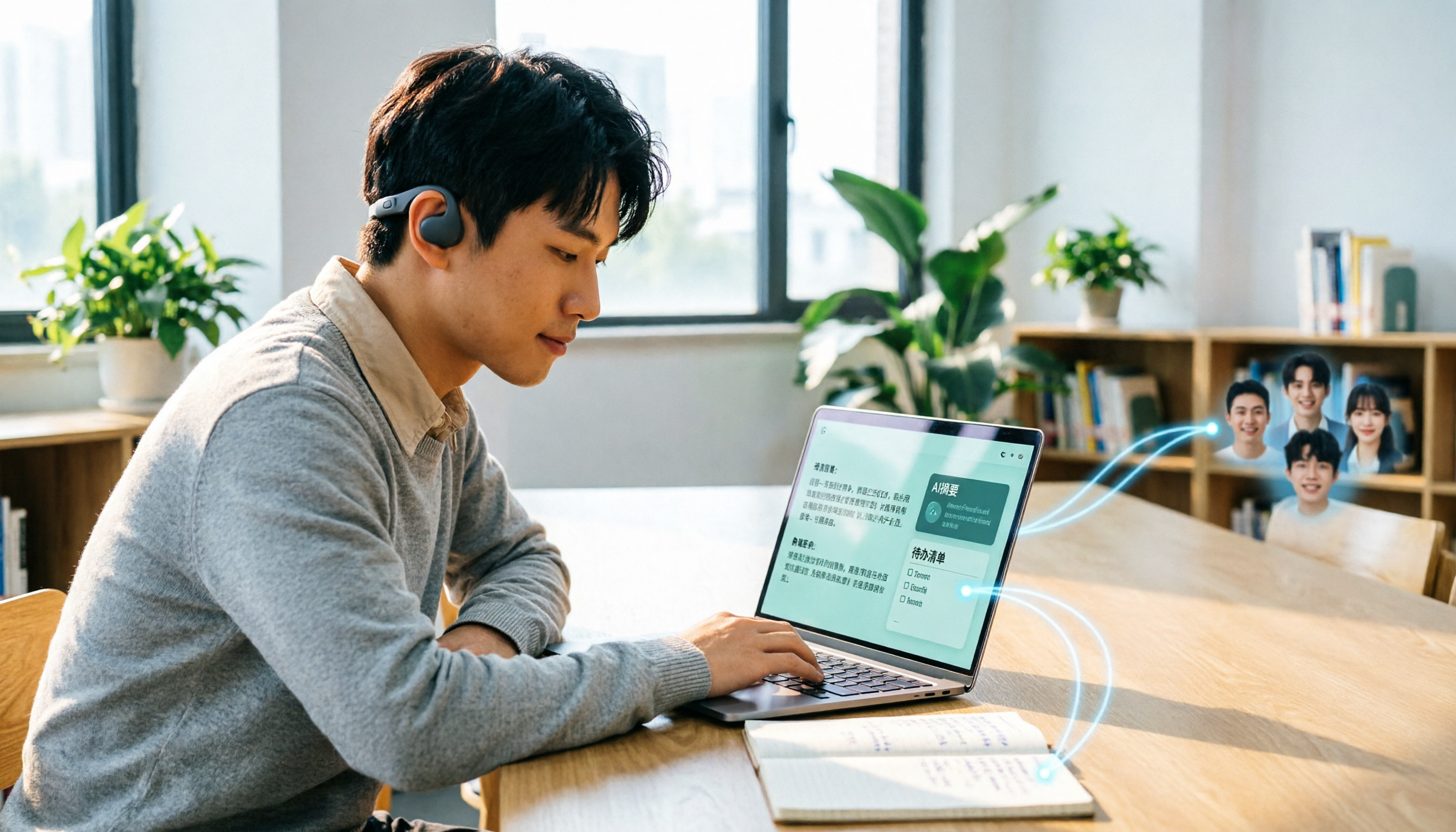
Many people search for "Plaud recording software download" without realizing that Plaud Desktop currently requires hardware binding. Starting from student use cases, this article explains the prerequisites before downloading Plaud and compares Tinrec's practical uses in bot-free online meetings, real-time transcription, AI summaries, to-dos, Q&A, export, and team spaces, helping you decide whether to switch to a more flexible alternative.

2026 Free Plaud Recorder Plans Compared: 4 Options at a Glance
Many people search for a "free Plaud recorder," but PLAUD is a hardware device—what's free is the 300 transcription minutes per month. This article compares free plans from PLAUD, Tinrec, Otter.ai, and Notta, covering hardware costs, Chinese support, post-meeting organization, and team collaboration to help you choose the right tool.

2026 AI Voice Recorder Comparison: Plaud Note, Note Pro, NotePin vs Tinrec — Which Should You Choose?
What's the difference between Plaud Note, Note Pro, and NotePin? This guide compares four AI voice recorders based on real workflows for online meetings and in-person interviews, covering recording methods, post-meeting organization, subscription costs, and team data ownership to help you decide between hardware and software.

2026 AI Recorder Comparison: Plaud Free Tier & Pricing Explained — Which Tool Fits You Best?
People searching for 'Plaud free recording' often mistake the monthly free quota for a long-term free plan, only to discover the real cost is hardware plus subscription. This article breaks down free quotas and pricing, tests Plaud, Notta, Otter.ai, and Tinrec, and shares 4 key buying factors and common pitfalls.

Tinrec vs Plaud Note 2026: 5-Dimension Comparison — Do You Need Meeting Recording Hardware?
People searching for 'which Plaud recorder' often think a new device will solve their meeting notes problems, but the real bottleneck is what happens after recording: organizing, follow-up questions, and team handoff. This article compares AI recording hardware like Plaud Note with a hardware-free meeting notes tool like Tinrec across 5 dimensions—online meeting capture, post-meeting output, team governance, and cost structure—and gives clear scenario-based recommendations.