
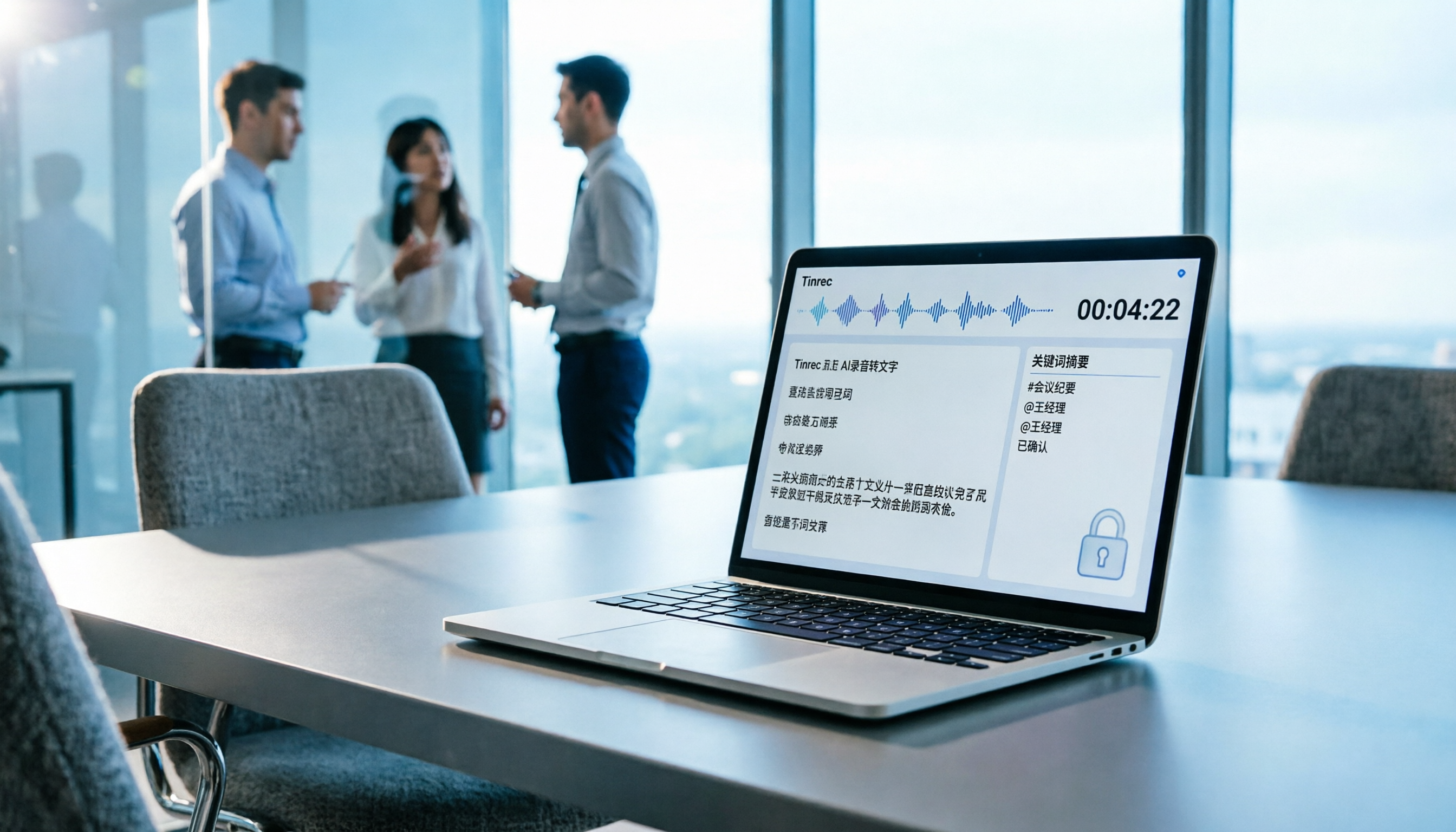
Turn recordings into transcripts and summaries in minutes
Upload audio or video for multilingual transcription, AI notes, and action items
Is Good Tape Worth It? Clarify Your Real Needs First
If you're searching for Good Tape, you likely have interviews, meetings, or course recordings that you want to turn into text quickly, rather than spending hours typing manually. Good Tape is indeed an automatic transcription tool focused on privacy and security, supporting over 100 languages and emphasizing that it won't use your recordings to train AI models.
But "can it transcribe" is just the first step. For those making purchasing decisions, the real question is: after transcription, can these transcripts become searchable, trackable data that your team can continue to use?
This article examines Good Tape and similar tools through real workflows, using Tinrec as a comparison, breaking down budget, Chinese language experience, meeting organization, and team collaboration to help you quickly determine which fits your team best.
First, Understand: What Should a Transcription Tool Do for You?
Most people's first impression is "turning audio into text," but if you stop there, you might pick a solution that leaves you with lots of manual cleanup afterward. Take Tinrec as an example: its workflow is:
- Capture: Record offline meetings or directly capture computer system audio, without needing to add extra bots to Zoom, Google Meet, Microsoft Teams, or Webex.
- Understand: Automatically generate transcripts, summaries, chapters, and key points, breaking long meetings into easy-to-browse structures.
- Act: Extract action items from meeting content and generate reports, tables, or meeting minutes.
- Collaborate: Centralize meeting data in a team space, allowing members to search, ask follow-ups, and reuse content, rather than scattering it across personal devices.
When evaluating, use these four steps as a checklist. Good Tape handles the first two steps—"Capture" and "Transcription"—well, but if you need post-meeting organization and team knowledge retention, you'll need to compare post-processing capabilities.
Good Tape's Core Strengths and Limitations
Good Tape is positioned as a fast, secure, and accurate automatic transcription tool, supporting over 100 languages and offering iOS and Android apps for on-the-go recording that syncs to your account for transcription. For journalists, researchers, or those handling sensitive interviews, its biggest selling point is privacy: the company explicitly states it won't use customer data to train AI models and emphasizes EU data storage with GDPR compliance.
Based on Trustpilot reviews, Good Tape does address some users' concerns about "not wanting to hand recordings to unknown services" when dealing with multilingual interviews and sensitive personal data. However, any speech-to-text tool can make errors due to accents, background noise, or overlapping speech, and Good Tape acknowledges it can't guarantee 100% perfection.
For users in Taiwan, it's essential to verify actual performance with Chinese and mixed Chinese-English content. Good Tape supports multiple languages, but if you primarily handle Chinese meetings, Taiwanese accents, or discussions with English technical terms, test it with your own recordings rather than relying solely on the official language count.
How to Choose Among 4 Transcription Tools: From Budget to Team Needs
1. Limited Budget, Occasional Transcription: Start with Free Trials
If you only transcribe one or two interviews or courses a month, start with free plans. Good Tape offers a free trial; Tinrec's free version provides basic credits to experience recording, importing, summarizing, and transcription.
Buying advice: Don't commit to an annual plan upfront. Use free credits on your most typical recordings to see if it works with your accent, speaking pace, and jargon. Especially for meetings mixing Chinese and English, this test matters more than any spec sheet.
2. Weekly Meetings to Organize: Focus on Post-Meeting Output
If you have meetings, interviews, or course notes to organize weekly, simple transcription often isn't enough. You need quick access to summaries, action items, and key points after transcription.
With Tinrec, for example, it further organizes transcripts into summaries, chapters, and action items, and users can ask AI follow-up questions like "Who mentioned the budget?" or "What were the client's main concerns?" Good Tape excels at transcription itself, but if you need deliverable meeting minutes immediately after, verify whether it offers sufficient post-processing features.
3. Primarily Online Meetings: Check the Bot Issue First
Many choose transcription tools for Zoom, Meet, or Teams meetings. Some tools join as bots, which can raise security or etiquette concerns for certain companies.
Tinrec uses bot-free desktop recording: it captures system audio directly, no need to invite extra bots. Good Tape leans more toward file transcription and app recording; if your main scenario is online meetings, confirm whether its desktop or meeting workflow suits your habits.
4. Team Sharing of Meeting Data: Look at Collaboration and Management
Personal use and team use are entirely different needs. Personal plans just need self-service transcription and search; team plans must handle members, permissions, data ownership, and handovers.
Stop organizing recordings by hand
Upload audio or video and automatically get a transcript, summary, and action items
Tinrec's team plan offers a dedicated team space where meeting data belongs to the team and doesn't disappear when members leave. Admins can set roles and seats, view usage trends and member details, and access audit logs. Good Tape's public info leans toward personal transcription and privacy; if you're deploying it department-wide, you'll need to confirm its team management features separately.
5 Key Considerations When Buying a Transcription Tool
1. Test Accuracy Yourself, Don't Rely on Marketing
Official claims of supporting 100 languages don't guarantee accuracy in your context. Accents, background noise, overlapping speech, and jargon all affect results. Test with your own recordings, especially for Chinese, Taiwanese accents, and mixed Chinese-English content. Tinrec supports Chinese and multilingual meetings, but it also avoids overpromising accuracy since real-world results depend on recording conditions.
2. Post-Transcription Organization Matters More Than Transcription Itself
Transcripts are just raw material. What you really need are summaries, action items, key points, and editable documents. When evaluating, check: Can it auto-organize after transcription? Can you ask questions about the content? Can you export to Notion, Google Docs, or OneNote? Tinrec is more comprehensive in these post-processing capabilities, while Good Tape requires you to verify its editing and export workflows align with your habits.
3. For Online Meetings, Confirm Bot-Free Recording Support
Some companies prohibit third-party bots in meetings. Tinrec's desktop version captures system audio without adding meeting participants; Good Tape is more focused on recording transcription. If your meetings are sensitive, confirm this first.
4. Privacy and Compliance Aren't Just Slogans—Look for Concrete Practices
Good Tape emphasizes no AI training and GDPR compliance, appealing to those handling sensitive data. Tinrec also reminds users to comply with local laws and obtain participant consent when needed. When evaluating, ask: Where is data stored? Will it be used to train models? How quickly is it deleted after removal? These questions matter more than "we're secure."
5. Evaluate Personal vs. Team Use Separately
If you're just organizing your own recordings, a personal plan suffices. But if you need department-wide sharing of meeting data, look at team spaces, member management, permissions, and data handover. Tinrec's team plan separates roles, seats, and member relationships, offering usage analytics and audit logs. For Good Tape, confirm its team features based on the latest official info.
Positioning Differences: Good Tape vs. Tinrec
| Aspect | Good Tape | Tinrec |
|---|---|---|
| Core Positioning | Automatic transcription with privacy focus | AI meeting notes and team collaboration |
| Primary Input | App recording, file transcription | Live recording, bot-free online meetings, file import |
| Language Support | 100+ languages | Chinese and multilingual meetings, including mixed Chinese-English |
| Post-Transcription Processing | Focus on accurate transcription | Summaries, chapters, action items, AI Q&A, translation, export |
| Team Capabilities | To be confirmed per official info | Team space, roles, seats, usage analytics, audit logs |
| Ideal For | Journalists, researchers, privacy-conscious individuals | Workplace users, project teams, sales and customer success teams |
This table isn't about declaring a winner but helping you decide: if you need "securely turn sensitive recordings into text," Good Tape is worth exploring; if you need "turn every meeting into reusable team data," Tinrec's positioning is closer.
Frequently Asked Questions
Does Good Tape support Chinese transcription?
Good Tape officially states it supports over 100 languages, so it has multilingual transcription capabilities. However, actual Chinese transcription performance depends on accents, speaking pace, background noise, and jargon. If you mainly handle Taiwanese Mandarin or mixed Chinese-English content, test with your own recordings first, not just the language count.
Can transcription tools guarantee 100% accuracy?
No. Most tools emphasize high-quality transcription under clear audio but can't promise perfection. Tinrec's advice: AI can significantly reduce manual note-taking, but for critical content, cross-check with transcript timestamps and audio playback.
When team members leave, do meeting data disappear?
It depends on whether the tool offers a team space. With Tinrec, for example, team resources belong to the team; when a member exits or is removed, their assigned resources can be handed over to other active members, not lost with the personal account. Verify this mechanism with other tools too.
I don't want meeting bots; are there alternatives?
Yes. Tinrec's desktop version captures system audio directly, no need for extra bots in Zoom, Google Meet, Microsoft Teams, or Webex. Users manually start recording, making it suitable for teams that don't want third-party bots in meetings.
How do I choose between personal and team plans?
If you're just organizing your own recordings, start with free credits or a personal plan. If you need team sharing of meeting data, tracking action items, and managing member permissions, evaluate team plans. The key isn't "multiple people sharing one account" but data ownership, permission management, and usage records.
Summary: Do You Need "Just Transcription" or "Continued Use"?
Good Tape is a transcription tool centered on privacy and security, ideal for those who need quick audio-to-text conversion and are particularly sensitive about data handling. But if your needs go beyond transcription—wanting meetings to become searchable, trackable, collaborative team assets—focus your comparison on post-meeting organization and team spaces.
With Tinrec, for example, it extends from recording, transcripts, summaries, and action items to team sharing and data handover, closer to a complete "from capture to use" workflow. We recommend testing with free credits on your most frequent recordings, then deciding between a lightweight transcription tool or a full AI meeting notes solution based on weekly usage and team needs.
References
- Good Tape - Automated Transcription | Secure AI Automatic Transcript Tool
- Good Tape Reviews | Read Customer Service Reviews of goodtape.io
- Good Tape - Apps on Google Play
- Good Tape - Audio Transcribing Tool | Review & Alternatives
- Good Tape – Good Tape is an automatic transcription service that makes it easy for journalists (and others) to turn audio recordings into text, regardless of language or sound quality. We save you time and effort so you can focus on what really matters.
Turn every recording into actionable outcomes
Get 60 free transcription minutes when you sign in. No credit card required.
Related Reading
You might also like

2026 AI Meeting Notes Showdown: Tinrec vs Granola on Context Understanding and Post-Meeting Workflows
Nobody wants to re-listen to a meeting recording—that's the biggest pain point of AI meeting tools. This article focuses on context understanding and compares Tinrec and Granola across five dimensions: audio retention, input sources, Chinese language and translation, post-meeting outputs, and team governance, helping you decide which tool better fits your meeting scenarios.

Tinrec vs Microsoft Word Copilot (2026): 5-Dimension Comparison for AI Meeting Minutes in Word
Discover how Tinrec and Microsoft Word Copilot compare in generating AI meeting minutes for Word across 5 key dimensions: audio capture, Chinese transcription, post-meeting organization, Word delivery, and team collaboration. Find the most time-saving workflow for your meetings.

2026 AI Agent Meeting Tools Compared: Which Is Fastest for Chinese Meeting Notes and Action Items?
We tested four AI Agent meeting tools—Tinrec, Otter.ai, Notta, and Granola—comparing bot-free recording, Chinese transcription, post-meeting summaries and action items, AI Q&A, and team knowledge retention to help you choose the most time-saving solution for meeting notes.

2026 AI Meeting Productivity Tools: Bot-Free Recording + Auto Summaries & Action Items
Many people treat AI meeting tools as simple transcript generators, but what really impacts efficiency is post-meeting organization and follow-up. This article uses Tinrec to demonstrate how to go from bot-free recording, real-time transcription, AI summaries, and action item extraction to team workspace retention, and also covers purchasing checkpoints and FAQs.

2026 AI Meeting Assistant Comparison: Tinrec vs. Granola — Which Is Better for Chinese-Speaking Teams?
Starting from the most common misconception about AI meeting assistants, this comparison tests Tinrec and Granola across five dimensions: Chinese-language meeting experience, audio retention, post-meeting outputs, team governance, and cross-device use—helping you decide which workflow truly fits your team.

2026 Comparison of 4 Meeting Productivity Agents: Which One Actually Saves Post-Meeting Time?
The real work starts after the meeting ends. This article uses the same Chinese meeting recording to test the post-meeting workflows of Tinrec, Otter.ai, Fireflies.ai, and Notta—covering bot-free recording, summary and action items, AI Q&A, and team knowledge retention—to help you decide which meeting productivity agent truly saves time.

2026 AI Meeting Notes Tools Compared: Tinrec vs Otter.ai vs Notta vs Granola — Which Turns Meetings into Usable Data?
Stop taking notes yourself: a hands-on comparison of Tinrec, Otter.ai, Notta, and Granola covering transcripts, summaries, action items, and AI Q&A, plus buying criteria, team seat and pricing details, and pitfalls to avoid.

4 AI Agents That Generate Excel Files Tested: Which One Actually Produces a Usable .xlsx?
After a meeting, turning notes into an Excel file often means replaying the entire recording. This article starts from "where does the data come from" and compares four approaches: Tinrec, Excel's built-in Agent mode, Gemini Notebook Agent, and Aspose.Cells AI Generator. It also covers 5 key selection criteria, 4 common mistakes, and practical recommendations.

2026 Free AI Agent PPT Generation Options: 5 Tools Compared
AI Agent PPT generation tools are proliferating, but the real question is where the content comes from. This article reviews five available options in 2026, including Microsoft Copilot, MiniMax Agent, ChatPPT, and two self-hostable open-source projects. It also explains how to use Tinrec to turn meeting recordings into usable presentation material, with a pitfalls guide and selection advice.