

Turn recordings into transcripts and summaries in minutes
Upload audio or video for multilingual transcription, AI notes, and action items
When choosing an AI Agent for PPT creation, most people's first question is "which one is best." But I think the more important question is: Do you want to "quickly generate a slide deck" or "generate content that can be presented on stage"?
These are very different things.
The former only requires a single topic sentence and can produce ten pages in a minute; the latter requires well-structured material, which usually lies in your meeting notes, interview recordings, and conclusions from previous discussions.
This article reviews five AI Agent PPT generation options available in 2026, including completely free open-source self-hosted options and commercial tools that require subscription. I will also first address the most commonly skipped issue: before pressing generate, where does the content come from?
Why AI-generated PPTs are often "look good but unusable"?
Scenario one: You give the AI five words "Q3 marketing review" and it returns ten beautiful but vague slides, each page saying things like "enhance brand influence." You have to rewrite the entire deck.
Scenario two: You have all the content, scattered across recordings of three meetings, two Word documents, and a group chat. Just extracting the data and pasting it into the AI takes an afternoon.
Scenario three: The presentation is rushed out, and your boss asks "where did this number come from?" You search through chat logs and can't find the source.
These three scenarios point to the same thing: The bottleneck of AI PPT generation is never layout—it's content. AI has long mastered layout; whether the content is correct and supported is the key to whether it can be presented.
Before choosing an AI Agent for PPT generation, understand these 4 key points
1. Does it read "a sentence" or "your data"?
Tools that can only take a topic sentence produce output at a "makeshift" level. Tools that can take your outline, documents, transcripts, or even help you organize data first produce output closer to deliverable quality. This difference is more critical than any layout feature.
2. Is the output an "editable .pptx"?
Some tools output web pages or images that look good but cannot be edited. Your boss will definitely ask for a second version. Look for tools that can export standard PPTX and continue editing in PowerPoint or WPS to avoid wasted work.
3. How is the free quota calculated?
Free plans generally fall into three types: gift credits (gone when used up), daily or monthly usage limits, and open-source self-hosted (free but requires technical skills). Check clearly "how many credits are deducted per generation," not just the word "free."
4. Who is responsible for content accuracy?
AI will supplement content and also fabricate content. Tools that perform external retrieval, cite sources, or keep your original recordings for later verification have much lower risk. This is what I care about most—rather than pursuing generation speed, pursue a low probability of saying something wrong.
Solve the raw material before generation: Tinrec
Before discussing PPT tools, let's talk about a commonly overlooked step.
Tinrec is an AI meeting notes and collaboration tool for individuals and teams. It supports real-time recording to text, desktop bot-free recording of online meetings, media file import, real-time translation, and automatically generates summaries, chapters, to-dos, and mind maps. It is not a PPT generation tool, but it solves the most time-consuming half of PPT creation: organizing content into usable material.
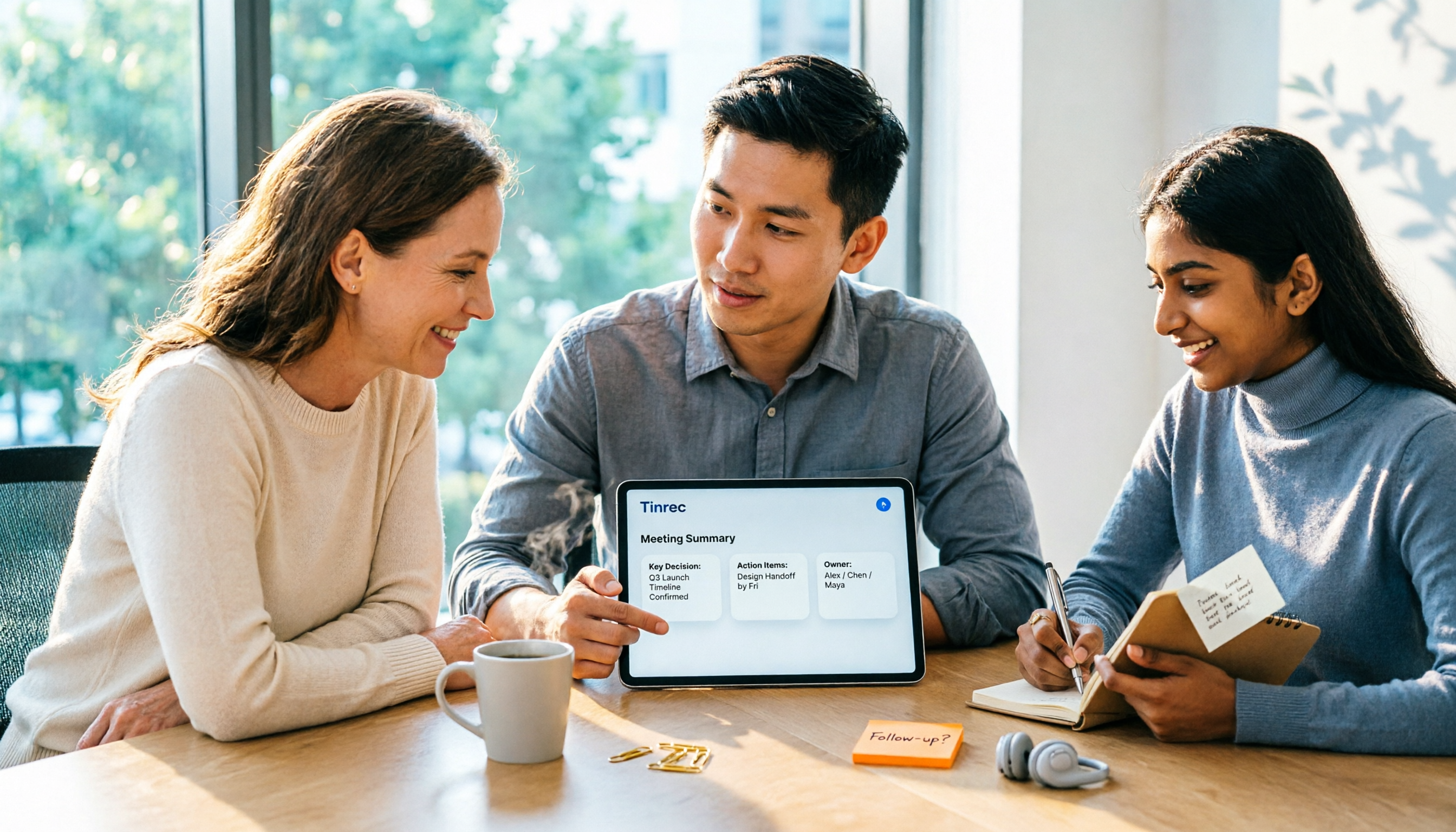
How to use it in practice? Open Tinrec during a meeting and record while transcribing. After the meeting, summaries, chapters, and to-dos are already generated—who is responsible for what, what the conclusions are, and what still needs confirmation are clear at a glance. Then you feed this structured meeting summary to any of the Agents below, and the generated PPT will not be empty phrases like "enhance brand influence," but content with conclusions, owners, and next steps.
Even better is AI Q&A. After recording, you can directly ask it "what was the conclusion about the budget in the last meeting?" It answers based on semantics, not a bunch of keyword search results. As historical meetings accumulate, it becomes a database you can query anytime. It can also further generate reports, tables, and documents from meeting content, and supports export to Notion, Google Docs, OneNote, Dropbox, and other tools for continued use.
Note that Tinrec's positioning is meeting notes and collaboration, not presentation layout. The PPT generation step still needs to be handled by the Agents introduced below. Also, actual transcription quality is affected by recording quality, noise, accents, overlapping speakers, and technical terminology. For important content, it is recommended to verify against the transcript and recording. The personal version has a free quota to try, a weekly card for short-term intensive use, and Pro monthly and annual cards for long-term use. The team version is an independent team space with members, roles, seats, usage analytics, audit logs, and audio recycle bin. Monthly payment is USD 29.80 per paid seat, annual payment is USD 199 per paid seat (about USD 16.58/month). Each paid seat includes 2,000 minutes of team shared import quota per month. Eligible teams get a 7-day trial, 1 free seat, and 300 minutes of shared quota for the first time.
Stop organizing recordings by hand
Upload audio or video and automatically get a transcript, summary, and action items
If you need to explain to your team "which meeting this content is based on" after completing the presentation, this traceability is much more useful than generating ten extra pages.
2026: 5 AI Agent PPT generation free options at a glance
1. Microsoft PowerPoint (with Microsoft 365 Copilot)
Microsoft's own approach: generate content, layouts, and images directly in PowerPoint with instructions, producing a draft presentation in seconds. It uses existing PowerPoint themes and templates, can create charts based on your data, provide data presentation suggestions, and even generate summary slides reviewing key points of each section. If you are not satisfied with the first version, you can ask it to retry and generate a new version. It is part of the Microsoft 365 Copilot subscription, not a standalone free option, suitable for teams already working in the Microsoft ecosystem. It does not retain your original meeting recordings, so you still need to verify content accuracy after generation.
2. MiniMax Agent
It breaks PPT creation into multiple steps and deploys the result as a web page for easy online viewing and sharing. In actual use, it finds alternatives on its own—if a step gets stuck, it lists alternative approaches for you to choose. This "figures things out" process is friendlier for tasks with vague requirements that need outline structuring first. It produces a shareable finished product, suitable for external communication; but if your need is to take the original PPTX back into company templates for further editing, confirm the output format first. It also does not save original meeting recordings and transcripts for you.
3. ChatPPT
Positioned as an AI presentation workspace for teams, it offers two modes: Classic mode generates a finished draft directly from a topic, while Agent mode focuses on structuring the outline and expression logic first, suitable for complex tasks. It can export standard PPTX for continued editing in PowerPoint, WPS, and other software, and supports multilingual creation workflows. Billing is based on actual consumption credits, with basic conversation and gift credits still available. Suitable for scenarios like sales proposals, marketing plans, and internal reports that require visual consistency and brand requirements. Transcription and meeting data accumulation are not its scope.
4. MultiAgentPPT (open source, self-hosted)
An open-source project on GitHub that integrates A2A, MCP, and ADK architectures, using multiple Agents to collaboratively generate presentations: an outline generation Agent, an outline service with external retrieval, parallel page-by-page generation Agents, and a Summary Agent for aggregated output, supporting streaming real-time return to the frontend. Using a loop Agent to generate page by page allows more pages and avoids LLM token limits. Completely free, at the cost of deploying backend and frontend yourself and handling environment and API keys. Suitable for teams with engineering resources who want full control of the process.
5. Agent-PPT-Craft-Practice (open source, self-hosted)
Input a one-sentence topic to automatically generate an editable .pptx. The process is structured outline generation, online data research, page-by-page HTML rendering, and finally outputting PowerPoint native shapes and text through a local conversion engine—not screenshots, directly editable. Suitable for high-frequency scenarios like workplace reports and proposal presentations, and also a good template for studying "how Agents make PPTs." It also requires self-deployment, and content quality depends on retrieval sources.
Pitfalls guide: 4 most common mistakes when using AI Agents for PPT
Pitfall 1: Thinking it's ready to submit after generation.
AI-generated first drafts are about 60% complete; the remaining 40% is fact-checking and tone adjustment. Treat it as "an intern who builds the skeleton for you," not "a colleague who submits for you."
Pitfall 2: Expecting professional content from just a topic sentence.
The thinner the input you give, the more blanks the AI fills, and the higher the hallucination probability. Rather than regenerating ten times, spend ten minutes organizing meeting notes or a requirements outline first.
Pitfall 3: Ignoring output format.
Discovering after finishing the slides that they can only be viewed online and cannot be exported as PPTX means starting over. Confirm this point when choosing a tool.
Pitfall 4: Throwing away original material.
Deleting recordings and transcripts after generating the PPT is the most regrettable. Keep them so you have something to check when asked "where did this number come from." This is why I recommend using a tool that retains audio files and supports AI queries to organize the content source first.
Conclusion: Which one should you choose?
The choice is not difficult; it depends on where you start:
- Content is still in meetings and needs to be organized into material first → Use Tinrec to record, transcribe, and generate summaries and to-dos to prepare the raw material
- Already in the Microsoft ecosystem and company has Copilot → Microsoft PowerPoint is the easiest
- Complex requirements, need to structure outline and logic first → ChatPPT's Agent mode or MiniMax Agent
- Have engineering resources, want completely free and full process control → MultiAgentPPT, Agent-PPT-Craft-Practice
- Need to share externally and want a web link → MiniMax Agent's deployment output is straightforward
One final reminder: AI Agents have made "making a PPT" cheaper, but "making the right PPT" still depends on the content you feed it. Start with free quotas, and consider paying once the process feels smooth; there's no need to buy the most expensive plan from the start.
References
- AI PowerPoint Generator | Microsoft PowerPoint
- I used this Agent to make PPT, it was so enjoyable - Zhihu
- GitHub - johnson7788/MultiAgentPPT: MultiAgentPPT is an intelligent presentation generation system integrating A2A (Agent2Agent) + MCP (Model Context Protocol) + ADK (Agent Development Kit) architecture, supporting multi-agent collaboration and streaming concurrency · GitHub
- ChatPPT - AI Presentation Workspace for Global Teams
- Agent-PPT-Craft-Practice: End-to-end PPT automation generation project based on AI Agent - AtomGit
Turn every recording into actionable outcomes
Get 60 free transcription minutes when you sign in. No credit card required.
Related Reading
You might also like

2026 Comparison of 4 Meeting Productivity Agents: Which One Actually Saves Post-Meeting Time?
The real work starts after the meeting ends. This article uses the same Chinese meeting recording to test the post-meeting workflows of Tinrec, Otter.ai, Fireflies.ai, and Notta—covering bot-free recording, summary and action items, AI Q&A, and team knowledge retention—to help you decide which meeting productivity agent truly saves time.

2026 AI Meeting Notes Tools Compared: Tinrec vs Otter.ai vs Notta vs Granola — Which Turns Meetings into Usable Data?
Stop taking notes yourself: a hands-on comparison of Tinrec, Otter.ai, Notta, and Granola covering transcripts, summaries, action items, and AI Q&A, plus buying criteria, team seat and pricing details, and pitfalls to avoid.

4 AI Agents That Generate Excel Files Tested: Which One Actually Produces a Usable .xlsx?
After a meeting, turning notes into an Excel file often means replaying the entire recording. This article starts from "where does the data come from" and compares four approaches: Tinrec, Excel's built-in Agent mode, Gemini Notebook Agent, and Aspose.Cells AI Generator. It also covers 5 key selection criteria, 4 common mistakes, and practical recommendations.

2026 AI Work Assistant Comparison: Meeting Notes and To-Do Lists—Which One Really Saves Time?
Most people start with the wrong expectations for AI work assistants. This article tackles common misconceptions, uses the same set of meeting materials to compare Tinrec, Otter.ai, Notta, and Granola, and outlines 5 key points to understand before buying, 4 common pitfalls, and selection advice based on use cases.
2026 AI Meeting Assistant Comparison: Tinrec vs Otter.ai vs Granola vs Notta for Chinese Meetings & Post-Meeting Q&A
The real pain point of meeting notes isn't typing speed—it's that decisions and action items get lost after the meeting. This article compares four AI meeting assistants—Tinrec, Otter.ai, Granola, and Notta—using the same testing process, breaking down four dimensions: how meetings are captured, post-meeting organization, Chinese and cross-language performance, and team governance. It also lists four common purchasing mistakes to help you choose the right tool within your budget.

2026 Comparison of 5 AI Agent Structured Output Approaches: From JSON Schema to Meeting Data in Practice
Many people think that writing "please reply in JSON" in a prompt counts as structured output, but when they actually connect it to a system they discover that the fields are different every time. This article starts from common misconceptions, compares 5 structured output approaches side by side, and uses Tinrec to demonstrate how to turn meeting recordings into verifiable, directly usable tables, action items, and reports.

2026 AI Agent Auto-Delivery Tools Compared: From Meeting Notes to Post-Meeting Outputs, Which Is Least Hassle?
2026 is called the "delivery year" for AI Agents, but tools branded as Agents actually fall into four distinct approaches. This article compares them across four dimensions—input method, post-meeting output, Chinese-language experience, and team governance—and uses Tinrec as a practical example of the "bot-free desktop agent" approach to help you decide which one truly turns meetings into deliverables.

2026 AI Meeting Tools Compared: Key Differences That Actually Improve Meeting Efficiency
More meetings don't mean more efficiency. This article starts with common misconceptions and breaks down the three areas AI must address to truly improve meeting efficiency: uninterrupted recording, structured content, and transferable outcomes. Using Tinrec as an example, it explains the complete workflow from bot-free online meeting recording, real-time transcription, AI summaries and action items, AI Q&A, to team spaces. It also includes 5 buying checkpoints and FAQs.

How to Use AI Meeting Efficiency Tools in 2026: 5 Steps from Recording to Team Meeting Minutes
The real work begins after the meeting ends. This article breaks down the practical use of AI meeting efficiency tools through 5 key selection criteria, demonstrates a 5-step workflow from recording, transcription, AI summarization to team knowledge retention using Tinrec, and compares Granola, Notta, and Otter.ai in terms of use cases and official pricing to help you decide which one truly saves time.