
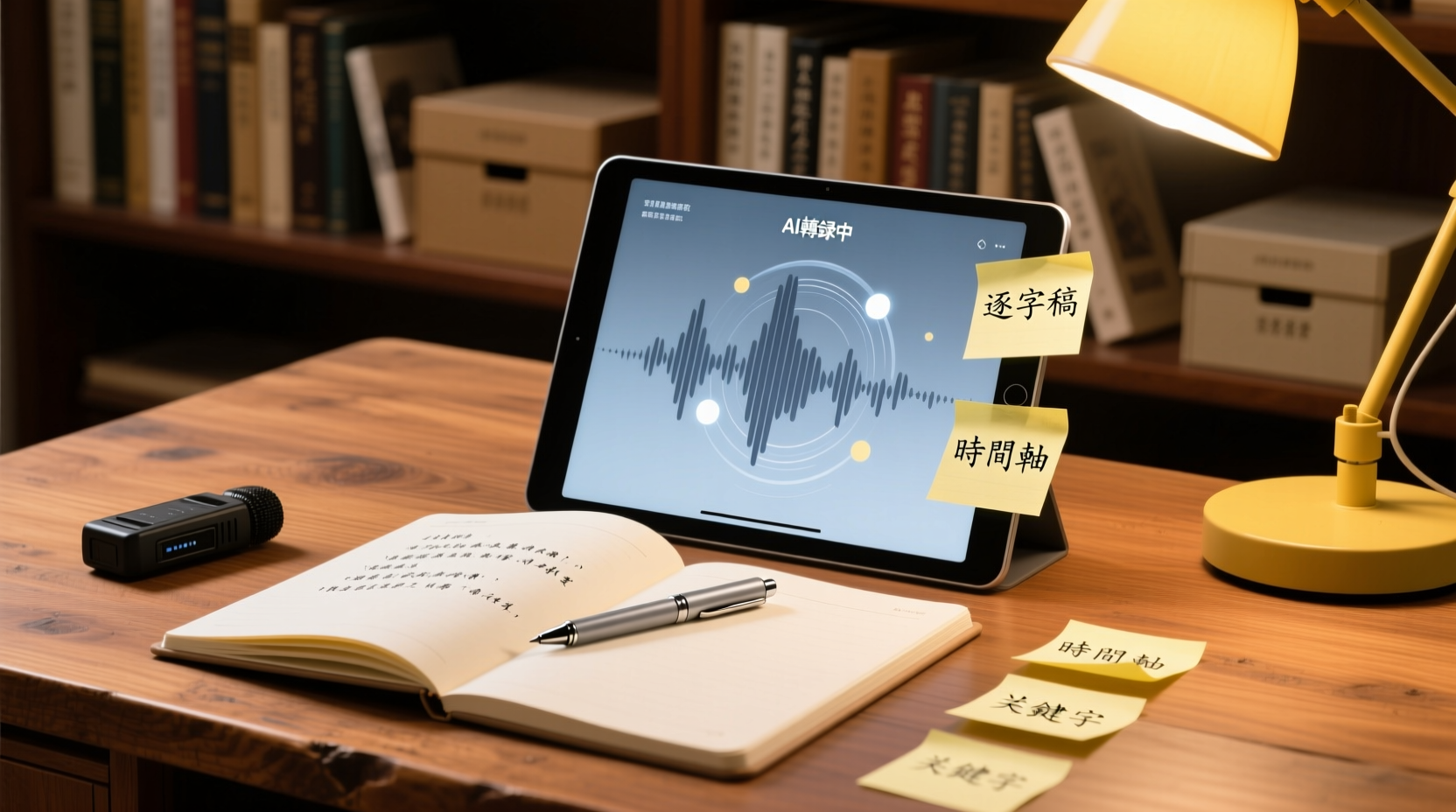
Turn recordings into transcripts and summaries in minutes
Upload audio or video for multilingual transcription, AI notes, and action items
After an interview ends, the real work begins. For a one-hour interview, if you need to listen back, pause, and type manually, it often takes another two to three hours to produce a quotable transcript. If the interview involves sensitive personal data or multiple languages, the processing cost can be even higher.
When you search for "good tape io," you'll find an automatic transcription service that emphasizes speed, security, and accuracy. But before deciding whether to use it, rather than following individual reviews, it's better to establish an evaluation framework. This article starts from the real tasks of journalists, researchers, and professionals, breaks down the dimensions you should truly consider when choosing a transcription tool, and then explains Good Tape's positioning, features, and applicable scenarios to help you determine whether it fits your interview or meeting recording needs.
The Pain Points of Interview and Meeting Transcription: Why Is Transcript Preparation So Time-Consuming?
Transcript preparation is time-consuming not just because of "typing" itself, but because of three underlying bottlenecks:
1. Difficulty in replaying and locating: During interviews, respondents may jump between topics, add supplementary information, or mention key data in different sections. When manually organizing, you have to repeatedly drag the audio progress bar to find where a particular statement was made.
2. Multilingual and accent burden: If the interview mixes English, dialects, or the respondent has a strong accent, the difficulty of transcribing increases significantly, and you may even need to pause to verify proper nouns.
3. Organizing and summarizing costs: A verbatim transcript is just raw material. You typically also need to mark key points, summarize themes, extract quotable sentences, and even turn it into a summary or report—these steps take more time than the transcription itself.
Therefore, when choosing a transcription tool, you shouldn't only look at whether it can "convert speech to text," but also whether it can reduce the costs of the three bottlenecks above.
Four Dimensions for Evaluating Transcription Tools: Accuracy, Language Support, Privacy, and Post-Meeting Outputs
When selecting a transcription tool, it's recommended to first consider four aspects:
| Dimension | Questions to Ask | Why It Matters |
|---|---|---|
| Accuracy | Is the transcription error rate acceptable under real recording conditions? | Accuracy directly affects proofreading time; recording quality, accents, and background noise all influence results. |
| Language Support | Does it cover your primary languages and mixed-language scenarios? | Interviews often mix multiple languages or technical terms; insufficient language coverage increases post-processing burden. |
| Privacy and Security | How are recordings and transcripts stored, processed, and protected? | Interviews often involve sensitive personal data or unpublished content; data handling mechanisms are a compliance prerequisite. |
| Post-Meeting Outputs | Besides the transcript, can it generate summaries, key points, action items, or exportable formats? | This determines whether you can move directly into your workflow after transcription or still need to organize manually. |
Below, we examine Good Tape using these four dimensions.
What Is Good Tape? One-Sentence Positioning and Core Features
Good Tape is an AI automatic transcription tool that converts audio and video into text, emphasizing speed, security, and accuracy, and offers a free trial. It was developed by journalists and technologists, with a particular focus on the confidentiality needs of interviews and investigations.
Its core features can be summarized as follows:
- Automatic Transcription: Upload audio or video files, and the system automatically generates a transcript. It supports over 100 languages and can handle accents, fast speech, and complex audio.
- Editing and Organizing: After transcription, you can edit directly on the platform, mark key points, and format content as needed.
- Export and Application: You can export transcripts in common formats, making it easy to bring them into writing, coding, or reporting workflows.
- Official Mobile App: The Good Tape Recorder App allows you to record anytime and automatically upload for transcription, suitable for interviews on the go.
It's important to note that Good Tape's positioning leans toward "turning recordings into usable text," rather than being a full meeting collaboration platform. If you need summaries, action item extraction, or team sharing after transcription, you'll need to check whether the tool provides those features.
Good Tape's Practical Use Cases: Interviews, Meetings, and Content Creation
Good Tape's design scenarios overlap significantly with the work of journalists, researchers, and content creators:
Stop organizing recordings by hand
Upload audio or video and automatically get a transcript, summary, and action items
- In-depth Interviews and Investigations: Interview recordings often contain sensitive information. Good Tape emphasizes data security, making it suitable for journalists and researchers handling unpublished content.
- Multilingual Interviews: If respondents speak a non-native language or the interview mixes multiple languages, Good Tape's multilingual support can reduce the burden of manual transcription.
- Meeting and Panel Records: Converting meeting recordings into transcripts facilitates post-meeting review of decisions and assignments, but note that Good Tape itself does not provide meeting summaries or action item extraction.
- Content Creation: Podcasts and video interviews can be transcribed first, then rewritten into articles, social media posts, or subtitles.
If your need is solely to "turn recordings into text," Good Tape is worth considering; if you need further processing and collaboration after transcription, you'll need to pair it with other tools.
How Good Tape Differs from Other Transcription Tools: AI Summaries and Team Collaboration
Good Tape's core differentiator lies in "transcription quality and confidentiality design," rather than post-transcription AI processing. Many transcription tools (such as Otter, Notta) offer AI summaries, action item extraction, and team sharing, but Good Tape currently emphasizes these features less, instead investing resources in transcription accuracy and data security.
For journalists and researchers, this might actually be an advantage: what you need is a faithful transcript, not a tool's own interpretation. But if your workflow requires "transcript → summary → action items → team follow-up," Good Tape alone may not be enough.
From Transcript to Team Collaboration: How Tinrec Complements the Post-Meeting Workflow?
When an interview or meeting ends and you have the transcript, the next step is usually to organize key points, list action items, and share with the team to track follow-up actions. If these tasks are scattered across personal notes and chat apps, they can easily be missed or hard to trace.
Take Tinrec (秒聽錄音) as an example: it not only provides transcription but also extends the workflow beyond transcription:
- AI Summaries and Action Item Extraction: Tinrec automatically generates summaries, chapters, and action items, saving time on manual organization.
- AI Assistant for Post-Meeting Work: You can instruct the AI assistant to turn commitments made during an interview into follow-up email drafts, or convert meeting discussions into an action plan table. For example, input "Organize the three needs the client mentioned into a requirements list, and mark the owner and deadline," and the AI assistant will generate a corresponding document based on the transcript content for your review and use.
- Team Space Sharing: Tinrec's team edition provides a team space where meeting recordings, transcripts, action items, and post-meeting documents can be stored centrally. Members can view historical data, search past discussions, and continuously follow up on unfinished items.
Consider a real team collaboration scenario: Suppose you complete a client interview that covers product purchase intent and follow-up pricing needs. The traditional approach is to write up interview notes after the meeting and email them to your supervisor and relevant colleagues, a process prone to missing details. With Tinrec, you can first have the AI assistant organize the interview content into a "Client Needs Summary" and an "Action Items List," then place the entire set of materials into the team space so that colleagues responsible for pricing can directly view the original transcript and summary, and update progress on the list. This way, the interview content no longer exists only in your notes but becomes shared data for the team.
Another scenario is tracking decisions from cross-departmental meetings. During a meeting, multiple options are discussed, but after the meeting, departments may have inconsistent understandings of the conclusions. Through Tinrec's team space, meeting recordings and AI-generated decision summaries are stored uniformly, allowing members to revisit the original discussion at any time to confirm the basis for decisions, avoiding disputes later.
If you often need to share interview or meeting materials with your team and track follow-up actions, consider incorporating Tinrec's team edition into your workflow so that every communication can be turned into searchable, collaborative team assets.
Who Should Use Good Tape? Determine Based on Your Work Style
Whether Good Tape suits you depends on your work style:
- Suitable for: Journalists, researchers, and professionals who handle large volumes of interview recordings and value transcript fidelity; content creators who need to convert interviews into text for rewriting.
- Not suitable for: Meeting leaders who need AI summaries, action item extraction, and team collaboration; users who need to directly convert transcription results into reports or tables.
If your need is to "turn recordings into quotable text," Good Tape is a reliable option; if you need further processing and collaboration after transcription, consider pairing it with tools like Tinrec that offer a complete post-meeting workflow.
Important Considerations: Accuracy, Privacy, and the Boundaries of Human Review
When using any AI transcription tool, you should be aware of the following boundaries:
- Accuracy is not 100%: Good Tape's official claims indicate its system can handle multiple languages and complex audio, but no speech-to-text technology can guarantee perfection. Actual accuracy is affected by recording quality, background noise, accents, and technical terms; for important content, it's recommended to verify against the recording.
- Privacy and Compliance: Good Tape emphasizes data security, but if interviews involve highly sensitive information in medical, legal, or financial fields, you should confirm that its data processing policies comply with your industry regulations and obtain consent from interviewees when necessary.
- Human Review: AI-generated transcripts and summaries are for reference only. Key decisions, quotes, and external communications should be reviewed by humans to avoid misunderstandings due to transcription errors.
In summary, Good Tape is a transcription tool worth evaluating, especially for interview professionals who value transcript quality and data confidentiality. However, if your workflow requires summaries, action items, and team collaboration after transcription, you should consider tools like Tinrec that can handle post-meeting work, turning meeting and interview content into actionable assets.
References
- Good Tape - Automated Transcription | Secure AI Automatic Transcript Tool
- Good Tape Reviews | Read Customer Service Reviews of goodtape.io
- Good Tape - Apps on Google Play
- Good Tape – Good Tape is an automatic transcription service that makes it easy for journalists (and others) to turn audio recordings into text, regardless of language or sound quality. We save you time and effort so you can focus on what really matters.
- Good Tape - Audio Transcribing Tool | Review & Alternatives
Turn every recording into actionable outcomes
Get 60 free transcription minutes when you sign in. No credit card required.
Related Reading
You might also like
2026 Guide to Speech-to-Text for Minority Languages: 4 Real-World Tests and Key Tool Selection Tips
Turning recordings of indigenous language interviews, tribal classes, and bilingual meetings into transcripts is often more about recognition than recording. This article starts from real usage scenarios to explain 4 practical limitations of speech-to-text for minority languages, feasible workflows, and how Tinrec can help with Chinese and mixed-language segments—and where human effort is still required.
5 Best Dialect Speech-to-Text Tools in 2026: Cantonese & Taiwanese Transcripts Compared
Cantonese interviews and Taiwanese fieldwork recordings often turn into gibberish with generic speech-to-text. This article compares Tinrec, Subanana, Taption, CantoSub, and Google Cloud Speech-to-Text based on real-world dialect transcription workflows, and explains what Tinrec can do after transcription—summaries, action items, AI Q&A, and team knowledge retention—plus team pricing and buying considerations.

2026 Chinese-Japanese Real-Time Translation Guide: How to Choose for Meetings, Travel, and Streaming
How to choose a Chinese-Japanese real-time translation tool? After hands-on testing, I found the key difference lies in whether you need to 'understand in the moment' or 'keep a record afterward.' This guide covers three scenarios—meetings, business trips, and content research—and outlines 5 purchase decision points, with Tinrec demonstrating bilingual transcripts, bot-free meeting recording, summary to-dos, and team spaces in action.

Tinrec vs Plaud Note in 2026: 5-Factor Comparison — Which Is Better for Your Recording and Transcription Needs?
In 2026, voice recorders fall into two categories: AI recording hardware and AI meeting transcription software. This article compares Tinrec and Plaud Note/NotePin across five purchasing factors — meeting capture, input sources, post-meeting output, team governance, and Chinese-language experience — to help you decide which solution fits your budget and meetings.

2026 Long Battery Life Recording Test Comparison: Which of 5 Solutions Records Longer and Organizes Faster
Voice recorders advertised with long battery life often claim 20 or 30 hours, but real-world performance usually falls short. Starting from the real need for "long-duration recording," this article compares the battery life and organization costs of 5 recording solutions, and explains how Tinrec uses desktop bot-free recording, transcripts, summaries, and to-dos to help you not only record longer but also save time on re-listening.
4 Cantonese Real-Time Translation Tools Tested for 2026: Which One Understands and Translates Accurately?
Cantonese real-time translation actually serves two different needs: understanding on the spot and keeping a record afterward. Choosing the wrong tool makes everything feel cumbersome. This article starts from real usage scenarios and compares Tinrec, Google Translate, Love Cantonese, and PLAUD recording hardware, summarizing key buying factors, common pitfalls, and suitable users to help you choose right the first time.

2026 Courtroom Audio Transcription Tools Compared: A Transcript Must Work as an Evidence Attachment
Turning a hearing recording into usable court documentation isn't just about converting speech to text. Starting from the actual requirements for evidence attachments, this article compares Tinrec, Granola, TurboScribe, and Otter.ai on speaker labels, timestamp jump-back, legal terminology recognition, and team data handover, and outlines the 4 most common pitfalls to help you decide where to allocate your budget.

2026 4 Voice Recorder Comparison: Which AI Summarization Actually Saves Post-Meeting Time?
A mid-level manager who attends over ten meetings a week shares hands-on testing: in 2025, voice recorders have evolved from 'just recording' to 'helping you organize.' This article covers key buying factors, the top pick Tinrec, brief competitor reviews, and a guide to avoiding pitfalls—helping you decide which one to buy and whether to upgrade.
5 Podcast Transcription Tools Tested: Link Parsing, File Upload, or Live Transcription—Which Saves the Most Time in 2026?
How do podcasters choose a recording-to-text tool? This article breaks down five workflows—link parsing, file upload, live recording, online meeting capture, and team collaboration—and uses Tinrec as an example to explain transcripts, AI summaries, chapters, Q&A, and export options, plus buying tips and FAQs.