

Turn recordings into transcripts and summaries in minutes
Upload audio or video for multilingual transcription, AI notes, and action items
Best Free Meeting Transcription Tools in 2026: 4 Tested, This One Wins for Chinese Meetings
Three Most Common Pitfalls When Looking for Free Transcription Tools
"It's free, so I'll just download it"—this is many people's first step when looking for a transcription tool, and it's also the beginning of a trap.
The first pitfall is only looking at the word "free" without checking how the free quota actually works. Some tools limit the length per recording, while others limit the total monthly minutes. Meetings often start at 60 minutes, so a tool that can only transcribe 3 minutes at a time is practically useless.
The second pitfall is thinking that the transcript is the end goal. Anyone who has actually taken meeting minutes knows that listening to and transcribing a one-hour recording is just the beginning of the pain. The real time sink is turning the transcript into summaries, key points, and action items.
The third pitfall is ignoring the meeting format. Online meetings and in-person recordings require different handling. Many free tools can only upload audio files and cannot directly process your Zoom or Teams meetings on your computer.
In this article, I tested four meeting transcription tools with free plans, laying out their quota limits, suitable scenarios, and post-meeting organization capabilities to help you find one that can handle your daily workload without spending money.
Before Choosing a Free Meeting Transcription Tool, Understand These 4 Key Points
1. How the free quota is calculated is more important than the word "free"
You should look at "how many minutes are available per month," not just whether it says free. Consider both the per-recording limit and the monthly total: if the per-recording limit is too low, long meetings will be cut off; if the monthly total is too small, you'll use it up after three meetings a week.
2. Can it directly handle online meetings?
This is the most easily overlooked difference. Some tools can only upload audio files, so you have to figure out how to record the meeting audio yourself. Others have a desktop version that directly captures the computer's system audio. For remote workers, the latter is much more convenient.
3. Does it have post-meeting organization capabilities?
A tool that only provides transcripts leaves the most time-consuming organization work entirely to you. When choosing a tool, it's worth checking: does it have automatic summaries, chapters, action item extraction, and can you query meeting content later via Q&A?
4. Performance with Chinese and mixed Chinese-English
Meetings in Taiwan are rarely pure Chinese; mixed Chinese-English, technical terms, and product codes are everywhere. A tool's support for Chinese often determines whether you need to manually make major edits later, more so than its English recognition rate.
Next, let's use these 4 dimensions to look at the 4 tools tested this time.
Tinrec (秒聽錄音) — The Best Fit for Chinese Meetings After Testing
Tinrec is an AI meeting recording and collaboration tool for individuals and teams, supporting iOS, Android, web, and desktop versions. It doesn't just convert audio to text; it organizes meeting recordings into searchable, summarizable, queryable, and exportable data.
Record online meetings without a bot
The desktop version directly captures the computer's system audio, handling online meetings on Zoom, Google Meet, Microsoft Teams, Webex, etc., without inviting a meeting bot to join as a participant. This is very practical for those who have meetings every day—no need to change the meeting link, no need to notify participants that an AI account has joined. Just open Tinrec and start recording.
Live transcription while recording, automatic organization after the meeting
Transcription is generated in real-time during the meeting, and after it ends, AI generates summaries, chapters, and action items—who is responsible for what and what to do next are listed directly. For those who "have to spend an hour writing minutes after a meeting," the time saved is significant.
You can continue to ask it after recording
This is where Tinrec differs most noticeably from most free tools. After recording, you can directly ask: "Who mentioned the budget in the last meeting?" It will provide an answer based on semantic understanding, rather than throwing a string of keywords for you to search through. The same meeting content can also be further processed into reports, tables, or documents, and exported to Notion, Google Docs, OneNote, Dropbox, etc.
Stop organizing recordings by hand
Upload audio or video and automatically get a transcript, summary, and action items
Free version and paid plans
The Tinrec free version offers a basic quota, allowing you to experience recording, file import, transcription, and summarization. For those with steady meeting volumes, the official site offers weekly, Pro monthly, and Pro annual plans; for teams that need to share meeting data, there is a separate team version space with members, roles, seats, usage analytics, and shared quotas. Prices and benefits are subject to the official purchase page.
Things to note
Tinrec does not publicly promise a fixed accuracy rate; actual performance is affected by recording quality, ambient noise, accents, overlapping speech, and technical terminology. For important content, it's recommended to cross-check with transcript timestamps and recording playback. Also, the free version has a basic quota, so if you have a high volume of meetings, you should still evaluate paid plans.
Who is it for?
If you mainly hold meetings in Chinese, often have online meetings on Zoom or Teams, want to avoid manual organization after meetings, or need to share meeting data with your team, Tinrec will be the most fitting among these 4 tools.
Besides Tinrec, What Other Free Options Are There?
Notta
A multi-platform transcription tool that supports meeting notes, file import, translation, and team plans, covering languages like Chinese, English, and Japanese. The free version offers 120 minutes per month, but each recording is limited to 3 minutes—this limitation makes it hard to handle a real meeting, and it's more suitable for short memo notes. Additionally, it doesn't have a desktop version that directly captures system audio; online meetings mostly rely on a meeting bot or file upload, and post-meeting AI Q&A and team data accumulation are not its focus.
Otter.ai
A mature choice for English meetings. The Basic free version offers 300 minutes per month, which is a generous quota, and real-time transcription and speaker identification are stable. However, its main strength is English business scenarios; Chinese meetings are not its forte, and it lacks team spaces and a Chinese-oriented post-meeting output process. If almost all your recordings are in English, it will be more cost-effective than Tinrec; if you need Chinese transcripts plus complete post-meeting organization, you'll need to think again.
CLOVA Note
A free tool from LINE, you can log in with a LINE account. It can process up to 180 minutes of audio per recording, with a monthly free limit of 600 minutes—quite sufficient. Recognition speed is fast, and it can distinguish different speakers. However, it is essentially "upload audio to text," with no desktop version to directly capture online meeting audio, no AI Q&A around meeting content, and no team data space. Post-meeting organization is still up to you.
Pitfall Guide: 3 Most Common Mistakes When Choosing a Free Meeting Transcription Tool
Mistake 1: Treating "free" as "unlimited"
Free plans always have limits; it's just a matter of how clearly they are stated. Check whether it's a per-recording limit or a monthly total. If your meetings start at one hour, skip plans with a 3-minute per-recording limit. It's advisable to test with a real meeting first; you'll immediately know if the quota is enough.
Mistake 2: Ignoring how online meetings are handled
Many people install a tool only to find it can only upload audio files, and they still have to figure out how to record a Zoom meeting. If you mainly handle online meetings, prioritize tools that can directly capture system audio without adding a bot; the whole process will be much smoother.
Mistake 3: Stopping once you have the transcript
The transcript is just raw material. The real time-consuming part of meeting minutes is organizing key points, confirming action items, and follow-up tracking. Using a transcription tool only as a typewriter means you're only using one-third of its value—features like AI Q&A, where you can directly ask "What was the conclusion of this meeting?" after recording, are much faster than manually flipping through a 30-minute transcript.
Conclusion: Which One Should You Choose?
In one sentence: For those who mainly hold Chinese meetings and want to save time on post-meeting organization, Tinrec is the top choice in this test.
- Chinese meetings, mixed Chinese-English, and need post-meeting summaries and action items → Tinrec
- Online meetings without adding a meeting bot → Tinrec (desktop version captures system audio)
- Want to directly ask AI about meeting details after recording → Tinrec (AI Q&A and post-meeting processing)
- Meeting data to be shared with the team, manage members and usage → Tinrec Team version
- Almost only record English meetings, very tight budget → Otter.ai
- Only occasionally convert short audio files to text → CLOVA Note
It's recommended to first use the free plan for a real meeting to see if the transcription quality and organization process fit your work habits, then decide whether to upgrade. Free quotas are meant for validation; trying before spending is more practical than reading advertising claims.
References
- No time limit! 3 free AI transcription tools, highly recommended! AI voice notes generate meeting minutes, presentations, mind maps | 104 Career Power
- Meeting Ink - 2026 AI meeting minutes tool test | 7 speech-to-text and summary speed comparison | Meeting Ink - AI meeting minutes assistant automatically transcribes and summarizes meeting minutes
- [AI voice notes] 5 highly recommended AI transcription tools! Generate transcripts and meeting minutes highlights, free vs subscription, pros and cons review | 104 Career Power
- How to use AI for meeting minutes? How to organize meeting transcripts? | AI voice-to-transcript tutorial | 104 Career Power
- Meeting Ink - AI meeting minutes assistant automatically transcribes and summarizes meeting minutes
Turn every recording into actionable outcomes
Get 60 free transcription minutes when you sign in. No credit card required.
Related Reading
You might also like

How to Use Apple Voice Memos Transcription in 2026: A 5-Step Guide
Is Apple's built-in Voice Memos transcription enough? This article uses real meeting scenarios from a mid-level manager's perspective to outline 5 decision steps, comparing Apple's built-in transcription, Yating Transcription, Recco, and Tinrec. It explains who each tool is for and where its limits lie, helping you decide which tool to use for post-meeting organization and team knowledge retention.

Tinrec Review 2026: Cantonese Meeting Transcription + AI Summaries & Action Items
Starting from the Cantonese meeting pain points Hong Kong teams face most, this guide covers the key criteria for choosing an AI meeting notes tool, tests Tinrec's performance on Cantonese and mixed Chinese-English transcription, summaries, action items, and team knowledge retention, and briefly reviews other common options to help you quickly decide which solution to use.

4 Meeting Note Apps Tested in 2026: Which Saves More Time Than Gemini?
Gemini's built-in meeting notes are convenient, but cross-platform use, mixed Cantonese-English, and team knowledge retention may fall short. Using Tinrec as an example, this article breaks down what a meeting note app can do, its core capabilities, practical use cases, 5 key considerations, and FAQs to help Hong Kong workers save time on post-meeting organization.
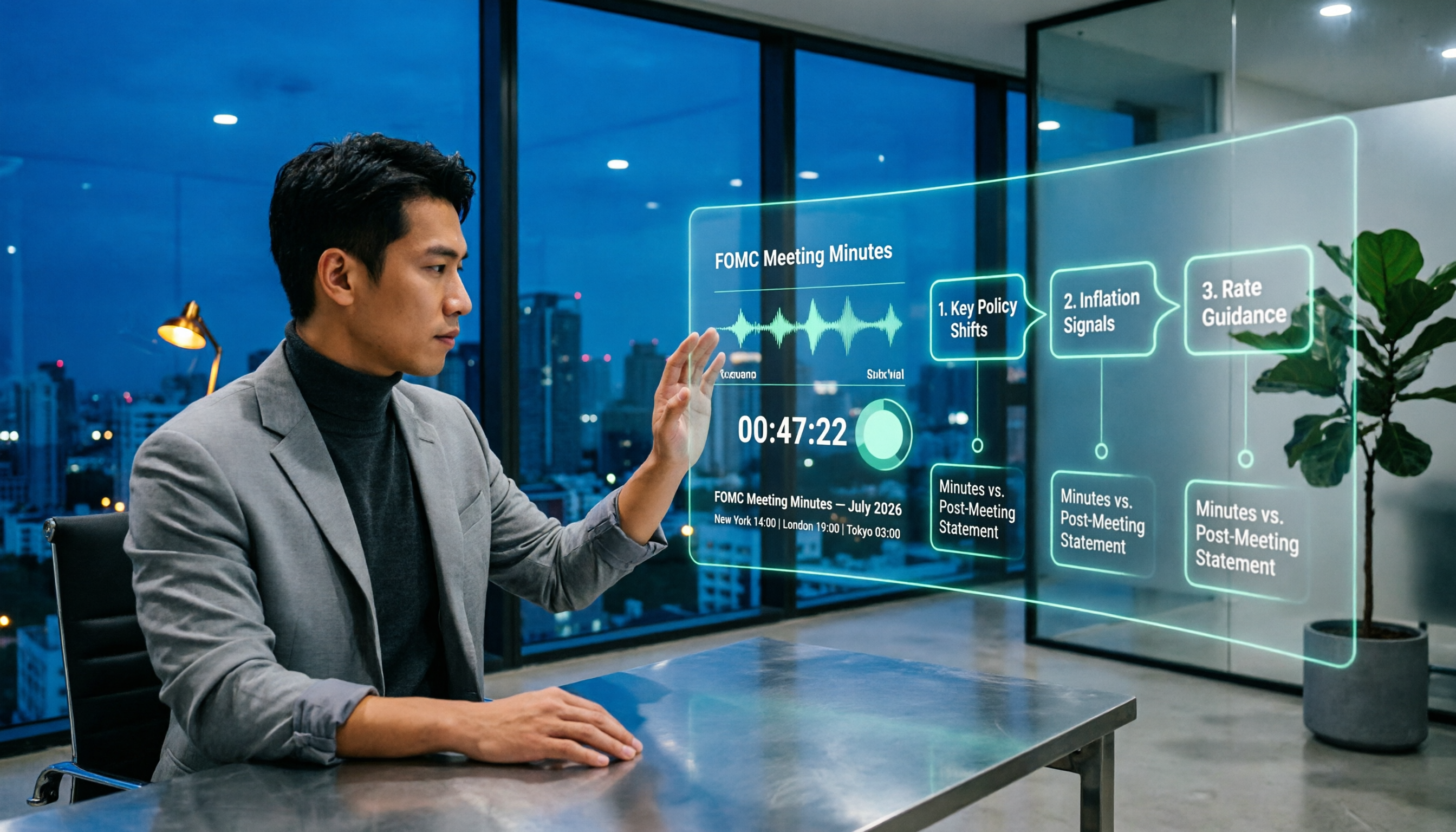
When Are Fed Meeting Minutes Released in 2026? 3 Steps to Track the Schedule and Key Details
When exactly are FOMC meeting minutes released? This guide explains the Fed's release pattern (about three weeks after the meeting, Wednesdays at 2 p.m. ET, early Thursday morning Taiwan time), uses the July 2026 meeting as a real example, and provides a 3-step method to find the next release date. It also explains the difference between meeting minutes and the post-meeting statement.

2026 Comparison of 4 Transcript Organization Tools: Which One Can Really Turn a One-Hour Meeting into Usable Minutes?
After feeding meeting recordings to AI, the real time-consuming part is never transcription but organization. Based on real testing experience with Chinese meeting recordings, this article breaks down 5 key points for choosing a transcript organization tool, compares Tinrec, Otter.ai, Notta, and Granola, and summarizes the 4 most common pitfalls.

Best Free Transcription Apps in 2026: We Tested 2 — This One Wins for Chinese Meetings and AI Organization
How do you choose a free transcription app? This article compares Tinrec and Yating Transcription, testing both free tools across five dimensions: free quota and cost, Chinese and multilingual recognition, post-transcription organization, online meeting and cross-platform support, and team collaboration. We also include an FAQ to help you decide which one fits your workflow.

2026 AI Transcription Free Plans Compared: 4 Tools to Know
The meeting is over, but the real work is just beginning. This guide reviews the free plans of four AI transcription tools in 2026—Tinrec, Otter.ai, Notta, and TurboScribe—comparing free quotas, file limits, Chinese recognition, and post-transcription organization features. It also covers the three most common pitfalls to help you choose the tool that truly saves time.

5 Free Transcription Tools Tested and Compared in 2026: Which Free Tier Is Actually Enough?
The most time-consuming part of meeting notes is never the recording—it's the re-listening. This article breaks down the common types of free transcription solutions in 2026, explains how free quotas are calculated, what to watch for with Chinese and mixed Chinese-English recognition, and how Tinrec turns transcripts into searchable, queryable, exportable meeting data.

The Complete Guide to Transcript Summarization in 2026: From Messy Recordings to Actionable Meeting Minutes
Once your transcript is ready, how do you actually extract the key points? This guide, based on a mid-level manager's real meeting scenarios, breaks down the correct order for summarizing transcripts, the core capabilities a tool must have, and 5 key factors to consider when choosing one. It also uses Tinrec to demonstrate the complete workflow from recording, transcription, summarization, and action items to team knowledge retention.