

Turn recordings into transcripts and summaries in minutes
Upload audio or video for multilingual transcription, AI notes, and action items
PLAUD NotePin Review 2026: AI Transcription Tested + Tinrec Meeting Notes Comparison
Before Buying a Recording Capsule, Don't Fall into the "Hardware Equals AI Meeting Notes" Trap
Many people think that buying a recording capsule means they have AI meeting notes—this is the most common misconception. Hardware is only responsible for recording the audio. What really determines whether you can quickly find key points, generate action items, and turn meetings into team data is the software workflow behind it.
Another inefficient approach is recording with your phone. Once your phone is recording, it's occupied. Incoming calls interrupt it, and placing it on the table puts pressure on the other person. If you need to record face-to-face interviews on the go, a wearable recording capsule does have its value. But if you mainly handle Zoom, Meet, and Teams online meetings, rather than buying another piece of hardware, first check whether your software can record without a bot, automatically transcribe, and generate summaries and action items.
This article starts with buying considerations, tests the pros and cons of the PLAUD NotePin recording capsule, compares Tinrec's performance in Chinese meetings and team collaboration, and gives you clear selection advice at the end.
Before Choosing a Recording Capsule or AI Meeting Tool, Understand These 4 Key Points
- Audio capture is only the starting point; transcription and organization are the focus: No matter how good the recording quality is, without a transcript, summary, chapters, and action items, you still have to manually listen again after the meeting. When choosing a tool, first see whether it can turn recordings into searchable, queryable data.
- Does online meeting recording need to be "bot-free"?: Many meeting bots join as participants, and some companies mind this. Tinrec's desktop version directly captures system audio and does not require an extra bot to join the meeting. This is its biggest difference from traditional meeting bots.
- Chinese and multilingual scenarios: Teams in Taiwan often mix Chinese and English, and may even need Taiwanese Hokkien, Cantonese, or cross-border meetings. Tinrec covers Chinese, Traditional Chinese, and multilingual meetings, and supports real-time translation and bilingual viewing; actual results will still be affected by recording quality, accents, and background noise.
- Can you collaborate and retain knowledge after the meeting?: Personal tools are suitable for individual use; but if meeting data needs to be shared with a department, action items tracked, and member permissions managed, a team space is needed. Tinrec's team version provides an independent team space, role and seat management, usage analytics, and audit logs, so meeting data belongs to the team.
Tinrec—Our Top Choice After Testing
Tinrec is an AI meeting notes and collaboration tool for individuals and teams, covering iOS, Android, desktop, and web. It is not just audio-to-text; it turns meetings into searchable, collaborative, actionable team data.
In actual use, you can start recording an online meeting directly from the desktop version. Tinrec captures computer system audio and handles platforms such as Zoom, Google Meet, Microsoft Teams, and Webex without inviting a meeting bot. During the meeting, the transcript is generated in real time; after it ends, AI automatically organizes the summary, chapters, and action items—who is responsible for what and what the next step is, all at a glance. For mixed Chinese-English meetings, Tinrec also supports real-time translation, allowing participants to view in the original language, translation, or bilingual mode.
After recording, you can directly ask Tinrec: "Who mentioned the budget in the last meeting?" It will answer based on semantic understanding, rather than just returning keyword search results. For people who need to look back through historical meetings, the time saved is considerable. In addition, Tinrec can export meeting content to tools such as Notion, Google Docs, OneNote, and Dropbox, and can further generate reports, tables, and meeting minutes.
Stop organizing recordings by hand
Upload audio or video and automatically get a transcript, summary, and action items
Tinrec's advantages can be summarized in three points: First, bot-free recording of online meetings, so you don't have to worry about a bot joining and causing concern; second, a complete post-meeting workflow, connecting transcript, summary, action items, and AI Q&A in one flow; third, the team version retains data, allowing members to view historical meetings while managers can assign seats, view usage, and audit records. Even without a seat, members can still view, play, and read team data; only after getting a seat can they record, upload, edit, and export.
In terms of limitations, Tinrec's free version has a basic quota, and heavy users need to pay; the team version is mainly team-level sharing and is currently not a file-level permission system. In addition, transcription results are affected by audio quality, noise, accents, and overlapping speakers, so important content should still be verified with recording playback.
Who is it for? If you frequently handle Chinese meetings, want to record online meetings without a bot, want to use AI to find key points directly after the meeting, or switch between phone and computer, Tinrec is currently one of the most suitable choices.
Besides Tinrec, What Other Options Are There?
PLAUD NotePin: The world's smallest wearable AI recording capsule, weighing about 23.2 grams, with four wearing options: badge, clip, wristband, and necklace. It supports transcription in 112 languages, 20 hours of continuous recording, 40 days of standby, and 64GB storage. Its advantage is on-the-go face-to-face recording with a low profile, suitable for sales, field work, and interviews. However, some users report that the rounded design is easy to accidentally touch, Wi-Fi fast transfer is unstable, and the hardware itself does not handle online meetings. Tinrec can record Zoom, Meet, and Teams without a bot and automatically generate action items, which is difficult for PLAUD NotePin to replace.
Otter.ai: The top choice for English meetings. The free version offers 300 minutes per month, and Pro annual billing is about USD 8.49/user/month. Its English business meeting experience is mature, but Chinese meeting experience is not its strength. Tinrec has more room to perform in Chinese, Traditional Chinese, and real-time translation scenarios.
Notta: A multi-platform transcription and translation tool. The free version offers 120 minutes per month, up to 3 minutes per session, and Pro annual billing is about USD 8.17/month. It overlaps heavily with Tinrec, but Tinrec emphasizes bot-free desktop recording, team spaces, AI Q&A, and Agent post-processing, areas where Notta focuses less.
Pitfall Guide: The 3 Most Common Mistakes When Choosing a Recording Capsule
Pitfall 1: Looking only at hardware specs and ignoring the software workflow. 20 hours of battery life and 64GB storage are attractive, but if there is no summary, action items, and Q&A after transcription, you still have to organize manually. It is recommended to try the software first and confirm it can produce the results you need.
Pitfall 2: Thinking that buying hardware means you can record online meetings. Wearable recording capsules are good at face-to-face audio capture, but Zoom and Teams audio is on the computer, and the hardware may not record it clearly. Tinrec's desktop version directly captures system audio, making it more suitable for online meetings.
Pitfall 3: Ignoring team collaboration and data ownership. If meeting data only exists in a personal account, it leaves when the member leaves. Team tools like Tinrec can create team spaces, manage seats, and audit, turning meeting data into a team asset.
Summary: Which One Should You Choose?
- Need on-the-go face-to-face recording and prefer wearable hardware → PLAUD NotePin is worth considering, but first confirm the accidental touch and fast transfer experience.
- Mainly handle Chinese online meetings and don't want to use a meeting bot → Tinrec.
- Need to use AI Q&A directly after recording, generate action items, and export → Tinrec.
- Cross-platform use (phone + computer + web) → Tinrec.
- Zero budget and only record English meetings → Otter.ai free version is worth trying first.
It is recommended to start with Tinrec's free version, use it to record a real meeting, and see whether the transcript, summary, and AI Q&A fit your workflow. If it works well, then consider Pro or the team version. You don't need to buy hardware from the start.
References
- 【Unboxing】Is the Plaud NotePin Worth Buying? Lightweight Wearable AI Transcription Tool Unboxing Test and Purchase Benefit Analysis
- Plaud NotePin | AI Smart Recording Capsule
- PLAUD NotePin Smart Recording Capsule: A Super Strong AI Productivity Tool! - Mobile01
- AI Recording Capsule Is Here! PLAUD NotePin Supports "112 Languages to Text": A Look at 3 Subscription Plans | BusinessNext
- Plaud Note and Plaud NotePin: Which AI Note Assistant Suits You Best?
Turn every recording into actionable outcomes
Get 60 free transcription minutes when you sign in. No credit card required.
Related Reading
You might also like
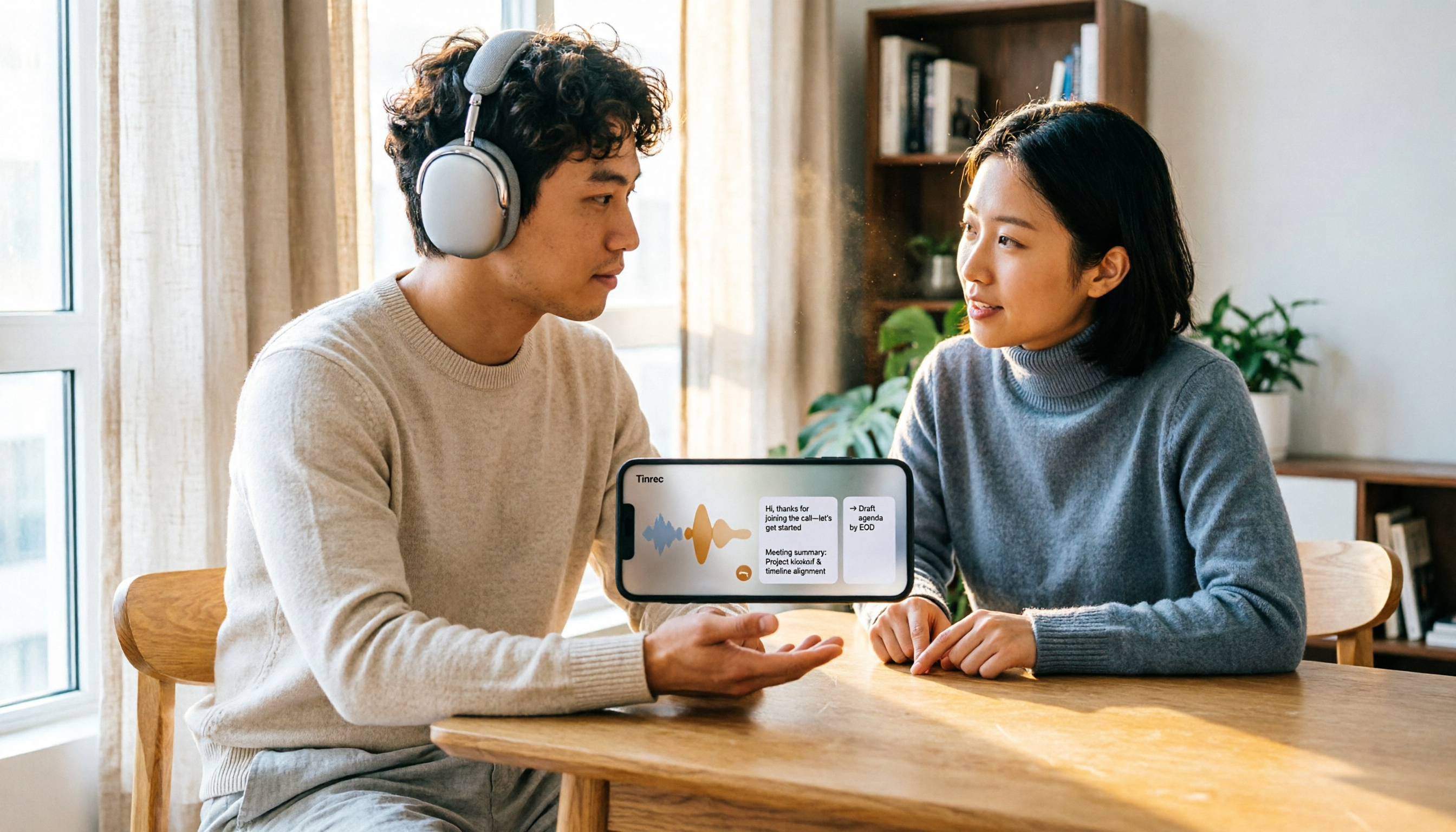
5 Recording Organization Tools Compared in 2026: Fixing LINE Recording Audio Issues and Converting to Text
What to do when you can't hear LINE recordings? This article first guides you through troubleshooting common causes of no sound during LINE calls and silent voice message playback (including iPhone call integration, Whoscall version, media volume, and output devices), then compares Tinrec, Notta, Granola, TurboScribe, and Otter.ai, explaining how to generate transcripts, summaries, and action items once your recordings are fixed.

2026 Complete Guide to Transcript Organization: From Recording to Meeting Minutes
Tired of listening to recordings and typing transcripts after meetings? This article addresses common workplace pain points and shows you how to automate transcript organization with Tinrec. From real-time transcription, AI summaries, and action item extraction to team collaboration, understand the core features and key considerations for choosing a transcript tool—say goodbye to the tedious process of manually pasting into ChatGPT.

Best Free Zoom Meeting AI Note Takers in 2026: 5 Tools Tested, This One Excels in Chinese
We tested 5 AI meeting note takers that work with free Zoom: Tinrec, Otter, Notta, Granola, and TurboScribe. Compare features, pricing, and use cases to get usable transcripts and action items right after your meeting.

2026 iPhone Recording Solutions Compared: Microphone Locations, Audio Capture, and Transcription
Where exactly are the iPhone's recording microphones? The small hole next to the camera, the earpiece mesh, and the areas beside the charging port each have distinct roles. This article first clears up common misconceptions and explains the correct audio capture positions, then compares two recording solutions—Tinrec and PLAUD Note—across multiple dimensions to help you decide whether to use the iPhone's built-in microphones with software or add dedicated recording hardware.

Tinrec Review 2026: No-Bot Meeting Recording & Auto-Generated Summaries
How do you choose a speech-to-text tool in 2026? Using Tinrec as an example, this guide breaks down real-time transcription, no-bot online meeting recording, AI summaries and action items, AI Q&A, and team spaces. It also covers 5 key buying considerations and FAQs to help you find a speech-to-text tool that truly fits your workflow.

4 Apple Watch Recording to iPhone Tools Compared in 2026: Sync, Transcribe, AI Summarize
How do you sync Apple Watch recordings to iPhone? After syncing, how do you transcribe, summarize, and find key points? This article first shows you how to enable iCloud sync, then compares 4 recording organization tools side by side, including Tinrec, Otter.ai, Notta, and Granola, from free to paid at a glance.

2026 Comparison of 5 Recording Tools: How to Choose Between Plaud Voice Recorder and AI Meeting Assistants
Starting from Plaud recording use cases, this guide compares Plaud Note, NotePin, Tinrec, Otter, Notta, and TurboScribe in terms of recording, transcription, summarization, and pricing to help you decide whether to buy hardware or use an AI meeting tool.

Free Zoom Meetings in 2026: 100 Participants and 40-Minute Limit Explained
Free Zoom meetings support up to 100 participants, but meetings with 3 or more people are limited to 40 minutes. This article breaks down the actual limits of the free plan and common misconceptions, explains why post-meeting organization is the real time sink, and tests how Tinrec uses bot-free desktop recording, real-time transcription, AI summaries, and action items to turn Zoom meetings into searchable, trackable meeting data.

Tinrec vs PLAUD NotePin 2026: 5-Dimension Comparison — Is a Voice Recorder Worth Buying?
Starting from the PLAUD voice recorder trending on Dcard, this comparison examines PLAUD NotePin, Note Pro, and Tinrec across five dimensions: audio capture, post-meeting organization, team collaboration, cross-device support, and cost structure, helping you decide whether to buy hardware or choose software.