

Turn recordings into transcripts and summaries in minutes
Upload audio or video for multilingual transcription, AI notes, and action items
Best Sales Meeting Notes Template Software? 2026 Test of 5 Tools—This One Turns Templates into Action Items
Last month, a friend of mine who does B2B software sales sent me a message.
He said he had just finished a 90-minute customer meeting. The recording was sitting on his phone, but he stared at a blank meeting notes template for 20 minutes.
"I didn't know which field to fill in first."
It's not that he doesn't know how to write. It's that he was treating sales meeting notes like regular meeting notes.
Regular meeting notes record "what everyone said." Sales meeting notes need to record "where this deal goes next."
The templates for these two things should never look the same.
So my approach is: first turn the template into a thinking sequence, then let the tool fill in the content. The template asks the right questions; the tool makes sure nothing is missed.
Over the years I've tried several different approaches: bots that join meetings, file-only transcription, built-in features from meeting platforms, setups with recording hardware, and tools that capture system audio directly from the desktop. The one I ended up keeping was the last one.
Below, I'll first explain how to design the template, then how to choose the software, and finally walk through a complete workflow using Tinrec.
What Can a Sales Meeting Notes Template Do for You?
Scenario 1: The meeting ends, and the template is already half filled in
In the past, a 90-minute customer meeting took another 40 minutes to organize notes. Now, the transcript, summary, chapters, and action items are generated as the meeting ends. What you need to do isn't "recall"—it's "verify."
Scenario 2: The customer says, "That's not what you said last time"
What salespeople fear most isn't rejection—it's memory gaps. With a transcript, you can directly search for that sentence, that timestamp, that quote. Disputes shift from "I remember" to "let's look at the original text."
Scenario 3: Your manager wants to review this deal
Managers don't want to read 20 pages of transcript. They want to see customer needs, the decision chain, where things are stuck, and who does what next. A well-structured sales meeting record is the best pipeline documentation.
Scenario 4: Writing the next follow-up email
Follow-up emails are hard to write usually because the meeting content hasn't been organized into raw material. Once the summary, customer concerns, and commitments are extracted, the follow-up email is just arranging them into paragraphs.
These four things share one commonality: they're not about typing speed—they're about whether information has been structured.
A Sales Meeting Notes Template That Drives Deals Should Have These 8 Fields
I've fixed the sales meeting notes into the following sequence. You can copy it directly into any note-taking software.
[Sales Meeting Notes]
Meeting name:
Date/Time:
Customer attendees (titles):
Our attendees:
Meeting purpose (what step to advance to this time):

1. Customer current situation
   - What they currently use, how long, who uses it

2. Pain points mentioned by the customer (ranked by their priority)

3. Decision chain
   - Who are the users, influencers, decision-makers, and gatekeepers

4. Budget and timeline
   - Budget range, procurement process, desired go-live time

5. Customer concerns and competitor comparison
   - Concerns they explicitly stated
   - Areas they didn't mention but repeatedly asked about

6. Consensus reached in this meeting (bullet points, one sentence each)

7. Action items
   - Who / does what / by when

8. Three materials for the next follow-up email
Why these 8 fields instead of one big "Discussion items" section?
Because the function of sales meeting notes isn't archiving—it's advancing. The first 5 fields help you judge whether this deal will close, field 6 confirms both sides are aligned, field 7 determines the pace, and field 8 determines what you do first thing tomorrow morning.
One small tip: field 5's "areas they didn't mention but repeatedly asked about" is the most valuable field. Customers usually won't directly say "I'm worried your company is too small," but they'll ask three times "How many people are on your team?"
What Are the Core Capabilities of Sales Meeting Notes Software?
With the template set, next comes the tool. When choosing software, I only look at five things—and these five things happen to be Tinrec's design priorities.
1. Recording: Can you avoid inviting a bot to the meeting?
Many meeting notes tools work by sending a bot account to join the meeting. The problem is that when meeting with customers, having an unfamiliar account on the attendee list sometimes requires extra explanation.
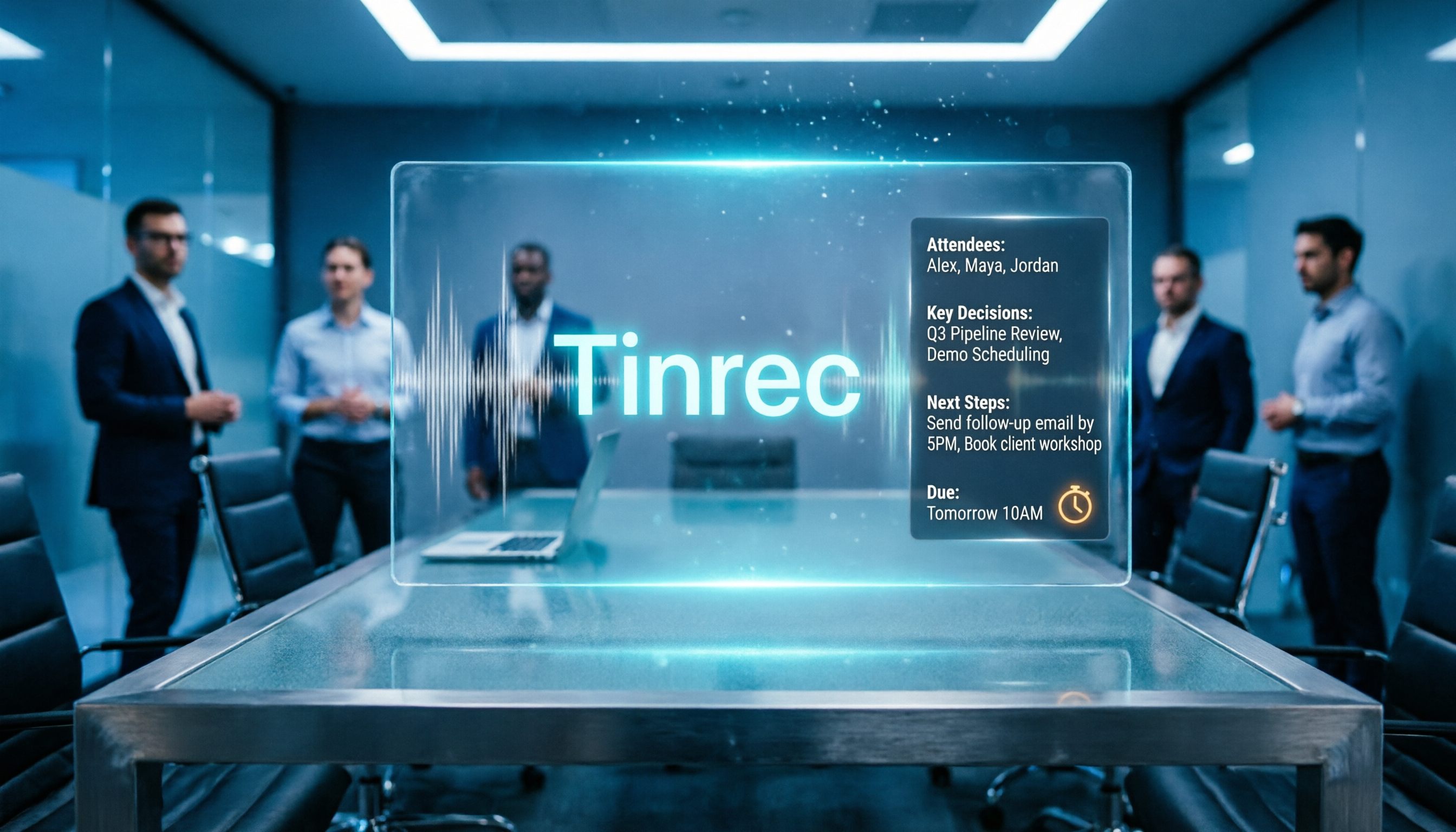
Tinrec's desktop version takes a different approach: it directly captures the computer's system audio, handling online meetings on Zoom, Google Meet, Microsoft Teams, Webex, etc., without requiring an extra bot to join. You just press record on your end.
Note that this doesn't mean it automatically joins all meetings. You still need to actively start recording.
2. Transcription: Must handle Chinese and mixed Chinese-English
In Taiwan's software sales meetings, almost every Chinese sentence includes English product names and technical terms. Tinrec supports Chinese, Traditional Chinese, and multilingual transcription, and can also translate in real time during recording, allowing you to view in original, translated, or bilingual mode.
Actual recognition performance is affected by recording quality, accents, background noise, multiple people speaking simultaneously, and technical terminology. This is also why the team version has "team hotwords": by maintaining your frequently used product terms, the recognition experience becomes more stable.
3. Summary: Not condensation—structuring
Condensing a transcript into a paragraph isn't useful for sales. What's useful is listing meeting topics, conclusions, customer concerns, and action items separately. Tinrec generates AI summaries and chapters, turning long meetings into browsable structure.
Stop organizing recordings by hand
Upload audio or video and automatically get a transcript, summary, and action items
4. Querying: Can you ask questions about the meeting content?
This is my most-used feature. After transcription is complete, you can directly ask: "What was the budget ceiling the customer mentioned?" "What unresolved concerns remain from this meeting?" AI Q&A answers based on semantics—no need to Ctrl+F yourself.
5. Output: Data must be able to leave the tool
Meeting notes can't die inside the tool. Tinrec supports multi-format export and can also export to Notion, Google Docs, OneNote, Dropbox, and other tools for further processing. There's also Agent post-processing, which can generate reports, tables, and documents based on meeting content.
If you're a multi-person sales team, there's also the team workspace layer: meeting data is stored centrally in the team, with separate management of members, roles, and seats. Administrators can see usage trends and operation logs. When a member leaves or loses their seat, their team resources need to be handed over to other members—this is especially important for sales teams, so customer context doesn't disappear with the person.
Practical Application Scenarios
Technical Q&A meeting after a software demo
What's easiest to miss in a demo meeting isn't the feature presentation—it's the customer's casual question: "Does this support SSO?" With Tinrec recording and transcribing simultaneously, you can directly check the transcript afterward to confirm whether technical Q&A was missed, and action items become work items for the technical team.
Customer needs interview
The key to interview-type meetings is quotation. Tinrec's transcript preserves original statements—you can directly copy the customer's exact words into the requirements document, which is far more powerful than rewriting it afterward as "the customer stated that..."
Renewal and customer success meetings
Renewal meetings need to discuss usage status, internal resistance, and renewal obstacles—usually long and scattered. Use AI summaries to pull out chapters, then query specifically about "resistance mentioned by the customer" to quickly identify the real renewal risk.
Internal sales weekly meeting
Each salesperson talks for 10 minutes, and an hour passes. Record the weekly meeting, generate summaries and action items—managers don't need to take notes while listening, and can later check "who said they'd supplement that quote last week." This type of meeting is best suited for the team workspace, becoming an accumulating record.
5 Things to Watch When Choosing Sales Meeting Notes Software
1. Recording method
First ask yourself: Are you willing to have an extra bot account in customer meetings? If not, you need a tool that captures system audio from the desktop. Tinrec's desktop version takes this approach.
2. Is there anything after the transcript?
Tools that only provide transcripts still require you to read through an hour of text yourself. When choosing, look directly at whether it can provide summaries, chapters, and action items. Tinrec has all of these in the same workflow.
3. Chinese and terminology performance
Don't just read official descriptions. Take one of your own recordings and test it—especially one with mixed Chinese-English. Tinrec has team hotwords to reinforce technical terminology.
4. Data ownership
Personal use and team use are two different things. Tinrec's team version meeting data belongs to the team, with roles, seats, usage, and audit logs; the personal version is primarily based on individual accounts.
5. Export and existing workflows
No matter how well notes are written, if they can't enter your existing workflow, it's wasted effort. Tinrec supports multi-format export and third-party tool export, connecting to your existing document and note-taking systems.
A note on pricing structure: Tinrec's personal version has a free version with basic quota for experiencing the workflow, as well as weekly cards, Pro monthly cards, and Pro annual cards; the team version offers a first-time 7-day trial for eligible users (including 1 free seat and 300 minutes of team shared import quota), and paid seats provide 2,000 minutes of team shared import quota per month. Actual currency and amounts are subject to the official purchase page.
Frequently Asked Questions
Q: Can the sales meeting notes template be used directly?
Yes, but with minor adjustments. The 8 fields above are a general skeleton. If your product has a high price point and a long decision chain, field 3 "Decision chain" can be further split into three lines: users, budget holders, and technical gatekeepers.
Q: Is the free version enough?
It depends on how often you have meetings. For occasionally organizing one or two meetings, the free version's basic quota is enough to experience the workflow. If you have customer meetings every week, you should consider a stable plan; for team use, look at the team version's shared quota.
Q: Do I need to get consent before recording?
You need to remind yourself of this. Recording and transcription involve local regulations. In practice, you should inform attendees and obtain consent at the start of the meeting, and handle data retention according to company policy.
Q: Will AI summaries miss key points?
Possibly. The value of AI summaries is to help you quickly return to the meeting context, not to replace your judgment. My habit is: use the summary to see the outline, use the transcript to verify key sentences, and always confirm important numbers against the original audio.
Q: What's the difference between the team version and the personal version?
Personal version data belongs to the individual account. The team version is an independent team workspace where meeting data belongs to the team, with additional member invitations, role and seat management, shared benefits, usage analytics, audit logs, and an audio recycle bin. Note that active members can view and play team data even without a seat, but need a seat to record, upload, and edit.
Conclusion
The real value of a sales meeting notes template isn't producing a beautiful document—it's knowing what to do next the moment the meeting ends.
My recommended sequence is:
- First copy those 8 fields into your note-taking tool and use them in your next customer meeting.
- Before the meeting starts, inform attendees that you'll be recording.
- Start recording with Tinrec's desktop version—don't invite a separate bot.
- After the meeting, first look at the summary and chapters to confirm the outline is correct.
- Use AI Q&A to query once about customer concerns and budget.
- Copy action items and follow-up email materials into your existing workflow.
Templates don't grow content on their own. But when the template is set and the tool is connected, you'll find that organizing meeting notes goes from "a chore before leaving work" to "something wrapped up ten minutes after the meeting ends."
Test step by step, and you'll gradually find the approach that suits your team.
References
- [Meeting Notes Template Download 2026] 6 Meeting Notes App Recommendations | Format Tutorial and Writing Examples
- Meeting Notes Format Template [Directly Copyable] 4 Key Points + Writing Examples, Fill It In and Submit
- Meeting Notes Template and Format | 3 Chinese and English Examples (Corporate, School, Organization) Directly Copyable | Subanana
- Meeting Notes Template | Microsoft Create
- Meeting Notes Guide: Examples, Tips, and Templates | Lark
Turn every recording into actionable outcomes
Get 60 free transcription minutes when you sign in. No credit card required.
Related Reading
You might also like
2026 Sales Meeting Notes Software Comparison: Tinrec vs. Notta vs. Granola — Which One Actually Saves You Time?
The most common mistake in sales meeting notes is treating the transcript as the meeting record itself. This article first provides a ready-to-fill sales meeting notes template with field examples, then compares Tinrec, Notta, and Granola across five dimensions: template completeness, how client meetings are recorded, Chinese transcription, post-meeting follow-up, and pricing/quotas—so you can decide which tool fits your sales workflow.

Best Sales Meeting Notes Template? 2026 Test of 4 Tools—This One Wins for Team Collaboration
What fields should a sales meeting notes template include? This article provides a 10-item checklist you can copy directly, and tests four meeting notes tools—Tinrec, Otter.ai, Notta, and Granola—comparing bot-free recording, post-meeting summaries and action items, Chinese recognition, team data retention, and pricing to help you choose the best one for your sales team.

2026 Sales Meeting Notes Tools Free Plans Compared: 4 Options at a Glance
The hardest part of a sales meeting notes form has always been the "Discussion" field. This article breaks down four tools from free tiers to paid thresholds, comparing their Chinese recognition, post-meeting summaries, bot-free recording, and team knowledge retention, plus 5 key buying criteria and 4 common pitfalls to help you decide which workflow to use to preserve customer context.

2026 Comparison of 4 Sales Meeting Note Tools: Which One Turns Transcripts into Trackable Comparison Charts?
Starting from the most common inefficient practices in sales meeting notes, this article explains how to turn transcripts, summaries, and action items into comparable comparison charts, and tests and compares the applicable scenarios of Tinrec, Notta, Granola, and TurboScribe.

2026 Sales Meeting Notes Free Plans Compared: 4 Tools and 5 Evaluation Criteria
Starting from what sales meetings really need—transcripts, summaries, action items, AI Q&A, and team knowledge retention—this guide compares 4 free plans in 2026 and outlines 5 evaluation criteria, and explains who Tinrec is best for.

2026 Comparison of 4 Sales Meeting Note Apps: Which Saves the Most Time with a Template?
Sales meeting notes aren't just about handing over a transcript. This article first uses a ready-to-use sales meeting notes template to break down the fields and writing approach, then compares four apps—Tinrec, Notta, Otter.ai, and Granola—from four angles: no bot invited, mixed Chinese-English recognition, post-meeting Q&A, and team data retention. It also summarizes three common pitfalls to avoid.

5 Free Sales Meeting Notes Solutions for 2026: A Complete Review
Taking sales meeting notes is hard not because of memory, but because of process. This guide covers 5 free approaches: from copy-paste sales meeting note templates to the free tiers and limits of Tinrec, Otter.ai, Notta, Granola, and TurboScribe, and explains which suits manual notes versus client interviews and team handoffs.

2026 Comparison of 3 Sales Meeting Recording Platforms: Tinrec vs Notta vs Otter
Based on real sales scenarios, this comparison examines Tinrec, Notta, and Otter across meeting recording methods, Chinese post-meeting organization, free tiers, team governance, and pricing to help you decide which sales meeting recording platform is worth using long-term.

2026 Comparison of 4 Sales Meeting Note-Taking Tools: Which One Actually Turns Client Promises into Action Items?
Sales meeting notes aren't just about recording what was said—they need to capture client needs, commitments, and follow-up dates. This article outlines 5 practical evaluation criteria and tests four tools: Tinrec, Notta, Otter.ai, and Granola. It explains who each tool is best for, whether the free tier is sufficient, how team plans are priced, and the 4 most common pitfalls when choosing a tool.