
Turn recordings into transcripts and summaries in minutes
Upload audio or video for multilingual transcription, AI notes, and action items
Why do you need an owner-plus-deadline table?
The worst part of a meeting isn't that it runs too long—it's that no one acts afterward.
You've surely seen this: everyone nods and says "OK, let's do that," and the meeting ends. Two weeks later, when you ask for progress, everyone remembers a different version.
One sample meeting minutes document puts it bluntly—action items without an assigned owner are rarely completed; only written ones get done. The same goes for deadlines: an action item without a due date is basically just a wish.
So this article isn't about how to format meeting minutes; it's about helping you choose a tool.
The key point is only one: can it help you generate that table of "who, does what, by when"?
Option 1 | Tinrec — Turn meetings into searchable, collaborative, actionable team data
My current workflow is like this: while the meeting is going on, Tinrec transcribes in real time.
In one sentence: an AI meeting notes and collaboration tool for individuals and teams, not just converting audio to text.
Highlight 1: No need to invite a meeting bot—record directly from the desktop app
Works with Zoom, Google Meet, Microsoft Teams, and Webex. The desktop app captures your computer's system audio directly, without an extra bot appearing in the participant list. This is especially noticeable in external client meetings—you don't have to explain "who that person who joined is."
Highlight 2: After the meeting, your to-dos are already listed
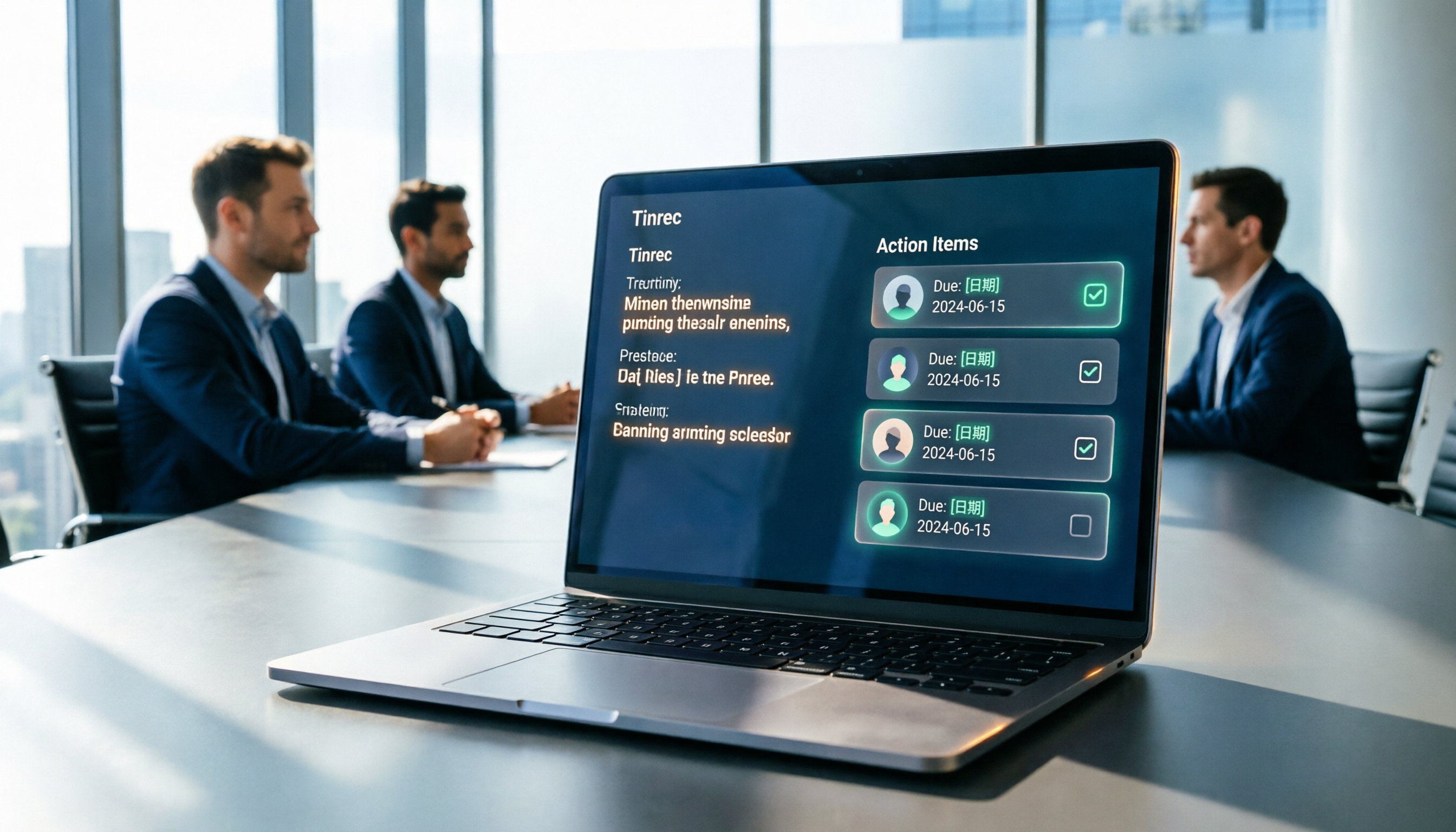
Tinrec extracts action items from the discussion and automatically generates summaries and chapters. What you get isn't just a transcript, but a list of "who needs to do what." Add owners and deadlines, and your tracking table is formed.
Highlight 3: You can keep asking questions about the meeting content
AI Q&A is my most-used feature. If I want to confirm "who said they'd handle the quote last month," I just ask—no need to dig through the transcript from the beginning. You can also ask across meetings.
Highlight 4: Chinese meetings + real-time translation
It handles Chinese, mixed Chinese-English, and multilingual meetings. During recording, you can switch between original text, translation, or bilingual view. The team plan also lets you maintain a glossary, adding internal product codes and project names to improve recognition of technical terms.
Free and paid plans
The free version lets you try recording, importing, summaries, and transcription with basic quotas. For short bursts of intense meetings, choose the weekly pass; for regular weekly use, choose the Pro monthly plan; for long-term data accumulation, choose the annual plan.
The team plan is a separate team space, not multiple people sharing one account: monthly USD 29.80 per paid seat per month, annual USD 199 per paid seat per year (about USD 16.58 per month). Each paid seat provides 2,000 minutes of shared team import quota per month. Eligible teams get a 7-day trial, 1 free seat, and 300 minutes of shared import quota for the first time. The team plan currently does not deduct minutes for real-time recording.
In the team plan, you also need to distinguish between "roles" and "seats": roles determine who can manage the team and settings; seats determine whether a member can record, upload, edit, import, and export. Members who are active but have no seat can still view, play, and read team data.
Who it's for
People who need Chinese meeting notes, don't want to use a meeting bot, and want meeting content to eventually become a searchable team asset. Suitable for solo businesses up to 20-person teams.
Option 2 | Otter.ai — A mature choice for English business meetings
A veteran AI meeting assistant, supporting Zoom, Microsoft Teams, and Google Meet. Real-time transcription, speaker identification, AI Chat, and team management are all quite mature.
Pricing: Basic is free, 300 minutes per month; Pro annual billing is about USD 8.49 per user per month, including 1,200 minutes of in-app recording per month and 10 file imports; Business offers unlimited meetings and in-app recording, actual price may vary with promotions.
Difference from Tinrec: Otter has a stronger mindshare for English business meetings; Chinese meetings are not its home turf.
Who it's for: Teams that mainly meet in English and are already used to the Otter ecosystem.
Stop organizing recordings by hand
Upload audio or video and automatically get a transcript, summary, and action items
Option 3 | Fireflies.ai — The most complete meeting automation and integrations
Its strengths are meeting automation, meeting bots, AskFred Q&A, team analytics, and a large number of third-party integrations.
Annual pricing: Free USD 0, Pro USD 10 per seat per month, Business USD 19 per seat per month, Enterprise USD 39 per seat per month. One thing to note: its so-called "unlimited transcription" is still subject to storage space, file upload speed, and AI Credit rules—it cannot be directly understood as all capabilities being unlimited.
Who it's for: Sales teams that want to connect meeting content into CRM or sales analytics workflows.
Option 4 | Notta — Balances multilingual transcription and team reports
It overlaps significantly with Tinrec, offering multi-platform transcription, meeting notes, file import, translation, and team plans.
Pricing: Free 120 minutes per month, single content up to 3 minutes; Pro annual billing about USD 8.17 per month, 1,800 minutes per month; Business annual billing about USD 16.67 per seat per month, offering unlimited transcription, role permissions, and usage reports.
Difference from Tinrec: Notta is very solid in multilingual transcription and subtitles, but post-meeting Q&A, action item organization, and team data accumulation are not its main focus.
Who it's for: People who need multilingual subtitles and also want team usage reports.
Option 5 | Granola — No bot, but you take notes alongside AI
It also takes a bot-free approach, using desktop system audio and microphone for real-time transcription, then combining it with your own handwritten notes to generate meeting content.
Pricing: Basic free, Business USD 14 per user per month, Enterprise USD 35 per user per month. Two things to note: it does not support uploading pre-recorded audio files, and it does not save meeting audio files.
Who it's for: People who are used to typing during meetings and just want AI to help enhance their notes.
Option 6 | TurboScribe — Budget-first file transcription
It takes a high-value file transcription approach, focusing on long files, batch uploads, subtitles, and translation.
Pricing: Free 3 files per day, single file up to 30 minutes; Unlimited annual billing USD 120 (about USD 10 per month). Paid version supports single files up to 10 hours or 5 GB, and up to 50 files per upload. It does not handle real-time meetings.
Who it's for: People with a budget-first mindset who have a pile of audio files to organize all at once.
With so many options, how should you choose?
• Want the most complete post-meeting workflow (transcription + summary + action items + AI Q&A + export) → Tinrec, these functions are completed in one flow.
• Meetings are mainly in Chinese or mixed Chinese-English → Tinrec, Chinese meetings and bilingual view are its home turf; consider Otter only for pure English meetings.
• Don't want an extra bot in the meeting → Tinrec desktop app or Granola, both capture system audio. The difference is Tinrec keeps recordings and supports file import; Granola does not save audio.
• Need to leave meeting data for the whole team, and manage members and usage → Tinrec team plan, with team space, roles, seats, usage analytics, and auditing.
• Want sales process automation and CRM integration → Fireflies.ai has more mature integrations.
• Zero budget, only occasional transcription → Otter Basic or TurboScribe free version, basic features are enough, but you need to calculate the quota limits yourself.
4 things to know before using a meeting notes tool
1. Don't have too many table columns
Task, owner, deadline—three columns are enough. At most add a status (open/in progress/done). Too many columns and no one fills them in. Tools like Tinrec directly extract action items, so you just add names and dates—much faster than starting from scratch.
2. An action item without a deadline is as good as not written
Every task needs a date. After the tool organizes your to-dos, no one can schedule the time for you.
3. Get consent before recording
When recording and transcribing, follow local regulations and obtain participant consent when necessary. This is not something a tool can handle for you.
4. Tools assist, they don't replace
AI may miss or misunderstand details. A more robust approach: use tools like Tinrec to organize transcripts, timestamps, and action items, then go back to verify important decisions against the original text and recording.
Summary
The value of meeting notes isn't in the record itself, but in whether anyone actually takes action afterward. And whether action happens depends on having a table that clearly states "owner + deadline."
These 6 tools each have their place, but if you want Chinese meetings, no bot, action items right after the meeting, and data that stays with the team to be searched and queried, Tinrec is the one I'd most recommend trying first.
The free version lets you experience the basic flow. Test it with one real meeting—that's more useful than reading ten reviews.
References
- Meeting Minutes PDF Sample: Complete Template | NoteLyn AI
- Free Meeting Minutes Template (Word, Google Docs, PDF) | HiNoter Blog
- Reference Notes on Practical Issues in Selection Operations <108.7>
- Meeting Minutes Example | Meeting Minutes Format Template (Chinese and English) | Subanana | Subanana
- Meeting Minutes Template XLS: Excel Format and Columns | NoteLyn AI
Turn every recording into actionable outcomes
Get 60 free transcription minutes when you sign in. No credit card required.
Related Reading
You might also like

2026 Post-Meeting Follow-Up Email Templates: 5 Scenarios at a Glance
Struggling to write a follow-up email after a meeting? This article compiles 4 key writing principles for post-meeting follow-up emails, 5 ready-to-use templates for different scenarios, and common pitfalls to avoid. It also explains how to use Tinrec to organize meeting notes first, making your follow-up emails faster and more accurate.

2026 Complete Guide to Automated Customer Requirement Organization: From Interview Transcripts to Action Item Tracking
Can't find customer requirements or organize them with no follow-up? Based on real experiences from student projects and internships, this article breaks down three common mistakes in manual customer requirement organization and uses Tinrec as an example to show how real-time transcription, AI summaries, action item extraction, AI Q&A, and team spaces can turn scattered customer feedback into searchable, queryable, and transferable data.
AI PRD Tools 2026: How to Combine Requirement Gathering and PRD Generation
Struggling with PRDs? The problem is usually not the generation tool, but unorganized requirement materials. This guide breaks down AI PRD tool selection into two parts: requirement gathering and document generation. We tested how Tinrec turns meetings and interviews into usable requirement materials, then pairs with generation tools like ChatPRD, Modao AI Agent, and PMAI. Includes ratings, limitations, pitfalls to avoid, and selection advice for different budgets and scenarios.

4 Meeting-to-PRD Tools Tested: Which One Turns Meeting Notes into Specs?
How do you use a meeting notes to PRD template without wasting time? This article breaks down three common mistakes, provides a ready-to-copy meeting notes to PRD template with a field mapping table, then compares Tinrec, Notta, Otter.ai, and Granola on transcription, AI Q&A, recording retention, and team collaboration. Finally, it offers selection advice for different budgets and scenarios to help you save time rewriting specs.

2026 Meeting Action Item Template Comparison: Which One Actually Gets Things Done?
A meeting action item template isn't about looking polished—it's about whether you can still verify completion six months later. This article provides a ready-to-copy action item table and compares Tinrec, Notta, Otter.ai, and Granola on action item extraction, Chinese-language meetings, and team collaboration.

How to Automatically Extract Meeting Action Items in 2026: AI Summaries + To-Dos in One Go
After a meeting, action items are scattered in the conversation and no one follows up? This article compiles 6 solutions that can automatically extract meeting action items, from Tinrec's bot-free recording, AI summaries, and action item extraction, to the positioning and pricing of Otter.ai, Fireflies.ai, Notta, Granola, and TurboScribe. It also uses scenario comparisons to tell you which one to choose for different budgets and needs.

2026 AI Meeting To-Do Tools Compared: Tinrec, Notta, and Fireflies — Which One Actually Follows Through?
A hands-on comparison of Tinrec and Notta across six dimensions: meeting capture, post-meeting outputs, historical data queries, team governance, Chinese and mixed-language support, and pricing. Also covers where Fireflies.ai fits among meeting automation tools, helping you decide which AI meeting to-do tool truly turns meetings into action.

The Complete Guide to Customer Meeting Follow-Up Emails in 2026: From Meeting Notes to Follow-Up Letter
Struggling to write a follow-up email after a customer meeting? This article breaks down the complete workflow from meeting notes, summaries, and action items to sending the follow-up email, and compares Tinrec and PLAUD Note in post-meeting organization and team tracking to help you choose the right approach.

How to Organize Meeting Action Items in 2026: A Complete 5-Step Guide
After a meeting ends, action items often get scattered across notes, chat threads, and memory, making it hard to track progress the following week. This guide breaks down a 5-step process for organizing meeting action items and compares Tinrec and Otter.ai within the same workflow, covering everything from capturing tasks and tracing context to handling Chinese-language meetings, exporting to your workflow, and team handoffs.