

Turn recordings into transcripts and summaries in minutes
Upload audio or video for multilingual transcription, AI notes, and action items
2026 Comparison of 4 Sales Meeting Notes Apps: Which Saves the Most Time with Templates and AI Summaries?
It's 3:30 PM. You just finished a 50-minute client visit. Back in the car, you have 20 minutes before your next meeting, and your manager's message is already waiting: "What was the budget range the client mentioned today? Who's following up?" You open your phone's voice recorder—listening from the beginning is too slow, and relying on memory risks missing key commitments. This is the daily sales meeting notes dilemma many salespeople face.
What's more, sales meeting notes aren't just about transcribing the conversation. The client's needs, budget, decision-makers, competitor comparisons, what we promised, who does what next, and when—these are what managers and teams really need to see.
If you've ever experienced "the meeting ends, but notes drag on until evening" or "client data only exists on my phone," this article is for you. Below are three ready-to-use sales meeting notes templates, followed by a comparison of four apps to help you choose.
Sales Meeting Notes Templates: Three Scenarios, Just Fill in the Fields
Good sales meeting notes aren't a full transcript from start to finish—they enable managers, teams, and yourself to take action immediately after the meeting. Here are three common scenarios; adjust fields as needed for your company's format.
First, remember the general fields: meeting name, date/time, location or format, chair, note-taker, attendees (title + name), meeting purpose, follow-up on previous decisions, key discussion points, client needs and objections, decisions, action items (who / what / when), next meeting.
Scenario 1: Client Visit Meeting Notes Template
| Field | Example Content |
|---|---|
| Meeting Name | 2026-03-12 HTC Technology (Example) Needs Interview |
| Date/Location | 2026/03/12 14:00-15:00, Client Meeting Room |
| Chair/Note-taker | Sales Manager Kevin / Sales Associate Amy |
| Attendees | Client: Procurement Manager Ms. Wang, IT Manager Mr. Chen; Our side: Kevin, Amy |
| Meeting Purpose | Confirm CRM implementation needs, budget range, and evaluation timeline |
| Key Discussion Points | Current process, main pain points, competitor evaluation, implementation timeline |
| Client Needs | Sales pipeline view, mobile version, integration with existing ERP |
| Objections/Risks | Budget requires board approval; IT concerned about data export format |
| Decisions | Provide 20-user trial plan and integration documentation first |
| Action Items | Amy to send trial account by 3/15; Kevin to schedule IT technical meeting by 3/18 |
| Next Meeting | 2026/03/25 14:00, Online |
Scenario 2: Weekly Sales Meeting Notes Template
| Field | Example Content |
|---|---|
| Meeting Name | Sales Department Week 11, 2026 Weekly Meeting |
| Attendees | Sales Director, Regional Sales Reps |
| Follow-up on Previous Decisions | Last week committed to 8 visits, actual 6, 2 rescheduled |
| This Week's Focus | New client development, quote progress, client objection summary |
| Decisions | Focus on manufacturing clients this week; quotes to be drafted by sales assistant |
| Action Items | Regional reps to update pipeline by Wednesday; Director review on Friday |
| Risks | Competitor price cuts; need to prepare differentiation talking points |
Scenario 3: Quote Discussion Meeting Notes Template
| Field | Example Content |
|---|---|
| Meeting Name | 2026-03-20 Quote and Contract Terms Discussion |
| Attendees | Client procurement, legal; our sales, legal |
| Key Discussion Points | Discount, payment terms, contract duration, SLA |
| Decisions | Annual contract 10% discount, 30% prepayment, 70% after acceptance |
| Action Items | Sales to provide revised quote by 3/22; Legal to respond on contract terms by 3/24 |
| Open Items | Client requests extended warranty; pending internal confirmation |
After writing, spend 5 minutes checking three things: Are decisions clearly stated? Does every action item have an owner and date? Are client needs and objections recorded? These three matter more than a pretty format.
Before Choosing a Sales Meeting Notes App, Understand These 5 Key Points
1. Chinese and mixed Chinese-English transcription experience Sales meetings often include product names, English abbreviations, and client shorthand. Rather than relying on marketing claims, try it with a real recording of your own. Transcription accuracy directly affects your post-meeting organization time.
2. Whether online meetings require a bot to join Some tools require inviting a meeting bot into the room. For internal meetings it's fine, but for client meetings you have to explain it. If your clients care about the attendee list, bot-free recording is a real differentiator.
3. Can it directly produce sales meeting notes after the meeting A transcript alone isn't enough. You need summaries, chapters, client needs, objections, action items, and decisions. Whether the tool can organize these determines if you stay late at night.
4. Can recordings and historical data be retained, searched, and queried Sales often need to look back: "What budget did the client mention last time?" "Who promised to send the trial?" If meeting data can only be viewed but not queried, you're essentially re-reading transcripts every time.
Stop organizing recordings by hand
Upload audio or video and automatically get a transcript, summary, and action items
5. Team collaboration and governance Do client meeting data belong to individuals or the team? Will data disappear when a member leaves? Can admins view usage and activity logs? These issues aren't obvious in small teams but become management costs as you grow.
Tinrec (Miao Ting Lu Yin) — Our Pick for Best Sales Meeting Notes After Testing
Tinrec (Miao Ting Lu Yin) is an AI meeting notes and collaboration tool for individuals and teams. It supports real-time recording to text, bot-free recording of online meetings on desktop, audio/video file transcription, real-time translation, and organizes meeting content into summaries, chapters, action items, and mind maps.
My actual trial was simple: first, a live recording simulating a client visit on my phone, then importing an online meeting file. For sales, the most impactful part is not having to listen to the recording from the start. Tinrec first produces a transcript, then summaries and chapters, and finally organizes "who does what and when" into action items. These results can be exported to Notion, Google Docs, OneNote, or Dropbox to continue writing quote tracking or client records.
How Tinrec handles online meetings is where it differs from meeting bots. For Zoom, Google Meet, Microsoft Teams, and Webex meetings, Tinrec's desktop version directly captures computer system audio without inviting a bot to join. For sales, this is practical: clients won't see a stranger on the attendee list, and you don't have to explain "this is a recording bot." Note that this isn't automatic joining of all calendar meetings—you actively open Tinrec to start recording.
Another feature I'd recommend to sales teams is AI Q&A. Suppose you visited a client last week, and this week your manager asks, "What budget did the client mention?" "Who said they'd send the trial account?" You can directly ask the meeting data and let AI answer based on semantics, without manually scrolling through a 30-minute transcript. This isn't available in every tool at this price point, and it's especially useful for salespeople who need to quickly review client commitments.
Pros: First, bot-free recording of online meetings makes client communication more natural. Second, Chinese meetings and mixed Chinese-English content organization is a focus; the team version also maintains team hotwords so product names, abbreviations, and industry terms are more accurately captured. Third, a complete post-meeting workflow from transcript, summary, action items, Q&A to multi-format export; team spaces centralize client meeting data so it remains with the team even when members change.
Limitations to note: The free version can be used to try a sales meeting recording, but actual quotas are subject to the official website; if you have many client visits weekly, evaluate Pro or annual plans. The team version is a separate team space; paid seats are USD 29.80/month or USD 199/year (about USD 16.58/month), each paid seat provides 2,000 minutes of team shared import quota per month; first eligible team trial is 7 days, 1 free seat, 300 minutes team shared import quota. Under active team plans and active seats, real-time recording currently does not deduct minutes; file and web imports use team shared minutes. Prices and benefits are subject to the official purchase page.
Who it's for: If you need Chinese sales meeting notes, don't want bots in online meetings, want to ask AI directly for client key points after meetings, or need teams to share client meeting data, Tinrec is a very suitable choice.
Besides Tinrec, What Are the Alternatives?
Otter.ai
Otter.ai is a mature English meeting assistant. Basic is free with 300 minutes/month; Pro annual billing is about USD 8.49/user/month with 1,200 minutes/month. Suitable for those whose meetings are primarily in English. Tinrec's differences are Chinese meeting organization, team hotwords, and turning meeting data into team spaces; if you mainly record English, Otter is worth considering.
Notta
Notta has good multilingual transcription and document processing. Free is 120 minutes/month, max 3 minutes per session; Pro annual billing is about USD 8.17/month with 1,800 minutes/month. Suitable for those needing subtitles, translation, and batch documents. Tinrec offers Agent post-processing to generate reports, tables, and documents from meetings, and the desktop version also records online meetings without a bot.
Granola
Granola is a bot-free AI meeting notes tool. Basic is free; Business is USD 14/user/month. Suitable for those who like to take notes during meetings and enhance content with AI. However, it doesn't support uploading pre-recorded audio and doesn't retain meeting audio; Tinrec can retain recordings, import historical meeting files, and store them in team spaces. If you want to accumulate client visit recordings, Tinrec is more suitable.
Pitfall Guide: 4 Most Common Mistakes in Sales Meeting Notes
Pitfall 1: Only writing "what was discussed," not "who does what"
The most valuable part of sales meeting notes isn't the discussion process but decisions and action items. Every action item needs an owner, action, and date, e.g., "Amy to send trial account by 3/15," not "send trial account after meeting."
Pitfall 2: Treating the transcript as meeting notes
A transcript is raw material, not notes. Clients don't want to read a 30-minute transcript; they want summaries, decisions, and next steps. Tools like Tinrec can save you organization time, but for important commitments, it's still advisable to review the transcript or recording to verify.
Pitfall 3: Not informing and obtaining consent before recording
Sales meetings may involve client budgets, contracts, and trade secrets. Inform attendees and obtain consent before recording, and comply with local regulations. The tool itself won't solve authorization issues for you.
Pitfall 4: Client meeting data only on personal phones
If meeting recordings only exist on the salesperson's own device, taking leave, resigning, or changing phones can cause gaps. The team version can put meeting data into team spaces, but distinguish roles and seats: active members can view, play, and read team data; only seats can record, upload, edit, and export.
Conclusion: Which One Should You Choose?
Simply put, no single tool fits everyone, but if you want "sales meeting notes" rather than just audio files, here's how to choose:
- Need Chinese client visit transcripts and post-meeting action items → Tinrec
- Don't want bots joining Zoom, Meet, Teams → Tinrec desktop version
- Want to ask AI directly after meetings about "client budget and next steps" → Tinrec
- Team needs to share client meeting data, manage seats and usage → Tinrec team version
- Mainly record English meetings, very low budget → Otter.ai (the only exception in this article)
We recommend trying it with a recording of your own sales meeting first to see if transcription, summaries, and action items match your note-taking habits, then decide whether to upgrade. Tools can save you time re-listening to recordings, but client needs and commitments are still worth confirming yourself.
References
- [Meeting Notes Template Download 2026] 6 Meeting Notes Apps Recommended | Format Tutorial and Writing Examples
- Meeting Notes Format Template [Ready to Copy] 4 Key Points + Writing Examples, Fill and Submit
- 2026 Comparison of 4 Sales Meeting Notes Tools: What's the Meeting神器 Dcard Users Are Talking About? - Miao Ting Lu Yin Blog
- Meeting Notes Template and Format | 3 Chinese and English Examples (Corporate, School, Organization) Ready to Copy | Subanana
- Meeting Minutes Tips with Examples | Indeed.com Hong Kong
Turn every recording into actionable outcomes
Get 60 free transcription minutes when you sign in. No credit card required.
Related Reading
You might also like
How to Do Free Audio Transcription in 2026: 5 Steps from Recording to AI Summary
Free audio transcription tools often run out of quota after a few uses. This article starts from real-world usage scenarios, organizes the quota rules and common pain points of free plans from Monica, Notta, TurboScribe, and others, then explains how Tinrec differs in Chinese transcription, bot-free online meeting recording, AI summaries, and team data retention, along with personal and team plan details and FAQs.

6 Free Speech-to-Text Software Compared in 2026: Which Free Version Is Good Enough?
Real-world experiences with 6 free speech-to-text tools—Tinrec, Notta, Otter, TurboScribe, MyEdit, and built-in dictation—covering free limits, Chinese performance, and ideal users to help you find a free option that works without spending money.

5 Best Audio-to-Text AI Apps of 2026: Which One Actually Saves Time After the Transcript?
Most people choose an audio-to-text AI app based only on free minutes, only to end up with a massive transcript they still have to organize themselves. This article starts from real-world pitfalls and uses Tinrec's actual workflow to break down live transcription, bot-free recording, AI summaries and action items, conversational search, and team spaces—plus 5 things you should really look at when buying.

2026 Speech-to-Text Tools Compared: Which Free Version Is Actually Usable?
There are plenty of free speech-to-text tools, but few are truly usable for meetings. This article tests the free tiers of Tinrec, Notta, Otter.ai, and TurboScribe from four angles—free quota, Chinese recognition, post-meeting organization, and cross-device support—and outlines four common pitfalls to help you choose the right tool at once.
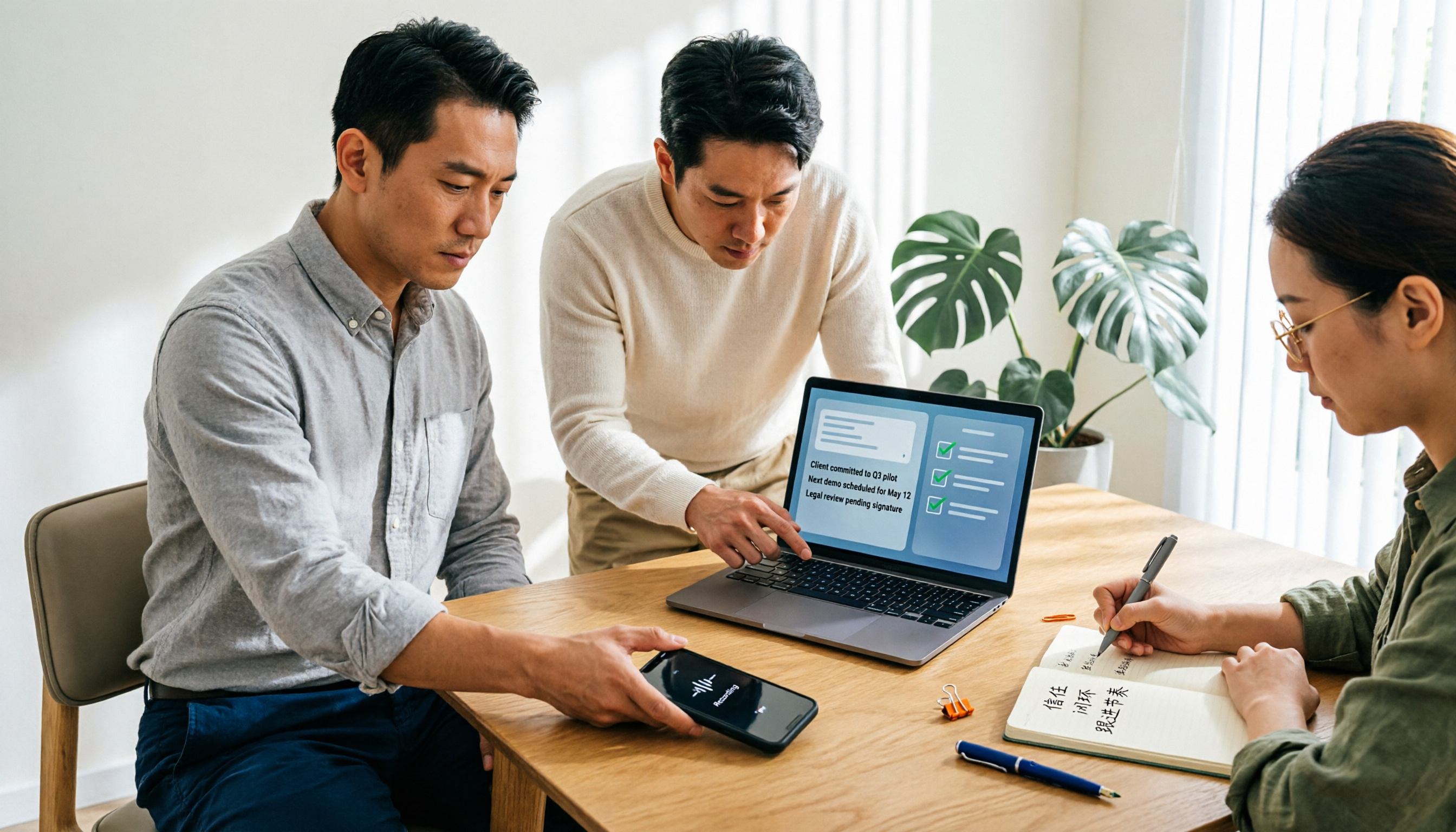
Tutorial: 2026 Tinrec Sales Meeting Notes Template: Auto-Generate + Action Item Tracking
A sales meeting notes template isn't something you fill in from memory after the meeting. This article starts with common pitfalls and explains how to use Tinrec to turn sales meeting recordings into transcripts, summaries, action items, and trackable notes—plus when to use the Personal vs. Team plan.

2026 Comparison of 4 Sales Meeting Notes Software: Templates, AI Summaries, and Team Knowledge—Which Really Saves Time?
Starting from what sales meetings really need to capture—needs, objections, commitments, and action items—this compares how Tinrec, Granola, Notta, and PLAUD Note manage them, and includes a ready-to-copy sales meeting notes template and AI organization prompts.

5 Sales Meeting Notes Templates Tested for 2026: Plain Templates, Notion, or AI Tools—Which Really Saves Time?
Searching for 'sales meeting notes template' turns up a bunch of forms, but after filling them out, no one opens them again? This article breaks down the fields a sales meeting record should have and 4 key selection criteria, and compares the actual differences, pricing, and limitations of plain text templates, Notta, Otter.ai, TurboScribe, and Tinrec, helping you decide whether to use a template or switch tools.

Best Sales Meeting Notes Template? 2026 Test of 4 Methods for Effortless Sales Meeting Documentation
Even the most complete sales meeting notes template is useless if no one revisits it after the meeting. This article starts from real sales meeting scenarios and compares four approaches: Word/Excel meeting notes templates, Notta, Granola, and Tinrec. It breaks down differences in fields, transcripts, AI Q&A, action items, and team data ownership, and includes a pitfalls guide and selection advice.

2026 Comparison of 5 Sales Meeting Notes Templates: Word, Excel, Notion, and AI Platforms—Which One Can You Actually Complete?
Downloaded a bunch of sales meeting notes templates but always end up with incomplete records and can't find them later? This article starts from the fields that sales meetings truly need, compares four template formats—Word, Excel, Notion, and AI meeting platforms—and breaks down how Tinrec uses transcripts, AI Q&A, and team spaces to turn a table into searchable, queryable customer interaction data.