
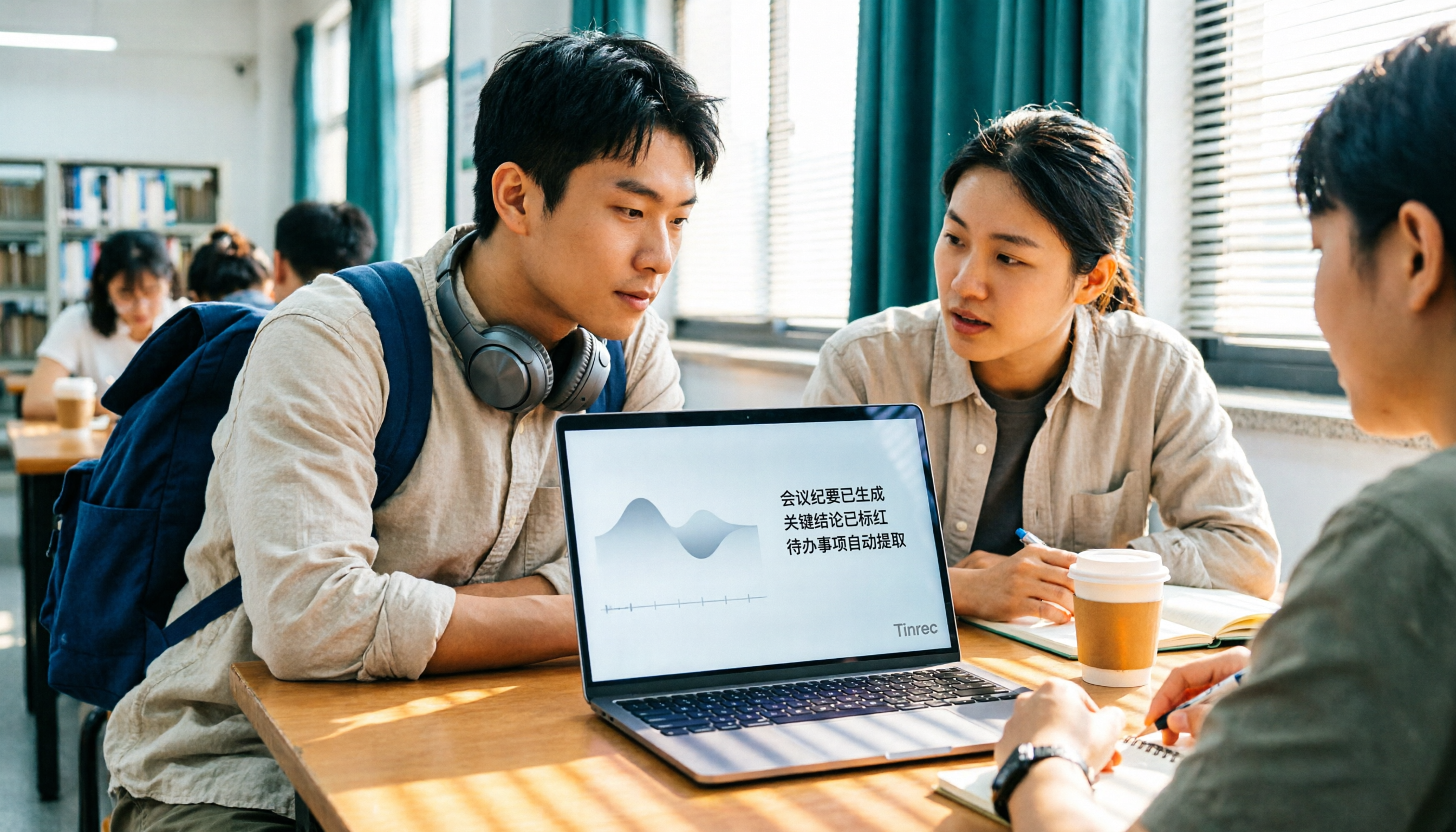
Turn recordings into transcripts and summaries in minutes
Upload audio or video for multilingual transcription, AI notes, and action items
2026 Comparison of 4 Audio-to-Transcript Tools: Beyond Good Tape Online, I Choose Tinrec for Chinese Meetings
If you're Googling "good tape online," I think what's really stuck in your mind isn't "is this tool any good," but rather: Should I keep using a free online transcription tool, or switch to one that turns recordings into key points, to-dos, and notes?
It took me a whole semester to figure this out. I'm a senior information management major working on my graduation project, and I regularly record lectures, group discussions, and interviews. I've put together this article on the 4 tools I've used (Good Tape, Notta, Otter.ai, and Tinrec, which I ultimately kept) to help you avoid some detours.
Pain Points: Can't Finish Taking Notes, Can't Find Key Points in Recordings—You Don't Need a Tool, You Need a Solution
Let me start with three scenarios you've definitely encountered.
The first is "can't keep up with note-taking in class." The professor talks fast, slides flip even faster. You catch the first half of a sentence but miss the second half. After class, you open your notebook and can't even read your own handwriting.
The second is "can't find key points before finals." You have a dozen recordings on your phone, each over 90 minutes. Will you really listen from the first class to the last? No, you'll listen to the first 5 minutes and give up.
The third is "group discussion amnesia after the meeting." Four people discuss for two hours, take a bunch of whiteboard photos, but no one remembers who's responsible for which part or when it's due.
The common thread in these three scenarios is: the problem is never "not recording the audio," but that after recording, no one (including yourself) wants to listen again.
Before Choosing an Audio-to-Transcript Tool, Understand These 4 Key Points
1. Are you "uploading files afterward" or "needing a transcript live"? If you're recording an online class or online group meeting, the ideal tool can capture your computer's system audio directly, generating text while the meeting is happening, without throwing a bot into the meeting room. This is especially obvious during student group presentations—you can't ask every group member to agree to an AI joining Google Meet first.
2. Is the free quota "total per month" or "length per session"? This is the most easily overlooked pitfall. Some tools give you 120 minutes free, but only 3 minutes per session; others give 300 minutes, which sounds like a lot, but one class starts at 100 minutes. What you really need to check is: can it handle the length of one class?
3. What do you get after transcription? Just the transcript, or also summaries, chapters, to-dos, and even the ability to ask questions about the content? This determines whether you spend 2 hours or 20 minutes reviewing before finals. A tool that only gives transcripts is like swapping "re-listening" for "re-reading"—the time saved is actually limited.
4. Where is the data stored, and will it be deleted? Some online services delete files a few days after processing, so you have to remember to download them yourself. Also, if you later need to share data with your project group, think ahead about whether there's a team space feature.
Tinrec—The One I Kept After a Semester
Tinrec is an AI meeting notes and collaboration tool for individuals and teams, supporting iOS, Android, and web. I initially used it just to record online classes, but later handed over my project group's weekly discussions to it as well.
Live transcription without throwing a bot into the meeting. Our project group meets once a week on Google Meet. My approach is to open Tinrec's desktop version on my computer; it directly captures the device's system audio for recording, without inviting any bot to join the meeting. This is very practical for student teams, because you never want to explain again what that AI is just for "recording."
When the meeting ends, the summary, chapters, and to-dos are already there. After recording, it automatically generates a summary, chapters, key points, and to-dos, and can even organize them into a mind map. Last semester, our group's "who's responsible for the survey, who runs the stats, due by next Wednesday" was pulled directly from the to-do list, no need to go back through a 90-minute transcript. It also works for cross-language classes or interviews; during recording, you can switch between original text, translation, or bilingual content.
Stop organizing recordings by hand
Upload audio or video and automatically get a transcript, summary, and action items
The most crucial feature is AI Q&A. This is the main reason I ultimately kept Tinrec. Before finals, I don't need to re-listen; I just ask it: "What was the grading criteria the professor mentioned in the third class?" It answers directly based on semantic understanding, rather than throwing a bunch of keyword search results for you to find yourself. The recorded content can also be further turned into reports, tables, and documents, and exported to Notion, Google Docs, and other places I already use.
Honest points: The free version only has a basic quota. If you record every class and use it weekly, you'll eventually run out and need to consider a weekly pass or Pro. Also, it doesn't guarantee 100% accuracy—air conditioning noise in classrooms, classmates talking over each other, and professors using technical terms can still cause errors. For important content, it's best to cross-check by listening back at the timestamps. As for the team version, it's for "the whole group sharing data." A paid seat includes 2,000 minutes of team-shared import quota per month, and annual billing works out to about USD 16.58/month; this price isn't cheap for students, but if the whole project group splits it and you really meet weekly, it's worth considering.
Who it's for: If you frequently record online classes or group meetings, want to use AI to find key points right after recording, and switch between phone and computer, Tinrec is the smoothest option I've used so far.
Besides Tinrec, What Other Options Are There?
Good Tape: An online transcription service launched by Danish news organization Zetland, using OpenAI's Whisper technology, supporting over 40 languages including Chinese. Upload a recording to generate a transcript with timestamps, and download .txt or .srt subtitle files. The timestamp interval can be adjusted (0 to 20 seconds). It's currently free to use, and the process is just uploading a file and entering an email. If you just want to turn an interview or thesis recording into text without paying, it's a good starting point. Note that files are only kept for about 3 days without registration, so remember to download them yourself; and it mainly produces transcripts and subtitles, without Tinrec's AI summaries, to-dos, AI Q&A, or team space.
Notta: A multi-platform transcription tool. The free version offers 120 minutes per month, but a maximum of 3 minutes per session. Pro annual billing is about USD 8.17/month. If you just need simple "file-to-text," it's sufficient; but if you want live transcription during meetings and the ability to ask questions about the content afterward, Tinrec's bot-free desktop recording and AI Q&A will be more fitting.
Otter.ai: A veteran choice for English meetings. Basic is free with 300 minutes per month, a generous quota for students. But its main strength is English business meetings; Chinese, mixed Chinese-English content organization, and real-time translation are not its strong suits. If almost all your recordings are in English, Otter.ai is actually more cost-effective; if you're recording Chinese classes or mixed Chinese-English discussions, Tinrec's experience will be more stable.
Pitfall Guide: The 4 Most Common Mistakes When Choosing an Audio-to-Transcript Tool
Pitfall 1: Only looking at the word "free," ignoring storage duration and session length. Free is great, but some services delete files a few days after processing, and some free quotas only allow a few minutes per session. Before using, confirm two things: can one class length be uploaded at once, and how long are files kept?
Pitfall 2: Treating the transcript as the end goal. The transcript is just raw material. If you still have to read through 90 minutes yourself after getting it, that's about as tiring as re-listening to the recording. When choosing a tool, ask yourself: does it have summaries, to-dos, and can I ask questions directly?
Pitfall 3: Assuming the tool will join the meeting on its own. Most tools require you to actively start recording. For example, Tinrec's desktop version captures computer system audio, which is great because you don't have to add a bot to the meeting, but you still have to remember to press start before the meeting.
Pitfall 4: Forgetting the legal and etiquette issues of recording. Before recording a class, group discussion, or interview, it's best to inform the other party and get consent when needed. Regulations vary by location.
Conclusion: Which One Should You Choose?
- Recording online classes or group meetings, want live transcription (and don't want to add a bot) → Tinrec (desktop version captures system audio directly)
- After recording, want to use AI to ask "What was the conclusion of last week's discussion?" → Tinrec (AI Q&A is the main reason I kept it)
- Record on phone, organize on computer, and export to Notion or Google Docs → Tinrec (multi-platform use + multiple export formats)
- Project group needs to share meeting data and manage who can edit → Tinrec team version (team space, seat and usage management)
- Zero budget, just want to turn a recording into a text file → Good Tape (online, free, supports Chinese, but remember to download and save)
My advice is to try the free version for a week or two, testing with the type of audio you record most—classroom ambient noise, classmates talking over each other, and the professor's accent are the real tests. Then decide whether to pay. No need to spend money from the start.
References
Turn every recording into actionable outcomes
Get 60 free transcription minutes when you sign in. No credit card required.
Related Reading
You might also like

2026 Comparison of 3 Speech-to-Text Tools: When Google Docs Isn't Enough, How Tinrec Takes Over Meeting Notes
Many people search for 'speech to text Google Docs' to find a free way to transcribe, but Google Docs' voice typing is better for real-time dictation. It falls short for meeting recordings, summaries, action items, and team sharing. This article uses Tinrec as an example to show what speech-to-text can do, its core capabilities, practical use cases, and purchasing considerations, plus answers to common questions.

Tinrec vs Notta 2026: 5-Dimension Comparison for Chinese Meeting Transcription
Still unsure how to choose a speech-to-text app after scrolling through forums? This article breaks down three common pitfalls, compares Tinrec and Notta across five key dimensions, and includes positioning differences for Otter.ai and PLAUD Note, four pitfalls to avoid, and scenario-based recommendations to help you decide which tool truly saves post-meeting cleanup time.
4 Speech-to-Text AI Tools Tested and Compared in 2026: What Dcard Users Really Want to Know
There's a lot of discussion on Dcard and PTT about speech-to-text AI, but most people start by asking the wrong questions. This article addresses common misconceptions, outlines 4 key factors for choosing a tool, and compares Tinrec, Notta, Granola, and PLAUD in real tests, covering their free tiers, pricing, and limitations to help you find the one that truly saves time on meeting notes.

2026 Voice-to-Text App Comparison: Yating Transcript vs Tinrec — Which Should Students Choose?
Starting from the pain point of students taking notes in class, this hands-on comparison tests Yating Transcript and Tinrec, two apps popular on Dcard, across five dimensions: AI post-class organization, online meeting recording, file import and export, group project sharing, and Taiwanese accent recognition. It also provides selection advice for different student scenarios.

2026 Speech-to-Text Showdown: Google AI vs. Tinrec for Chinese Meetings — Which Saves More Time?
Starting from the backend API positioning of Google Cloud Speech-to-Text, this hands-on comparison tests out-of-the-box speech-to-text solutions. Using Tinrec as the primary example, it walks you through real-time transcription, bot-free online meeting recording, AI summaries, action item extraction, AI Q&A, and team spaces, plus 5 buying considerations and FAQs.
Apple Voice-to-Text vs Tinrec vs Plaud: 2026 Comparison — Which Saves the Most Time?
Starting with the iPhone's built-in Voice Memos transcription, this comparison examines Apple's built-in tools, Tinrec, and Plaud across meeting recording, AI organization, cross-platform support, and team collaboration. From a mid-level manager's perspective, it explains which solution best suits professionals with multiple weekly meetings.

2026 Speech-to-Text App Buying Guide: Tinrec vs Yating Transcription – Two Hands-On Tests and Recommendations
In Dcard and PTT discussions, there are many speech-to-text app choices. This article hands-on compares Tinrec and Yating Transcription, covering online meeting notes, post-meeting AI organization, cross-platform import, team collaboration, and multilingual accent support to help you find the right speech-to-text solution.

2026 Comparison of 3 Transcription Software: Why Good Tape Users Are Switching to Tinrec
A hands-on comparison of Good Tape and Tinrec in Chinese meetings, bot-free recording, post-meeting organization, and team collaboration. Good Tape has a solid reputation in the transcription market, but if you need to turn meetings into searchable, collaborative team data, Tinrec is a more complete choice. This article analyzes core experience, features, scenarios, and buying considerations.

4 Free Audio-to-Text Tools Tested: Is Good Tape Free? Which Is Best for Chinese Meetings?
Is Good Tape free? We compare the free plans of 4 audio-to-text tools, covering free quotas, direct online meeting recording, Chinese and mixed Chinese-English recognition, post-meeting summaries, action items, and AI Q&A, to explain who Tinrec, Good Tape, Otter.ai, and Notta are best for.