

Turn recordings into transcripts and summaries in minutes
Upload audio or video for multilingual transcription, AI notes, and action items
How to Organize Cantonese Subtitles in 2026: AI Transcripts + Action Items in One Go
What You Need Isn't Subtitles—It's Usable Content: The Pain Points of Organizing Cantonese Audio and Video
Many people think that "automatically generating Cantonese subtitles" is just a click, a few minutes of waiting, and downloading a file. Only after actually using it do they discover: mixed Chinese and English still gets mistranslated, the free version only gives you a preview of the first 15 minutes, downloading subtitles requires payment, and after getting the transcript, you still don't know where the meeting's key points are or who is responsible for what.
The first common misconception: treating "adding subtitles" and "organizing content" as the same thing. If you just want to add subtitles to a YouTube video, subtitle tools are straightforward; but if you want to turn Cantonese meeting, interview, or class recordings into searchable, summarizable, and trackable data, subtitle tools alone are not enough.
This article starts with common misconceptions, first covers key purchasing points, then tests several Cantonese subtitle tools, and finally explains why Tinrec is better suited for the "post-meeting organization" step for teams and individuals who need to distill content.
Before Choosing a Cantonese Subtitle or Organization Tool, Understand These 4 Key Points
1. Do you need a subtitle file or a transcript? Subtitle files (SRT, VTT) are suitable for uploading directly to video platforms; transcripts are suitable for meeting notes, interview analysis, and content reuse. The needs are different, and so are the tool choices. If you need a transcript plus summary and action items, Tinrec's post-meeting workflow is more complete than pure subtitle tools.
2. Flexibility in outputting spoken vs. written language One of the troubles with Cantonese subtitles is the conversion between "spoken" and "written" language. Subanana offers four output options: spoken/written × traditional/simplified, which is quite detailed. But if your focus is meeting notes, written summaries and action lists are more important than verbatim subtitles.
3. Recognition ability for mixed Chinese and English Hong Kong people often mix Chinese and English when speaking. For sentences like "this quarter's target," whether the tool can retain the original English words without mistranslating them into Cantonese sounds directly affects readability. Subanana has specific explanations for this. Tinrec emphasizes mixed Chinese-English content organization and multilingual meeting transcription, suitable for unified post-meeting organization.
4. Free quota and team collaboration Many tools' free versions only allow previews, and downloads require payment. Subanana's free account allows uploading and previewing the first 15 minutes of each file, 3 files per month, and downloading subtitles is a paid feature. If you need team members to view together, manage seats and usage, choose a tool with team space, such as Tinrec's team version.
Tinrec—Our Top Choice After Actual Use
Tinrec is an AI meeting notes and collaboration tool for individuals and teams. It doesn't just convert sound to text; it organizes meeting recordings into searchable, summarizable, queryable, and exportable data. If you handle Cantonese meetings, interviews, or class recordings, Tinrec's value lies in the "after recording" workflow.
Core features integrated into scenarios:
When you open Tinrec during a meeting, it produces a transcript while recording. When the meeting ends, AI has already automatically generated a summary and chapters, and can extract action items—who is responsible for what, what the deadline is, all at a glance. For Chinese-centric content, Tinrec supports Chinese and multilingual meeting transcription, and mixed Chinese-English content can be organized together, reducing the time spent manually typing transcripts after meetings.
After recording, you can directly ask Tinrec: "Who mentioned the budget in the last meeting?" It doesn't just give you keyword search results; it answers directly based on semantic understanding. This AI Q&A feature turns historical meetings into a queryable database, rather than audio files lying on a hard drive.
If you need to take content elsewhere, Tinrec supports multiple export formats and can export to Notion, Google Docs, OneNote, Dropbox, and other tools for further processing. The team version also has team space, member and seat management, usage analysis, and audit logs, so meeting data belongs to the team and won't disappear when someone leaves.
Pros:
Stop organizing recordings by hand
Upload audio or video and automatically get a transcript, summary, and action items
- Complete post-meeting workflow: transcript, summary, chapters, action items, Q&A, export all in one.
- Supports bot-free online meeting recording: the desktop version directly captures system sound, handling Zoom, Google Meet, Microsoft Teams, Webex, etc., without additional bots joining.
- Strong team collaboration: team space, roles and seats, usage analysis, audit logs, audio recycle bin, suitable for teams that need to accumulate meeting assets.
Limitations:
- Tinrec is not a dedicated video subtitle generator and does not directly output SRT subtitle files. If you only need to add subtitles to videos, tools like Subanana, CantoSub, and Zeemo are more direct.
- The free version has a basic quota; heavy use requires payment. Team version monthly USD 29.80 per paid seat per month, annual USD 199 per paid seat per year, equivalent to about USD 16.58 per month. The first eligible team trial is 7 days, 1 free seat, 300 minutes of team shared import quota.
Who it's for: If you frequently need to organize Cantonese meetings, interviews, or class recordings, want to use AI to find key points and extract action items right after recording, and share meeting data within a team, Tinrec is currently one of the most suitable choices.
Besides Tinrec, What Other Options Are There?
Subanana: A Cantonese subtitle tool developed in Hong Kong, supporting four output options: spoken/written × traditional/simplified, accurate even with mixed Chinese and English, can upload MP4, MOV, MP3, M4A or paste YouTube, Instagram, Facebook links, single file up to 8 hours, max 30 GB. Free account can preview the first 15 minutes of each file, 3 files per month, downloading subtitles requires payment. Suitable for creators who need to quickly add subtitles to Cantonese videos. However, the AI Q&A, action item extraction, and team space that Tinrec offers are currently not available in Subanana.
CantoSub: Focuses on fully automated professional subtitles, supports multiple languages including Cantonese, Mandarin, English, and can translate into other languages with one click. Suitable for video creators who need multilingual subtitles. But CantoSub lacks Tinrec's meeting summary, chapters, action items, and AI Q&A features; post-meeting organization still requires manual work.
Zeemo: Offers App and web version, after uploading video AI automatically generates Cantonese subtitles, can review and edit, adjust timeline, customize font style and color. Suitable for marketing and content teams that need personalized subtitle appearance. But Zeemo also lacks Tinrec's team space, seat management, and audit logs, which is not conducive to team accumulation of meeting data.
Pitfall Guide: The 4 Most Common Mistakes When Choosing Cantonese Subtitle Tools
Pitfall 1: Buying just because it says "supports Cantonese." Many tools claim to support Cantonese, but whether the output is spoken or written, traditional or simplified, and whether mixed Chinese-English gets mistranslated, makes a big difference. It's recommended to first try with your own recording for free, don't just look at ads.
Pitfall 2: Using a subtitle tool as a meeting notes tool. Subtitle tools are strong at producing subtitle files, but meeting notes require summaries, action items, and searchable transcripts. If you still have to manually organize key points after a meeting, you're only using one-third of the tool's capability. Tinrec's AI summary and action item extraction target this pain point.
Pitfall 3: Ignoring free quota and download limits. Some tools' free versions only allow previews, downloads require payment; some limit the number of files per month. Subanana's free version has 3 files per month, downloading subtitles is a paid feature. Check the quota before use.
Pitfall 4: No team collaboration and data accumulation plan. If meeting data only exists in personal accounts, it scatters after members leave. Tinrec's team version makes meeting data belong to the team and provides member, seat, usage, and audit management, suitable for teams that need long-term accumulation.
Conclusion: Which One Should You Choose?
- Need to quickly add subtitles to Cantonese videos → Subanana, CantoSub, Zeemo (choose based on output format and budget).
- Need Cantonese meeting/interview transcripts + post-meeting summaries + action items → Tinrec (most complete post-meeting workflow).
- Need AI Q&A, ask "what was the meeting conclusion" right after recording → Tinrec (rare among similar tools).
- Need team sharing of meeting data, manage seats and usage → Tinrec team version.
- Only need free English meeting notes → Otter.ai (a mature choice for English meetings).
It's recommended to first try Tinrec's free version to experience the recording-to-text, summary, and Q&A process. If you also have video subtitle needs, pair it with a subtitle tool like Subanana; the two complement each other and are more efficient than using a single tool.
Note: The features and prices of third-party tools mentioned above are subject to their official pages; when recording and transcribing, please comply with local laws and obtain participant consent when necessary.
References
- CantoSub | Hong Kong | Cantonese | AI Subtitle Generation!
- Online Automatic Cantonese Subtitle Generation 2026 | Subanana
- Cantonese Subtitle Generator - Zeemo
- Subanana Hong Kong-made Cantonese subtitle tool review: YouTube auto subtitles super convenient | Tech Gadgets
- I now directly use AI to generate Cantonese written subtitles!
Turn every recording into actionable outcomes
Get 60 free transcription minutes when you sign in. No credit card required.
Related Reading
You might also like
2026 Comparison of 3 Cantonese Input Method Practice Solutions: Jyutping, Fanqie, or AI-Assisted—Which Is Most Effective?
Struggling to practice Cantonese input methods? This article compares Jyutping input, Cantonese Fanqie input, and Tinrec AI speech-to-text assistance, analyzing which method best improves Jyutping accuracy. From pain points and selection criteria to hands-on testing and pitfalls to avoid, find the practice path that suits you best.

Best Cantonese Voice Input Tools in 2026: Testing 2 Options, Tinrec Excels at Post-Meeting Organization
This article compares VoiceIn and Tinrec, two Cantonese voice tools. VoiceIn is ideal for quick voice input in the Chrome browser, while Tinrec focuses on meeting recording transcription, AI summaries, to-dos, and team collaboration. If you need to turn Cantonese meetings into searchable, organized data, Tinrec is the more complete choice.

3 Cantonese Input Methods Compared: Is Google Input Tools Worth Installing?
Can't type characters like '嘅', '咗', '唔', or '啲'? This article compares Google Input Tools (Cantonese), Online Cantonese Input Method, and gcantonese-ime, explaining Google's Cantonese typing logic, where it works, and its limitations to help you choose the best option for your typing needs.

4 Free Cantonese Subtitle Tools Tested and Compared in 2026: Is the Free Version Enough and How to Choose?
A comparison of free Cantonese subtitle tools in 2026: Subanana, pyTranscriber, Whisper Desktop, and CantoSub, covering their differences and proofreading tips. Also compares them with Tinrec across five dimensions: input sources, post-meeting organization, export, team collaboration, and free quota, to help you choose the right tool for your needs.

Taigi AI Labs vs Ministry of Education Taiwanese Input Method: 5-Dimension Comparison for Mac Users in 2026
How to choose a Taiwanese input method for macOS in 2026? This article compares Taigi AI Labs, the Ministry of Education Taiwanese Input Method, and Lohankha across 5 dimensions: macOS version, input schemes, candidate characters, voice dictionary, and stability. It also covers installation steps and FAQs to help Mac users find the right Taiwanese typing tool.

2026 Cantonese Subtitle AI Free Options: 4 Tools Compared
2026 Cantonese subtitle AI free options compared: Tinrec, Subanana, CantoSub, and Otter.ai. Compare free quotas, Cantonese and mixed Chinese-English recognition, post-meeting organization, plus 5 key buying factors and 4 common pitfalls to avoid.
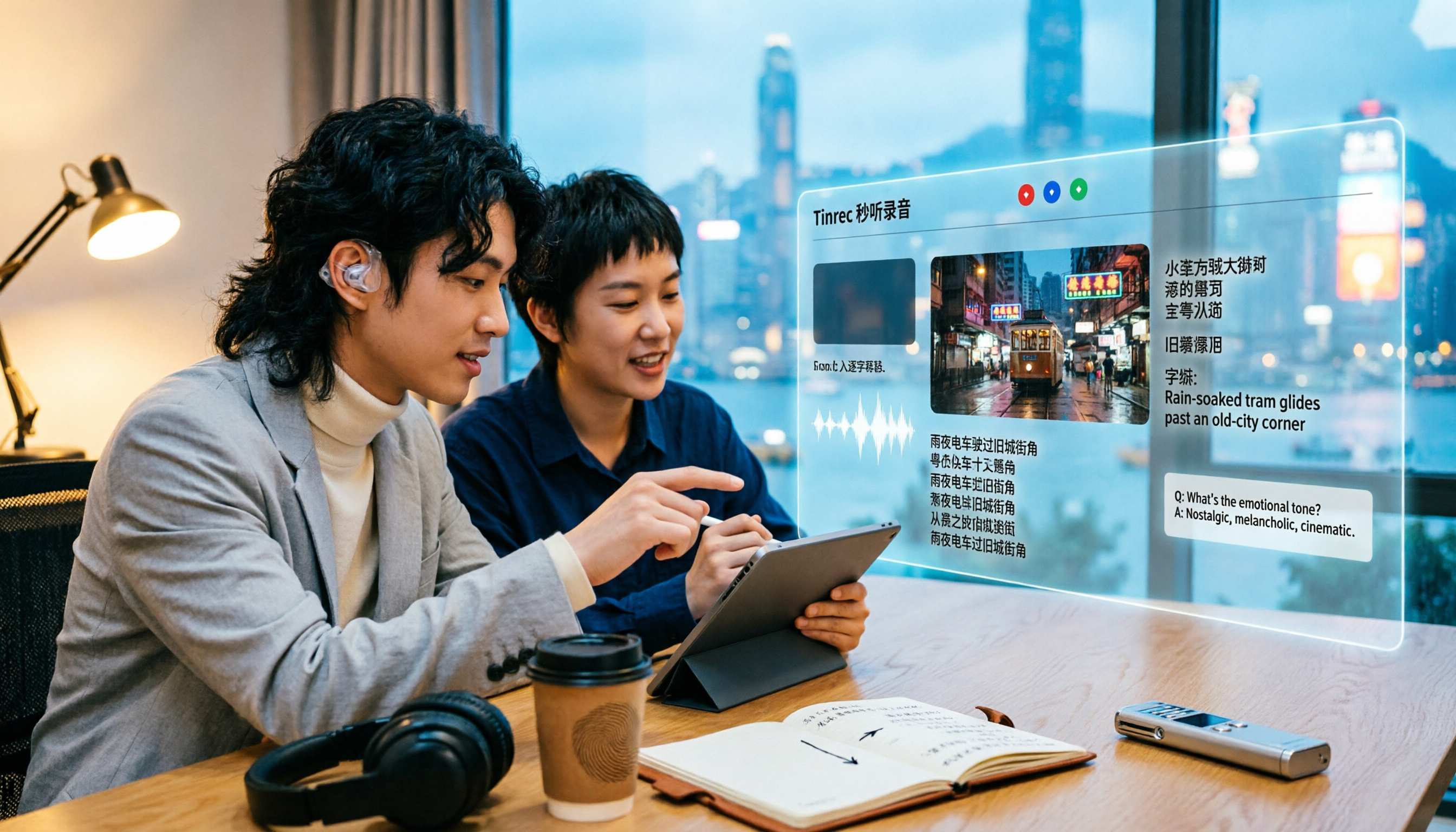
2026 Comparison of 5 Cantonese Subtitle Tools: Download Movie Subtitles or Generate Your Own?
If you're looking for Cantonese subtitles, first decide whether you want to download ready-made subtitle files or generate subtitles from your own videos. This article compares five common ways to obtain Cantonese subtitles and demonstrates the complete workflow using Tinrec—from video import, transcript, bilingual translation, AI summary Q&A, to team collaboration—to help you determine which approach truly suits you.

Tinrec vs Otter.ai 2026: 5-Dimension Comparison for Cantonese Speech-to-Text
Which tool should you use for Cantonese speech-to-text? This article compares Tinrec and Otter.ai, two AI meeting tools, across 5 dimensions: Cantonese and mixed Chinese-English recognition, online meeting recording methods, post-meeting summaries and AI follow-up, file import and audio retention, and pricing and team governance. It ends with FAQs to help you decide which one fits your situation.

4 Cantonese Speech-to-Text Tools Tested in 2026: Which One Actually Saves You Time?
Tired of endlessly editing Cantonese meeting transcripts? We tested Tinrec, Notta, Granola, and TurboScribe with the same set of Cantonese and mixed Chinese-English meeting recordings, comparing transcription usability, post-meeting organization, free tiers, and team data ownership. We also highlight 4 common pitfalls to help you find a solution that truly saves time after meetings.