

Turn recordings into transcripts and summaries in minutes
Upload audio or video for multilingual transcription, AI notes, and action items
4 Android Cantonese Voice Input Solutions Compared: Which Saves the Most Time in 2026?
Let me ask you a question: If you want to use Cantonese voice input on an Android phone, what's the first thing you should consider?
Most people would say 'speaking is faster than typing.' But if the scenario is a two-hour project meeting, what you really need to decide is something else—do you want to 'turn speech into text' or 'turn the meeting into usable data'?
These two things are completely different on Android. I lead a team of 10 and have about 15 meetings a week. Over the years, I've tried four common approaches: built-in phone voice input, recording bots that need to join the meeting, transcription services that only accept file uploads, and bot-free desktop and mobile recording tools. The first three each have their pitfalls, and I ultimately stuck with Tinrec. This article isn't a spec sheet battle; it's about clarifying 'how to choose.'
What Can Android Cantonese Voice Input Do for You?
Scenario 1: Get a transcript right during the meeting
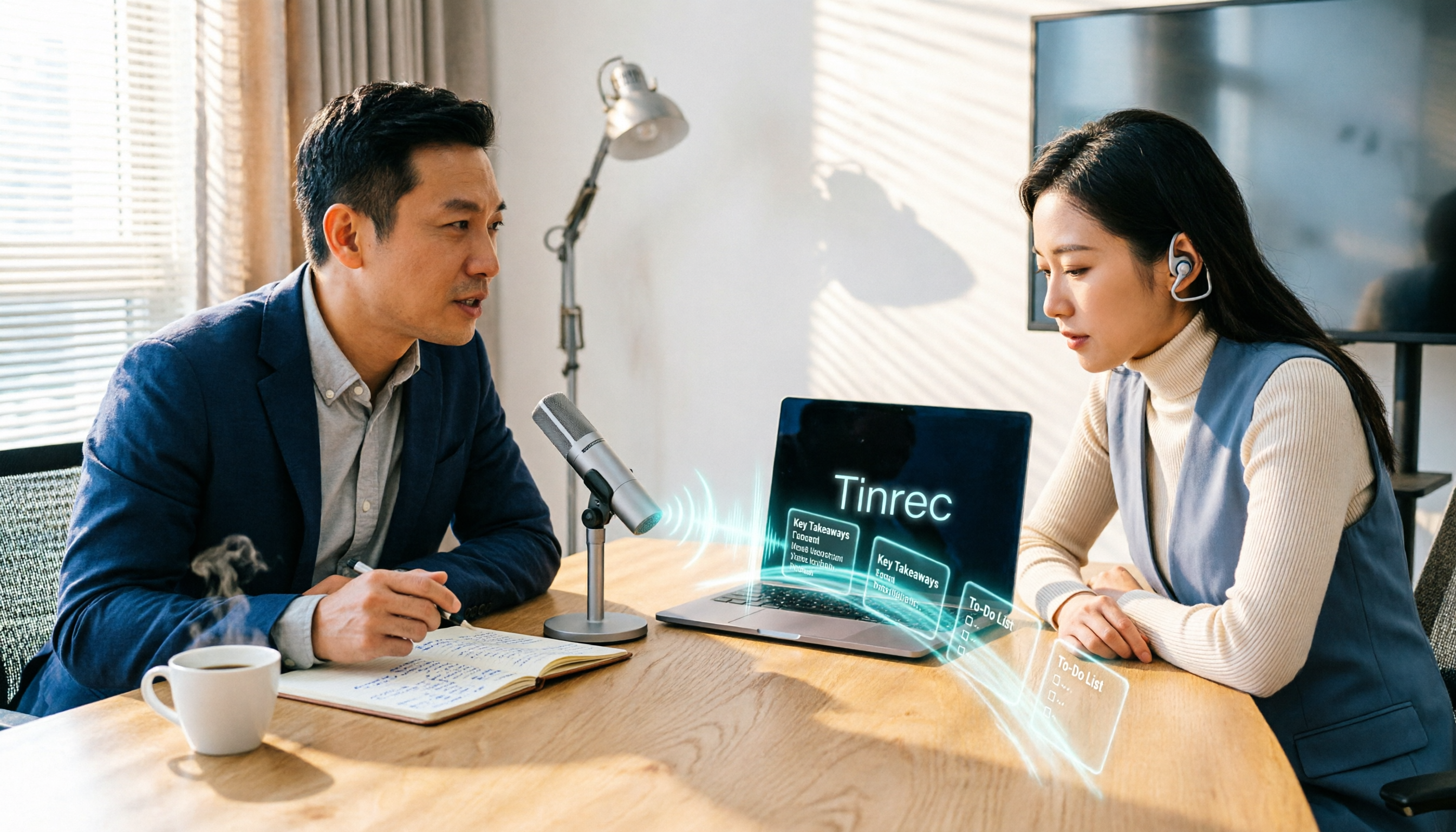
In the past, meetings were 'record first, process later,' often dragging into the next day. Now, with Tinrec as an example, you press record on your phone or desktop, and text appears synchronously on the screen. You can listen and read at the same time, confirming who said what on the spot without waiting until after the meeting to recall.
Scenario 2: Get summaries and action items right after the meeting
What really makes it indispensable is the post-meeting part. Tinrec automatically generates AI summaries, chapters, and action items—who is responsible for what and when it's due, all listed out. This used to take me an hour; now I can scan it in about five minutes and send it out.
Scenario 3: Real-time translation for cross-language meetings
When meeting with colleagues or clients from different regions, Tinrec supports real-time translation, allowing you to view the original text, translation, or bilingual side-by-side. For meetings that mix Chinese and English, or even include Cantonese, this is much more reliable than guessing the meaning afterward.
Scenario 4: Turn past recordings into searchable data
Those old interviews and meeting recordings in your drawer can be uploaded to Tinrec for transcription, then searched by keyword or queried directly. It's like turning dead audio files into a searchable database.
What Are the Core Capabilities of Android Cantonese Voice Input?
Real-time speech-to-text: Transcribes while recording, not after. With Tinrec, the transcript accumulates as the meeting progresses, so you can confirm key numbers on the spot.
AI summaries and chapters: Not just condensing the transcript into a paragraph, but structuring it—meeting topic, discussion conclusions, action items, and responsible parties listed separately. Long meetings are automatically divided into chapters, so you can jump to key points during review.
Action item extraction: Pulls out 'who needs to do what' from the conversation. This is most practical for managers—verbal instructions often fade after two days, but with a record, tracking becomes different.
AI conversational query: After transcription, you can directly ask Tinrec—'What was the budget mentioned in this meeting?' 'What concerns did the client raise?' It answers based on the content, so you don't have to dig through a two-hour transcript yourself.
Real-time translation and bilingual view: During recording, you can see the original text, translation, or bilingual side-by-side, suitable for international meetings or situations mixing Cantonese, Chinese, and English.
Multi-format export and further processing: Meeting results can be exported to Notion, Google Docs, OneNote, Dropbox, etc., for continued use; Tinrec can also generate reports, tables, and documents based on meeting content, turning records directly into deliverables.
Practical Application Scenarios
Project weekly meetings and decision meetings: Weekly progress meetings are the easiest to miss things. With Tinrec recording and transcribing simultaneously, post-meeting summaries and action items are directly assigned to people. Before the next meeting, you can pull up the previous action items for verification, saving back-and-forth about 'where we left off.'
Client interviews and requirement confirmation: Requirements, conditions, and casually mentioned concerns from clients often become sources of future disputes. Tinrec's advantage is that the transcript preserves the original statements, and the AI summary gives you an overview first. If you need to quote a specific sentence, you can go back to the timestamp.
Training and course records: For two- or three-hour courses, manual note-taking often leaves you only remembering the instructor's jokes. Tinrec can handle long recordings, and afterward, you can use AI Q&A to capture key points and generate chapters for easy re-listening.
Content creation and self-recording: Record ideas, interview material, and inspiration on the go, then transcribe and edit into articles or scripts. For content creators, this is much faster than listening to recordings and typing afterward.
Stop organizing recordings by hand
Upload audio or video and automatically get a transcript, summary, and action items
5 Things to Note When Choosing an Android Cantonese Voice Input Tool
1. Test language and accent with your own recordings
Official pages usually don't specify whether 'your accent works.' Cantonese accents vary significantly across regions, and overlapping speakers in meetings are common. Actual recognition performance is affected by recording quality, noise, accent, and technical terms. Tinrec covers Chinese, Traditional Chinese, and multilingual meeting scenarios, but I recommend testing with a real meeting recording before deciding to pay.
2. Clarify first: Do you want short phrase input or meeting-level recording?
Built-in phone voice input is great for messaging and short phrases, but it's not designed for two-hour meetings. If you want 'a record right after the meeting,' you need long-duration recording plus post-meeting organization capabilities. The tool choices for these two are completely different. Tinrec goes for the latter—mobile for recording, desktop for handling online meetings directly.
3. Transcription is just the first step; post-meeting organization is key
A tool that only gives you a transcript still requires you to read it. When choosing a tool, look at: Can it automatically generate summaries? Can it list action items? Can you ask it questions directly? Can it export to your existing workflow? Tinrec's design in this area is more complete—transcript, summary, chapters, action items, Q&A, and export all in one line.
4. Cross-device and cross-platform determine how long you can use it
Confirm the tool supports the devices you'll actually use. Tinrec has mobile, desktop, and web versions; the desktop version captures system audio to handle online meetings without inviting a bot account into the meeting room. This makes a big difference for companies with strict meeting room access control.
5. Team collaboration and data ownership: For team versions, distinguish 'roles' and 'seats'
The difference between personal and team use isn't just the number of people. Tinrec for Teams provides a separate team space where meeting data belongs to the team, and you can manage members, roles, and seats, view usage analytics, export audit logs, use the audio recycle bin (currently retained for 30 days), and team hotwords. Note that roles determine who can manage the team, and seats determine who can record, upload, edit, and export—members without a seat can still view and play but cannot perform resource usage operations. The team version currently offers first-time eligible users 7 days, 1 free seat, and 300 minutes of shared team import quota; paid seats are USD 29.80/month monthly, USD 199/year annually (about USD 16.58/month), each paid seat provides 2,000 minutes of shared team import quota per month, and real-time recording under an active team plan and seat is currently not deducted by minutes. Actual prices and benefits are subject to the official purchase page.
Frequently Asked Questions
Q1: Can an Android phone really be used for Cantonese meeting notes?
Yes, but the key isn't the phone itself—it's the tool you choose. The phone handles audio capture, and the tool handles transcription and organization. With Tinrec, for example, you can record directly on mobile, and transcription and summarization are processed simultaneously, no need to transfer to a computer afterward.
Q2: How should I evaluate Cantonese recognition accuracy?
Don't just look at promotional numbers. Actual accuracy is affected by recording quality, background noise, accent, overlapping speakers, and technical terms. The recommended approach: test with a real meeting recording of your own, see if the transcript is usable, then decide. Tinrec supports Chinese, Traditional Chinese, and multilingual meeting scenarios, and provides team hotwords for technical terms, but for important content, it's still advisable to cross-check with the transcript timestamps and recording.
Q3: Is the free version enough? When should I upgrade?
It depends on your meeting volume. For occasional recording organization, the free version is fine for a trial; for short-term intensive interviews or courses, consider a weekly pass; for steady weekly needs, the Pro monthly plan is more suitable; for long-term accumulation of recording data, the annual plan has a lower monthly equivalent. If your team needs to share data, go straight to the team version, because personal version data belongs to the individual account, while the team version is a team space.
Q4: Do I need a meeting bot to join online meetings?
No. Tinrec's desktop version captures computer system audio directly to handle online meetings like Zoom, Google Meet, Microsoft Teams, and Webex, without an extra bot appearing in the participant list. But remember, the user initiates recording actively, not automatically joining all calendar meetings.
Q5: Can meeting data be shared with the team? Will it be taken away if a member leaves?
In Tinrec's team version, meeting data belongs to the team, and members can view and play team data; when a member exits, is removed, or loses their seat, their team resources need to be handed over to other active members and won't be taken away with the personal account. The permission design is team-level sharing plus role and seat management, not fine-grained permissions at the individual file level.
Q6: What should I note before recording?
Different regions have different regulations on recording and transcription. Before a meeting, it's best to inform participants and obtain consent. Tools can save organization time, but compliance responsibility remains with the user.
Conclusion
Choosing the wrong direction for Android Cantonese voice input is costly—you'll spend time 'listening to recordings and retyping' instead of making judgments and decisions. My advice is to first clarify your needs: built-in phone input is enough for short phrases; meeting-level records require a tool that can transcribe, summarize, allow follow-up questions, and export.
If you have more than three meetings a week, or a lot of interviews and courses to organize, try Tinrec. Run two or three meetings with the free version to see if the AI-generated summaries and action items are directly usable; if your team needs to share meeting data, start evaluating with the 7-day trial of the team version.
References
Turn every recording into actionable outcomes
Get 60 free transcription minutes when you sign in. No credit card required.
Related Reading
You might also like

7 Free Cantonese Speech-to-Text Options in 2026: A Complete Guide
A 2026 roundup of 7 Cantonese speech-to-text solutions: from Subanana, Speechnotes, and iFLYTEK to Tinrec, Otter.ai, and Whisper. Compare free tiers, supported languages, spoken-to-written conversion, and best use cases to find the one that truly understands Cantonese.

How to Transcribe WhatsApp Voice Messages in 2026: 5-Step Guide (Cantonese + Tinrec)
A 5-step setup guide for WhatsApp's built-in voice message transcription in 2026, covering version differences in Cantonese support across reports and privacy highlights, plus how to use Tinrec to add summaries, action items, AI Q&A, and team knowledge retention for Cantonese meetings, client interviews, classes, and team standups.

AI Real-Time Cantonese Translation in 2026: Why Tinrec Beats VocaEase for Meeting Notes
Looking for an AI real-time Cantonese translation tool? This article addresses common misconceptions, compares the key differences between VocaEase and Tinrec, and explains how Tinrec turns meeting content into searchable, queryable, and actionable data through bot-free meeting recording, real-time translation, AI summaries, action item extraction, and team collaboration.

2026 Comparison of 3 Cantonese to Chinese Translation Tools: Fast for Short Phrases, But Which Can Handle Full Recordings?
Online Cantonese translators are quick for single sentences, but when it comes to a full Cantonese interview recording, the real time-consuming parts are transcribing, segmenting, aligning timestamps, and post-meeting organization. This article compares Bing Translator, XunjiePDF Online Cantonese Translator, and Tinrec across six dimensions, explaining how to design a complete Cantonese-to-Chinese workflow.

4 Cantonese Transcription Tools Tested in 2026: Which One Saves the Most Time on Cantonese Transcripts?
Transcribing Cantonese meetings and interviews is a pain when tools only support Mandarin. This article looks at real-world use cases, outlines 4 key factors for choosing a Cantonese transcription tool, compares Tinrec, cSubtitle, Subanana, and SoundType AI, and explains how Tinrec performs in post-meeting summaries, AI Q&A, and team collaboration.

2026 Real-Time Translation Tools Compared: Which Is Best for Cantonese Meeting Notes?
iOS 26.1 finally lets iPhone users interact with Apple Intelligence in Cantonese, but real-time understanding and post-meeting searchability are two different things. This comparison of Tinrec, Apple's built-in real-time translation, Google Translate, and Notta—covering language support, transcript retention, and team collaboration—helps you find the best choice for Cantonese meetings.

Tinrec vs Traditional Cantonese Translation Apps in 2026: A 5-Dimension Comparison—Which Is More Practical for Real-Time Translation and Meeting Notes?
When looking for a Cantonese real-time translation app, first clarify whether you need to translate a 'conversation' or a 'meeting.' This article compares Tinrec with traditional translation apps across 5 dimensions: real-time bilingual display, bot-free online meeting recording, post-meeting summaries and action items, and team roles and seat costs. It also honestly explains limitations regarding accents and accuracy.

4 Free Cantonese Speech-to-Text Tools Tested and Compared in 2026: Which One Gives You the Most Free Usage?
From free usage limits and Cantonese with mixed Chinese-English recognition to post-transcription summaries, action items, and exports, here's how to choose a free Cantonese speech-to-text tool in 2026. Using Tinrec as an example, we explain no-bot online meeting recording, AI summary Q&A, and how team data can be retained.
5 Cantonese to Mandarin Translation Tools Compared: Which Can Organize Meeting Notes?
Hong Kong clients speak Cantonese in meetings, and you have Cantonese interview videos, but you don't know which tool to use? This article reviews 5 common Cantonese to Mandarin translation tools, explaining the suitable scenarios for web translators, mobile apps, and AI meeting note tools, and shares a practical workflow to turn entire Cantonese recordings into transcripts, summaries, and action items.