

Turn recordings into transcripts and summaries in minutes
Upload audio or video for multilingual transcription, AI notes, and action items
2026 Real-Time Translation Tools Compared: Which Is Best for Cantonese Meeting Notes?
The Hardest Part of a Cantonese Meeting Isn't Understanding—It's Keeping Up
It's 9 a.m., and the cross-departmental weekly meeting begins. Your Hong Kong colleague explains requirements in Cantonese, mixing in a few English technical terms, and you're wearing headphones trying hard to follow.
You think your phone's real-time translation will help, only to find the audio in your headphones is in Mandarin—you get the gist, but those colloquial details lose something in translation.
The bigger problem comes after the meeting. The recording is 50 minutes long, and you only have 40 minutes to organize notes. You have to listen from the beginning, rewinding repeatedly whenever there's a mix of Chinese and English.
When someone asks next week, "What was the delivery date the client mentioned last time?" you only remember it was discussed, but you can't find the exact segment.
This article addresses exactly that: when Cantonese comes up in a meeting, what tools can help you understand and remember?
Before Choosing a Real-Time Translation Tool, Understand These 4 Key Points
1. "Supports Chinese" doesn't mean "supports Cantonese." Many tools list "Chinese" in their language options, but they actually mean Mandarin. Cantonese has its own colloquial characters and word order, making recognition completely different. When choosing a tool, check whether it lists Cantonese or Yue separately.
2. Do you need "real-time understanding" or "post-meeting searchability"? Real-time translation solves comprehension during the meeting; transcripts and bilingual comparisons solve post-meeting organization. These two are often lumped together but are actually different needs—ideally, choose a tool that handles both.
3. Will recordings and transcripts be retained? Some tools stop after translation, leaving no way to verify a statement later. Whether audio files are kept and transcripts are searchable determines if the record is still useful three months from now.
4. Can the team share it? Files recorded on a personal plan stay in your account; colleagues must ask you to forward them. If meeting content is a team asset, look for tools with team spaces and member/seat management.
Looking at these four points, most people don't really need "translation"—they need a workflow that preserves cross-language meetings.
Tinrec — Our Top Pick After Testing
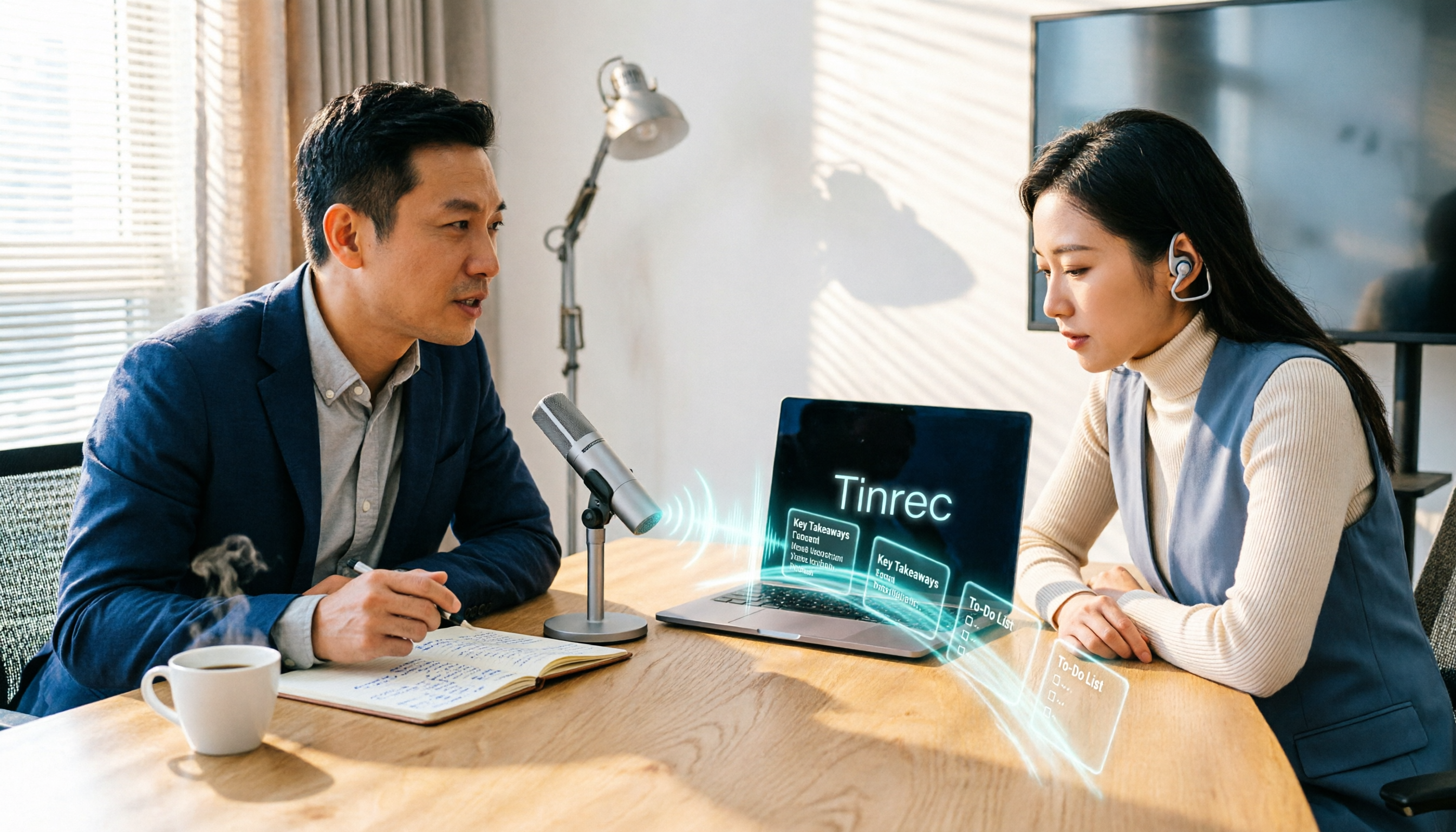
Tinrec is an AI meeting notes and collaboration tool for individuals and teams. It supports real-time recording, online meeting transcription, audio and video import, and real-time translation during recording. It handles not just "understanding" but the entire meeting workflow from recording to post-meeting use.
Record and translate simultaneously, switch between original and translated text freely Once recording starts, Tinrec generates a transcript in sync. The screen can switch between original text, translation, or bilingual view. The mixed Chinese-English common in Cantonese meetings can also be shown in the same transcript. For those who need to follow discussions in real time, bilingual viewing is more practical than just listening to translation because key terms remain visible in the original.
No need to invite a bot into the meeting room Tinrec's desktop version directly captures your computer's system audio, handling online meetings on Zoom, Google Meet, Microsoft Teams, and Webex without an extra meeting bot joining as a participant. This is especially important for external meetings—clients won't see an unknown account appear.
After recording, ask AI directly After the meeting, Tinrec automatically generates summaries, chapters, and action items. More importantly, AI Q&A: you can directly ask "What were the payment terms the client mentioned?" or "Who was responsible for following up on this last time?" and it answers from the meeting content instead of dumping search results. Most transcription tools at the same price point don't have this layer.
My most common workflow: record online meetings with the desktop version, review the summary for key points, use AI Q&A to confirm anything unclear, then export the transcript and action items to Notion or Google Docs to continue working.
Stop organizing recordings by hand
Upload audio or video and automatically get a transcript, summary, and action items
A few things to note Tinrec doesn't recommend thinking in terms of a "fixed 98% accuracy rate"—actual performance depends on recording quality, background noise, accents, and overlapping speech. For important numbers and commitments, verify against the transcript timestamps and recording. Also, the free version offers basic quota for trial; if you have weekly meetings to organize, consider a paid plan.
For team use If meeting content needs to be shared across the team, Tinrec's team plan provides a separate team space where members can view historical meeting data. Admins can manage roles and seats, view usage trends, query and export audit logs, and handle accidentally deleted audio files via the audio recycle bin. Currently, the team plan offers a 7-day trial for first-time eligible users, 1 free seat, and 300 minutes of shared team import quota; monthly billing is USD 29.80 per paid seat per month, annual billing is USD 199 per paid seat per year (about USD 16.58 per month), with each paid seat providing 2,000 minutes of shared team import quota per month. Actual prices are subject to the official purchase page.
Who it's for If you frequently handle Cantonese or mixed Chinese-English meetings, want to use AI to find key points right after recording, and need to switch between phone, computer, and web, Tinrec is currently the smoothest choice.
Besides Tinrec, What Other Options Are There?
Apple's built-in "Live Translation" (iOS 26.1) No separate app needed; integrated into Messages, FaceTime, and Phone, and can be used with AirPods. Translation runs on-device. After upgrading to iOS 26.1, Apple Intelligence begins supporting Traditional Chinese and Cantonese, and Siri can be set to "Chinese (Cantonese – Hong Kong)." Note that AirPods live translation currently plays audio in Mandarin; when using Cantonese, the ChatGPT link pauses; hardware is also limited to iPhone 15 Pro or later with AirPods Pro 2, AirPods Pro 3, or AirPods 4. Its positioning is for calls and face-to-face translation—if you need to turn an entire meeting into searchable team data, that's beyond its scope.
Google Translate App (iOS) Supports voice translation, converting spoken words and phrases into another language in real time, and can read translations aloud for some languages. Great for single-sentence situations like asking directions abroad or quick shopping. But it's a general translation tool—it doesn't record entire meetings and has no transcripts, summaries, or action item extraction.
Notta A multi-platform transcription tool supporting multiple languages, meeting notes, file import, and translation. The Business plan offers role permissions and usage reports, with annual billing around USD 16.67 per seat per month (subject to official page). The difference from Tinrec: Tinrec can capture system audio via desktop without a bot to record online meetings, and stores meeting data in team spaces for continued AI Q&A.
Pitfall Guide: 3 Most Common Mistakes When Choosing a Real-Time Translation Tool
Pitfall 1: Assuming "supports Chinese" equals "supports Cantonese." This is the most common misunderstanding. Many tools' "Chinese" is actually Mandarin, and they fall apart with Cantonese colloquial characters. Test with your own meeting recording—don't just look at the website's language list.
Pitfall 2: Focusing only on "real-time understanding" and ignoring "post-meeting recall." Real-time translation solves in-meeting problems, but the real trouble is when no one remembers the conclusion three days later. When choosing a tool, check if it retains transcripts, summaries, and action items.
Pitfall 3: Sending AI translation results directly as official meeting minutes. AI may miss words or misinterpret during overlapping speech, heavy accents, or dense technical terms. Tools like Tinrec can save you a lot of organizing time, but for important amounts, dates, and commitments, verify against the original and recording.
Conclusion: Which One Should You Choose?
If you deal with Cantonese or mixed Chinese-English meetings and need to preserve content for your team, Tinrec is the best fit among these. Simple breakdown:
- Need Cantonese and mixed Chinese-English meeting transcripts with bilingual view → Tinrec
- Want to ask AI "What was the meeting conclusion?" right after recording → Tinrec
- Record on phone, organize on computer, share same data with team → Tinrec (Team plan)
- Only occasional single-sentence translation abroad → Apple's built-in live translation or Google Translate is enough
If you're unsure about paying, start with Tinrec's free version, use it to organize one or two real meetings, see if transcripts and summaries help you, then decide whether to upgrade.
References
- Apple Intelligence Finally Supports Cantonese iOS 26.1 Live Translation Tutorial - PCM
- Apple Intelligence Supports Cantonese and Traditional Chinese: Hands-On with Live Translation, Summaries, and More | am730 | am730
- Voice Translation - iPhone and iPad - Google Translate Help
- Translate Messages, Calls, and Conversations on iPhone - Apple Support (Taiwan)
- iOS 18 Adds Cantonese Speech-to-Text, Enables Real-Time Transcription and Call Translation – KongHub
Turn every recording into actionable outcomes
Get 60 free transcription minutes when you sign in. No credit card required.
Related Reading
You might also like

7 Free Cantonese Speech-to-Text Options in 2026: A Complete Guide
A 2026 roundup of 7 Cantonese speech-to-text solutions: from Subanana, Speechnotes, and iFLYTEK to Tinrec, Otter.ai, and Whisper. Compare free tiers, supported languages, spoken-to-written conversion, and best use cases to find the one that truly understands Cantonese.

How to Transcribe WhatsApp Voice Messages in 2026: 5-Step Guide (Cantonese + Tinrec)
A 5-step setup guide for WhatsApp's built-in voice message transcription in 2026, covering version differences in Cantonese support across reports and privacy highlights, plus how to use Tinrec to add summaries, action items, AI Q&A, and team knowledge retention for Cantonese meetings, client interviews, classes, and team standups.

AI Real-Time Cantonese Translation in 2026: Why Tinrec Beats VocaEase for Meeting Notes
Looking for an AI real-time Cantonese translation tool? This article addresses common misconceptions, compares the key differences between VocaEase and Tinrec, and explains how Tinrec turns meeting content into searchable, queryable, and actionable data through bot-free meeting recording, real-time translation, AI summaries, action item extraction, and team collaboration.

2026 Comparison of 3 Cantonese to Chinese Translation Tools: Fast for Short Phrases, But Which Can Handle Full Recordings?
Online Cantonese translators are quick for single sentences, but when it comes to a full Cantonese interview recording, the real time-consuming parts are transcribing, segmenting, aligning timestamps, and post-meeting organization. This article compares Bing Translator, XunjiePDF Online Cantonese Translator, and Tinrec across six dimensions, explaining how to design a complete Cantonese-to-Chinese workflow.

4 Cantonese Transcription Tools Tested in 2026: Which One Saves the Most Time on Cantonese Transcripts?
Transcribing Cantonese meetings and interviews is a pain when tools only support Mandarin. This article looks at real-world use cases, outlines 4 key factors for choosing a Cantonese transcription tool, compares Tinrec, cSubtitle, Subanana, and SoundType AI, and explains how Tinrec performs in post-meeting summaries, AI Q&A, and team collaboration.

Tinrec vs Traditional Cantonese Translation Apps in 2026: A 5-Dimension Comparison—Which Is More Practical for Real-Time Translation and Meeting Notes?
When looking for a Cantonese real-time translation app, first clarify whether you need to translate a 'conversation' or a 'meeting.' This article compares Tinrec with traditional translation apps across 5 dimensions: real-time bilingual display, bot-free online meeting recording, post-meeting summaries and action items, and team roles and seat costs. It also honestly explains limitations regarding accents and accuracy.

4 Free Cantonese Speech-to-Text Tools Tested and Compared in 2026: Which One Gives You the Most Free Usage?
From free usage limits and Cantonese with mixed Chinese-English recognition to post-transcription summaries, action items, and exports, here's how to choose a free Cantonese speech-to-text tool in 2026. Using Tinrec as an example, we explain no-bot online meeting recording, AI summary Q&A, and how team data can be retained.

4 Android Cantonese Voice Input Solutions Compared: Which Saves the Most Time in 2026?
When using Cantonese voice input on an Android phone, most people only think about 'speaking is faster than typing,' but what you really need to decide is: do you want short phrase input or meeting-level recording? This article compares four common approaches, breaking down real-time transcription, AI summaries, action item extraction, AI Q&A, and team collaboration capabilities. It also demonstrates a practical workflow with Tinrec and provides five key purchasing decision points and FAQs.
5 Cantonese to Mandarin Translation Tools Compared: Which Can Organize Meeting Notes?
Hong Kong clients speak Cantonese in meetings, and you have Cantonese interview videos, but you don't know which tool to use? This article reviews 5 common Cantonese to Mandarin translation tools, explaining the suitable scenarios for web translators, mobile apps, and AI meeting note tools, and shares a practical workflow to turn entire Cantonese recordings into transcripts, summaries, and action items.