

Turn recordings into transcripts and summaries in minutes
Upload audio or video for multilingual transcription, AI notes, and action items
4 Free Cantonese Speech-to-Text Tools Tested and Compared in 2026: Which One Gives You the Most Free Usage?
Eight out of ten people searching for "free Cantonese speech to text" end up falling into the same traps. Some tools claim to be free but only give you a few minutes of trial before requiring payment to unlock. Others say they support Chinese but only recognize Mandarin, and as soon as they hear Cantonese phrases, the whole transcript gets garbled. Mixed Chinese-English meeting recordings are even worse—English proper nouns get forced into phonetically similar Chinese characters. The most common trap is this: transcription is free, but when you want to export the transcript as a Word document, subtitle file, or document, you discover that exporting is a paid feature.
Instead of trying each tool one by one, it's better to change your approach: first understand the actual scope of "free," then confirm whether the transcription can be used directly after it's done. Below, using Tinrec as an example, we'll clearly explain the correct way to use the free trial, its core capabilities, real-world scenarios, and key points for choosing.
What Can Cantonese Speech-to-Text Do for You?
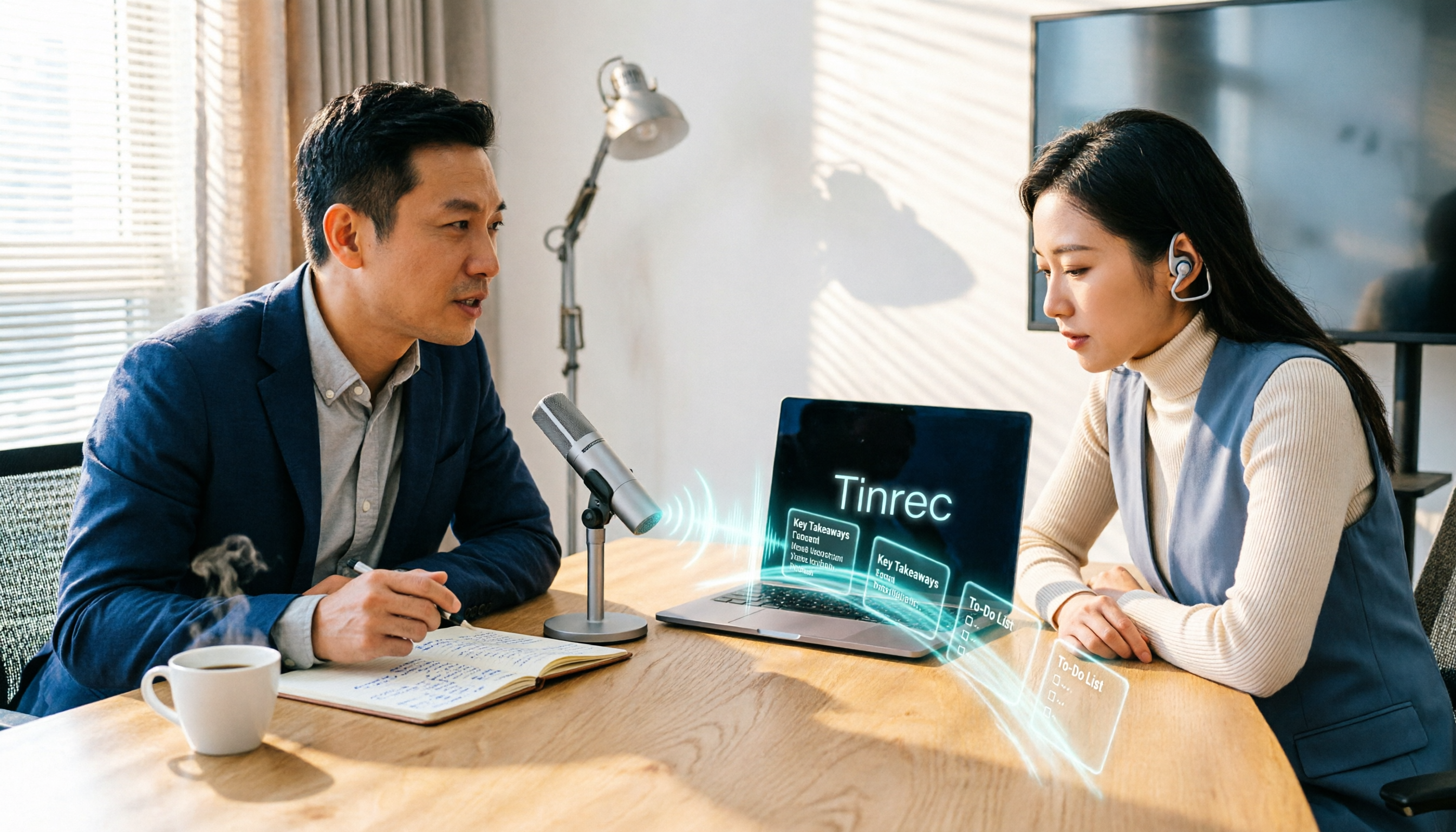
Scenario 1: No more staying late after meetings to type transcripts In the past, after a two-hour meeting, you'd have to spend another hour replaying the recording, pausing repeatedly, just to produce a transcript. With Tinrec, for example, you can record and transcribe simultaneously during the meeting. Afterward, the AI has already organized the summary, chapters, key points, and action items—who's responsible for what and when it's due, all at a glance.
Scenario 2: Turn class and lecture recordings into searchable notes Continuing education courses, lectures, and internal training often last two to three hours. Upload the audio or video file to Tinrec, and the AI will convert the content into a punctuated, segmented, searchable transcript. When you need to find a specific concept, you don't have to listen from the beginning again.
Scenario 3: Don't miss key points in client interviews and requirements meetings Client requirements, objections, and commitments are the easiest things to miss. Tinrec can record and transcribe simultaneously, and afterward you can trace what the other party said and agreed to from the transcript and summary, reducing back-and-forth confirmation time.
Scenario 4: Organizing audio/video content and adding subtitles Videos, podcasts, and interview materials all need a transcript for subtitles or articles. Tinrec supports audio and video file transcription, and the organized results can be exported, making subsequent editing and content reuse convenient.
What Are the Core Capabilities of Cantonese Speech-to-Text?
Real-time recording to text It's not transcribing after recording—it's producing text while recording, so meeting content is captured in real time. Tinrec's real-time transcription is suitable for in-person meetings, interviews, and on-site notes. Recording and text happen simultaneously, so even if you're interrupted, you don't have to start over.
No-bot online meeting recording Tinrec's desktop version directly captures your computer's system audio, so it can handle online meetings on Zoom, Google Meet, Microsoft Teams, Webex, etc., without adding an extra meeting bot to the meeting room or adding another participant. The user actively opens Tinrec to start recording, rather than automatically joining all calendar meetings.
AI summary, chapters, and action item extraction Transcription is just the first step—whether it can help you organize is the key. Tinrec breaks long meetings into chapters, organizes summaries, key points, and action items, and can even generate mind maps, so you can review a two-hour meeting in minutes.
AI Q&A around meeting content After transcription is complete, you can directly ask Tinrec questions like "Who mentioned the budget in the meeting?" or "What were the client's concerns about pricing?" It answers based on semantic understanding, so you don't have to slowly search for keywords in the transcript yourself.
Real-time translation and bilingual comparison For cross-language meetings, you can view the original text, translation, or bilingual content in real time. Tinrec covers Chinese, Traditional Chinese, and multilingual meeting scenarios, and can also organize mixed Chinese-English content.
Multi-format export and post-meeting processing Tinrec supports taking meeting results to Notion, Google Docs, OneNote, Dropbox, and other tools for continued use. It can also use Agent post-processing to generate reports, tables, and documents, turning meeting notes directly into deliverable work outputs.
Real-World Application Scenarios
Project weekly meetings and cross-department meetings Regular weekly project meetings and review meetings are where "didn't we agree on this last time?" disputes most easily arise. Use Tinrec to record the entire meeting and generate transcripts and summaries. Decision basis and action items stay in one place, so you can review directly at the next meeting without relying on memory.
Courses, lectures, and internal training Training content often needs to be reused. After Tinrec converts recordings into searchable transcripts and summaries, you can find specific sections by searching keywords, and you can also organize key points into teaching materials or internal documents.
Stop organizing recordings by hand
Upload audio or video and automatically get a transcript, summary, and action items
User interviews and research recordings The most time-consuming part of interviews isn't the conversation—it's organizing quoted material afterward. Tinrec's transcripts preserve original statements, making it easy to mark timestamps and quotes. You can also use AI Q&A to quickly identify points the interviewee repeatedly mentioned.
Content creation and subtitle production Video creators can convert video audio to text, then rewrite the transcript into scripts, social media posts, or articles. The organized text can be exported to existing workflows, saving a lot of transcription time.
5 Things to Consider When Choosing a Free Cantonese Speech-to-Text Tool
1. Is the free scope a "long-term quota" or a "one-time trial"? Some tools say they're free but actually only offer a few minutes of trial, after which you have to pay. Tinrec's free version provides a basic quota, allowing you to experience recording, importing, summaries, and transcription. Actual quotas are subject to the official website. If you really use it long-term, choose a weekly pass, Pro monthly, or Pro annual plan based on your tasks—more practical than simply comparing prices.
2. Cantonese and mixed Chinese-English handling capability Hong Kong meetings are all about mixing Chinese and English. Whether a tool can handle English vocabulary without forcing it into Chinese makes a big difference. Tinrec covers Chinese, Traditional Chinese, and multilingual scenarios, and offers team hotwords so you can add company-specific terminology. Actual results will still be affected by recording quality, noise, accents, and multiple people talking over each other. It's recommended to test with your own recording first.
3. Can it be used directly after transcription? A tool that only gives you a transcript is essentially handing the organizing work right back to you. In addition to transcripts, Tinrec also produces summaries, chapters, key points, and action items, and supports AI Q&A—that's where the time savings come from.
4. Export and integration with existing workflows Transcription is only useful if you can take it with you. Tinrec supports multi-format export and third-party tool integration, making it easy to put results into reports, Notion, or team documents.
5. When used by a team, who owns the data? When a team uses it together, confirm whether meeting data is stored in individual accounts or team spaces. Tinrec's team version provides independent team spaces, member and role management, seat allocation, usage analytics, audit logs, and an audio recycle bin. Members who are active but don't have a seat can still view, play, and read team data, but cannot upload, edit, or export. The first team trial is 7 days, 1 free seat, and 300 minutes of shared import quota. After payment, each paid seat provides 2,000 minutes of team shared import quota per month. Monthly payment is USD 29.80 per paid seat; annual payment is USD 199 per paid seat (about USD 16.58 per month). Real-time recording is currently not deducted by minutes under valid plans and seats. Actual prices and currencies are subject to the official purchase page.
Frequently Asked Questions
Q1: Can Cantonese speech-to-text really be used for free? Yes, but you need to understand the definition of "free" first. Most tools offer a limited free trial. Tinrec's free version lets you experience recording, importing, summaries, and transcription with a basic quota. Test with your own recording first, then decide whether to upgrade—that's safer than paying from the start.
Q2: What are the most common limitations of free versions? Usually quotas, export formats, and batch processing. Being able to view transcriptions for free but having to pay for exports or bulk processing is the most common design. Ask about these clearly when choosing a tool, so you don't finish transcribing only to find you can't take it with you.
Q3: Does Tinrec support mixed Chinese-English Cantonese meetings? Tinrec covers Chinese, Traditional Chinese, and multilingual meeting scenarios. Mixed Chinese-English content can be organized together, and it supports real-time translation and bilingual viewing. Actual recognition results will be affected by recording quality, noise, accents, and overlapping speech. It's recommended to keep transcript timestamps and recording playback for cross-checking.
Q4: Do I need to let a meeting bot join the meeting to use Tinrec? No. Tinrec's desktop version directly captures computer system audio, handling online meetings on Zoom, Google Meet, Microsoft Teams, Webex, etc., without adding an extra participant to the meeting room. Note that recording requires the user to actively open Tinrec to start, rather than automatically joining all calendar meetings.
Q5: Where can the transcript be exported to? Tinrec supports multi-format export and can also take results to Notion, Google Docs, OneNote, Dropbox, and other tools for further processing. If needed, Agent post-processing can generate reports, tables, and documents.
Q6: How is pricing calculated for team use? Tinrec's team version is not multiple people sharing one personal account, but an independent team collaboration space. The first eligible team trial is 7 days, 1 free seat, and 300 minutes of shared import quota. After payment, each paid seat provides 2,000 minutes of team shared import quota per month. Monthly payment is USD 29.80 per paid seat; annual payment is USD 199 per paid seat (about USD 16.58 per month). Subject to the official purchase page.
Conclusion
The "free" in Cantonese speech-to-text isn't about the price tag—it's about whether the free scope is enough for you to test real results and whether the transcription can be used directly afterward. Instead of trying different tools one by one, use a recording of your own meeting to actually compare transcription quality, summary usability, and export methods.
Take Tinrec as an example: it puts recording, transcripts, summaries, action items, Q&A, and export into one workflow. The team version also lets meeting data stay in the team space rather than individual accounts. Before recording and transcribing, remember to check local regulations and obtain participant consent if necessary. Try a meeting with the free version's basic quota first to see what it feels like to have AI organize your meeting notes, then decide whether to go further.
References
Turn every recording into actionable outcomes
Get 60 free transcription minutes when you sign in. No credit card required.
Related Reading
You might also like

7 Free Cantonese Speech-to-Text Options in 2026: A Complete Guide
A 2026 roundup of 7 Cantonese speech-to-text solutions: from Subanana, Speechnotes, and iFLYTEK to Tinrec, Otter.ai, and Whisper. Compare free tiers, supported languages, spoken-to-written conversion, and best use cases to find the one that truly understands Cantonese.

How to Transcribe WhatsApp Voice Messages in 2026: 5-Step Guide (Cantonese + Tinrec)
A 5-step setup guide for WhatsApp's built-in voice message transcription in 2026, covering version differences in Cantonese support across reports and privacy highlights, plus how to use Tinrec to add summaries, action items, AI Q&A, and team knowledge retention for Cantonese meetings, client interviews, classes, and team standups.

AI Real-Time Cantonese Translation in 2026: Why Tinrec Beats VocaEase for Meeting Notes
Looking for an AI real-time Cantonese translation tool? This article addresses common misconceptions, compares the key differences between VocaEase and Tinrec, and explains how Tinrec turns meeting content into searchable, queryable, and actionable data through bot-free meeting recording, real-time translation, AI summaries, action item extraction, and team collaboration.

2026 Comparison of 3 Cantonese to Chinese Translation Tools: Fast for Short Phrases, But Which Can Handle Full Recordings?
Online Cantonese translators are quick for single sentences, but when it comes to a full Cantonese interview recording, the real time-consuming parts are transcribing, segmenting, aligning timestamps, and post-meeting organization. This article compares Bing Translator, XunjiePDF Online Cantonese Translator, and Tinrec across six dimensions, explaining how to design a complete Cantonese-to-Chinese workflow.

4 Cantonese Transcription Tools Tested in 2026: Which One Saves the Most Time on Cantonese Transcripts?
Transcribing Cantonese meetings and interviews is a pain when tools only support Mandarin. This article looks at real-world use cases, outlines 4 key factors for choosing a Cantonese transcription tool, compares Tinrec, cSubtitle, Subanana, and SoundType AI, and explains how Tinrec performs in post-meeting summaries, AI Q&A, and team collaboration.

2026 Real-Time Translation Tools Compared: Which Is Best for Cantonese Meeting Notes?
iOS 26.1 finally lets iPhone users interact with Apple Intelligence in Cantonese, but real-time understanding and post-meeting searchability are two different things. This comparison of Tinrec, Apple's built-in real-time translation, Google Translate, and Notta—covering language support, transcript retention, and team collaboration—helps you find the best choice for Cantonese meetings.

Tinrec vs Traditional Cantonese Translation Apps in 2026: A 5-Dimension Comparison—Which Is More Practical for Real-Time Translation and Meeting Notes?
When looking for a Cantonese real-time translation app, first clarify whether you need to translate a 'conversation' or a 'meeting.' This article compares Tinrec with traditional translation apps across 5 dimensions: real-time bilingual display, bot-free online meeting recording, post-meeting summaries and action items, and team roles and seat costs. It also honestly explains limitations regarding accents and accuracy.

4 Android Cantonese Voice Input Solutions Compared: Which Saves the Most Time in 2026?
When using Cantonese voice input on an Android phone, most people only think about 'speaking is faster than typing,' but what you really need to decide is: do you want short phrase input or meeting-level recording? This article compares four common approaches, breaking down real-time transcription, AI summaries, action item extraction, AI Q&A, and team collaboration capabilities. It also demonstrates a practical workflow with Tinrec and provides five key purchasing decision points and FAQs.
5 Cantonese to Mandarin Translation Tools Compared: Which Can Organize Meeting Notes?
Hong Kong clients speak Cantonese in meetings, and you have Cantonese interview videos, but you don't know which tool to use? This article reviews 5 common Cantonese to Mandarin translation tools, explaining the suitable scenarios for web translators, mobile apps, and AI meeting note tools, and shares a practical workflow to turn entire Cantonese recordings into transcripts, summaries, and action items.