

Turn recordings into transcripts and summaries in minutes
Upload audio or video for multilingual transcription, AI notes, and action items
If you're evaluating whether to switch your team's meeting workflow to AI tools, don't rush to look at the feature list. First, answer one question: are you trying to solve "recording the meeting," or "the pile of decisions and action items nobody organizes afterward"?
I lead a team of 10 and have about 15 meetings a week—weekly meetings, project progress meetings, one-on-ones, cross-department coordination. Over the past two years, I've tried three approaches: starting with manual notes, then switching to built-in transcripts from online meeting platforms, and also trying to add a meeting bot to meetings. Each time I thought I'd found the answer, but I got stuck at the same point: after the meeting.
So this isn't a feature introduction—it's a selection guide. I tested four common approaches as four options, and the one I kept was Tinrec. The reasons are below.
3 Latest Changes in Smart Meeting Collaboration in 2026
Change 1: From "meeting bots" to "bot-free recording." The early approach was to add a bot account to the meeting list so it would start recording. Now the direction is to directly capture the computer's system audio—for example, Tinrec desktop processes meeting audio played on the computer from platforms like Zoom, Google Meet, Microsoft Teams, and Webex, without adding an unfamiliar account to the participant list. For those who frequently have external client meetings, this makes a big difference in experience.
Change 2: From "transcripts" to "post-meeting output." Transcripts are just raw material. In 2026, what everyone is comparing is what can be generated after transcription: summaries, chapters, action items, AI Q&A that can be queried, and even direct output of reports, tables, and documents.
Change 3: From "personal tools" to "team spaces." Meeting data is starting to be managed as team assets, with governance features like roles, seats, usage analytics, audit logs, and team hotwords. This is also the most easily overlooked but most practical part for managers this year.
What Can Smart Meeting Collaboration Do for You?
Scenario 1: Get meeting notes 5 minutes after the meeting. Previously, after a two-hour meeting, I'd spend another hour organizing. Now, as the meeting ends, the summary, chapters, conclusions, and action items are already listed separately, so who is responsible for what and when it's due is clear at a glance.
Scenario 2: The boss asks "What was the conclusion of the last meeting?" This used to take 3 minutes of flipping through notes and might not even be found. Now I just search for keywords in Tinrec, or directly ask the AI—"What was decided about the budget last time?"—and it answers based on the meeting content, pointing out which meeting and which section.
Scenario 3: Assigned tasks are recorded. The biggest fear with verbal assignments is someone saying they forgot. Meeting action items are extracted into a list, which is why I later required the team to always use the tool for weekly meetings.
Scenario 4: Cross-language, cross-region meetings. Real-time translation lets you see the original, translation, or bilingual comparison during recording, so international meetings don't require waiting until afterward to guess what the other party said.
What Are the Core Capabilities of Smart Meeting Collaboration?
Bot-free online meeting recording. This is the main approach of Tinrec desktop: capturing system audio without inviting an extra meeting bot. Note that this must be actively initiated by the user, not "automatically joining every meeting on your calendar"—claiming the latter is inaccurate.
Real-time transcript and real-time translation. Transcribes while recording, not after; you can switch between original, translation, or bilingual, which is especially useful for meetings with mixed Chinese and English.
AI summary and chapters. Not just condensing the transcript into a paragraph, but structured organization: meeting topic, discussion conclusions, action items, responsible persons, listed separately, so even long meetings can be navigated by chapters.
Action item extraction and AI Q&A. Action items are picked out from the discussion; when you have questions, you can directly query the meeting content. Together, these two things move "post-meeting work" from human hands to the tool.
Export, Agent post-processing, and team space. Results can be exported to Notion, Google Docs, OneNote, Dropbox, etc. for continued use; Agent can generate reports, tables, and documents based on meeting content. The team version centralizes this data in a team space, adding members, roles, seats, usage analytics, audit logs, team hotwords, and audio recycle bin.
Practical Application Scenarios
Project weekly meetings and decision meetings. Regularly held meetings are most prone to accumulating "did the things we said we'd change last time get changed?" Using Tinrec to save each weekly meeting in the same team space allows decision basis and action progress to be traced back, and new members can directly view historical data.
Stop organizing recordings by hand
Upload audio or video and automatically get a transcript, summary, and action items
Customer interviews and requirement confirmation. Customer needs, concerns, and commitments are scattered throughout the conversation and hard to recall afterward. After transcription, using AI Q&A to extract "what were the customer's concerns about pricing" is more practical than listening to two hours of verbatim audio.
Cross-language and cross-region meetings. Real-time translation plus bilingual transcripts are especially convenient for teams collaborating with colleagues in different regions.
Courses, interviews, and personal knowledge accumulation. Not just for meetings. Classes, interviews, and public videos can be imported as text, and then key points can be extracted through Q&A, rather than letting recordings sit on your phone.
Data handover when members change. This is the most practical value of the team version: team resources belong to the team. When a member leaves, is removed, or loses their seat, the team resources they were responsible for can be handed over to other active members, and won't disappear when the person leaves.
5 Things to Note When Choosing a Smart Meeting Collaboration Tool
1. Recording method: Will an extra bot join the meeting? For those with many external meetings, this most affects the experience. Tinrec desktop uses system audio capture, so no extra account appears in the participant list; but remember, it requires you to actively start recording.
2. Post-meeting output: Transcripts alone are not enough. Transcription is just the first step. When choosing a tool, ask directly: can it provide summaries, chapters, action items, can you query the content, can it export to existing workflows. Tinrec's strength is in this part.
3. Chinese and multilingual: Mixed Chinese and English is the norm. Meetings in Taiwan are rarely pure Chinese. Confirm that the tool supports Chinese transcription, multilingual meetings, and whether it provides real-time translation and bilingual viewing. Tinrec has all of these, and the team version can also maintain team hotwords to improve recognition of specialized terms like product names and project codes.
4. Team governance: Understand the difference between "roles" and "seats." Roles determine who can manage the team, members, and settings; seats determine whether members can record, upload, edit, import, and export. For example, in Tinrec team version, active members without seats can still view, play, and read team data, but cannot perform resource usage operations. Also note that currently it's team-level sharing, not file-level granular permissions—if a presentation says "you can set individual permissions for each file," that's an exaggeration.
5. Quotas and pricing: Real-time recording and file import are two different things. Many tools have different quota rules. For example, Tinrec team version's current configuration: first eligible team trial is 7 days, 1 free seat, 300 minutes of team shared import quota; paid seats provide 2,000 minutes of team shared import quota per month; under an active team plan and seat, real-time recording currently does not deduct by minutes. Prices, currencies, and promotions are subject to the official purchase page.
Frequently Asked Questions
Is the free version enough? If you only have 2-3 meetings a week, the free version's basic quota is enough to try. For someone like me who has meetings every day and also needs to import historical recordings, looking at Pro or team version is more practical. The logic is simple: for occasional recording organization, use free; for short-term intensive meetings or interviews, consider a weekly pass; for stable weekly use, choose Pro; for long-term data accumulation, choose annual.
Do I need to install a meeting bot? No. Tinrec desktop captures computer system audio, processing meeting audio played on platforms like Zoom, Google Meet, Microsoft Teams, and Webex, without an extra bot joining the meeting.
What's the difference between team version and personal version? Personal version data is managed by the individual account; team version is an independent team space where data belongs to the team, with additional member invitations, role and seat management, shared benefits, usage analytics, audit logs, audio recycle bin, and team hotwords.
Can members without seats see data? They can view, play, and read team data; to record, upload, edit, import, and export, they need a seat.
Can deleted recordings be recovered? After team audio enters the recycle bin, it can be restored before permanent cleanup begins; the current retention period is 30 days. Note that TODOs are not within the scope of the team recycle bin.
Can accuracy be guaranteed? It's not recommended for anyone to promise a fixed number. Actual performance is affected by recording quality, ambient noise, accents, overlapping speakers, and specialized terminology. A practical approach: treat AI transcription as a tool that saves most of the manual organization time, and still verify important numbers and decisions against transcript timestamps or recording playback.
Conclusion
The latest changes in smart meeting collaboration in 2026 all point to the same thing: the value of a meeting is not in "recording it," but in whether it can be found, tracked, and reused afterward. Bot-free recording solves the concern of "not wanting an extra account in the meeting," AI summaries, action items, and Q&A solve "the post-meeting part," and team spaces solve the old problem of "data following the person."
If you're also stuck at the post-meeting organization stage, my suggestion is to first pick a meeting you host yourself and test it—especially the type you get stuck on most, whether it's client meetings, weekly meetings, or cross-department coordination. First use the free version's basic quota to experience recording, importing, summaries, and transcription, confirm that the AI-organized output is understandable and safe to report, then decide whether to upgrade.
References
- Video Conferencing, Meetings, Calling | Microsoft Teams
- Google Meet: Online Voice and Video Meeting Calls | Google Workspace
- Smart meetings - Smart Meetings and Workspaces
- Zoom Meetings: Conference Call Service | Zoom
- Meeting Equipment Integration Planning for Large, Medium, and Small Rooms / Digital Smart Meeting Rooms / Cloud Video Shared Meetings Meeting Lab / Environmental Control Systems - Cloud Accurate Technology
Turn every recording into actionable outcomes
Get 60 free transcription minutes when you sign in. No credit card required.
Related Reading
You might also like

2026年4款销售会议记录工具实测对比:免费额度谁最够用?
销售会议记录怎么写?本文拆解业务会议必记的4个字段与可直接套用的骨架,并实测比较 Tinrec、Notta、Granola、Otter.ai 四款工具的中文转写、AI 问答与免费额度,最后给学生与小团队的选用建议。

2026 Smart Meeting Collaboration Platforms Compared: Tinrec vs Granola — Which Is Better for Teams?
How do you choose a smart meeting collaboration platform in 2026? This article compares Tinrec and Granola across key dimensions—bot-free recording, audio retention, Chinese-language experience, post-meeting AI organization, team collaboration, and pricing—to help SMB managers and department heads quickly decide which platform best fits their team.

2026 Smart Meeting Collaboration Tools Compared: Which AI Meeting Assistant Saves the Most Time on Chinese Meeting Notes?
A mid-level manager who attends 15 meetings a week tested four common smart meeting collaboration approaches in 2026: built-in platform transcription, bot-based AI meeting assistants, standalone file transcription tools, and Tinrec, which he ultimately kept. The article covers real-world use cases, core capabilities, five key considerations when choosing a tool, and FAQs, including team plan roles, seats, and meeting data ownership.

Which AI Meeting Collaboration Platform Is Best? 2026 Hands-On Test of 4 Tools—This One Excels at Chinese Meetings
There are many AI meeting collaboration platforms on the market, but most people compare the wrong things. This article hands-on tests 4 tools, breaking down meeting capture methods, Chinese and mixed Chinese-English recognition, post-meeting organization workflows, team data ownership, and pricing. It also shares hands-on experience with Tinrec's bot-free recording, AI Q&A, and team spaces to help you decide which one fits your work rhythm.

Tinrec vs Notta 2026: 5-Factor Comparison for Chinese Meeting Collaboration Platforms
How to choose a smart meeting collaboration platform in 2026? This article addresses common pitfalls, outlines 5 key selection factors, shares hands-on testing highlights of Tinrec, and provides brief reviews and tips for Notta, Otter.ai, and Granola to help Chinese meetings and team knowledge retention find the right solution.

Tinrec vs Otter.ai 2026: 5-Dimension Test - Which Is Better for Chinese Meeting Collaboration?
In 2026, we tested smart meeting collaboration tools, comparing Tinrec and Otter.ai across five dimensions: bot-free recording, Chinese transcription, post-meeting organization, team collaboration, and pricing. We provide practical examples. If you're looking for a Chinese meeting note-taking tool, this hands-on review will help you decide which one suits you better.

2026 Smart Meeting Collaboration Platforms Compared: Tinrec vs Notta — Which Builds Better Team Knowledge?
Discussions on PTT about smart meeting collaboration platforms often get stuck at 'you can record, but you can't use it.' This article compares Tinrec and Notta across meeting capture methods, Chinese transcription, post-meeting output, and team data ownership. It also covers Tinrec's bot-free online meeting recording, real-time translation, AI Q&A, action item extraction, and team workspace features to help you decide which workflow fits your meeting habits.
How to Use Tinrec in 2026: AI Meeting Collaboration with Bot-Free Recording & Auto-Generated Meeting Minutes
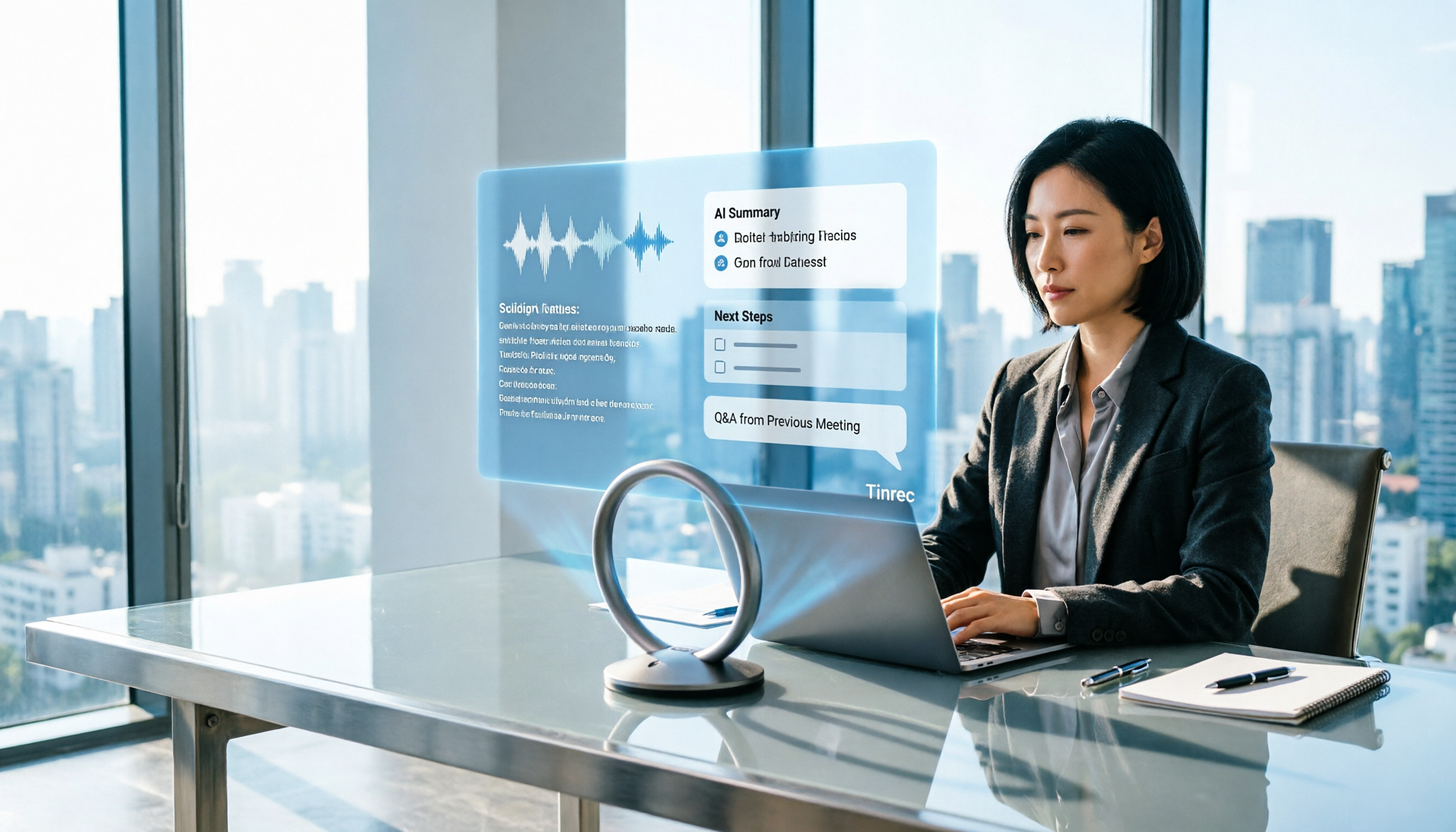
No one remembers decisions after a meeting? This guide uses Tinrec as an example to show you how to use an AI meeting collaboration platform in 5 steps: from creating a team workspace, recording online meetings without bots, generating transcripts, to AI summaries, action item extraction, and cross-meeting Q&A. It also covers FAQs, advanced tips, and alternatives.

2026 Smart Meeting Collaboration Tools Compared: Which One Actually Saves Time on Meeting Notes?
Many people think finding a speech-to-text tool solves meeting notes, but it just turns typing into reading. This article uses the same mixed Chinese-English meeting recording to test and compare several smart meeting collaboration tools, breaking down key differences like bot-free recording, AI Q&A, action item extraction, team seats, and data ownership, with buying criteria and pitfalls to help you decide which one truly saves time.