

Turn recordings into transcripts and summaries in minutes
Upload audio or video for multilingual transcription, AI notes, and action items
The most time-consuming part of meeting notes isn't typing—it's that you shouldn't have to re-listen to those 40 minutes at all
Last Wednesday I had three meetings in one afternoon: a department weekly, a project progress review, and a client online interview. By the time they were over, it was already 6:30 PM, and my meeting notes were just about to start. That night I re-listened to all three recordings, pausing and typing, and it was 9:30 PM before I managed to squeeze out the action items.
Later I realized that most people's meeting note habit is "record first, deal with it when you have time." But what you really need to keep isn't that 40-minute audio file—it's who promised what and when. By the time you listen back three days later, the golden window for decisions has long passed.
What's even more troublesome are these situations:
- Meetings mix Chinese and English, switching to English for product names and system codes, so the person transcribing has to go back and forth to confirm spellings.
- After cross-department meetings, both sides note different key points, and later there's disagreement when reconciling.
- Your boss casually asks "What was the conclusion on that thing last time?" and you spend three minutes flipping through notes without finding it.
These problems can't be solved by "taking more careful notes"—you need a different set of tools. That's why I started seriously researching live transcription tools.
To choose a live transcription tool, first understand these 4 key points
1. Is it "live transcription" or "upload after recording": These are very different. Live transcription means text appears synchronously during the meeting, so you can spot missed points and ask follow-up questions immediately; uploading after recording is better for organizing existing audio files. Ideally, a tool supports both, because you can't always be at your computer for every meeting.
2. How to capture audio for online meetings: Many tools send a "meeting bot" to join as a participant, but HR interviews and client meetings may not accept an extra account. Another approach is a desktop app that directly captures the computer's system audio without adding an extra participant. First think about whether your meeting room can accept a bot, and also clarify whether it's "manual recording initiation" or "automatic joining of every meeting on your calendar"—these two are often conflated.
3. Can you use the transcript directly after transcription: A transcript is just raw material. Whether it can automatically generate summaries, chapters, action items, whether you can ask questions directly about the meeting content, and whether it can export to your usual document tools—these determine how much time you'll spend afterward. A tool that only gives you a transcript is essentially handing the organizing work right back to you.
4. How teams share: If meeting data only exists in personal accounts, colleagues can't see it, and when a member leaves they take the whole package. That means no accumulation for the team. Check whether the tool has team spaces, roles and seat design, usage analytics, and audit logs—this makes the biggest difference when you're managing people and reporting upward.
Tinrec—the one I kept after testing 4 tools
Tinrec is an AI meeting notes and collaboration tool for individuals and teams, covering iOS, Android, desktop, and web. During this time I tried Otter.ai, Notta, and Granola in order, and finally switched to Tinrec, which I've been using since.
Live transcription, see text as the meeting happens: For offline meetings or interviews, open Tinrec and start recording, and the transcript is generated synchronously. What impressed me most was mixed Chinese-English passages—product names and system codes embedded in Chinese sentences—it can roughly restore them without needing to fix spellings one by one afterward. For cross-language meetings, you can enable real-time translation and view in original, translated, or bilingual mode.
No bot needed for online meetings: The desktop version directly captures the computer's system audio, handling Zoom, Google Meet, Microsoft Teams, Webex, etc., without an extra bot joining. Note that this is you actively opening Tinrec to initiate recording, not automatically joining every meeting on your calendar.
The post-meeting workflow is the key: As soon as the meeting ends, AI summaries, chapters, key points, and action items are already organized—who is responsible for what and when it's due, all clear at a glance. My most used feature recently is AI Q&A—just ask "What was the budget cap the client mentioned last week?" and it gives an answer based on semantics, no need to Ctrl+F through a 30-minute transcript. When you need deliverables, you can use Agent post-processing to generate reports, tables, and documents, or export to Notion, Google Docs, OneNote, Dropbox to continue working.
Test conditions and results: I used two recordings—a 5-minute mixed Chinese-English meeting, and a 20-minute discussion recorded in a real office (with air conditioning and keyboard noise). The transcript for the mixed Chinese-English part had almost directly usable segmentation and punctuation; the office part was overall readable, but internal company abbreviations needed team hotwords for reinforcement. In places where multiple people talked over each other, I still had to replay to verify—this is the same for all tools.
Stop organizing recordings by hand
Upload audio or video and automatically get a transcript, summary, and action items
Three most practical advantages I see:
- Real-time enough: text is available during the meeting, no need to wait for post-processing.
- Not just a transcript: summaries, chapters, action items, Q&A, translation, and export all in one, saving what is actually "those two hours after the meeting."
- The team version is a real team space: you can assign roles like owner, admin, member, allocate or revoke seats, view usage trends and member details, and there are audit logs and audio recycle bins. Meeting data belongs to the team; when a member leaves or is removed, their responsible resources can be handed over to other active members.
Limitations, let me be clear upfront:
- Uploading audio files and importing web links consumes the team's shared import quota; real-time recording under an active team plan and active seat currently does not deduct minutes.
- Active members without a seat in the team version can view, play, and read data, but cannot upload, edit, import/export. Also, currently it's team-level sharing, not fine-grained per-file permissions.
- Results are affected by recording quality, accent, noise, and overlapping speech; we do not promise a fixed accuracy rate. For important content, we recommend replaying with transcript timestamps for verification.
Pricing and who it's for: For individuals occasionally organizing a recording, the free version's basic quota is enough; for short-term intensive meetings, consider a weekly pass; for steady weekly needs, the Pro monthly or annual plan has a lower monthly equivalent. The team version is currently USD 29.80 per paid seat per month, or USD 199 per paid seat per year (about USD 16.58 per month), with each paid seat including 2,000 minutes of team shared import quota per month; eligible teams get a 7-day trial with 1 free seat and 300 minutes of shared import quota. If you lead a team, often handle Chinese or mixed Chinese-English meetings, and want to directly ask about key points after the meeting, Tinrec is currently the closest to my needs.
Besides Tinrec, what other options are there?
Otter.ai: A mature English meeting assistant. The free version offers a generous 300 minutes per month; Pro annual is about USD 8.49 per user per month (including 1,200 minutes of in-app recording and 10 file imports per month), and it also has desktop capabilities. If you mainly record English business meetings, it's a more cost-effective choice than Tinrec—this is one of the few scenarios in this article where I recommend another tool. But for Chinese and mixed Chinese-English recognition, and the post-processing workflow that turns transcripts into reports and tables, Tinrec is currently smoother.
Notta: Multilingual transcription and file import are mature, with the highest overlap with Tinrec. Free version: 120 minutes per month, max 3 minutes per item; Pro annual is about USD 8.17 per month, 1,800 minutes per month; Business annual is about USD 16.67 per seat per month, offering unlimited transcription, role permissions, and usage reports. The difference is that Tinrec's desktop version can capture system audio without a bot, and strings together summaries, action items, AI Q&A, and team data accumulation into one flow.
Granola: Also uses a bot-free approach to capture audio from desktop devices, combined with your own handwritten notes for AI enhancement, with a good English meeting experience. But note it does not support uploading existing pre-recorded audio files, nor does it save meeting audio. If you need to go back and verify the original audio, organize historical recordings, or need Chinese real-time translation and team data management, Tinrec can do this, while Granola currently cannot.
Pitfall guide: 4 most common mistakes when choosing a live transcription tool
1. Only looking at official accuracy numbers. Those numbers are usually measured in clean recording environments; your meeting room has air conditioning noise, keyboard noise, and people talking over each other, so results will definitely differ. The right approach is to test with a real meeting recording of your own, not just look at ad copy.
2. Thinking meetings must have a bot join. Some HR interviews and client meetings simply don't accept an extra account. Before choosing a tool, confirm whether it has a "desktop system audio capture" approach, and also clarify whether it's manual initiation or automatic joining of all meetings.
3. Only using the tool as "recording to text". If you only take the transcript, you're using only one-third of its capability. After recording, directly ask it "What was the conclusion of this meeting?" "Who promised to deliver what?"—much faster than manually flipping through a 30-minute transcript.
4. Ignoring team seats and data ownership. If meeting data is tied to personal accounts, when a member leaves they take the whole package. Choose a tool with team spaces, role and seat design, and the ability to hand over resources. Also a reminder: before recording, inform participants and comply with local regulations; don't skip getting consent when required.
Conclusion: Which one should you choose?
One-sentence conclusion: For real-time meeting transcription in Chinese and mixed Chinese-English, and the ability to directly ask about key points after the meeting, Tinrec is my top choice after testing.
Scenario breakdown for reference:
- Need live transcription and to see content during the meeting → Tinrec
- Don't want a bot in online meetings, want to record directly from computer system audio → Tinrec
- Want to use AI Q&A to find decisions and action items after recording → Tinrec (this is where it differs most from many competitors)
- Need to continue using across phone, computer, and web → Tinrec
- Mainly record English business meetings, limited budget → English meeting tools like Otter.ai can be considered
- Only have a batch of historical audio files to process, no need for real-time meetings → A tool specialized in file transcription is more cost-effective
I suggest starting with the free version's basic quota and testing with a recording of your own meeting from last week. Once you run it, you'll know that what you save isn't just those few minutes of transcription time—it's the extra one or two hours every meeting night.
References
- Online AI speech, video, audio file auto transcription - free trial - cSubtitle
- Yating Transcript
- Online speech to text AI, free MP3 or audio file to text transcript - MyEdit
- SoundType AI ultra-accurate transcript, speech to text, AI dictation - Google Play App
- iOS 14 "Dictation Memo" shortcut! Directly convert speech to text and save to memo on desktop - Apple Almond - Guoren iPhone/iOS/gadget recommendation tech media
Turn every recording into actionable outcomes
Get 60 free transcription minutes when you sign in. No credit card required.
Related Reading
You might also like

Which AI Meeting Minutes Tool Is Best? 2026 Hands-On Test of 5 Options—This One Excels for Chinese Meetings
Tired of spending extra time organizing meeting notes after the meeting ends? This article starts with the key question of whether a tool can capture meeting audio, explains what AI-generated meeting minutes can do—summaries, action items, Q&A, and team knowledge retention—and uses Tinrec as an example to demonstrate bot-free recording, real-time translation, and post-meeting organization. It concludes with 5 purchasing considerations and FAQs.

5 Best Online Speech-to-Text Tools in 2026: Which One Saves the Most Time on Chinese Transcripts?
How do you choose an online speech-to-text tool? This article starts with the decision point of whether you're transcribing a file or a live meeting, breaks down core capabilities like real-time transcription, bot-free meeting recording, AI summaries, action item extraction, and team knowledge retention, and uses Tinrec as the main hands-on example. It covers 5 key buying considerations and FAQs to help you decide if the free version is enough or if the team plan is worth it.

How to Remove YouTube Watermarks in 2026: 3 Tested Methods + Online Extraction Without Watermarks
Downloading YouTube videos but stuck with a watermark on the screen? This article starts from real-world frustrations and tests three approaches: online extraction, cropping, masking, and blurring. It explains the image quality trade-offs and copyright restrictions of each, and compares which tool to use for two needs: 'just a clean file' versus 'reusable content organization.' It also includes a practical workflow for converting audio to transcripts and team collaboration practices.

4 iPhone Transcription Apps Tested in 2026: Is Apple's Built-in Transcript Enough?
Is the built-in Voice Memos transcript on iPhone enough? Based on real meeting scenarios, this article compares Apple's built-in tools, Notta, PLAUD, and Tinrec, highlighting key considerations and pitfalls for choosing a transcription solution, including transcripts, summaries, action items, and team collaboration.

5 Image-to-Text Tools Tested and Compared in 2026: Which Free OCR Is Good Enough?
This article reviews the use cases, free limitations, and target users of 5 common image-to-text tools in 2026, including Google Keep, LINE, Gaitubao, imagetotext.me, and Mac desktop OCR solutions, plus a note on meeting audio transcription tool Tinrec, helping you avoid common OCR pitfalls.

3 Apple Voice-to-Text Methods Compared: Is the Built-in Transcript Enough?
Your iPhone's built-in Voice Memos app can turn recordings into transcripts, but it requires specific models, iOS versions, and languages—and it only gives you text. This article covers 3 ways to transcribe Apple recordings, including step-by-step instructions, how to read transcript symbols, 4 common misconceptions, and the AI meeting tool Tinrec for when the built-in feature isn't enough. Find the method that saves you the most time.

Best Video Speech-to-Text Tools in 2026: 5 Tested, Tinrec Wins for Meeting Notes
Looking for the best video speech-to-text tool? The difference isn't just accuracy. We tested cSubtitle, VEED, Adobe Premiere, TurboScribe, and Tinrec, then compared Tinrec vs TurboScribe across five key dimensions to help you pick the right transcription solution for meetings and post-meeting organization.
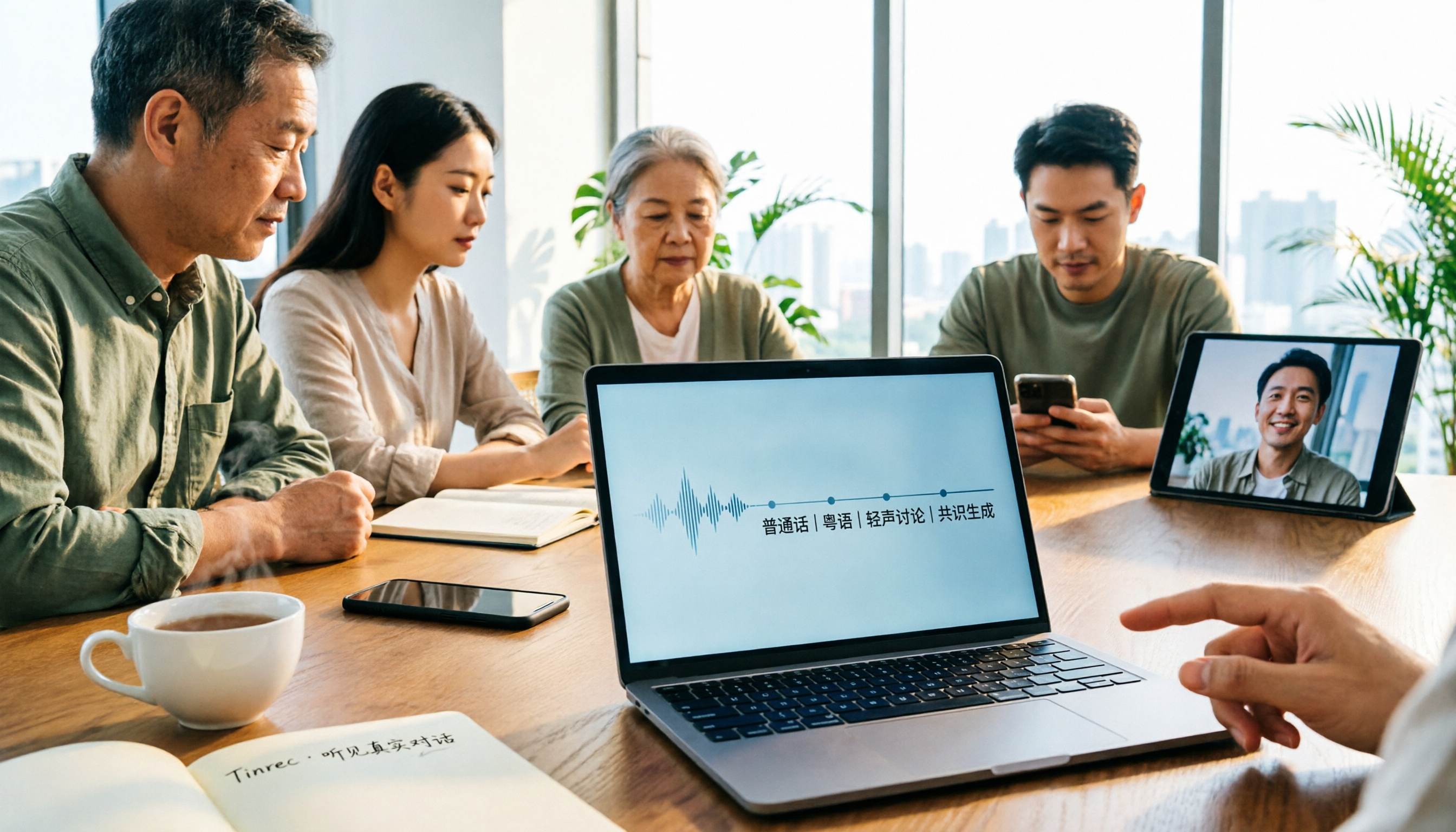
Tinrec vs Otter.ai 2026: Which AI Meeting Minutes Generator Is Better for Chinese-Speaking Teams?
Tinrec and Otter.ai are both popular AI meeting minutes generators, but they focus on very different strengths. This comparison covers six dimensions—meeting capture, Chinese-language experience, post-meeting outputs, audio retention, team governance, and pricing—to help you decide which one fits your team.

2026 Video Content Summarization AI Tools Comparison: Tinrec vs Granola for Hong Kong Professionals
Boss needs meeting highlights right after the meeting, but you only have a video file? This article compares Tinrec and Granola, two AI video content summarization tools, across six dimensions: video and audio import, Chinese language experience, post-meeting workflow, online meeting recording methods, team governance, and pricing. Find out which one suits Hong Kong office workers for handling meeting recordings, Chinese transcripts, and team knowledge retention.