

Turn recordings into transcripts and summaries in minutes
Upload audio or video for multilingual transcription, AI notes, and action items
2026 Meeting Transcription Showdown: Tinrec vs PLAUD Note — Which AI Meeting Assistant Saves More Time?
Many people think meeting transcription is as simple as feeding audio to an AI and getting a perfect transcript in seconds. Honestly, I thought so too at first, but after several rounds of testing, I realized the real pitfall isn't transcription speed—it's what to do after transcription. Some tools just give you a wall of text with no segmentation, no speaker labels, no action items, and you still have to organize it manually. What's more troublesome is that if you use a hardware recorder, you have to transfer files to your computer and upload them to the cloud, adding extra steps. In this article, I compare two common solutions, Tinrec and PLAUD Note, across five practical dimensions to see which is better suited for your meeting scenarios.
Tinrec vs PLAUD Note | Quick Overview
Tinrec is an AI meeting notes and collaboration tool for individuals and teams. It supports real-time recording, bot-free online meeting transcription, audio/video file import, and automatically generates summaries, chapters, action items, and AI Q&A, turning meeting content into searchable, collaborative team data. PLAUD Note, on the other hand, is a representative AI recording hardware device. Users purchase a standalone device that focuses on portable recording, phone call recording, and long battery life.
| Item | Tinrec | PLAUD Note |
|---|---|---|
| Core Positioning | AI meeting notes and team collaboration | AI recording hardware |
| Primary Input | Real-time recording, online meetings, file import, mobile | Hardware recording primarily |
| Team Capabilities | Team spaces, members, roles, seats, usage, audit | Team membership and device management |
| Pricing Model | Free plan, weekly pass, Pro monthly/annual; team plan separate | Hardware purchase + subscription |
Below I'll compare across five dimensions: meeting capture methods, Chinese and multilingual experience, post-meeting organization and AI Q&A, team collaboration and data retention, and pricing and plan flexibility.
Dimension 1 | Meeting Capture: Bot-Free vs Hardware Recording
PLAUD Note's strength lies in its hardware form factor. You can place the device on the table or carry it with you, and press the record button to capture in-person meetings. Some models also support phone call recording, which is intuitive for people who are often on the go and need to record on the fly. However, for online meetings like Zoom, Google Meet, or Microsoft Teams, PLAUD mainly relies on the hardware placed next to your computer to pick up audio, adding an extra layer of environmental variables.
Tinrec's desktop version directly captures computer system audio, so users don't need to invite a meeting bot to join the meeting to record online meetings and generate real-time transcripts. It also supports mobile recording, audio/video file import, and some web link imports. In other words, whether it's an in-person interview, an online meeting, or a historical recording, Tinrec can handle it all in the same workflow.
→ This dimension: Tinrec is more flexible for cross-scenario and online meeting capture, while PLAUD wins for pure hardware portable recording. It's a tie, but if your meetings are primarily online, Tinrec is clearly more convenient.
Dimension 2 | Chinese and Multilingual Meeting Experience
PLAUD Note's transcription capability is tied to its app and subscription plan. Starter provides 300 minutes per month, Pro provides 1,200 minutes per month, and Unlimited goes higher. It has a certain level of accuracy for single-speaker voice recognition during portable recording, but when encountering mixed Chinese-English, overlapping speakers, or meetings with many technical terms, it still relies on manual proofreading afterward.
Tinrec covers Chinese, Traditional Chinese, and multilingual meeting scenarios. It supports mixed Chinese-English content organization, multilingual meeting transcription, real-time translation, and bilingual viewing. It also offers a team glossary feature, allowing teams to maintain commonly used terms and improve recognition of professional vocabulary. Actual performance is still affected by recording quality, noise, accents, overlapping speakers, and other factors, but for common Chinese meeting scenarios, Tinrec offers greater organizational flexibility.
→ This dimension: Tinrec clearly wins, especially for Chinese and mixed Chinese-English meeting environments.
Dimension 3 | Post-Meeting Organization and AI Q&A
PLAUD Note generates summaries and provides templates and Q&A features, but its core remains around the path of "record → transcribe → summarize." For subsequent editing, exporting, and reprocessing, it relies relatively on the existing processes within the app.
Tinrec, however, makes post-meeting organization more complete. It automatically generates AI summaries, chapters, and key points, extracts action items from discussions, and supports mind maps to help understand meeting structure. Even better is the AI Q&A feature: you can continue asking questions about a single meeting or multiple meeting data, such as "What decisions were made last week?" or "What was the budget cap the client mentioned?" Additionally, Tinrec supports multi-format export, allowing results to be used in Notion, Google Docs, OneNote, Dropbox, and other tools. It can also generate reports, tables, and documents through Agent post-processing.
Stop organizing recordings by hand
Upload audio or video and automatically get a transcript, summary, and action items
→ This dimension: Tinrec clearly wins because it handles not just transcripts but the complete post-meeting workflow.
Dimension 4 | Team Collaboration and Data Retention
PLAUD Note offers team membership and device management, suitable for scenarios where multiple people use hardware recording. However, meeting data mainly follows individual accounts or devices. To share with the team, you need to export or transfer it separately.
Tinrec's team plan is an independent team collaboration space. Team resources belong to the team. Members can view and play historical meeting data. Administrators can manage roles, seats, sharing permissions, usage analytics, and audit logs. Members who are active but have no seat can still view, play, and read team data. Only after obtaining a seat can they record, upload, edit, and export. When a member leaves or is removed, team resources can be handed over to other active members and will not disappear with the individual's departure.
→ This dimension: Tinrec clearly wins, especially for teams that need to retain meeting knowledge and manage member permissions.
Dimension 5 | Pricing and Plan Flexibility
PLAUD Note's pricing structure is hardware plus subscription. For example, on the US official website, NotePin is USD 159, Note Pro is USD 189. For subscriptions, Starter provides 300 minutes per month, Pro is USD 99.99/year with 1,200 minutes per month, and Unlimited is USD 239.99/year. This means you must first purchase hardware, then choose a subscription based on usage.
Tinrec requires no additional hardware purchase. The personal plan offers a free version, weekly pass, Pro monthly, and Pro annual, suitable for different usage frequencies. The team plan is priced per seat. Currently, the internal rate is USD 29.80 per paid seat per month, or USD 199 per paid seat per year, equivalent to about USD 16.58 per month. Each paid seat provides 2,000 minutes of team shared import quota per month. Under an active team plan and active seats, real-time recording is currently not deducted by minutes.
→ This dimension: Tinrec is more friendly in terms of entry barrier and plan flexibility, with no need to invest in hardware first. PLAUD is suitable for those who already prefer physical recording devices.
What Are the Unique Advantages of Each?
Tinrec's unique advantages:
- Bot-free online meeting recording: Desktop version directly captures system audio without inviting an extra account to join the meeting.
- Complete post-meeting workflow: Summaries, chapters, action items, AI Q&A, translation, mind maps, and multi-format export all in one place.
- Team data governance: Team spaces, roles, seats, usage, audit, and recycle bin turn meeting data into team assets.
- Cross-scenario use: Online meetings, offline recording, file import, and mobile all handled without switching between multiple tools.
PLAUD Note's unique advantages:
- Portable hardware recording: Standalone device is intuitive to operate, suitable for situations where you don't want to use your phone to record.
- Phone call recording and long battery life: Some models support phone call recording, and hardware battery life is usually better than a phone's.
Conclusion: Which One Should You Choose?
- If your meetings are primarily online and you don't want to invite an extra meeting bot → Tinrec (desktop bot-free recording)
- If you need Chinese or mixed Chinese-English transcripts and post-meeting summaries → Tinrec (supports multilingual, real-time translation, and team glossary)
- If you want to use AI to ask follow-up questions and generate action items right after a meeting → Tinrec (AI Q&A, Agent post-processing)
- If you need to retain meeting data as a shareable team asset → Tinrec (team spaces, members, seats, and audit)
- If you are often outdoors or in situations where you can't use a computer and only need portable recording → PLAUD Note's hardware form factor is more suitable
In one sentence: For most office workers and teams, Tinrec is a more complete meeting transcription and collaboration solution because it covers the entire process from recording, transcription, organization, to team retention. We recommend starting with Tinrec's free version and testing it with your own meeting recordings.
FAQ
Q1: Is Tinrec's free version enough? The free version provides basic quota to experience recording, import, summaries, and transcription. If you only occasionally organize a recording, the free version is a good way to test the waters. If you have regular meetings every week, consider the Pro plan.
Q2: What is the biggest difference between Tinrec and PLAUD Note? PLAUD Note is a hardware recording device, strong in portable recording. Tinrec is a software service, strong in bot-free online meeting recording, post-meeting AI organization, and team collaboration. They solve different levels of problems.
Q3: Which online meeting platforms does Tinrec support? Tinrec's desktop version captures computer system audio and can handle meeting audio played on a computer from platforms like Zoom, Google Meet, Microsoft Teams, and Webex. Users need to actively open Tinrec to start recording; it does not automatically join all meetings.
Q4: How to assess the accuracy of meeting transcription? Accuracy is affected by recording quality, noise, accents, overlapping speakers, and technical terms. Tinrec provides high-quality transcription under clear audio and common scenarios, but we do not recommend promising a fixed accuracy rate. For important content, it is advisable to cross-check with transcript timestamps and recording playback.
Q5: What is the difference between the team plan and the personal plan? Personal plan data is managed by the individual account. The team plan provides an independent team space where meeting data belongs to the team, and adds capabilities such as members, roles, seats, sharing permissions, usage analytics, audit logs, and recycle bin. Members who are active but have no seat can view, play, and read team data, but cannot upload, edit, or export.
Q6: What should be noted when using meeting transcription? Recording and transcription may involve local laws and participant consent. It is recommended to inform participants before recording and comply with relevant regulations. Important decisions should also retain the original recording and transcript for future verification.
(Prices and plans above are subject to the official purchase page; actual features may vary by version and device.)
References
- How to use AI for meeting minutes? How to organize meeting transcripts? | AI voice-to-transcript tutorial | 104 Career Power
- 2025 Latest 6 Google Meet to Text AI Recommendations: Solving Meeting Notes Pain Points - Tinrec Blog
- ChatGPT recording mode launched! Generate "key summary + to-do list" for a 2-hour meeting in one click: 4-step tutorial | BusinessNext
- Gemini tutorial | AI automatically generates meeting minutes, a highly efficient note-taking method 100 times faster than handwriting - Workplace AI Training, Customer Service Outsourcing & Service Outsourcing - Chainsea Information
- Must-see for 2026! 4 AI audio-to-text tool recommendations: Meeting notes, Podcast transcript神器 review - Mobile01
Turn every recording into actionable outcomes
Get 60 free transcription minutes when you sign in. No credit card required.
Related Reading
You might also like

2026 Comparison of 3 Audio-to-Text Tools: Why Notta Users Are Switching to Tinrec
Tinrec is an AI meeting notes and collaboration tool for individuals and teams, supporting bot-free online meeting recording, real-time audio-to-text transcription, AI summaries, action item extraction, conversational search, and team knowledge retention. This article addresses common pain points for Notta users, compares Tinrec's differences in Chinese meetings, post-meeting workflows, and team governance, and provides practical use cases and purchasing advice.

4 Meeting Transcription Tools Tested in 2026: Which One Actually Turns Your Recording Into Actionable Notes?
Meeting transcription tools are multiplying, but the real difference isn't transcription speed—it's whether your recording becomes usable data after the meeting. This article walks through a real post-meeting workflow, covers 4 key factors for choosing a tool, compares how 4 popular 2026 tools handle the process, and shares how I connect transcripts, summaries, action items, and follow-up questions into one streamlined flow. It ends with the most common pitfalls to avoid.

Tinrec vs Otter.ai 2026: 5-Dimension Comparison for Chinese Meeting Transcription
How to choose a meeting transcription tool in 2026? This article compares Tinrec and Otter.ai across 5 key dimensions, explains the positioning of Granola and Notta, common pitfalls, and offers selection advice based on budget and use case.

2026 Best 4 Chinese Meeting Transcription Tools Tested: Which Is Most Accurate for Chinese Meetings?
Still typing meeting minutes by hand? We tested 4 meeting transcription tools under real Chinese meeting conditions, comparing Chinese recognition, post-meeting organization, and team collaboration. We also cover 4 key buying factors, a pitfall checklist, and scenario-based recommendations to help you find a truly time-saving solution.

2026 Meeting Transcription Free Plans Compared: 4 Tools Reviewed
Starting from the costly inefficiency of re-listening to meetings, this article reviews the free plans and practical differences of 4 meeting transcription tools in 2026, and shares hands-on experience with Tinrec for Chinese meetings, bot-free online recording, post-meeting AI queries, and team knowledge retention, helping you decide if the free quota is enough and when to upgrade.

4 Meeting Recording Transcription Methods Compared: Which Turns a 2-Hour Recording into Usable Meeting Data?
How should you choose a meeting recording transcription method in 2025? This article examines four key decision points and compares approaches like Tinrec, Otter.ai, Granola, and PLAUD, covering bot-free online meeting recording, post-transcription summaries and action items with AI follow-up, and team spaces and seat management, to help you find a method that turns meetings into actionable data.
2026 Meeting Transcription Tools Comparison: Why Tinrec Is Better for Chinese-Speaking Teams
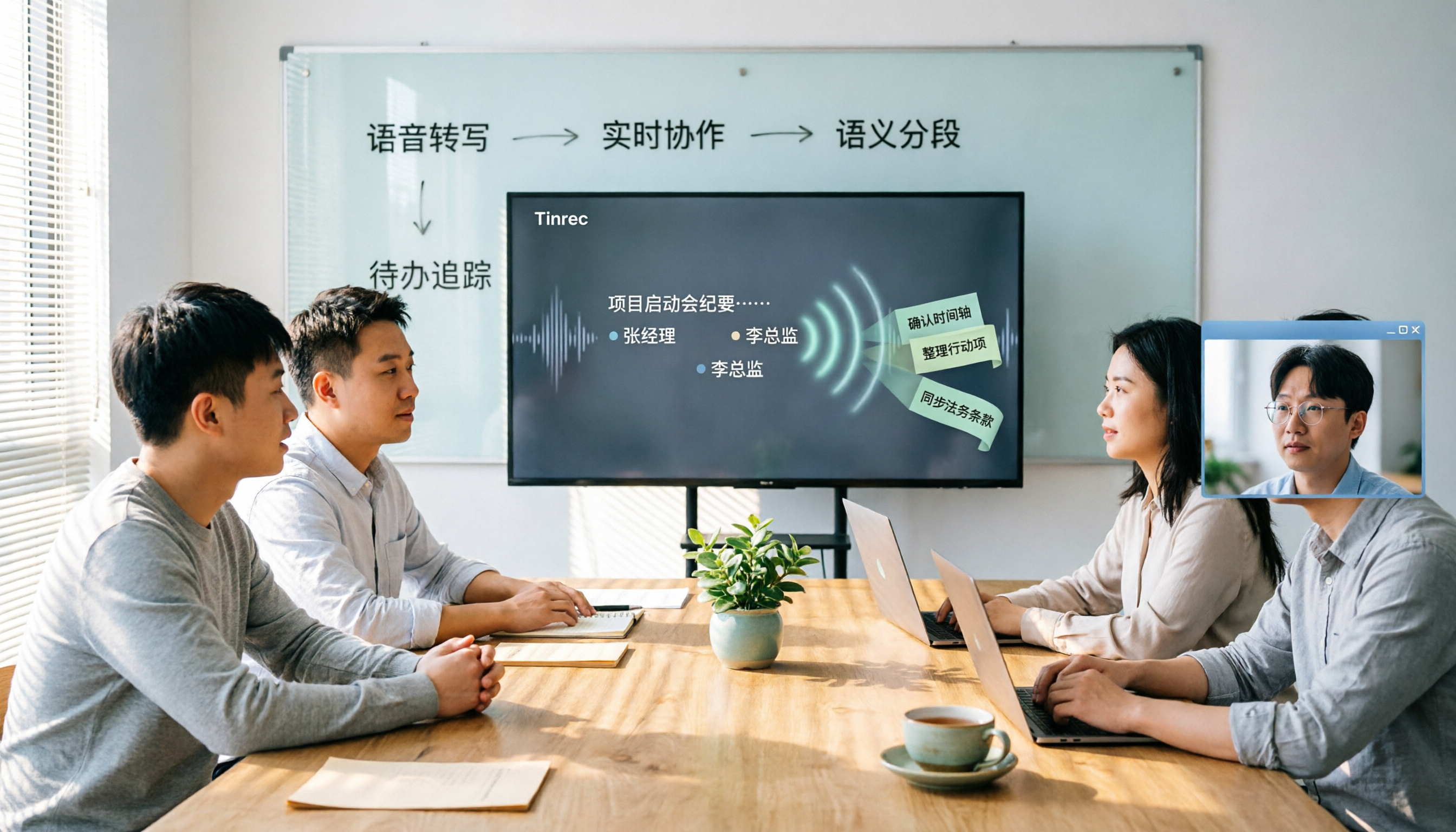
Should you choose software or hardware for meeting transcription? This article compares Tinrec and PLAUD Note, two products with completely different approaches, across five dimensions: hardware requirements, online meeting handling, Chinese language experience, post-meeting workflow, and team collaboration. It also covers pricing, plans, and FAQs to help you decide which 2026 version best fits your work situation.

2026 Comparison of 4 Meeting Transcription Tools: Which One Turns Recordings into Usable Meeting Notes?
Turning meeting recordings into transcripts isn't just about feeding audio to AI—it's a workflow from pre-recording prep to transcription, organization, and archiving. This hands-on review breaks down 5 key selection criteria, takes a deep dive into Tinrec's bot-free meeting recording, AI Q&A, and team spaces, briefly evaluates Notta, Granola, and Otter.ai for different use cases, and includes a pitfalls guide plus copy-paste prompt templates.

2026 Comparison of 4 Meeting Transcription Tools: Which Saves More Time for Chinese Meetings and AI Summaries?
Starting from the pain points of meeting notes discussed by Dcard users, this article compares four meeting transcription tools: Tinrec, Otter.ai, Granola, and PLAUD Note. It breaks down four key purchasing factors: language support, recording capture methods, post-meeting outputs, and team collaboration. It also includes a guide to avoid pitfalls and scenario-based selection advice to help you say goodbye to nights spent re-listening and typing transcripts.