

Turn recordings into transcripts and summaries in minutes
Upload audio or video for multilingual transcription, AI notes, and action items
4 Meeting Transcription Tools Tested in 2026: Which One Actually Turns Your Recording Into Actionable Notes?
The Moment the Meeting Ends Is When the Trouble Begins
The meeting is over, and you're staring at that 90-minute recording on your phone.
You know the key points are in there. Who promised what, which proposal got tabled, what's due next week—it's all there.
But to turn it into a record you can hand off to someone else, you'll spend another hour and a half: replaying, pausing, typing, and trying to remember "who was that person they mentioned?"
So what I've been dealing with these past few years isn't really "is there a tool that can record meetings?"
It's: after the recording is done, how do I turn the meeting into usable data with the least amount of effort?
This article isn't about which tool has the most features.
I want to walk you through my current post-meeting workflow, then look at how several common tools in 2026 fit into that workflow—and where each one gets stuck.
Before Choosing a Meeting Transcription Tool, Think Through These 4 Things
Most people look at "how many languages does it support" and "how many free minutes" first.
But what really determines whether you'll stick with it comes down to these four things.
1. How does the meeting get recorded?
A meeting bot needs to join as a "participant." For internal meetings that's fine, but for client calls, interviews, or external conversations, you might not want a bot showing up on the attendee list. Another approach is capturing system audio directly from your computer, without disturbing the meeting itself. This directly affects whether you dare use it in important situations.
2. After transcription, what does it give you?
Getting just a transcript versus getting a summary, chapters, action items, and the ability to ask follow-up questions are completely different workloads. The former saves you typing time; the latter saves you the time of "reading it all and then thinking it through again."
3. Real-world performance with Chinese and mixed Chinese-English.
Meetings in Taiwan rarely stick to a single language. Sentences like "Let's review this case next week" are the real scenario. Actual results depend on recording quality, background noise, accents, overlapping speakers, and technical jargon—so don't just look at marketing numbers. Test it with your own recording.
4. Where does the data end up?
Recordings left in a personal account scatter once the person leaves. Meeting data placed in a team space becomes an asset that accumulates.
Keep these four things in mind, and the tools below will make much more sense.
Tinrec — How I Use It to Run an Entire Meeting
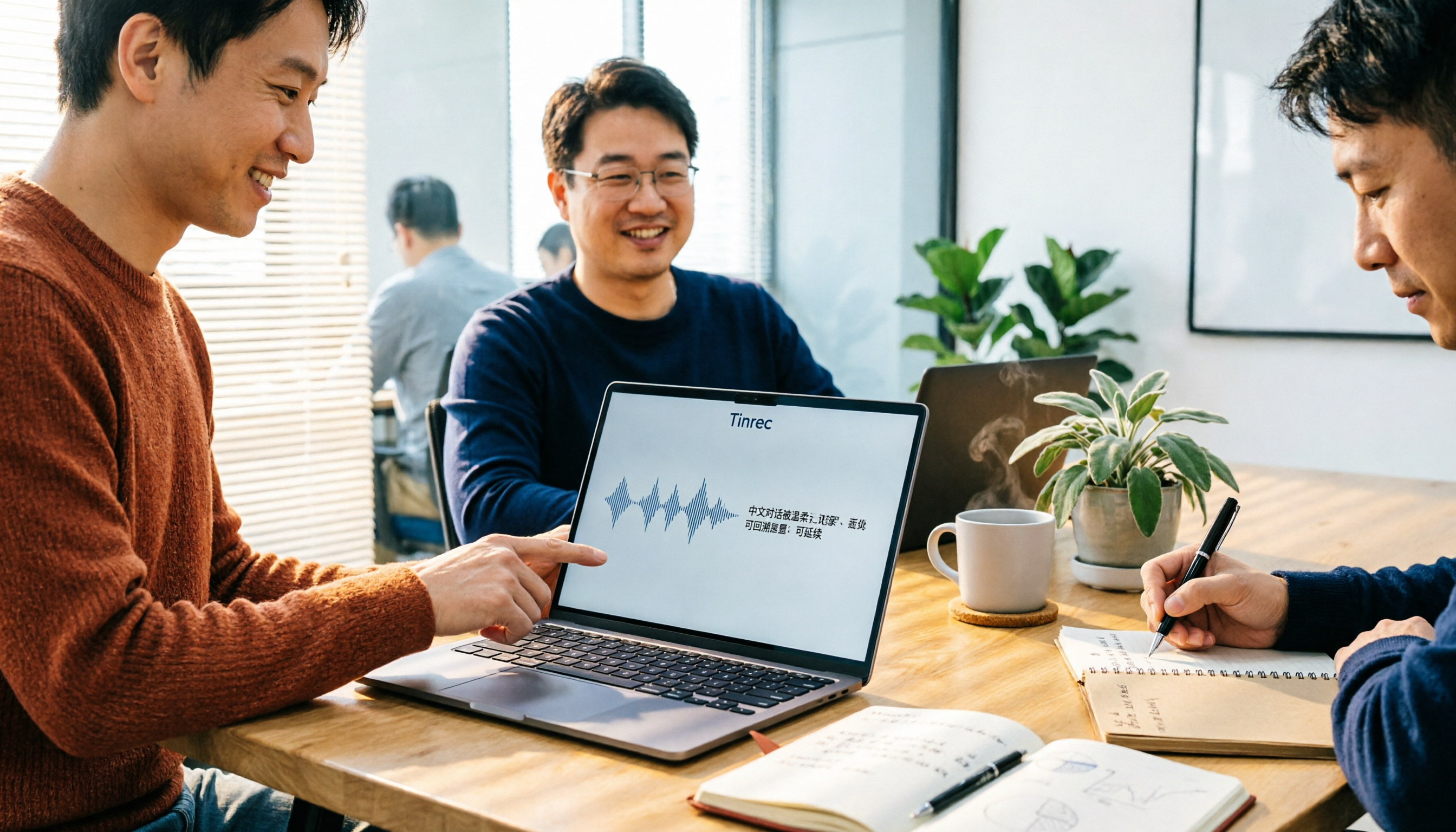
Tinrec is an AI meeting notes and collaboration tool for individuals and teams, available on web, desktop, and mobile.
What first caught my attention wasn't its feature list—it was that it solved the first thing I listed above: no bot joining the meeting.
During the Meeting: A Recording Method That Doesn't Disturb the Meeting
Before the meeting, I open Tinrec desktop on my computer and hit start.
It captures the system audio directly from this computer, so it can handle meeting content played on Zoom, Google Meet, Microsoft Teams, Webex, and other platforms—without adding a stranger to the meeting room.
At the same time, the transcript appears as people speak.
This matters more than you'd think. When you see text being generated during the meeting, you naturally confirm in your mind that "this part got captured."
For in-person meetings or impromptu interviews, I switch to live recording; for meetings that already happened or historical recordings, I just upload the audio or video file.
For cross-language meetings, there's another feature I use often: during recording, you can switch between original text, translation, or bilingual view.
Ten Minutes After the Meeting: Turning the Transcript Into Something You Can Hand Off
As soon as the meeting ends, the first thing I do isn't read the transcript from the top.
I first look at the auto-generated summary and chapters to grasp the overall structure, then scroll down to the extracted action items: who's responsible for what, and when it's due.
If I need to deliver a report or spreadsheet, I can use Agent post-processing to generate the document directly, then export to Notion, Google Docs, OneNote, Dropbox—wherever I already work.
The tool is the supporting actor; the workflow is the star.
What I really want to save is the time spent "re-reading and re-thinking."
My Most-Used Step: Just Ask It
This is the key reason I ultimately stuck with Tinrec.
After recording, instead of manually Ctrl+F-ing for keywords, I ask questions directly about the meeting content.
Like: "In the last meeting, what were the client's concerns about pricing?"
It doesn't dump a bunch of paragraphs containing "pricing"—it understands the content and gives you the answer directly. And you can ask across multiple meetings at once.
If you often find yourself thinking "I remember we talked about this in a meeting, but I can't remember which one," this feature will change how you organize information.
I usually paste a prompt like this after meetings:
Based on this meeting transcript, please organize: 1. The three main conclusions of this meeting; 2. The owner and deadline for each action item; 3. Questions that remain unanswered. Output as bullet points and note the corresponding discussion section.
Stop organizing recordings by hand
Upload audio or video and automatically get a transcript, summary, and action items
You can copy this directly and adjust it for your meeting type.
Its Limitations
The free version has a basic quota, suitable for occasional recording cleanup; if you have a steady volume of meetings every week, you'll need to upgrade.
Also note that live recording and file import have different quota rules. Under team plans, live recording currently doesn't deduct minutes, while file and web imports use the team's shared import minutes.
I also wouldn't recommend using "accuracy rate" as your only selection criterion. Recording environment, accents, and technical jargon all affect results—important content should still be verified against the transcript and recording.
If Your Team Uses It Together
When meetings start becoming "a department's data" rather than just "my own recording," the limits of a personal tool become apparent.
Tinrec's team version is a separate team space, not multiple people sharing one account. Meeting data belongs to the team; new members can view historical data; admins can manage members, roles, and seats, view usage trends, and query and export important operation logs.
Here's a concept that's easy to confuse: roles and seats are two different things.
Roles determine who can manage the team, members, and settings; seats determine whether a person can record, upload, edit, import, and export. Active members without a seat can still view, play, and read team data—they just can't modify it.
So if what you care about is "meeting data stays with the company, and doesn't leave when people do," that's the real problem the team version solves.
Who It's For
If you need transcripts and minutes for Chinese meetings, want meeting recording that doesn't disturb participants, want to find key points directly through Q&A after recording, and may use it across phone and computer—Tinrec's current workflow is closest to how I work.
Besides Tinrec, What Other Options Are There?
Otter.ai is a mature choice for English business meetings, with 300 free minutes per month—plenty for teams that meet purely in English. But it's built around English meetings; Chinese and mixed Chinese-English organization isn't its strength, and turning meeting results into a searchable team knowledge base isn't its focus. If you only hold English meetings, it's worth trying first.
Granola takes the no-bot approach like Tinrec, using desktop system audio to record meetings. Basic is free, Business is about USD 14 per person per month, and its specialty is "your handwritten notes plus AI enhancement." But note: it doesn't support uploading pre-recorded audio files, and it doesn't save meeting audio. If you have a lot of existing recordings to organize or need to listen back for verification, these two points will hold you back—whereas Tinrec supports file import and retains audio.
PLAUD Note / NotePin represents the hardware camp. NotePin is priced at USD 159, Note Pro at USD 189, with membership plans starting at 300 minutes per month. Its value is the physical experience of "pull it out and record anytime." But you need to carry an extra device and budget for hardware; Tinrec requires no extra hardware, works on web, desktop, and mobile, and handles online meetings as a built-in capability.
Pitfall Guide: The 4 Most Common Mistakes When Choosing a Meeting Transcription Tool
Pitfall 1: Only looking at claimed accuracy.
Under what conditions was that accuracy measured? A quiet studio, or a real meeting room with air conditioning hum, keyboard clatter, and three people talking over each other? The difference is huge. My advice: test with your own meeting recording, and use the hardest segment.
Pitfall 2: Only comparing transcription minutes.
Minutes only tell you "how much can be transcribed," not "how much time you'll spend processing it afterward." For the same one-hour meeting, a record with just a transcript versus one with summary, chapters, action items, and follow-up Q&A—the downstream workload is worlds apart. When choosing a tool, factor in "how long you'll spend after the meeting."
Pitfall 3: Ignoring how the meeting is recorded.
If your meeting includes clients, interviewees, or external partners, a bot joining as a participant might have you explaining "who's that?" the whole time. Recording method isn't a technical detail—it's the prerequisite for whether you can use it comfortably. Especially when meeting content involves others, pay attention to local regulations and get consent when necessary.
Pitfall 4: Buying it and only using it as a voice recorder.
Treating it as just "audio to text" means using only a third of its capability. After recording, directly asking it "what were the conclusions of this meeting" and "who promised what" is far faster than manually scrolling through a 30-minute transcript.
Conclusion: Which One Should You Choose?
Looking back at my own workflow, it comes down to one sentence: the value of a meeting isn't in being recorded—it's in being used.
Depending on the scenario, here's how I'd break it down:
- Need Chinese or mixed Chinese-English meeting notes, and want to ask for key points right after recording → Tinrec
- Meetings with clients or external partners, don't want a bot joining → Tinrec (desktop captures system audio)
- Have a lot of existing recording files to organize, and want to keep audio for later verification → Tinrec
- Need to use across phone, computer, and different systems → Tinrec (web, desktop, mobile)
- Team needs to share meeting data, manage members and usage → Tinrec team version
- Purely English meetings, zero budget → Otter.ai free version is worth a try
- Like "handwritten notes plus AI enhancement," and don't need to upload old audio files → Granola
Quick Start: How You Can Begin
- Pick your hardest meeting recording (mixed Chinese-English, with noise if possible).
- Run it through transcription with the free quota—don't just look at how well it performs when things go smoothly.
- Open the desktop version during a meeting and experience the transcript appearing as people speak.
- After the meeting, look at the summary and chapters first—don't rush to read the transcript from the top.
- Use the prompt I shared above to have it organize conclusions, action items, and open questions.
- A week later, ask it: "What did we promise in last week's meeting?" If you can actually get an answer, the workflow works.
Test step by step, and you'll gradually find the post-meeting workflow that suits you best.
References
- Meeting Ink - 2026 AI Meeting Notes Tools Tested | 7 Speech-to-Text and Summary Speed Comparison | Meeting Ink - AI Meeting Notes Assistant Auto-Transcribes and Summarizes Meetings
- 2026 Must-See! 4 AI Audio-to-Text Tools Recommended: Meeting Notes, Podcast Transcript Comparison - Mobile01
- 2026 Latest 7 Real-Time Audio-to-Text Tools Recommended: Solving Meeting Notes and Transcript Pain Points - Tinrec Blog
- 2026's Most Recommended AI Meeting Notes Tools: Time-Saving Must-Haves for Meetings!
- ChatGPT Meeting Notes Tutorial 2026: Complete Guide to Auto-Transcription, Summarization, and Follow-Up Tasks | MobileSetting
Turn every recording into actionable outcomes
Get 60 free transcription minutes when you sign in. No credit card required.
Related Reading
You might also like

Best Recording Software 2026: Tinrec vs Otter.ai in 5 Steps
Which recording software is best? This article breaks down Tinrec and Otter.ai across 5 dimensions: Chinese and multilingual transcription, bot-free meeting recording, post-meeting summaries and AI Q&A, file import, and team spaces and seat management. It compares the two in real work scenarios and offers clear recommendations to help you find the recording tool that best fits your meeting habits.

2026 iPhone Audio to Text Showdown: 4 Tools Tested—Which One Turns Recordings into Actionable Meeting Notes?
Turning iPhone recordings into text is easy with the built-in Voice Memos transcription, but language support and post-meeting organization are limited. This hands-on comparison tests four common approaches: Apple's built-in tool, Tinrec, Otter.ai, and Notta. We break down Chinese language support, summarization and action items, cross-device use, and team data ownership, plus highlight four common pitfalls to help you choose the method that truly saves time.

4 Meeting Minutes Tools Tested in 2026: How to Organize a Leader's Speech Fastest?
A senior intern personally tested 4 meeting minutes tools, starting from the meltdown of 'the manager spoke for 40 minutes, and all I remembered was everyone keep it up,' and compiled 4 key points for organizing a leader's speech, comparing the actual differences among Tinrec, Notta, Otter.ai, and PLAUD in Chinese meetings, bot-free recording, and AI Q&A.

4 Best Audio-to-Text Apps in 2026: Chinese Meetings & AI Q&A Compared
We tested 4 audio-to-text apps in 2026, comparing Chinese meeting accuracy, online meeting audio capture, post-meeting AI Q&A, and team data management. Find out why Tinrec is our top pick and how Otter.ai, Notta, and Granola compare for different scenarios.
4 Best Speech-to-Text Software in 2026: Which Is Fastest for Chinese Meeting Notes?
We tested Tinrec, Notta, Otter.ai, and PLAUD to find the best speech-to-text tool for Chinese meetings. Compare accuracy, free limits, team features, and pitfalls to save time on transcripts and meeting notes.

2026 Comparison of 3 Audio-to-Text Tools: Why Notta Users Are Switching to Tinrec
Tinrec is an AI meeting notes and collaboration tool for individuals and teams, supporting bot-free online meeting recording, real-time audio-to-text transcription, AI summaries, action item extraction, conversational search, and team knowledge retention. This article addresses common pain points for Notta users, compares Tinrec's differences in Chinese meetings, post-meeting workflows, and team governance, and provides practical use cases and purchasing advice.

Tinrec vs Otter.ai 2026: 5-Dimension Comparison for Chinese Meeting Transcription
How to choose a meeting transcription tool in 2026? This article compares Tinrec and Otter.ai across 5 key dimensions, explains the positioning of Granola and Notta, common pitfalls, and offers selection advice based on budget and use case.

2026 Best 4 Chinese Meeting Transcription Tools Tested: Which Is Most Accurate for Chinese Meetings?
Still typing meeting minutes by hand? We tested 4 meeting transcription tools under real Chinese meeting conditions, comparing Chinese recognition, post-meeting organization, and team collaboration. We also cover 4 key buying factors, a pitfall checklist, and scenario-based recommendations to help you find a truly time-saving solution.

2026 Meeting Transcription Free Plans Compared: 4 Tools Reviewed
Starting from the costly inefficiency of re-listening to meetings, this article reviews the free plans and practical differences of 4 meeting transcription tools in 2026, and shares hands-on experience with Tinrec for Chinese meetings, bot-free online recording, post-meeting AI queries, and team knowledge retention, helping you decide if the free quota is enough and when to upgrade.