

Turn recordings into transcripts and summaries in minutes
Upload audio or video for multilingual transcription, AI notes, and action items
10 Essential Tools for Journalists to Boost Productivity
Journalists are always busy—that's almost a given. In today's information-overloaded world, many reporters spend more time on mundane tasks than on actual writing: dealing with complicated recording software, manually transcribing interviews, tweaking formatting in limited text editors, or getting distracted by irrelevant articles online. Not to mention trying to compile research scattered across notebooks, Word documents, emails, and web pages into an in-depth feature—it's a nightmare.
Many great stories die before they're born. The story ideas in our heads are often far more numerous than what we can actually produce. To break through the bottleneck and crank out high-quality content faster, the key is to build a reliable toolkit. You don't need to learn every tool out there (that could be another distraction). Instead, focus on these core categories: a trustworthy recording and speech-to-text tool, remote interview solutions, efficient research and reading management tools, and a system for scheduling and task management. Here are our top 10 picks to help you produce better stories in less time.
TinRec
After scheduling interviews, the most important tool is a solution that records audio while automatically generating notes. In the past, even if you used a professional Olympus recorder, the audio files were locked in the device, requiring lengthy transfers to a computer and manual transcription. Countless great stories missed their chance. If you opted to scribble notes (handwritten or typed) during interviews, you risked missing key details from the interviewee.
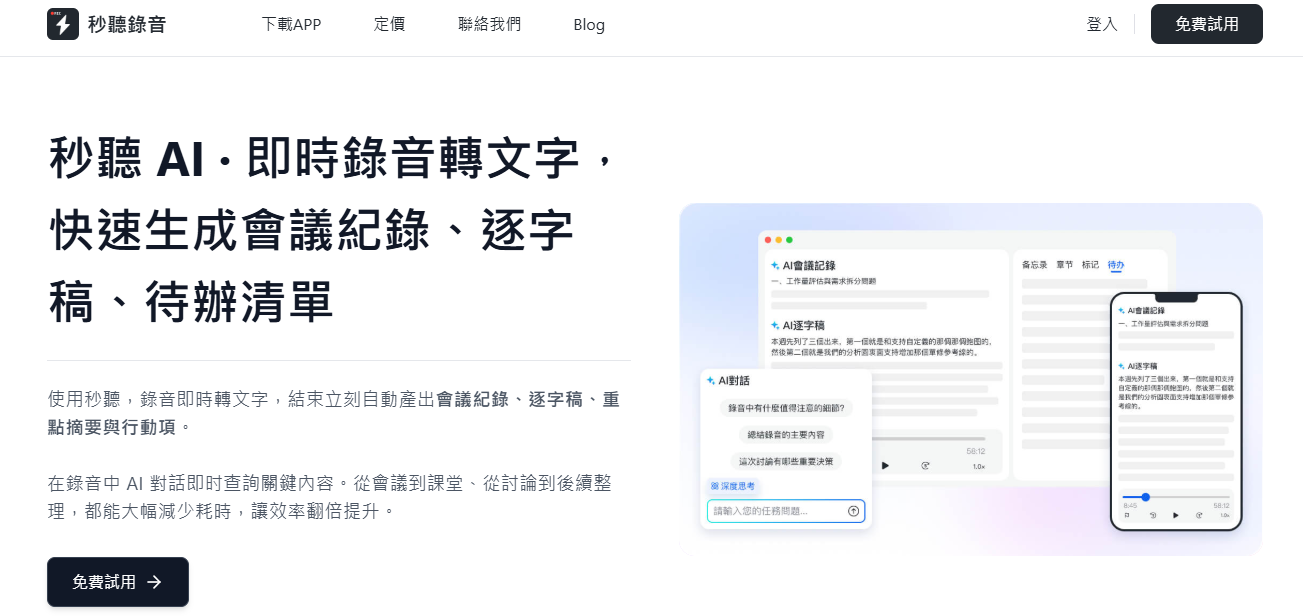
Today, many recording apps exist, but only TinRec truly offers real-time speech-to-text. It captures conversations live and uses AI to transcribe speech into accurate text almost instantly. It supports multiple languages including Chinese, English, Japanese, Cantonese, and Taiwanese, letting you focus on listening and asking questions while the TinRec assistant records every key point.
Currents
Currents, a free tool from analytics company Parse.ly, helps you quickly identify trending topics and the most engaged subjects online. It tracks performance data from over 600,000 articles daily, including top traffic sources and user search keywords. For journalists, it's a goldmine for uncovering topics with high interest but low coverage—an excellent angle for in-depth investigation.
Call Recorder (Android)
Sometimes video interviews aren't possible due to travel, making phone interviews the only option. Call Recorder is a popular Android app trusted by journalists for recording calls. It's simple and focused: easily record phone conversations. It supports multiple audio formats and allows quick sharing of full or partial recordings. Upgrading to Pro enables automatic backup to your preferred cloud storage. After the interview, upload the audio to TinRec for accurate, searchable transcripts.
For iPhone users, TapeACall is a reliable paid alternative, widely considered the most stable call recording tool on iOS. It supports unlimited incoming and outgoing call recording and provides instant audio files. You can save files to Dropbox, Google Drive, or share via SMS, email, Facebook, or Twitter. Remember to obtain consent from the interviewee before recording, as required by law.
Stop organizing recordings by hand
Upload audio or video and automatically get a transcript, summary, and action items
As a journalist, you should read at least as much as you write—if not more. But information floods in relentlessly. If you let catchy headlines constantly distract you—from Facebook, Twitter, newsletters, or recommended articles—you lose control and become a slave to the noise. Don't let that happen. Constant interruption is the enemy of productivity. Apps like Pocket (formerly Read-it-Later) let you save pages with one click to read later. With browser extensions and a tagging system, you can easily store and find articles. Pocket also offers personalized recommendations based on your interests and syncs across devices.
Zoom
Face-to-face interviews aren't always possible, but today's connected world offers a great alternative. Zoom is a web-based video conferencing tool that works with or without a camera and across platforms and devices. It features convenient screen sharing and allows you to schedule meetings in advance, sending a link directly to interviewees. Crucially for journalists, Zoom includes recording options. With Zoom Pro, Business, or Enterprise plans, you can export cloud recordings to TinRec for automatic transcription.
Hunter.io
Ever had a great story idea but couldn't find the email of an editor or source? Hours of searching could have been spent writing. Hunter.io solves this: just enter the company's website domain and the person's name, and it guesses the most likely email address based on the company's email naming convention.
Grammarly
Typos happen, and grammar or spelling mistakes are inevitable. Submitting a draft full of errors to an editor damages your professionalism. But proofreading every document repeatedly is time-consuming and hinders output. Every journalist needs a good writing assistant. Grammarly, probably the most famous proofreading tool, is a browser extension that checks everything you write on the web—emails, blogs, Google Docs drafts, social media comments, etc. It flags grammar, punctuation, and style issues, offering corrections and synonyms. You can accept or ignore suggestions, or add words to your dictionary. Grammarly can be enabled on all sites or only specific ones.
LastPass
Ever forgotten a password for a rarely used site and gotten locked out? We underestimate the time spent remembering and retrieving passwords. LastPass remembers all your passwords and syncs them across devices. By saving time on finding passwords, checking emails, manual transcription, and proofreading, you can focus on what you do best: telling great stories in less time.
Google Calendar
A busy, productive journalist absolutely needs a great calendar tool. Google Calendar has all the expected features: quick meeting scheduling and reminders. But it also offers lesser-known features that make managing a hectic schedule easier. You can create multiple color-coded calendars (e.g., work vs. personal), set each as public or private, or adjust privacy for individual events. You can easily schedule remote interviews, directly add a Google Meet link, and attach documents to ensure everyone has the necessary materials.
Two particularly useful features are "Suggested times" and "Find a time." When coordinating meetings with multiple people, back-and-forth scheduling is tedious. "Suggested times" automatically shows slots when all attendees are free after you add them; "Find a time" displays everyone's calendars side by side for easy comparison.
Finally, the seamless integration between Google Calendar and TinRec is a must-have. If you've synced your Google Calendar and contacts with TinRec, the system will proactively remind you to record meetings and make it easy to share recordings and transcripts with relevant contacts.
Dropbox
Dropbox is one of the oldest cloud file hosting services, letting you store important files in the cloud, access them from any device, and share with others. The free plan offers 2GB of storage, supports document scanning, cross-device access, and allows downloading files, folders, and photos for offline editing.
Upgrading to Dropbox Professional (the highest tier) gives you 2TB of storage plus Smart Sync, which moves files entirely to the cloud to free up local disk space. You can still view or edit files on any device without downloading them first.
Dropbox integrates well with TinRec. You can send audio or video content from Dropbox to TinRec for accurate, searchable transcription in minutes, or export TinRec audio and transcripts to Dropbox to share with your team.

- Start using TinRec for free
300 minutes of transcription per month
30 minutes per recording
Upload up to 3 audio or video files - Try TinRec for enterprise
Industry-leading transcription technology
Advanced AI conversation features
Custom integration and workflows
Turn every recording into actionable outcomes
Get 60 free transcription minutes when you sign in. No credit card required.
Related Reading
You might also like

2026 Real-Time Recording Tools Compared: Which Can Transcribe While Recording?
How do you choose a real-time recording tool? This article tests and compares Tinrec, free online voice recorders, Bandicam, and Granola in real meeting scenarios, explaining why what happens after recording is key, plus 4 buying tips, pitfalls to avoid, and scenario-based recommendations.

5 Meeting Recording Apps Compared in 2026: From Transcripts to Team Collaboration
Meeting recording apps aren't just about audio quality—they're about what happens after the meeting. This guide breaks down five common tool approaches, covering live transcription, AI summaries, action item extraction, AI Q&A, team spaces, and seat management. Using Tinrec as an example, we walk through bot-free online meeting recording, Chinese transcription, summaries, and exports, and compare the free, Pro, and Team plans to help you decide which solution fits your meeting needs.

What Is Instant Messaging in 2026? 5 Steps to Understand the Definition and Choose Tools
What does instant messaging (IM) mean? This article starts with the definition, history, and message storage methods to help you understand the essence of synchronous communication, 4 key points for choosing tools, and compares meeting and communication organization tools like Tinrec, Otter.ai, Notta, and Granola. Finally, a pitfall guide helps you choose the right tool.

Can You Share a Recording with Others in 2026? 5 Key Legal Points and How Tinrec Helps You Organize
Whether you can share a recording with others depends on your role, purpose, and content. This article summarizes key legal points on invasion of privacy and personal data protection, and explains how to use Tinrec to turn recordings into transcripts or summaries so you only share necessary information, reducing privacy and legal risks.

5 Best AI Meeting Notes Apps of 2026: Which Free Version Is Actually Enough?
There are countless AI meeting note takers, but buying one doesn't guarantee better notes. This article starts with the most common mistakes and inefficient habits, outlines 4 key factors for choosing a meeting transcription tool, tests Tinrec's bot-free recording, AI Q&A, and team workspace, and compares Otter.ai, Notta, and TurboScribe on positioning and pricing to help you find a solution that truly saves time.

4 Recording AI Tools Tested in 2026: Which Saves the Most Time on Chinese Meeting Minutes?
Before choosing a recording AI, first confirm where your meetings take place. This article tests 4 common recording AI tools, breaking them down from four angles: audio capture method, post-transcription output, recording file retention, and team sharing. It also summarizes pitfalls to help you determine which one truly saves time on meeting notes.

How to Use an AI Recording Assistant in 2026: A Complete 5-Step Guide
A complete 2026 guide to AI recording assistants: starting from common misconceptions about manual transcription, this guide explains what an AI recording assistant can do for you, a 5-step workflow, real-world use cases, and 5 key purchasing considerations. It uses Tinrec as an example to demonstrate real-time transcription, bot-free online meeting recording, AI summaries and action item extraction, AI Q&A, and team workspace governance, with FAQs and team pricing details at the end.

4 Real-Time Voice Tools Tested for 2026: Which Saves the Most Time for Meeting Notes and Transcripts?
What is real-time voice? This article first clarifies the difference between Apple Live Speech and Live Voicemail, then tests 4 tools, comparing meeting notes, transcripts, AI Q&A, and team collaboration to help you find the most time-saving solution.

4 AI Recording Tools Tested for 2026: Which One Saves the Most Time on Chinese Meeting Notes?
Still have meeting recordings nobody re-listens to? We tested 4 AI recording tools, comparing Chinese transcription, meeting capture methods, post-meeting summaries, AI Q&A, and team data ownership. Find out why Tinrec is the smoothest for Chinese meetings and team collaboration, plus when to choose PLAUD, Otter.ai, or Notta, and key pitfalls to avoid.