

Turn recordings into transcripts and summaries in minutes
Upload audio or video for multilingual transcription, AI notes, and action items
Two-Hour Meeting, Two-Hour Cleanup—You Don't Need Transcription, You Need Closure
I've seen this cycle play out far too often.
The weekly meeting ends, your manager drops a message in the group chat: "Who was responsible for that decision last time?" You open the 40-minute recording, drag the timeline, and listen back three times. By the time you find the answer, everyone else has already left the room.
Interviews are even more exhausting. Six recordings, one hour each. You open the transcript ready to pull key points, and what you see is a wall of text. Speaker A gets interrupted mid-sentence by Speaker B, product names in mixed languages turn into gibberish, and just formatting the text eats up an entire afternoon.
Then there's the "transcript-only" scenario. The tool joined the meeting on time and delivered a transcript—but you still have to write the summary, extract action items, and hunt for decisions yourself.
These three situations look different, but they're really the same problem: Turning audio into text was never the time-consuming part.
What actually eats your time is everything that happens after transcription.
Choosing the right tool can solve this—but only if you know what you're actually looking for.
Before You Pick a Voice-to-Text Tool, Understand These 4 Key Factors
Over the years, I've seen too many people buy tools and only use 30% of their capabilities. The problem usually starts with not thinking things through from the beginning.
Factor 1: Accuracy isn't about official numbers—it's about your scenario.
Official accuracy rates are typically measured in a quiet recording studio. Real meeting rooms have air conditioning hum, keyboard clicks, people interrupting, and people mumbling. What really matters is whether mixed-language technical terms get recognized correctly.
My approach: test with your own most difficult recording, not what the website claims.
Factor 2: How much of the post-recording workflow does the tool handle for you?
A tool that only gives you a transcript leaves the hardest part to you. Tools that automatically generate summaries, break content into sections, list action items, and even let you ask questions directly about the content are the ones that truly move the workflow forward.
Factor 3: Is the audio itself preserved?
Many people don't think about this when buying. Some tools only keep text and don't save audio files—so when you want to go back and check the tone or context of a specific statement, it's gone forever.
Factor 4: Is this for personal use or for your team?
Personal use is straightforward. But as soon as you need meeting data visible to colleagues, handovers when someone leaves, or usage tracking for managers, you'll run into team spaces, roles, and seats.
If you don't think this through upfront, you'll likely end up redoing a lot of work later.
Tinrec—The One I Kept Using After Testing
Tinrec is an AI meeting notes and collaboration tool for individuals and teams, available on iOS, Android, and web. It's not just recording-to-text—it connects "capture → understand → act → collaborate" into one seamless flow.
Let me share three scenarios where I actually use it.
Scenario 1: Record online meetings without a meeting bot
This is what impressed me most. Tinrec's desktop version captures your computer's system audio directly, so it can handle Zoom, Google Meet, Microsoft Teams, and Webex meetings playing on your computer—no need to invite a bot to join as a "participant."
Why does this matter? Many company meetings involve external parties. When a client sees an unfamiliar account in the participant list, their first reaction is usually "Who is this?"
No bot means this problem doesn't exist.
Note: This doesn't mean it automatically joins all calendar meetings—you still need to start recording manually. It also doesn't imply any official partnership with these platforms.
Scenario 2: After recording, you can ask it questions directly
This is the most critical difference in my view.
When the meeting ends, the transcript, AI summary, section highlights, and action items are already generated. What really saves time is the next step—you can ask questions directly about the meeting content.
Here's the prompt I use most often—feel free to copy it:
Based on this meeting transcript, please organize:
1. The three main conclusions from this meeting
2. The person responsible and deadline for each conclusion
3. Unresolved questions that need discussion next time
It doesn't return a list of keyword search results—it gives you answers based on semantic understanding. After you've had a few meetings, you can even drop multiple meetings in at once and ask, for example, "What are the top three concerns clients mentioned this quarter?"
This is what I keep emphasizing: the tool is a supporting player. The real work method is "turning meetings into data you can query."
Scenario 3: Results you can take with you
If the transcribed content can only stay inside the tool, it's just another silo. Tinrec supports exporting to Notion, Google Docs, OneNote, Dropbox, and other common tools. It also offers Agent post-processing to generate reports, tables, and meeting documents.
It also supports real-time translation—during recording, you can view the original text, translation, or bilingual content, which is very useful for cross-language meetings.
If you're using it for your team
Stop organizing recordings by hand
Upload audio or video and automatically get a transcript, summary, and action items
This is where the team version truly stands out. The team version isn't "multiple people sharing one personal account"—it's a separate team space.
Meeting data belongs to the team and is stored centrally in Audio, Folder, and TODO. New members can view past meetings directly. When members leave or lose their seat, resources can be transferred to other members—data doesn't leave with the individual.
Here's something easily confused: Roles and seats are two different things.
Roles determine who can manage the team, members, and audit settings. Seats determine whether a member can record, upload, edit, import, and export. Active members without a seat can still view, play, and read team data.
Based on current official product configuration, the team version offers a 7-day trial (1 free seat, 300 minutes of shared team import quota). Monthly billing is USD 29.80 per paid seat per month; annual billing is USD 199 per paid seat per year (approximately USD 16.58 per month). Each paid seat includes 2,000 minutes of shared team import quota per month. Real-time recording under an active team plan is currently not deducted by the minute. Prices, currencies, and benefits are subject to the official purchase page.
The team version also includes usage analytics, audit logs, team hotwords, and an audio recycle bin (currently 30-day retention)—these are especially useful for teams that need management and governance.
Limitations you might care about
First, quotas still exist. The free version provides basic quota; heavy users will need to pay. Actual plans are subject to the official page.
Second, I can't give you a fixed accuracy number. Real-world performance is affected by recording quality, ambient noise, accents, overlapping speech, and technical terminology. If your team uses a lot of industry jargon, I recommend maintaining common terms in team hotwords first.
Third, I still double-check important content. AI can significantly reduce manual organization costs, but for numbers, amounts, and external commitments, I recommend cross-referencing the transcript timestamps and recording one more time.
One more reminder: Recording and transcription involve others' privacy and local regulations. Please get consent from participants before recording.
Besides Tinrec, What Are the Alternatives?
If you still want to compare a few more options, here are three I think are worth considering together:
Granola: Also a bot-free desktop AI meeting notes tool, emphasizing "your handwritten notes plus AI enhancement" with a very clean interface. But note that it doesn't save meeting audio files and doesn't support uploading existing audio for transcription. If you need to preserve recordings and organize historical files, this is a clear difference; Tinrec is more complete in audio preservation, file import, real-time translation, and Chinese language experience.
Notta: Offers multi-platform transcription, meeting notes, translation, and team plans. Its coverage overlaps significantly with Tinrec, with strengths in file transcription and multilingual support. But Tinrec has features it lacks—desktop bot-free system audio capture, team spaces and auditing, and AI Q&A and Agent post-processing around meeting content.
PLAUD Note / NotePin: A representative of AI recording hardware. You're buying a standalone device, portable recording, and physical operation feel. Device pricing starts around USD 159, with membership fees separate. If you often need one-press physical recording, it has its value; but Tinrec doesn't require extra hardware—web, desktop, and mobile all work, and it can handle online meetings and existing audio files directly.
Pitfall Guide: The 4 Most Common Mistakes When Choosing Voice-to-Text Software
Pitfall 1: Only looking at official accuracy claims.
That number usually comes from quiet environment testing. Real meeting rooms have air conditioning, keyboards, echo, and people talking over each other. The right approach is to test with your own most difficult recording—you'll know the answer in five minutes.
Pitfall 2: Not asking "Will the recording be preserved?"
This is the most easily overlooked point when buying and the hardest to fix later. Some tools only keep text and not audio. By the time you need to confirm the tone of a specific statement, it's too late.
Pitfall 3: Treating AI features as decoration.
If your usage is just "record → transcript → read through and highlight yourself," you're only using one-third of what these tools can do. Try asking directly after a meeting: "What decisions were made in this meeting?" You'll find that what used to take twenty minutes now takes one minute.
Pitfall 4: Using a personal account for team collaboration.
Sharing account credentials and putting files on someone's cloud drive seems convenient short-term, but it causes problems long-term—someone leaves, data ownership is unclear, and no one knows who changed what. Team data should be in a team space, with roles and seats separating governance and usage rights.
Conclusion: Which One Should You Choose?
My conclusion in one sentence: If what you want is "meeting data that can actually be used after the meeting ends," Tinrec is the most complete choice.
By scenario:
- Need Chinese and mixed-language meeting transcripts, plus post-meeting summaries and action items → Tinrec
- Don't want a bot joining the meeting participant list → Tinrec (desktop system audio capture)
- Want to ask AI questions directly about meeting content after recording → Tinrec
- Want to turn historical meetings into a searchable team database → Tinrec Team
- Team needs to manage members, seats, usage, and auditing → Tinrec Team
- Only need to batch-convert long audio files to text, don't care about post-meeting organization → Batch transcription tools like TurboScribe are more cost-effective
Quick Start: 6 Steps to Get Going
- First, test with your most difficult recording to check mixed-language and technical term performance.
- Next online meeting, switch to desktop recording and confirm no bot needs to join.
- After the meeting, check the AI summary and sections first—don't rush to read the transcript from the beginning.
- Use the prompt template above to organize conclusions, owners, and unresolved questions.
- Export action items to tools you already use (Notion, Google Docs, etc.).
- If using for a team, set up the team space, invite members, then decide who needs seats.
Tools will change, but methods remain. Start with your next meeting, test gradually, and you'll master this workflow over time.
References
- Voice to Text: AI Transcription · Recording to Text · Voice Memo Recco App - App Store
- Which Voice-to-Text Software Is Best? 2026 Test of 5 Tools, This One Is Most Accurate for Chinese Meetings - Tinrec Blog
- Voice to Text - Google Play App
- Voice-to-Text Apps: The Five Best Applications
- AI Voice-to-Text Tool Recommendations: 8 Comparisons—Which Is Best for Meeting Notes, Transcripts, and Voice Input? — Leading Age
Turn every recording into actionable outcomes
Get 60 free transcription minutes when you sign in. No credit card required.
Related Reading
You might also like

4 AI YouTube Video Summarizers Tested in 2026: Which One Actually Saves You Time?
Can't finish watching videos? Don't understand foreign languages? Still have to rewind after reading a summary? This guide covers practical AI video summarization methods in 2026, comparing Tinrec, Monica, Felo AI, and Glasp on transcripts, follow-up questions, exports, and Chinese language support to help you pick the most time-saving option.

4 Best Speech-to-Text Tools for Meeting Notes in 2026: Which One Turns Huawei Phone Recordings into Transcripts Fastest?
Recording a meeting on your phone is easy—the real challenge is what comes after. This article compares four speech-to-text tools for meeting notes—Tinrec, Notta, Granola, and PLAUD—focusing on Huawei phone recording transcription. We evaluate file support, Chinese recognition, post-meeting organization, and team collaboration to help you choose the right tool.

Tinrec vs Otter.ai 2026: 5-Dimension Comparison — Which Chinese Meeting Minutes Generator Is Better?
How to choose a meeting minutes generator in 2026? This article compares Tinrec and Otter.ai across 5 dimensions: Chinese recognition, bot-free meeting recording, post-meeting AI organization, team collaboration, and pricing. Based on real testing in Chinese meeting scenarios, Tinrec is the top choice if you need Chinese meeting minutes, AI Q&A, and team knowledge retention; Otter.ai's free version is worth considering if you only hold English meetings.

2026 Comparison of 4 Audio-to-Text Tools: Which Chinese Transcription Tool Saves the Most Time?
The meeting ends, but the real work begins—replaying a 50-minute recording, pausing, and typing often takes another two hours. This article starts from real usage scenarios, outlines 5 key points for choosing an audio-to-text tool, and tests the differences between Tinrec, Otter.ai, Notta, and Granola, with a guide to avoid pitfalls and purchasing advice.

2026 Recording App Comparison: Tinrec vs Notta for Chinese-Speaking Teams
2026 recording app comparison. Which recording app is best? This hands-on review compares Tinrec and Notta across Chinese-language meetings, bot-free recording, AI post-meeting organization, and team collaboration. It also covers Tinrec's core features and real-world use cases. If you need accurate Chinese transcripts, queryable meeting summaries, and a tool that turns meetings into team knowledge, Tinrec is a better fit for Chinese-speaking teams than Notta.
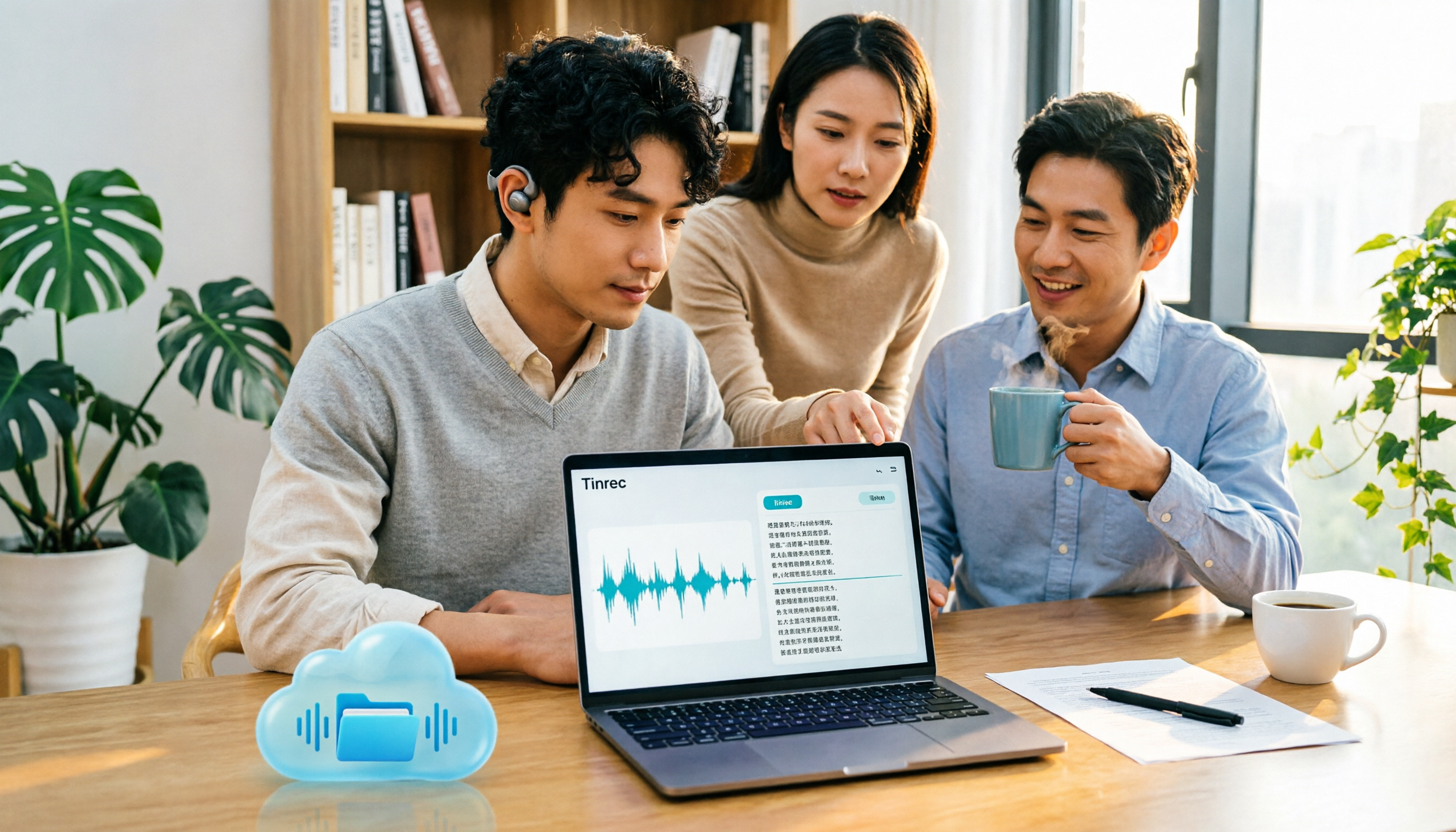
Tinrec vs Google AI Studio in 2026: 5-Dimension Comparison for Cloud Drive Audio Transcription
Storing audio files in Google Drive and need to convert them to transcripts? This article compares Tinrec with Google AI Studio and Google Cloud Speech-to-Text across 5 dimensions including single file length, Chinese recognition, post-meeting organization, and team data ownership. It also lists 4 common pitfalls to help you choose the most hassle-free cloud drive audio transcription solution.

2026 Recording-to-Data App Comparison: Tinrec vs PLAUD Note – Which Workflow Fits You?
In 2026, the real question isn't how to record audio—it's how to turn recordings into usable data. This hands-on comparison of Tinrec and PLAUD Note examines hardware needs, online meeting recording, post-meeting organization, Chinese and multilingual support, team collaboration, and pricing to help you decide which path to take.

4 Free Speech-to-Text Apps Tested: Free Tiers and Chinese Recognition Compared
Many free speech-to-text apps exist, but the real differences lie in how free tiers work, how well they recognize Chinese, and whether transcripts are ready to use. This article breaks down the selection logic using 4 key points, compares the free plans of Tinrec, Notta, Otter.ai, and TurboScribe, and highlights 3 common pitfalls.

2026 Video Summarizer Buying Guide: 4 Tools Tested and Recommended
Looking for a video summarizer but not sure where to start? This guide shares hands-on testing and recommendations for 4 tools, covering no-subtitle videos, multilingual processing, AI Q&A, and team knowledge retention, helping you see the differences between Tinrec, Monica, WayinVideo, and Glarity.