
Turn recordings into transcripts and summaries in minutes
Upload audio or video for multilingual transcription, AI notes, and action items
Tinrec Work Summary 2026: Convert Recordings to Transcripts & Auto-Generate Reports
It's 11 PM on a Friday. You open your company's daily report form, and the cursor blinks in an empty field for five minutes—you had 6 meetings this week, replied to over 40 messages, revised three proposals, but you honestly can't remember what was decided in Tuesday's meeting. This was a scene I encountered every week during my marketing internship last semester.
Later, I researched work summary apps and found that most people aren't stuck because they can't write—they're stuck because they never saved any material to look back on. This article compiles the methods I actually used this semester, including how Tinrec turns recordings of meetings, discussions, and interviews into raw material for daily reports and project summaries.
What Can a Work Summary App Do for You?
A work summary app doesn't write essays for you—it helps you capture the scattered conversations and decisions from each day so you have something to summarize later. Take Tinrec for example; it can be directly useful in these areas:
Scenario 1: Get records right after a meeting, no need to rely on memory After a two-hour meeting, I used to retain only about 30% of what was discussed. Tinrec's live transcription generates a transcript while the meeting is happening. Afterward, the AI summary and chapters already organize the discussion topics, conclusions, and action items, so I can directly copy them into my daily report.
Scenario 2: Scattered weekly discussions automatically become a to-do list Tinrec extracts action items from meeting content. When writing my weekly summary on Friday, instead of trying to recall what I did this week from scratch, I open the week's extracted action items and check off each one.
Scenario 3: Record online meetings without an extra bot account Tinrec's desktop version captures your computer's system audio directly, so it can handle online meetings on Zoom, Google Meet, Microsoft Teams, Webex, etc., without needing a meeting bot to join. This was very practical for my internship situations where clients might not want a stranger's account in the meeting.
Scenario 4: Turn lectures, interviews, and class recordings into text Besides meetings, I also use it to organize interview recordings for my graduation project and lecture content from general education courses. Existing audio or video files can be uploaded directly for transcription, no need to listen from scratch.
What Are the Core Capabilities of a Work Summary App?
Live transcription: text appears as you record Transcription doesn't wait until recording ends. Tinrec generates a transcript in real-time during recording. During meetings, I keep the window open to verify key numbers and names are captured correctly, and I can ask questions on the spot if something seems off.
AI summary and chapters: break long meetings into digestible structure A two-hour meeting becomes a 10,000-word transcript, which is honestly as good as unorganized. Tinrec automatically generates summaries, chapters, and key points, breaking the long meeting into sections. When reviewing, you can look at the chapters first and then decide which part to dive into.
Action item extraction: pull out action items from discussions The easiest thing to miss in a meeting is "who needs to finish what by when." Tinrec organizes these action items into to-dos. My weekly report's "Next Week's Plan" section almost always starts from here.
AI Q&A: ask questions directly about meeting data After transcription, you can ask Tinrec directly, for example, "What was the budget cap the client mentioned in this meeting?" or "Which option did we decide to use in the last meeting?" It answers based on semantic understanding and lets you cross-check the original text. For someone like me who has to flip through the transcript three times to find one sentence, the time saved is significant.
Agent post-processing and multi-format export: turn raw material into finished products Tinrec can further generate reports, tables, and documents based on meeting content, and supports export to Notion, Google Docs, OneNote, Dropbox, etc. for further editing. My approach: meeting transcript → AI summary → use Agent to produce a structured work record → export to Notion for archiving.
Team space: data isn't tied to individual accounts For group projects or internship teams, Tinrec's team version provides an independent team space where meeting data belongs to the team, including member and seat management, usage analytics, audit logs, and team hotwords. This is especially practical for questions like "will the data still be there after group members graduate?"
Real-World Use Cases
Intern's weekly work report During my internship, I recorded daily meetings and discussions with Tinrec, then put the transcript and summary into cloud documents. On Friday, I open the week's summaries, categorize by project, and the "Completed This Week" and "Next Week's Plan" sections take shape. It used to take two hours to recall; now it takes about 30 minutes to organize, and the content is much more specific than writing from memory.
Stop organizing recordings by hand
Upload audio or video and automatically get a transcript, summary, and action items
Graduation project group meetings The most troublesome thing about group meetings is that "no one remembers the conclusions afterward." Now we record meetings directly with Tinrec's desktop version, and after the meeting, we paste the extracted action items into the group chat. Who's responsible for what and what to bring next time is clear at a glance. If someone is absent, they can catch up by reading the transcript.
Class and lecture notes A two-hour general education lecture with a fast-speaking instructor makes it hard to understand and take notes simultaneously. Now I use Tinrec to transcribe the recording, then look at the summary to grasp key points, and go back to the transcript when I need to quote something—no need to listen to the whole two hours again.
Graduation project interview organization When doing interview research, after a 40-minute interview is transcribed, I use AI Q&A to confirm "what the interviewee said about a certain topic," then cross-check with the recording. Organizing interview transcripts saves about half the time.
5 Things to Consider When Buying a Work Summary App
1. Can it handle your actual meeting format? Are your meetings online, in a classroom, or in-person interviews? Tinrec's desktop version handles online meetings, while the mobile and web versions handle in-person recordings and can also upload existing audio and video files, covering a wider range. Also note that Tinrec is user-initiated recording, not the type that automatically joins all meetings on your calendar.
2. What else can it do after transcription? A tool that only gives you a transcript means you still have to read through 10,000 words yourself. Tinrec offers summaries, chapters, action item extraction, AI Q&A, and Agent post-processing after transcription—that's where the real time savings for writing summaries come from.
3. Can the output integrate back into your existing workflow? Are you already using Notion, Google Docs, or OneNote? Tinrec supports multi-format export and third-party tool export, so organized content goes directly to your existing archive location without copy-pasting. It's recommended to first check the free quota and plan details, then decide whether to use the free version, short-term plan, or long-term plan based on your usage frequency.
4. Chinese and multilingual processing Meetings in Taiwan often mix Chinese and English, with many technical terms. Tinrec supports Chinese and multilingual transcription, real-time translation (you can view original text, translation, or bilingual), and the team version can maintain team hotwords to improve recognition of technical terms. Actual performance is affected by recording quality, noise, accents, multiple people speaking simultaneously, and technical terms. It's best to test with your own recordings.
5. Team collaboration and data ownership If shared by a group or department, the key is "who owns the data." Tinrec's team version puts meeting data in a team space and distinguishes management permissions and usage eligibility by roles and seats. When a member leaves or loses their seat, they can hand over their team resources to other active members. Note that currently it's mainly team-level sharing, not a fine-grained permission system where each file has different permissions.
Frequently Asked Questions
Q1: How is a work summary app different from a regular note-taking app? A note-taking app is for "writing things down," while a work summary app is for "turning what happened into a reviewable record." Take Tinrec for example; it processes recordings and meeting content, turning them into transcripts, summaries, and action items, so you have material when writing summaries.
Q2: Is Tinrec's free version enough? The free version provides a basic quota, suitable for trying out the recording, import, summary, and transcription workflow. It's fine for occasionally organizing a recording. If you have regular weekly meetings or classes to record, consider the Pro plan; for short-term intensive use (e.g., project sprint week), a weekly pass might be an option.
Q3: Do online meetings need a meeting bot to join? No. Tinrec's desktop version records online meetings by capturing the computer's system audio, without needing an extra account to join. However, note that this is user-initiated recording, not automatically joining all scheduled meetings.
Q4: How accurate is the transcription? It's not advisable to imagine accuracy with fixed numbers. Actual performance is affected by recording quality, ambient noise, accents, overlapping speakers, and technical terms. A more practical approach: test with your own meeting recording, and cross-check important content with the recording and timestamps.
Q5: What's the difference between the team version and personal version? Is it suitable for student groups? The personal version's data is managed by the individual account; the team version provides an independent team space where data belongs to the team, plus member, role, seat management, usage analytics, audit logs, and audio recycle bin. Currently, the team version offers a 7-day trial for first-time eligible users, 1 free seat, and 300 minutes of team shared import quota. After that, paid seats are USD 29.80 per month (annual payment USD 199 per paid seat per year, equivalent to about USD 16.58 per month), with each paid seat providing 2,000 minutes of team shared import quota per month; under an active plan and active seat, live recording currently does not deduct minutes. Actual prices and benefits are subject to the official purchase page.
Conclusion
If you can't write a work summary, it's usually not a writing problem—it's that the week's events weren't properly recorded. Instead of struggling with a blank form on Friday night, it's better to record content during meetings and discussions—use Tinrec to turn recordings into transcripts, summaries, and action items, then use AI Q&A and Agent post-processing to assemble the material into reports and documents.
If you also often get stuck writing daily reports, weekly reports, or project summaries, start with the free version and try it with an actual meeting or class to experience what it's like not to rely on memory afterward. If a group or team needs to share data, consider using a team space to accumulate the content of each meeting.
References
- iOS Daily Work Hours Record!! 'PayDay' Don't Let Your Salary Secretly Decrease!! - Aotter Girls: Girls' Tech Daily - Apps, Tech Gadgets, Life and Food
- 2026 Efficient Work Techniques! 9 Office Productivity Tools Apps | 104 Workplace
- TickTick - To-Do List & Task Manager - Google Play App
- 5 Team Management Apps Recommended to Keep Hybrid Work on Track | App | Workflow | Applications | Epoch Times
- Summarize - Google Play App
Turn every recording into actionable outcomes
Get 60 free transcription minutes when you sign in. No credit card required.
Related Reading
You might also like

How to Transcribe Audio to Text in 2026: 5 Steps from Recording to Transcript
How do you choose an audio-to-text tool? This article covers 4 key buying factors, explains why a transcript alone isn't enough, and compares Tinrec, Otter.ai, Notta, and PLAUD in terms of positioning, pricing, and limitations, with final recommendations based on use case.

4 Best Automatic Video Summarizers in 2026: Which One Handles Chinese Summaries, Timestamps, and Team Records Best?
Too long to watch? This article starts with common pitfalls and outlines 4 key criteria for choosing an automatic video summarizer. It compares Tinrec, WayinVideo, Monica AI, and Notta on Chinese summaries, timestamp verification, post-meeting action items, and team data management, with a guide to avoid mistakes and pricing plans to help you find a tool that truly saves organization time.

Video Summarization Software Paid Plans in 2026: 5 Options Compared
How do you choose a paid video summarization tool? Using Tinrec as an example, this article breaks down five plans—Free, Weekly Pass, Pro Monthly, Pro Annual, and Team—covering video and meeting transcription, AI summaries, action items, Q&A, and team collaboration, plus buying tips and FAQs.

4 Phone Recording-to-Text Assistants Tested and Compared in 2026: Is the Free Version Enough or Should You Go Team?
How do you choose a phone recording-to-text tool in 2026? This article examines four key points: on-site recording and online meetings, post-transcription processing, free quota traps, and team governance. It compares four solutions—Tinrec, Notta, Granola, and PLAUD—explaining their suitable scenarios, limitations, and team pricing, helping you decide whether to start with a free version or purchase directly for your team.
4 Video Summarization Tools Tested in 2026: Which AI Q&A and Team Knowledge Base Is Best?
We tested four video summarization tools in 2026, comparing Tinrec, WayinVideo, Monica, and Notta across supported sources, AI Q&A, cross-platform support, and team collaboration to help you find the most time-saving and practical option.
2026 Top 5 Text-to-Speech Readers Compared: Which Free Version Reads Chinese Most Naturally?
Text-to-speech readers aren't plug-and-play. This article breaks down the real differences between Oratlas, Read Aloud, MyEdit, and built-in system features, explains why the bottleneck for 'listening to meeting content' is actually transcription, and where Tinrec fits into the workflow.

4 Video-to-Meeting-Minutes Tools Tested for 2026: Which One Actually Saves You Time?
After a video meeting ends, do you still need to spend extra time organizing minutes? This article examines four key aspects—recording method, audio/video file support, post-meeting output, and team data ownership—and puts Tinrec, Otter.ai, Granola, and Notta to the test. It also outlines the four most common pitfalls to avoid when choosing a tool, helping you find a video-to-meeting-minutes solution that truly saves time.
How to Choose a Video Summarization Tool in 2026: 5 Steps to Pick the Right AI Summarizer
How do you choose a video summarization tool? This article walks you through 5 steps, from clarifying your needs to filtering options, and reviews 7 solutions—Tinrec, Otter.ai, Notta, TurboScribe, Granola, PLAUD, and free YouTube summarizers—covering their positioning, pricing, and ideal users.
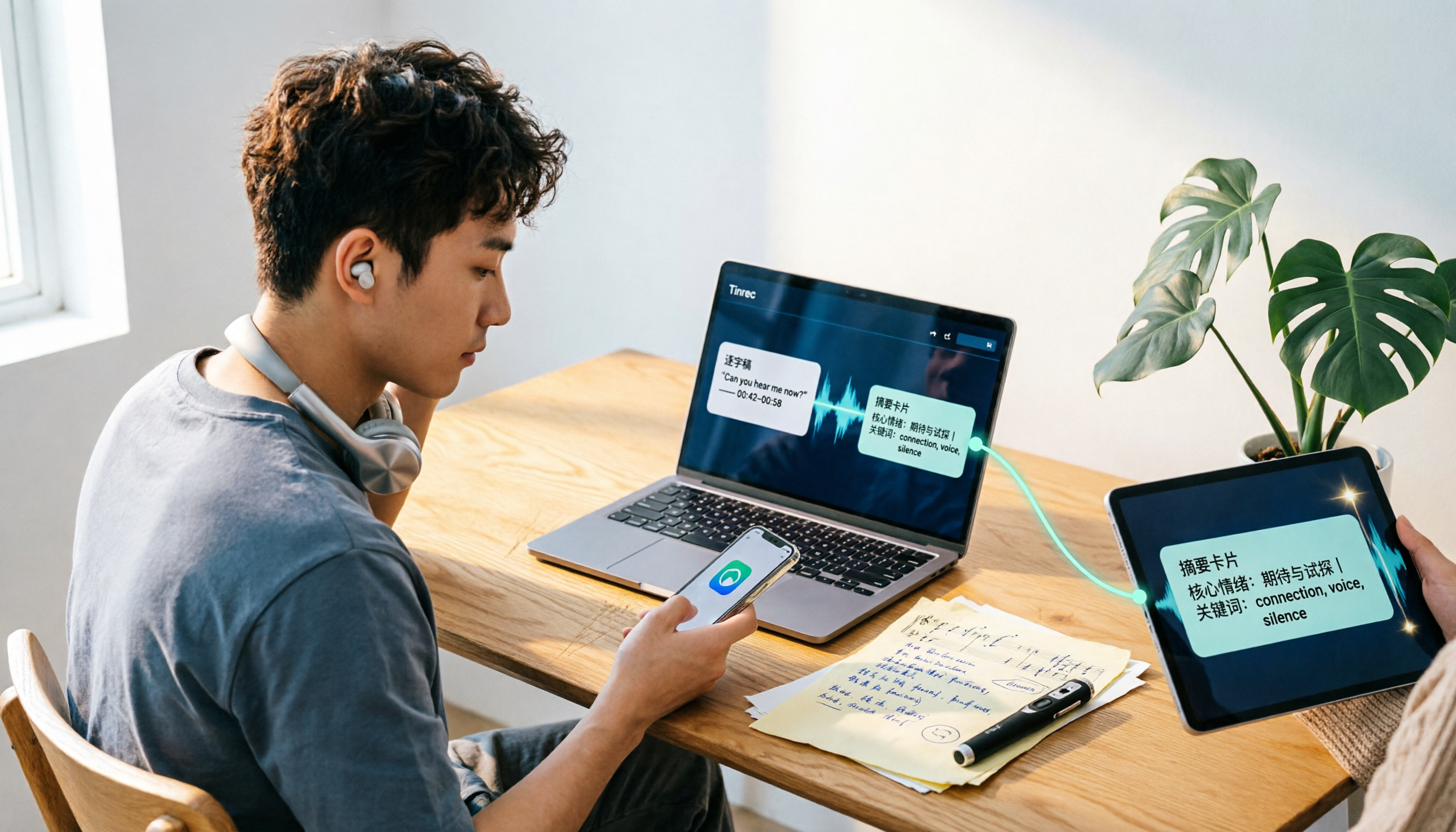
Music Format Conversion in 2026: Turn Audio into Transcripts and AI Summaries with Tinrec
Music format conversion is more than dropping an M4A file into an online converter. This guide covers three common misconceptions about why converting a file doesn't mean the content is usable, and shows how Tinrec turns audio and video files into searchable, summarizable, and queryable text. Includes real-world use cases, 5 buying considerations, and FAQs.