

Turn recordings into transcripts and summaries in minutes
Upload audio or video for multilingual transcription, AI notes, and action items
Group project meeting ends and no one remembers who's doing what—that's the real problem college students need to solve
The classic group project scene: four people discuss on Google Meet for 40 minutes, finally agree on tasks, and as soon as the meeting ends, the group chat only has "Wait, who was supposed to do that?" In the end, the team leader often re-listens to the recording and writes the meeting notes alone.
Another scenario is class. The professor lectures for two periods, a 90-minute recording sits on your phone, and when you need to organize notes for finals, you listen to the recording three times and still can't find that "this will be on the exam" key point. Club meetings, project interviews, company visits—same thing: you happily record at the time, but later you have no energy to go back and organize it.
The common issue isn't "no recording," but "the recording wasn't turned into something usable." With the right tool, transcripts, summaries, and to-do lists can be completed right when the meeting ends—that's the focus of this comparison article.
Before choosing a meeting notes app, understand these 5 key points
1. How free tiers work—don't just look at "free download"
Almost every app says free download, but free versions vary greatly: some have a fixed number of minutes per month, some limit single-session length (e.g., only 3 minutes per file), and some only offer a trial period. College students most often record 90-minute full class sessions, so the "single-session limit" is more critical than the "monthly total." Be sure to check before installing.
2. Audio quality determines everything—don't just look at official numbers
Transcription accuracy is affected by sound quality, air conditioning noise, accents, and multiple people talking over each other. The same app can produce very different results in a quiet study room versus a crowded student cafeteria. A practical approach: record 5 minutes in your usual classroom environment and try it out, rather than trusting flashy numbers in ads.
3. What else can it do after recording
A tool that only provides a transcript is just turning "listening" into "reading"—you still have to pick out the key points yourself. What really saves time is automatic summarization, chapter segmentation, to-do extraction, and the ability to ask questions directly about the meeting content—for example, "Who was assigned to make the slides in this meeting?"
4. Does it work across devices
Recording on phone, organizing on computer, reading on tablet—that's a student's daily workflow. If it only works on one system, or recordings can't be exported, your data will be hard to carry over after graduation or switching phones.
5. Group projects need a shared space, not file transfers
When each member records separately and then drops files into a LINE group, usually no one knows which is the final version. Tools with team spaces can centralize meeting data, so even if someone drops the class or switches groups, the data stays.
Tinrec—our top pick for college students after testing
Tinrec is an AI meeting notes and collaboration tool for individuals and teams, available on web, desktop, and mobile. It doesn't just convert audio to text; it organizes meeting and class recordings into searchable, queryable, and further editable data.
Classes and in-person meetings: live transcription while recording
Start real-time recording in a classroom or discussion room, and Tinrec transcribes as it records. After class, you don't need to re-listen to the whole lecture—the transcript is searchable, and summaries and chapters break long content into readable sections. Key points and to-dos are also extracted—next week's assignments from the professor, agreed-upon tasks within the group—all visible at a glance.
Online group meetings: no need to add a meeting bot to Google Meet
Group projects often meet online via Google Meet, Zoom, or Microsoft Teams. Tinrec's desktop version directly captures your computer's system audio, so no extra bot account joins the meeting, and no strange participant appears in the meeting list. For impromptu online group meetings, this is more intuitive than setting up calendar auto-join: open the desktop app and press record.
To be clear: Tinrec is not a calendar bot that "automatically joins all your meetings"—you need to start recording yourself.
After recording, ask AI directly for key points
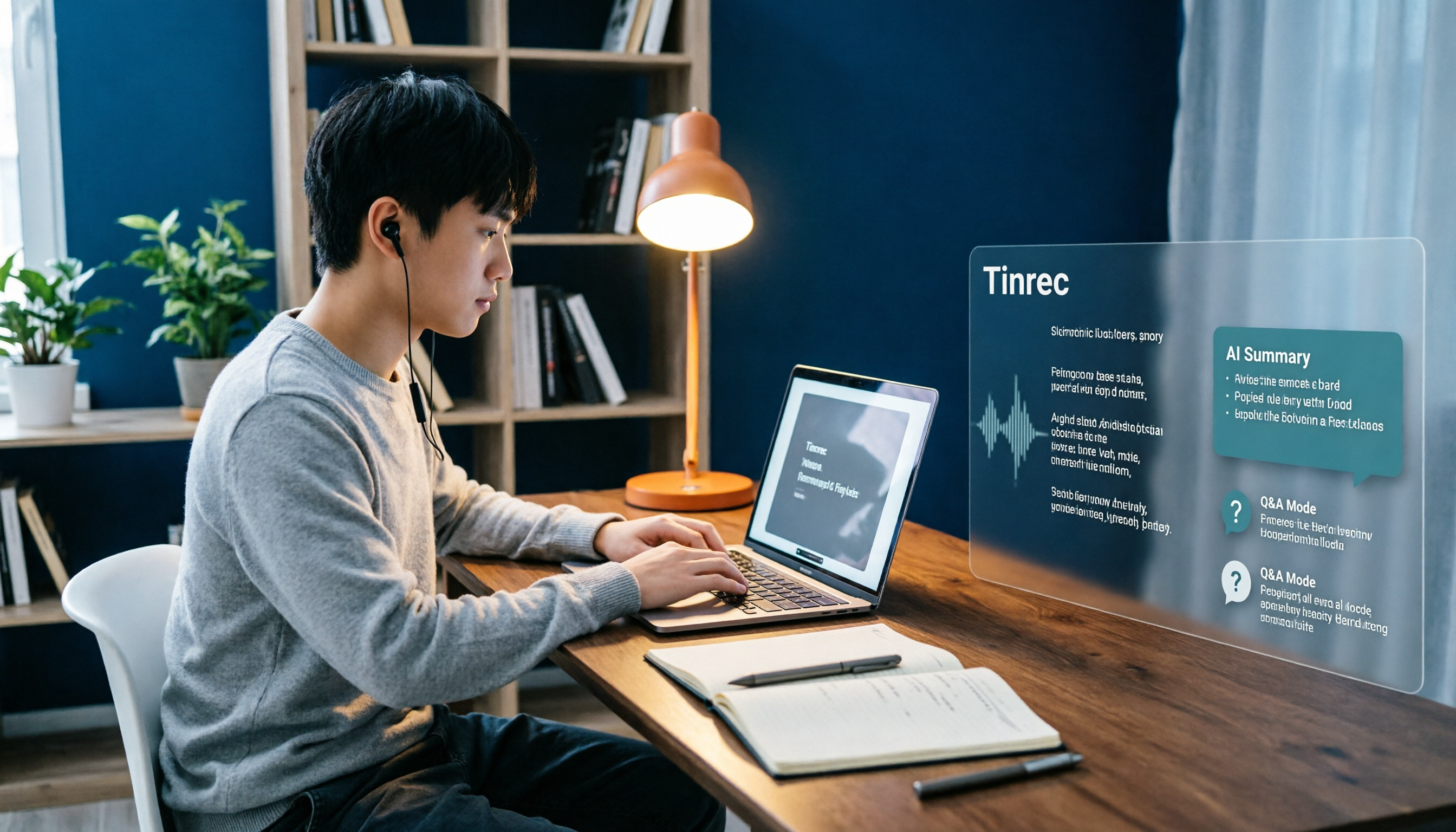
This is where Tinrec stands out most from other tools. The transcript is long, but you don't have to read it from the beginning—you can directly ask: "What was the conclusion of this meeting?" "Who is responsible for finding materials?" "What report format requirements did the professor mention?" It organizes answers by meaning, rather than giving you a bunch of keyword search results. For students juggling multiple classes and reports, this feature saves the most noticeable time.
Output and further use
Meeting results can be exported as documents, reports, or tables as needed, and can be exported to Google Docs, Notion, OneNote, Dropbox, and other common tools for further editing. When you need to deliver, you can use Agent post-processing to generate reports or tables—very practical for midterm and final written reports. It also supports real-time translation for cross-language situations, with options to switch between original text, translation, or bilingual view.
Group projects and project teams: use team spaces, not a shared account
For multi-person collaboration, Tinrec's team version puts data into an independent team space, rather than several people sharing a personal account. Transcripts, summaries, and to-dos from group projects are stored centrally in the team, so new members can directly read historical data, and handovers don't disappear with one person.
Stop organizing recordings by hand
Upload audio or video and automatically get a transcript, summary, and action items
The team version distinguishes "roles" and "seats": roles determine who can manage the team, members, and settings; seats determine who can record, upload, edit, and import/export. Members without a seat can still view, play, and read team data, but cannot edit. The team version also provides usage trends, member rankings, audit logs, team hot words, and an audio recycle bin.
Pricing: first eligible team trial is 7 days, 1 free seat, 300 minutes of team shared import quota; paid seats are USD 29.80/seat/month monthly, or USD 199/paid seat/year annually (about USD 16.58/month), with each paid seat providing 2,000 minutes of team shared import quota per month. Real-time recording under an active team plan currently does not deduct minutes, while file and web imports use the team shared quota. Actual prices and benefits are subject to the official purchase page.
For personal use, you can start with the free version to experience the basic quota; if you only use it intensively during finals week or a project sprint, a weekly pass is enough; if you have regular weekly class recordings and meeting notes needs, the Pro monthly or annual plan is more suitable.
Three reasons we think it's worth recommending
- Complete experience for Chinese and mixed Chinese-English content, including transcripts, summaries, to-dos, and real-time translation—friendly for Taiwanese classroom scenarios.
- Desktop version records online meetings without a bot, so impromptu Google Meet group meetings can be handled directly.
- After recording, it's not just a transcript—you can ask questions, export, generate reports, and store in team spaces. It's one of the few tools that can be used all the way through graduation projects.
Things to note
The free version provides a basic quota; heavy users need to pay. Also, Tinrec does not promise a fixed accuracy rate—actual performance is affected by audio quality, air conditioning noise, accents, and multiple people talking over each other. For important content, it's recommended to cross-check with transcript timestamps and the recording. The team version currently focuses on team-level sharing, not file-level granular permissions.
Who it's for
If you need transcripts for Chinese classes and meetings, often hold online group meetings but don't want to add a meeting bot, want to ask AI directly for key points after recording, or need a shared data space for group projects—Tinrec will be the smoothest choice on this list.
Besides Tinrec, what other options are there?
Notta: A veteran tool with good multilingual transcription and translation, also supports meeting and file imports. Note that the free version has 120 minutes per month and a maximum of 3 minutes per single session—quite unfriendly for 90-minute full class recordings. Pro annual is about USD 8.17/month. It's suitable for short audio or occasional transcription needs; but if you want bot-free online meeting recording, the ability to ask follow-up questions on transcripts, and team space storage, Tinrec is more complete.
Otter.ai: Top choice for English meetings and classes. Basic free is 300 minutes per month, Pro annual is about USD 8.49/user/month, with mature English business mindset. But Chinese and Taiwanese expressions are not its strength. If you only record English content, it's a good deal; if you also have Chinese classes and mixed Chinese-English project discussions, Tinrec's real-time translation and Chinese organization will be more relevant.
PLAUD Note / NotePin: Representative of AI recording hardware. NotePin is USD 159, Note Pro USD 189, Starter plan 300 minutes per month. Advantages: portable, hardware recording, suitable for interviews and phone calls. Disadvantages: extra device cost, and online meetings and existing file imports still need to be handled back in the app. Tinrec requires no hardware purchase, works on web, desktop, and mobile, and supports importing existing audio files and bot-free online meeting recording.
Pitfalls guide: 4 most common mistakes college students make when choosing a meeting notes app
Pitfall 1: Installing just because it says "free download." What really matters is the free quota and single-session length limit. We suggest recording a 90-minute class once to see if it's enough.
Pitfall 2: Treating the tool only as "audio-to-text." Using only transcripts means you're only getting one-third of its value. Tools like Tinrec can automatically generate summaries, chapters, and to-dos, and you can ask questions directly about the meeting content—much faster than manually flipping through 30 pages of transcript.
Pitfall 3: Ignoring cross-device and export. Recording on phone and organizing on computer is the norm. Before choosing, confirm whether it works across systems and can export to Google Docs or Notion, otherwise data will be hard to migrate after graduation or device change.
Pitfall 4: Sharing one account for group projects. When several people share one account, no one knows which version is the latest. Multi-person collaboration should use team spaces, so data belongs to the team and can be handed over even if members drop or switch groups. Also note: before recording, please confirm you have obtained consent from all participants and comply with relevant local regulations.
Conclusion: Which one should you choose?
- Want to try for free first, mainly for recording classes and group meetings → Tinrec free version, experience the basic quota
- Need Chinese/mixed Chinese-English transcripts, and want to use AI to find meeting key points → Tinrec
- Groups often meet online via Google Meet, Zoom, Teams, and don't want to add a meeting bot → Tinrec desktop version
- Group projects need shared data, and files must be kept even if someone leaves → Tinrec team version (team space + role and seat management)
- Only record English meetings, zero budget → Otter.ai
- Need portable hardware recording, mainly for interviews and phone calls → PLAUD Note / NotePin
For typical college student usage, Tinrec is the most complete in Chinese organization, bot-free online meeting recording, AI Q&A, and team data storage. We suggest starting with the free version, running through a class or a group meeting—transcript, summary, and to-dos all at once—then deciding whether to upgrade or create a team space for group projects. That's more reassuring than paying from the start.
References
- AI Meeting Notes Software Recommendations: 5 App Tested Comparison, Automatic Transcription Makes Meetings Easy!
- r/ProductivityApps on Reddit: Does anyone know of a free or cheap app that will do meeting notes for you?
- AI Meeting Notes - Google Play App
- Gemini Meeting Notes APP: The Strongest Plaud AI Alternative | AI Audio to Text
- Recently many people ask me if there are any AI tools for meeting notes? They still type manually, often can't multitask, and waste time. I always answer — SeaMeet. Why recommend? Here are the key points: - Tied to Google Meet, online meetings sync transcripts and real-time summaries, super convenient. - No need to refresh, after the meeting, directly email all participants. - Operation is super simple, I taught middle-aged people who never used AI tools in 10 minutes. - In-person meetings
Turn every recording into actionable outcomes
Get 60 free transcription minutes when you sign in. No credit card required.
Related Reading
You might also like

5 Best English Audio-to-Text Tools for International Students in 2026: Which Saves the Most Time on Class Notes?
We tested and compared 5 English audio-to-text tools ideal for international students, including Tinrec, Otter.ai, Notta, and TurboScribe. We analyzed accuracy, AI summaries, Chinese language support, free tiers, and pricing to help you find the best solution for class notes and review.

4 Best AI Note-Taking Tools for Students in 2026: Can You Finally Listen and Take Notes at the Same Time?
When you're busy taking notes in class, you often miss the key points the teacher emphasizes. This article shares hands-on testing of 4 AI note-taking tools for students, comparing transcription, Chinese recognition, online class recording, and post-class AI Q&A, with honest details on free tiers and paid pricing to help you find the one that fits your class pace.

Class Recording to Text in 2026: How Tinrec Turns Lectures into Transcripts and AI Notes Without a Voice Recorder
When it comes to turning class recordings into text, the real decision for students isn't which tool to use—it's whether to carry an extra device to class. This article compares Tinrec and PLAUD recording hardware across five dimensions: recording method, course scenarios, post-transcription usability, Chinese and bilingual classrooms, and cost structure. It also includes a transcript organization workflow you can follow right after class.

Remote Work Meeting Notes in 2026: 4 Key Features That Determine If You Can Leave on Time
Remote work meeting notes often fall into three traps: treating a video recording as documentation, treating a transcript as meeting minutes, and leaving organization until the end of the day. Using Tinrec as an example, this article breaks down the real needs for remote meeting notes—real-time transcription, AI summaries, action items, and team spaces—and covers 5 buying considerations and FAQs.

Tinrec vs Notta 2026: 5-Dimension Comparison for Automatic Note-Taking in Online Courses
Can't keep up with notes during online classes? This article tests Tinrec, Notta, Otter.ai, and other tools across 5 key dimensions, explaining the real differences in lecture transcription, AI summaries, and action items, plus buying criteria and pitfalls to help you find the best note-taking workflow for your classes.

2026 Complete Guide to Phone Conference Recording Transcription: From Transcript to Meeting Minutes
Getting only a transcript after a phone conference is essentially no organization at all. Based on a student's hands-on experience, this guide explains what phone conference recording transcription can do for you, its core capabilities, how to use it for online courses and group projects, and includes 5 key points to consider when choosing a tool plus common FAQs. It helps you distinguish between 'just turning audio into text' and 'actually helping you organize meetings.'
Best Note-Taking Apps for Online Classes in 2026: 7 Tools + Auto Transcription
Struggling to keep up with fast-paced online lectures and too lazy to rewatch recordings? This guide reviews 7 note-taking apps for online classes, from Tinrec's recording-to-transcript, AI summaries, and Q&A, to Notion, OneNote, GoodNotes, Notability, Obsidian, and Google Keep. Includes selection tips and 4 must-knows to help you build a note-taking workflow that works for you.

Best Audio-to-Text Tools in 2026: We Tested 5, and This One Handles Chinese Meetings Best
Tired of spending twice as long replaying and organizing meetings? We tested 5 audio-to-text tools, comparing Chinese recognition, online meeting recording methods, AI summaries, post-meeting Q&A, and free tiers. We also highlight 4 common pitfalls to help you find the one that truly saves time.

4 Meeting Transcription Tools Tested for 2026: Which AI Meeting Notes Actually Save You from Overtime?
Spending an extra hour after a meeting to write up notes is a daily reality for most professionals. This article breaks down the 4 key factors for choosing a meeting transcription tool based on real workflows, takes a deep dive into Tinrec's bot-free recording, AI Q&A, and team spaces, briefly reviews Otter.ai, Notta, and Granola for different use cases, and offers clear recommendations based on budget and needs.