
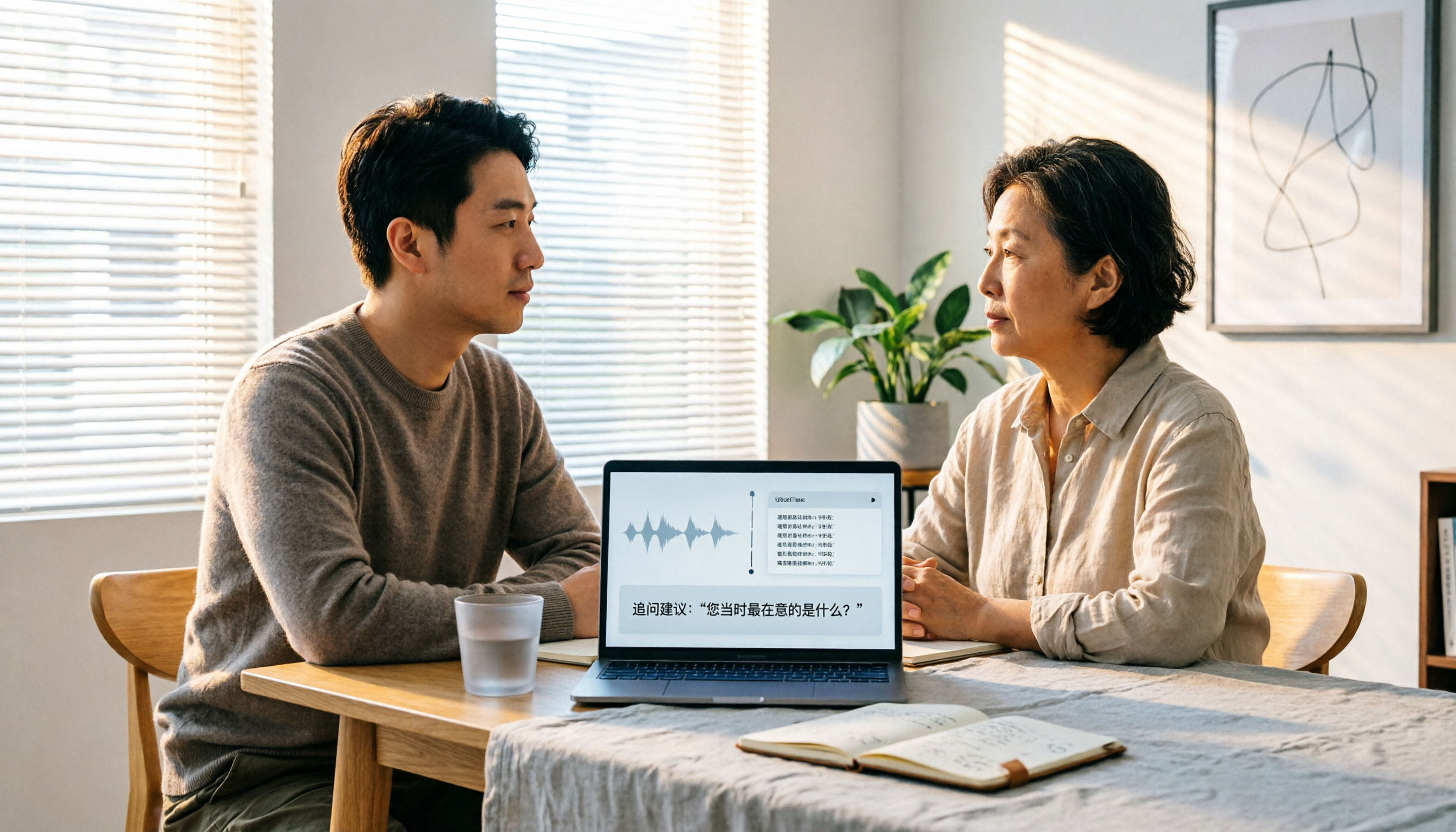
Turn recordings into transcripts and summaries in minutes
Upload audio or video for multilingual transcription, AI notes, and action items
2026 User Interview AI Tools Comparison: After Transcription, Which One Helps You Ask the Right Follow-Up Questions?
Your Interview Recordings Are Piling Up—The Real Problem Isn't Typing
After three user interviews, you have three one-hour recordings sitting on your phone.
Transcribing them is just the first step.
The second step is two weeks later when you're writing a report, searching for the word "pricing" across four transcripts, and all you get is a bunch of fragmented snippets—not an answer.
What's worse is when a participant said, "I got stuck at the last step and gave up," you didn't follow up at the time, and now you can't find which minute that was in.
This isn't a typing speed problem.
It's a problem of interview data not becoming something you can query.
Before Choosing an AI Tool for Interviews, Understand These 4 Key Points
1. Do you need live viewing during the interview, or post-recording organization?
There are two scenarios. One is when you want to confirm what the participant said in the moment and follow up immediately; the other is when you have a batch of accumulated recordings to organize later. Tools support these differently. Figure out which side you lean toward so you don't pay for features you won't use.
2. Do you need to keep the original audio for interview data?
Some tools only give you transcripts and don't retain the meeting audio.
But interviews are different. You need to quote exact sentences, listen back to tone, and confirm whether the participant hesitated. Without audio, you have to trust the text—and the text is generated. This is the most easily overlooked dimension in my opinion.
3. After transcription, can you ask questions about it?
If you treat the transcript as just a document, you still have to read it from start to finish yourself.
But if the tool supports AI Q&A, you can directly ask, "What were the three participants' concerns about pricing?" and it should give you organized answers with sources, not just a bunch of keyword matches.
4. Who ultimately owns this data?
If interviews are done by a team, and data is stored in personal accounts, it scatters when people leave.
This only becomes painful as the team grows, but when it hurts, it really hurts.
Tinrec — I Turned Three Interviews into a Queryable Database
Tinrec is an AI meeting notes and collaboration tool for individuals and teams, available on iOS, Android, desktop, and web.
It doesn't just convert audio to text—it turns interview recordings into searchable, summarizable, queryable, and exportable data.
During the interview: live transcription
For in-person interviews, I keep Tinrec open on my phone and let it transcribe live.
The transcript grows in real time. When a participant mentions a keyword, I can see it on screen immediately and follow up, rather than remembering after the interview that I should have asked more about that point.
If the interviewee speaks English or mixes Chinese and English, I can turn on live translation and view in original, translated, or bilingual mode.
(Screenshot: Mobile live recording screen, transcript scrolling with speech, arrow pointing to live translation toggle)
After the interview: integrate existing recordings
The real time-saver is after the interview.
I also have phone recordings and online meeting side recordings from participants. These can be uploaded for transcription and stored in the same dataset as live recordings, not scattered across three different places.
After transcription, it automatically generates summaries, chapters, key points, and action items. A one-hour interview is broken into skimmable sections.
(Screenshot: Results page after audio upload, left side shows chapters and key points, right side shows transcript with timestamps)
Online meetings can also be handled with the desktop version. It captures system audio, so you don't need to invite an extra meeting bot into the room.
For participants, there's no unfamiliar account in the meeting, making the interview experience more natural.
The real difference: after recording, you can ask it directly
This is where I think it differs most from ordinary transcription tools.
After all interviews are transcribed, I no longer Ctrl+F—I just ask questions.
For example: "Among these five participants, which ones mentioned implementation costs? What did each say?"
It doesn't give you a bunch of keyword-matched snippets, but a semantic summary that you can cross-check with the original timestamps.
Interviews accumulated in the same space can also be queried across sessions. It's like gradually building your own qualitative database from scattered interviews.
Here's a follow-up template you can copy and paste directly:
Stop organizing recordings by hand
Upload audio or video and automatically get a transcript, summary, and action items
"You are a user interview organizer. Please read this transcript and report: 1. The three main pain points mentioned by the participant, each with original timestamp and quote. 2. What are the participant's dissatisfactions with existing solutions? 3. What clues did the participant mention voluntarily but were not followed up on? 4. If you could ask the participant three more questions, what would they be?"
Team interviews: data doesn't leave with people
If your team conducts interviews, Tinrec's team version is a separate team space, not "multiple people sharing one personal account."
Transcripts, summaries, and action items are stored in the team space. New members can view past interviews. When a member leaves or loses their seat, their team resources are transferred to other active members, so data doesn't disappear with the individual.
The team version distinguishes roles and seats: roles determine who can manage the team and members, seats determine who can record, upload, edit, and export. Members without seats can still view and read team data, but cannot perform resource-consuming operations.
Admins can also view team usage trends and member details, query and export important operation logs, and there's an audio recycle bin to restore accidentally deleted recordings.
(Screenshot: Team space member and seat management page, arrow pointing to seat allocation field)
Pros
- All stages in one place: live transcription during, summaries/chapters/action items after, and continued querying.
- Chinese and multilingual support: bilingual mode for mixed Chinese-English or cross-language interviews, plus team-maintained custom terminology.
- Results are portable: transcripts, summaries, reports, and tables can be exported to Notion, Google Docs, OneNote, Dropbox, etc.
Limitations
The free version provides basic quota. If you do several interviews weekly, you'll need to upgrade. Team version file and web imports consume shared team import quota, not unlimited.
Also, AI summaries and Q&A help you find direction faster. For important quotes, I still click back to the timestamp and listen to the original audio. Recording quality, accents, and multiple people talking over each other all affect transcription results.
Who it's for
Research and product teams who interview weekly and need to turn interviews into repeatable queryable data; or anyone whose interview recordings are scattered across phones, cloud, and chat apps and wants a single place to consolidate them.
Besides Tinrec, What Other Options Are There?
Otter.ai
If your interviews are almost all in English and your team is already used to English business meeting tools, Otter.ai is a mature option with 300 free minutes per month. But its strength is English meeting scenarios; Chinese interview organization isn't its focus. Tinrec's live bilingual comparison and team terminology are smoother for mixed Chinese-English interviews.
Granola
It's also a bot-free desktop meeting notes tool, following a "your handwritten notes plus AI enhancement" approach. Note that it doesn't support uploading pre-recorded audio files and doesn't retain meeting audio. If you need to integrate phone recordings and existing audio files, and listen back to original audio later, Tinrec's approach better fits interview research needs.
Notta
Feature overlap is significant: multi-platform transcription, translation, team plans, with 120 free minutes per month and 3 minutes max per session. If you mainly throw files in for transcription, it's a reasonable choice. But for bot-free online meeting recording, AI follow-up, and team data consolidation and handover, Tinrec is more complete.
Pitfalls Guide: 4 Most Common Mistakes with AI Interview Tools
Pitfall 1: Treating the tool only as a transcription generator
If you only use it to convert text, you're using only a third of its capability. The real value of interviews is in follow-up and cross-referencing after transcription. Asking it directly "What are the common concerns about pricing among these participants?" is much faster than manually flipping through 30 minutes of transcript.
Pitfall 2: Not defining what you want to validate before the interview
No tool can compensate for an unfocused interview. I habitually write down three hypotheses to validate before the interview, so I have something to compare against during recording.
Pitfall 3: Ignoring data ownership
Projects in personal accounts break when people leave. For team interviews, put them in the team space from the start so you don't have to migrate data later. This is why roles, seats, and member relationships matter—"can see" and "can use" are two different things.
Pitfall 4: Treating AI summaries as interview conclusions
Summaries help you quickly grasp direction, but for sentences quoted in reports, I still click back to the timestamp to verify the original audio. AI may miss tone or misinterpret sarcasm.
Conclusion: Which One Should You Choose?
In one sentence: For those who need Chinese interview organization, Tinrec is my top choice after testing.
- Interviews with mixed Chinese-English, want live bilingual viewing → Tinrec
- Want to use AI to find cross-session commonalities after recording → Tinrec
- Need mobile, desktop, and web, with interviews and supplementary recordings together → Tinrec
- Team interviews, data stays with the team and can be handed over → Tinrec Team
- Interviews entirely in English, team only uses English tools → Otter.ai is a reasonable exception
If your interviews are currently a mess of scattered recordings, start with the free version and try one of your own interviews.
Generate the transcript, then try asking it a question you would have spent half an hour manually searching for.
Test step by step, and you'll gradually turn interviews into truly usable data.
References
- 2026 Global 19 Best AI Tools! Latest Top 100 AI Trending List Here!
- DigiKnow | 2026 AI Tools and Prompts Guide: Six Major AI Tools, Practical Questioning Techniques at Once
- 12 Best AI Productivity Tools You Can't Miss in 2026
- AI Transformation Survival Guide 2026: 20 Must-Have AI Tools for SMEs | AI.com.tw Taiwan's AI First Stop
- [AI Cheat Sheet] Read This! 2026 Recommended AI Free vs Subscription Tools to Boost Productivity & Workplace Competitiveness! (Continuously Updated) | 104 Workplace Power
Turn every recording into actionable outcomes
Get 60 free transcription minutes when you sign in. No credit card required.
Related Reading
You might also like

2026 AI Meeting Knowledge Base Tools Compared: Tinrec vs PLAUD Note
Recorded meetings pile up, but when you need them, you can't find anything. This comparison looks at six dimensions—meeting capture, input sources, post-meeting workflow, Chinese language experience, team knowledge base, and pricing—to compare the software-based Tinrec with the AI recording hardware PLAUD Note, helping you decide which one better fits your meeting scenarios.

Free User Interview Transcription Options in 2026: 5 Tools Compared
The hardest part of user interviews isn't the interview itself—it's the 20 hours of audio afterward. This practical guide breaks down free transcription options and where the paid limits are, explains how far Tinrec's free plan can go, when it makes sense to upgrade, and 5 key factors to consider when choosing a tool.

2026年4款会议记录工具实测对比:谁能真正建立知识库?
会议记录不只是逐字稿,更要能沉淀成可搜索、可追问的知识库。本文实测对比4款工具,从选购标准、AI后处理、团队协作到避坑指南,帮你选出最适合的会议记录知识库方案。Tinrec(秒听录音)在无机器人录制、AI问答和团队资料沉淀方面的表现尤其突出。

4 Best Meeting Data Management Tools in 2026: Free vs. Team Plans Compared
Meeting data scattered across inboxes and personal computers makes retrieval a nightmare. This article starts from the decision point of 'where does the data ultimately reside' and compares four meeting data centralization tools—Tinrec, Notta, Otter.ai, and Fireflies.ai—on their capture methods, post-meeting organization capabilities, team spaces, and pricing limits. It also outlines 4 key considerations before choosing and 3 common pitfalls to help you select the right one for your team.

2026年3款用户访谈免费转写工具实测对比:别被免费额度骗了
访谈动辄一小时起步,免费转写工具的额度陷阱往往在第一场就出现。这篇先拆解 5 个常见误区与挑选判断点,再用 5 个维度实测比较 Tinrec(秒听录音)与雅婷逐字稿,从素材来源、会后整理、免费额度、回听保存到团队协作,帮你判断哪一种工具才真的省到时间。

2026 User Interview Tools Compared: Which Report Template Saves the Most Time
Done with user interviews but transcripts and insights are scattered? Here's a ready-to-use user interview report template skeleton, plus a hands-on comparison of Tinrec, Notta, TurboScribe, and PLAUD Note on transcription, AI Q&A, and team collaboration—so you can pick the one that saves the most time.

2026 User Interview to Requirements Analysis: 2 AI Interview Tools Tested and Compared — Which One Uncovers Real Needs?
Finished the interview but can't turn it into requirements? This article compares Tinrec and Granola across 5 dimensions: importing existing audio files, Chinese transcription and terminology recognition, post-meeting requirements processing, output and workflow integration, and team data retention. Find out which tool is better for turning user interviews into actionable requirements analysis.

How to Turn User Interviews into a Requirements Document in 2026: A Complete 5-Step Guide
Struggling to turn interviews into a requirements document? The problem is often your recording tool. This article walks through 5 steps from user interview to requirements document, comparing Tinrec and Granola on recording retention, importing existing audio, Chinese transcription, post-meeting outputs, and team collaboration. It also covers pricing and FAQs to help you decide which tool to use.

6 User Interview Tools Tested and Compared in 2026: Which One Actually Helps You Uncover User Pain Points?
The most common mistake in user interviews is spending all your energy on "how to ask" without thinking about "how to preserve what you learn after the interview." This article starts from the pain point of post-interview organization and tests 6 interview tools that help extract user pain points, including Tinrec, Otter.ai, Notta, Granola, TurboScribe, and PLAUD. It includes pricing, free tiers, and use cases, with final selection advice from a mid-level manager's perspective.