

Turn recordings into transcripts and summaries in minutes
Upload audio or video for multilingual transcription, AI notes, and action items
2026 Team Meeting Seat Management Tools Comparison: Which One Keeps Meeting Data in the Team?
After the meeting, data is scattered across everyone's accounts
Last month, a reader left me a message: In his first week at a new company, he wanted to find the conclusions from the first three meetings of a project. His manager replied, "Those records are in the account of a colleague who has left, and we can't get them back."
Another common situation: A team buys a meeting tool, but ten people share one set of login credentials. No one knows who recorded what, and after someone leaves, that shared account is still being used.
An even more everyday scenario: After a weekly meeting, the manager wants to know who hasn't acted on the three tasks assigned last time, but can only scroll up through chat history in the group.
These problems usually aren't because the tool isn't powerful enough, but because "seats" haven't been managed well. Seat management is about who on the team can record, who can upload, who can only view, and who owns the data after someone leaves.
If you've encountered similar situations, this article is for you.
Before choosing a team meeting tool, understand these 4 key points
1. "Role" and "seat" are two different things
Many teams think that setting someone as an "admin" means they can use all features, but that's not the case. Roles determine who can manage the team, manage members, and view audits; seats determine who can record, upload, edit, and import/export. Looking at them separately prevents confusion like "he's an admin but can't record" or "he's just a member but occupies a paid seat."
2. Can people without a seat see the data?
Few people ask this, but it's crucial. Some tools lock you out completely without a seat—you can't even see past meetings. For a team, "can read" and "can use" should be two different things—new hires should at least be able to review old records.
3. When personnel changes occur, does the data follow the person?
Meeting data stored in personal accounts becomes disconnected once the person leaves. This is the most easily overlooked and most expensive pitfall. The way to judge is simple: ask, "After a colleague leaves, are the meetings they recorded still in the team's hands?"
4. Are usage and audits visible?
If the team is paying, admins should be able to see who uses it most, how much quota remains, and what important operations have been logged. If you can't see it, you can't manage it.
Tinrec — Our top pick after testing
Tinrec is an AI meeting notes and collaboration tool for individuals and teams, supporting iOS, Android, and web, with a desktop version for online meetings.
During meetings, it does more than just record
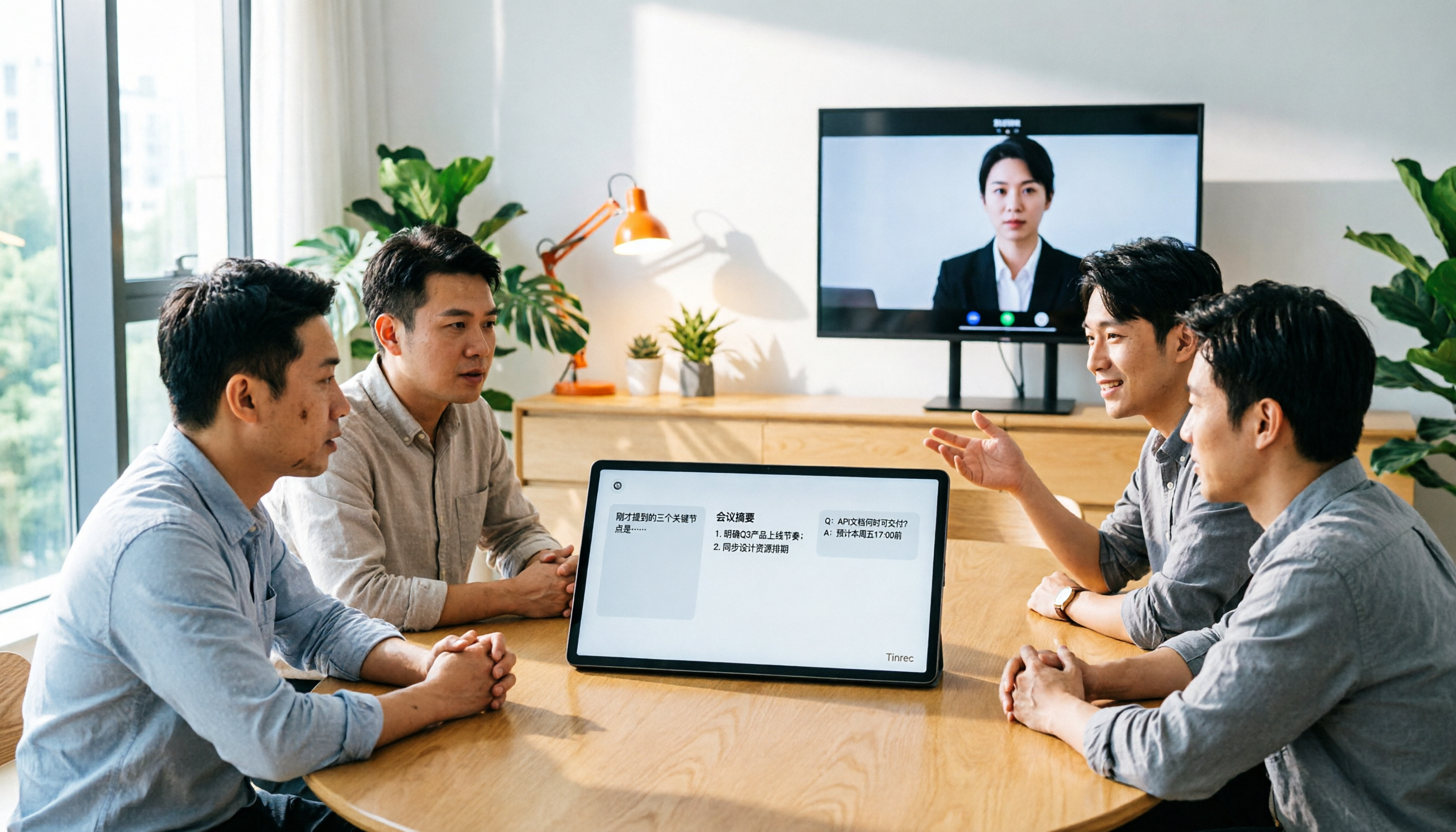
Open the desktop version, and Tinrec directly captures your computer's system audio to handle online meetings on Zoom, Google Meet, Microsoft Teams, Webex, etc., without inviting a meeting bot to join as a "participant." This is especially friendly for client meetings—many people ask questions when they see an extra bot in the list. During the meeting, the transcript is generated in real time.
After the meeting, you can ask it questions directly
This is where it differs most from ordinary transcription tools. After recording, you can directly ask: "Who mentioned the budget in the last meeting?" It gives answers based on content understanding, not a bunch of keyword search results. The same data is automatically organized into summaries, chapters, and to-dos, and can further generate reports, tables, and documents, or be exported to Notion, Google Docs, OneNote, etc. for further processing.
The team version turns meetings into team assets
If you want "team use," the focus is on the team version. Tinrec for Teams provides an independent team space where meeting audio, folders, and to-dos belong to the team, not tied to an individual's account.
Admins can set owners, admins, and regular members, and assign, revoke, or transfer seats; when a member leaves, is removed, or loses their seat, their team resources can be handed over to other active members. The situation the reader encountered—"data in a departed colleague's account"—won't happen under this structure.
The team version also provides usage trends, member rankings and usage details, team hotword management, and queryable and exportable audit logs. Accidentally deleted audio can be recovered from the recycle bin, currently retained for 30 days (TODO items are not covered by the recycle bin).
Pricing and quotas, listed honestly
Stop organizing recordings by hand
Upload audio or video and automatically get a transcript, summary, and action items
- First eligible team trial: 7 days, 1 free seat, 300 minutes of team shared import quota
- Team monthly: USD 29.80 per paid seat per month
- Team annual: USD 199 per paid seat per year, equivalent to about USD 16.58 per month
- Each paid seat provides 2,000 minutes of team shared import quota per month
- Live recording under an active team plan and active seat is currently not deducted by minutes; only file and web imports use the team shared quota
Actual prices, currencies, and promotions are subject to the official purchase page.
Things to note
First, the team version currently focuses on "team-level sharing," where all active members can read team data, not file-level granular permissions. Second, members without a seat can view, play, and read but cannot upload, edit, or import/export. Third, transcription quality is affected by audio quality, noise, accents, overlapping speech, and technical terms; for important content, it's recommended to double-check the transcript and recording.
Who it's for
If your team mainly holds meetings in Chinese, doesn't want a bot joining meetings, and cares about "data staying when people leave," Tinrec's team version is currently the closest fit for this need.
Besides Tinrec, what other options are there?
Otter.ai: A mature choice for English business meetings. Basic free version offers 300 minutes per month; Pro annual is about USD 8.49 per user per month, including 1,200 minutes of in-app recording and 10 file imports per month; Business offers unlimited meetings and in-app recording plus more management capabilities, and prices may vary with promotions. It also offers desktop capabilities, but if meetings are mainly in Chinese and you need real-time translation and bilingual comparison, Tinrec's design is more suitable; Tinrec also offers team hotwords and an audio recycle bin.
Notta: A direct competitor with high overlap with Tinrec. Free offers 120 minutes per month, max 3 minutes per session; Pro annual is about USD 8.17 per month, 1,800 minutes per month; Business annual is about USD 16.67 per seat per month, offering unlimited transcription, role permissions, and usage reports. Its strengths are transcription, translation, and document processing; if you want bot-free online meeting recording, team hotwords, and post-meeting Agent output, Tinrec goes deeper.
Fireflies.ai: Strengths are meeting automation, AI summaries, and extensive integrations. Free USD 0; Pro USD 10 per seat per month; Business USD 19 per seat per month; Enterprise USD 39 per seat per month. Note that the official "unlimited transcription" is still subject to storage, upload speed, and AI Credit rules. If your needs lean toward sales analysis and deep integrations, it's more mature; if the focus is Chinese experience and unified team meeting data storage, Tinrec is more direct.
Pitfall guide: 4 most common mistakes when choosing a team meeting tool
Pitfall 1: Confusing roles and seats. Thinking that giving admin rights means using all features, resulting in buying seats no one can use, or not buying seats but occupying positions. Before purchasing, list clearly "who manages" and "who uses."
Pitfall 2: Letting the whole team share one personal account. It seems cost-saving short-term, but long-term it leads to unclear data ownership, data taken away upon departure, and no one knowing who used the quota. This usually only gets discovered when something goes wrong.
Pitfall 3: Only comparing transcription minutes and price. Minutes are just the entry threshold; what's actually used daily are summaries, to-dos, Q&A, export, and team management. Only looking at minutes makes it easy to buy a tool that "records smoothly but organizes painfully."
Pitfall 4: Assuming "team version" means file-level permissions. Currently most tools use team-level sharing, controlled by roles and seats, rather than setting independent visibility for each file. Confirm this before buying to avoid wrong expectations.
Conclusion: How should your team choose?
Scenario-based recommendations for reference:
- Need Chinese meetings + don't want a bot joining → Tinrec (desktop captures system audio directly)
- Worried about data leaving with people → Tinrec team version (team resources belong to the team, transferable)
- Need to separately manage "who can record" and "who can edit" → Tinrec team version (roles and seats separated)
- Mixed Chinese-English meetings, need real-time translation and bilingual comparison → Tinrec
- Pure English meetings, zero budget → Otter.ai free version 300 minutes per month
3 most frequently asked questions about seat management
Q: Can members without a seat see meeting data? A: They can view, play, and read team data, but cannot upload, edit, or import/export—essentially "can read but not act."
Q: After a colleague leaves, will the meetings they recorded disappear? A: Team resources belong to the team and won't follow the individual. When a member leaves or is removed, their resources need to be handed over to other active members.
Q: Does live recording consume minutes? A: Under an active team plan and active seat, live recording is currently not deducted by minutes; only file and web imports use the team shared import quota.
It's recommended to run a real weekly meeting to verify. The first eligible team trial is 7 days, 1 free seat, and 300 minutes of shared import quota—enough to confirm "can it be used directly after the meeting." If it works for you, then consider adding seats; no need to buy everything upfront.
References
- Meeting proposals not supported? Maybe you sat in the wrong seat? How to choose "meeting seats"? Read this - Good Image Qing Song Xue | Business Weekly
- The super accurate "meeting seatology": Sit like this to persuade your boss most easily - Cheers
- Meeting Seatology: Cross-department meetings—next to the boss, opposite, far away... which seat is "the worst to sit in"? - Fei Nu Lang's Workplace Life | Business Weekly
- Meeting room management: Easily grasp reservation status
- Tips for arranging meeting room seating etiquette? - Perfect Image Chen Liqing Image Management Academy
Turn every recording into actionable outcomes
Get 60 free transcription minutes when you sign in. No credit card required.
Related Reading
You might also like

2026 AI Meeting Agent Comparison: Which Tool Best Handles Post-Meeting Q&A and Team Knowledge Retention?
From the perspective of a mid-level manager with 15 meetings a week, we tested and compared 4 AI meeting agents, covering how meetings are recorded, whether you can ask follow-up questions and retain knowledge after the meeting, and how team seats and quotas work. We also honestly explain Tinrec's suitable use cases and limitations.

2026 Meeting Notes Tools Comparison: Personal Notes vs Shared Cloud vs Team Workspace
Should meeting notes stay in personal notebooks or move to a team workspace? This article examines four key factors—data ownership, roles and seats, quota calculation, and post-meeting usability—to compare Tinrec's personal and team versions, and evaluates the team capabilities of Notta, Otter.ai, and Granola to help you decide if an upgrade is worthwhile.

3 AI Meeting Notes Solutions Compared for 2026: How to Choose a Notion AI Alternative
Juggling over a dozen meetings a week and still stuck transcribing notes and action items afterward? This article compares Notion AI meeting notes alternatives from the perspective of a mid-level manager's hands-on testing, using Tinrec as an example to explore bot-free recording, real-time transcription, AI summaries, action item extraction, and team collaboration workflows—helping you pick a meeting notes tool that truly saves time.

4 Free AI Meeting Agents Tested for 2026: Which One Handles Chinese Meeting Notes Best?
Are free AI meeting agents actually good enough? This hands-on comparison of Tinrec, Granola, Notta, and Otter.ai breaks down free-tier limits, how each tool records meetings, post-meeting output, and Chinese transcription performance, plus a pitfalls guide and selection advice to help you find the best fit for your meeting workflow.

2026 Comparison of 4 Meeting Data Governance Tools: Which One Turns Meeting Data into a Team Asset?
How to choose a meeting data governance tool in 2026? We tested them hands-on, comparing meeting data ownership, post-meeting organization workflows, bot-free recording methods, and team governance capabilities. We break down the differences between Tinrec, Otter.ai, Granola, and PLAUD to help you find the one that truly turns meeting data into a lasting asset.
2026 AI Meeting Notes Comparison: Otter Teams vs Tinrec vs Granola — Which Is Best for Chinese Meetings?
Otter Teams and Tinrec are both popular AI meeting note tools, but how should Chinese-speaking teams choose? This hands-on comparison covers Chinese recognition, bot-free recording, post-meeting organization, AI Q&A, team governance, and pricing, with Granola as a reference, to help you find the best fit for your daily meeting workflow.

4 AI Meeting Note Tools Compared for 2026: How to Choose for Chinese Meetings and Bot-Free Recording
Tired of scrambling to take meeting notes? This side-by-side comparison of 4 popular AI meeting note tools covers recording methods, post-meeting summaries and AI Q&A, Chinese recognition, team sharing, pricing, and limitations. It also explains how Tinrec stands out with bot-free recording and team knowledge retention.

2026 Tencent Meeting AI Notes Alternative: Tinrec Bot-Free Recording + Team Meeting Records
Tired of writing meeting notes after every call? Looking for a Tencent Meeting AI notes alternative in 2026? This guide covers 5 key buying factors, compares Tinrec, Tencent Meeting's built-in features, Notta, and Otter.ai, and shares tips on team sharing, seat management, and pitfalls to avoid—so you can find a time-saving solution that automatically generates transcripts, summaries, and action items.

4 AI Meeting Agents Tested for 2026: Which One Turns Meetings Into Usable Data?
What is an AI meeting agent, and how does it differ from a voice recorder or a plain transcription tool? This hands-on comparison of 4 tools breaks down how meetings are captured, what input sources are supported, what you get after the meeting, and who owns the team's data. It also covers Tinrec's real-world performance and limitations in bot-free recording, AI Q&A, and team workspaces.