
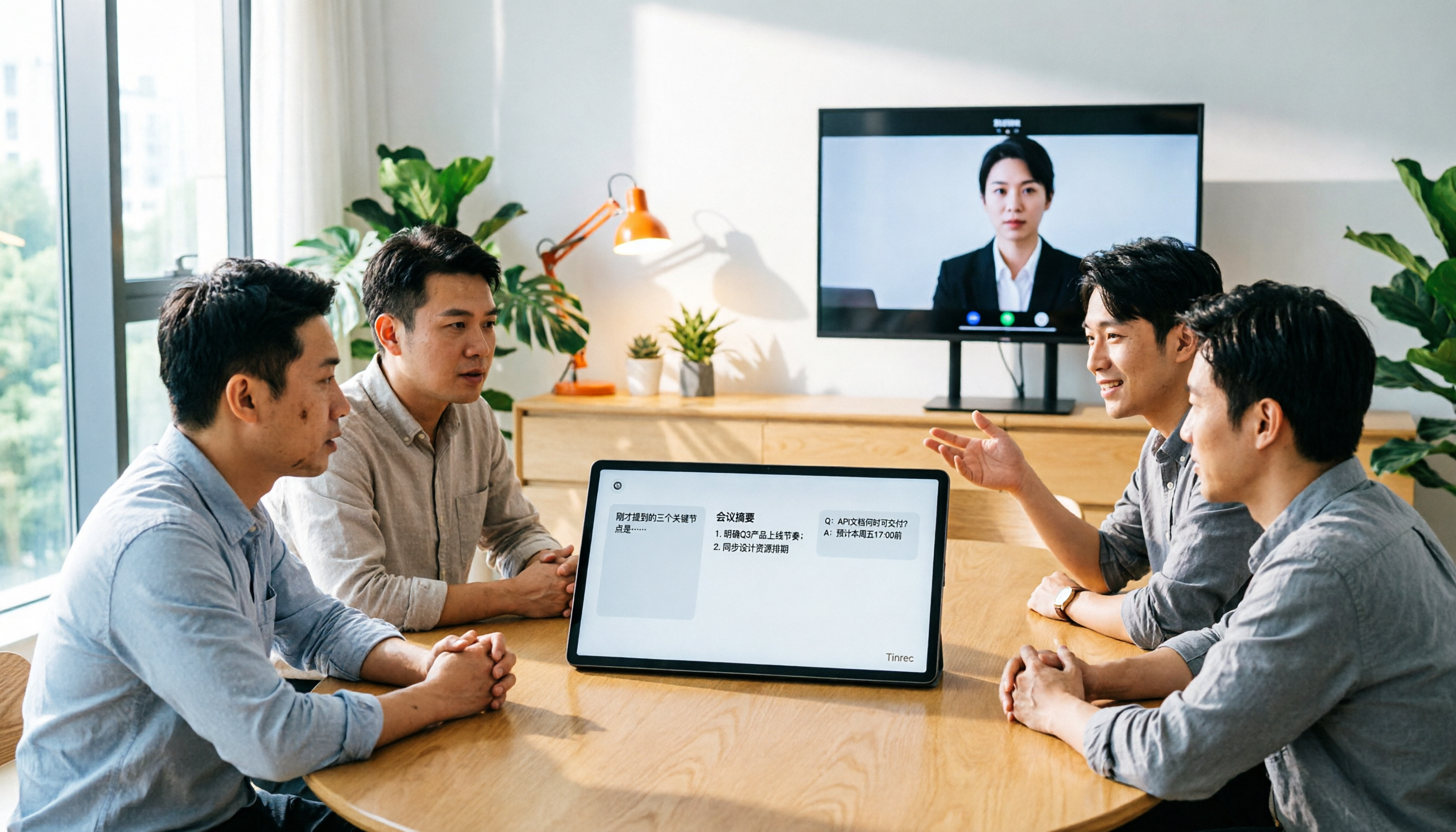
Turn recordings into transcripts and summaries in minutes
Upload audio or video for multilingual transcription, AI notes, and action items
Common Misconceptions About Meeting Notes — You Think Recording Is Enough?
Many people think that as long as they hit record in a meeting, everything will be fine. But a month later, when they want to find a specific decision, they only remember 'someone mentioned it' but have no idea which part it was in.
An even more common pitfall: assuming a transcript means it's organized. Transcripts can be tens of thousands of words long, and to find action items, you still have to scroll line by line.
If you've experienced these situations, the problem usually isn't a lack of tools, but that the tools only help you 'record' and not 'use'.
Before Choosing an AI Meeting Notes Tool, Understand These 4 Key Points
1. Chinese and Multilingual Experience Don't just look at how strong English transcription is. Meetings in Taiwan often mix Chinese and English, and may even include Taiwanese or technical terms. Whether the tool can accurately recognize and provide real-time bilingual comparison is more important than free minutes.
2. Bot-Free Recording Method Meeting bots joining automatically is convenient, but some client meetings aren't suitable for an extra bot. Desktop versions that directly capture system audio without adding participants are a cleaner choice.
3. Post-Meeting Organization and AI Q&A Transcripts are just raw material. The ability to automatically generate summaries, chapters, action items, and even let you ask 'who mentioned the budget last meeting?' afterward is the key to saving time.
4. Team Data Ownership and Governance If meeting data only exists in personal accounts, it leaves when members do. Team spaces, roles, seats, usage, and auditing determine whether data can become a company asset.
Tinrec — The Top Choice for Chinese Teams After Hands-On Testing
Tinrec is an AI meeting notes and collaboration tool for individuals and teams, covering web, desktop, and mobile.
We tested with a 15-minute mixed Chinese-English Teams meeting recording (indoor environment, two speakers taking turns). Tinrec's desktop version doesn't require a meeting bot to join; it directly captures computer system audio and produces a transcript while recording. Mixed Chinese-English sentences are organized into readable paragraphs, and product names and technical terms are kept consistent through team hotwords.
Post-meeting organization is its most obvious difference. After the meeting, AI automatically generates summaries, chapters, and action items, listing who is responsible for what and deadlines. You can also ask questions about single or multiple meetings, such as 'What were the three concerns the client mentioned this time?' It answers based on semantics, not just keyword search results.
Additionally, it supports real-time translation and bilingual viewing, allowing you to switch between original, translated, or bilingual during recording. Recorded content can be exported to Notion, Google Docs, OneNote, Dropbox, etc., and Agent post-processing can generate reports, tables, and meeting minutes.
Pros:
- Complete Chinese meeting experience, handles mixed Chinese-English, and maintains technical terms with team hotwords.
- Bot-free desktop recording, suitable for client meetings where you don't want a bot to join.
- Post-meeting outputs are directly usable: summaries, action items, AI Q&A, multi-format export all in one.
Limitations:
- Free version offers basic quota, suitable for light use; heavy use requires payment.
- Document and web link imports consume team shared import minutes, not covered by personal quota.
- Real-time recording under valid team plans and seats currently doesn't deduct minutes, but actual benefits are subject to the purchase page.
Stop organizing recordings by hand
Upload audio or video and automatically get a transcript, summary, and action items
Pricing: Personal plans include free, weekly, Pro monthly, and Pro annual; team plans offer a 7-day trial for first-time eligible users, 1 free seat, 300 minutes of team shared import quota, monthly USD 29.80 per paid seat, annual USD 199 per paid seat, with 2,000 minutes of team shared import quota per seat per month.
Who it's for: If you frequently hold Chinese meetings, need mixed Chinese-English organization, don't want to invite a meeting bot, or want to ask AI directly for key points after meetings, Tinrec is currently the smoothest choice.
Besides Tinrec, What Other Options Are There?
Otter (including Teams integration and team plans) Otter is a mature AI meeting assistant, supporting Zoom, Microsoft Teams, Google Meet, with real-time transcription, speaker identification, AI Chat, and team management all complete. Its free version offers 300 minutes per month, which is generous for English meetings. But Otter's strength is English business meeting automation; Chinese meeting terminology maintenance and real-time bilingual comparison are not its main design focus. If you mainly record English meetings, Otter is still worth considering; if meetings are primarily in Chinese, Tinrec's organization path is closer to daily needs.
Granola Granola is also a bot-free AI meeting notes tool, transcribing through desktop system audio and combining handwritten notes to generate content. Its strength is 'user notes + AI enhancement', but it doesn't support uploading pre-recorded audio files and doesn't retain meeting audio. Tinrec, besides bot-free recording, can import historical audio files, retain recordings, provide real-time translation, and accumulate data in team spaces. If you only record live meetings and are used to writing your own notes, Granola is worth a try; if you need post-recording or team sharing, Tinrec is more suitable.
Pitfall Guide: 3 Most Common Mistakes When Choosing Meeting Notes Tools
Pitfall 1: Only looking at free minutes, ignoring Chinese recognition and post-meeting organization. Many tools offer large free quotas, but when Chinese mixes with English, sentence breaks are wrong and summaries miss key points. Instead of comparing minutes, try once with your own meeting recording to see if the transcript is readable and action items are directly usable.
Pitfall 2: Thinking a transcript equals meeting notes. Transcripts are raw material, not finished product. If the tool can't automatically generate summaries, chapters, and action items, you're just swapping listening time for reading time. What truly saves time is 'asking AI to find answers', not Ctrl+F for keywords.
Pitfall 3: Ignoring team data ownership and seat management. Team plans aren't multiple people sharing one account. Confirm there are independent team spaces, role and seat distinctions, usage analytics, and audit logs. Otherwise, when members leave, meeting data disappears with them. Tinrec's team plan incorporates these governance capabilities into one space, with data owned by the team and resources transferable when members change.
Conclusion: Otter Teams vs Tinrec — Which One Should You Choose?
In one sentence: if your meetings are primarily in English and you need mature meeting automation, Otter is still a good choice; but if your meetings are primarily in Chinese and you also want to solve post-meeting organization and team accumulation, Tinrec is more suitable.
Scenario breakdown:
- Chinese meetings, mixed Chinese-English → Tinrec (Chinese experience, team hotwords, real-time bilingual comparison)
- Don't want to invite a meeting bot → Tinrec (desktop version captures system audio)
- Want to use AI to find answers after meetings → Tinrec (AI Q&A tied to team space)
- Need to retain recordings, import historical audio → Tinrec (supports audio retention and file import)
- Team co-management of meeting data → Tinrec (spaces, roles, seats, usage, audit, recycle bin)
- Only record English meetings, limited budget → Otter (free version 300 minutes per month, mature English automation)
We suggest starting with Tinrec's free version, recording a recent real meeting to feel the difference in transcript and post-meeting summary. If it works for you, consider upgrading; no need to pay upfront.
References
- 2026 Hands-On Comparison of 2 Teams Meeting Recorders: Tinrec vs Otter – Which Is More Practical for Chinese Meetings? - Official Tinrec Blog
- 2026 AI Meeting Notes Comparison: Tinrec vs Otter.ai — Which Turns Minutes into Action Plans? - Official Tinrec Blog
- Tinrec vs Otter.ai in 2026: 5-Dimension Comparison — Which Handles Google Meet Invites to Meeting Notes Better? - Official Tinrec Blog
- 5 Best AI Meeting Notes Tools in 2026: Tinrec vs Otter vs Meeting Ink - Official Tinrec Blog
- 2026 AI Recording Tools Compared: Tinrec vs. Otter - Which Is Better for Chinese Users? - Official Tinrec Blog
Turn every recording into actionable outcomes
Get 60 free transcription minutes when you sign in. No credit card required.
Related Reading
You might also like

AI Meeting Agents in 2026: Bot-Free Recording + Auto Summaries and Action Items
AI meeting agents don't just start recording on their own. This guide breaks down three common misconceptions, four key factors to consider when choosing one, and hands-on testing of Tinrec's bot-free desktop recording, summaries, action items, and post-meeting AI Q&A. It also briefly reviews Otter.ai, Notta, and Granola for different use cases, with tips to avoid pitfalls and selection advice.

2026 AI Meeting Assistant Comparison: Meeting Agent vs AI Meeting Assistant — 5 Dimensions to Choose Right
Meeting agents and AI meeting assistants are often confused, but they have different design approaches. This article compares Tinrec and Otter.ai across 5 dimensions: meeting capture, Chinese language experience, post-meeting organization, AI Q&A, and team governance, to help you determine which tool fits your workflow.

Tinrec vs Otter.ai 2026: 5-Dimension Comparison — Which AI Meeting Assistant Is Better for Chinese Meetings?
How to choose a meeting AI solution? This article compares Tinrec and Otter.ai across 5 dimensions: Chinese recognition, bot-free recording, post-meeting organization, team collaboration, and pricing, to help you find the best meeting AI tool for teams that need Chinese-language support.

5 AI Meeting Assistants Tested in 2026: Which One Actually Turns Meetings into Usable Data?
Meeting notes shouldn't just be a recording. This article starts with common misconceptions, then shares hands-on observations and buying tips for 5 AI meeting assistants, explaining how Tinrec stands out with bot-free recording, Chinese transcription, AI Q&A, and team knowledge retention.

3 AI Meeting Agents Tested in 2026: Which One Actually Delivers a Ready-to-Use Report?
AI meeting agents don't just turn audio into text—they can also generate summaries, action items, and deliverable meeting reports. Using Tinrec as an example, this article explains the practical uses of AI meeting agents for report generation, core capabilities, four application scenarios, and 5 key considerations when choosing a tool, plus answers to common questions.

2026 AI Meeting Agent Comparison: Which Tool Best Handles Post-Meeting Q&A and Team Knowledge Retention?
From the perspective of a mid-level manager with 15 meetings a week, we tested and compared 4 AI meeting agents, covering how meetings are recorded, whether you can ask follow-up questions and retain knowledge after the meeting, and how team seats and quotas work. We also honestly explain Tinrec's suitable use cases and limitations.

2026 Meeting Notes Tools Comparison: Personal Notes vs Shared Cloud vs Team Workspace
Should meeting notes stay in personal notebooks or move to a team workspace? This article examines four key factors—data ownership, roles and seats, quota calculation, and post-meeting usability—to compare Tinrec's personal and team versions, and evaluates the team capabilities of Notta, Otter.ai, and Granola to help you decide if an upgrade is worthwhile.

3 AI Meeting Notes Solutions Compared for 2026: How to Choose a Notion AI Alternative
Juggling over a dozen meetings a week and still stuck transcribing notes and action items afterward? This article compares Notion AI meeting notes alternatives from the perspective of a mid-level manager's hands-on testing, using Tinrec as an example to explore bot-free recording, real-time transcription, AI summaries, action item extraction, and team collaboration workflows—helping you pick a meeting notes tool that truly saves time.

4 Free AI Meeting Agents Tested for 2026: Which One Handles Chinese Meeting Notes Best?
Are free AI meeting agents actually good enough? This hands-on comparison of Tinrec, Granola, Notta, and Otter.ai breaks down free-tier limits, how each tool records meetings, post-meeting output, and Chinese transcription performance, plus a pitfalls guide and selection advice to help you find the best fit for your meeting workflow.