

Turn recordings into transcripts and summaries in minutes
Upload audio or video for multilingual transcription, AI notes, and action items
How to Write a Sales Meeting Follow-Up Email in 2026: 5 Steps from Meeting End to Client Reply
It's 3 PM on a Wednesday, and you just finished a meeting with a client. You remember they mentioned "need to confirm the budget with accounting," and you remember they said a certain time frame, but the details are starting to blur.
You get back to your desk, open your email, and start writing a follow-up. But all you can come up with is empty phrases like "Thanks for your time today."
More often, the meeting went well, you felt the deal was promising, but three days pass with no word. You start to wonder if you sent it too late or if the content was too vague.
This is my actual process—breaking down the sales meeting follow-up email into 5 steps, sharing how I retain meeting details, and my thoughts on several meeting notes tools I've used.
Why Follow-Up Emails Get Stuck—It's Usually Not Your Writing
After a meeting, most people are left with only "impressions." The client talked for 40 minutes, but you might only recall 3 or 4 fragments.
But clients have several meetings a day. Whoever can quickly summarize key points and clearly outline next steps after a meeting is more likely to be remembered. That's why follow-up emails exist: not for politeness, but to continue the conversation.
The problem is, if you don't have a retrievable record, even the best phrasing won't produce specific content.
How to Write a Sales Meeting Follow-Up Email: 5 Steps
Step 1: Agree on the next step at the end of the meeting. Try to nail down a clear next step before the call or meeting ends. Agreeing in person is far more effective than asking "Want to chat again sometime?" in an email later.
Step 2: Send within 24 hours, preferably the same day. Sending a summary right after the meeting is a natural reason to email and keeps you in the client's mind (and inbox) until the next call. Wait more than three days, and your email goes from "continuation" to "interruption."
Step 3: Start with a 3-line meeting summary. Briefly state what was discussed, what both sides care about, and what's next. This also proves you were listening, not sending a generic template.
Step 4: Give the client a specific reason to reply. A vague "Feel free to reach out if you have questions" usually gets no response. A better approach is to leave an open loop, such as needing them to confirm specs, or that you've checked internally: "I've confirmed with our accounting department, and they're happy to accommodate the payment terms you requested." Such sentences make people want to reply.
Step 5: Add a personal touch and use examples instead of adjectives. People tend to do business with those they like or respect, so being yourself in the email is fine. Also, instead of using adjectives to say how great the product is, include a real result from a similar client—someone who used it and got results is more persuasive than self-praise.
A small detail: Make the subject line clear at a glance, e.g., "XX Project 3/12 Meeting Follow-Up: Quote and Delivery Timeline." Before sending, double-check recipients and attachments—don't send Client A's content to Client B.
Before You Write, Confirm These 3 Things
- Do you have a transcript or just impressions? If the meeting was over 30 minutes, writing from memory will definitely miss budget, pain points, or timelines the client proactively mentioned.
- Is this email a "friendly reminder" or a "push for next steps"? The former focuses on continuing the conversation; the latter should directly give deadlines and options. The writing differs.
- If a colleague takes over tomorrow, can they find the meeting content? Sales turnover and client handoffs are common. Meeting data stored on personal devices is as good as not kept.
The first two depend on habits; the third requires tools. That's why I started seriously looking for meeting notes tools.
Tinrec—My Current Recommendation for Meeting Notes and Post-Meeting Organization
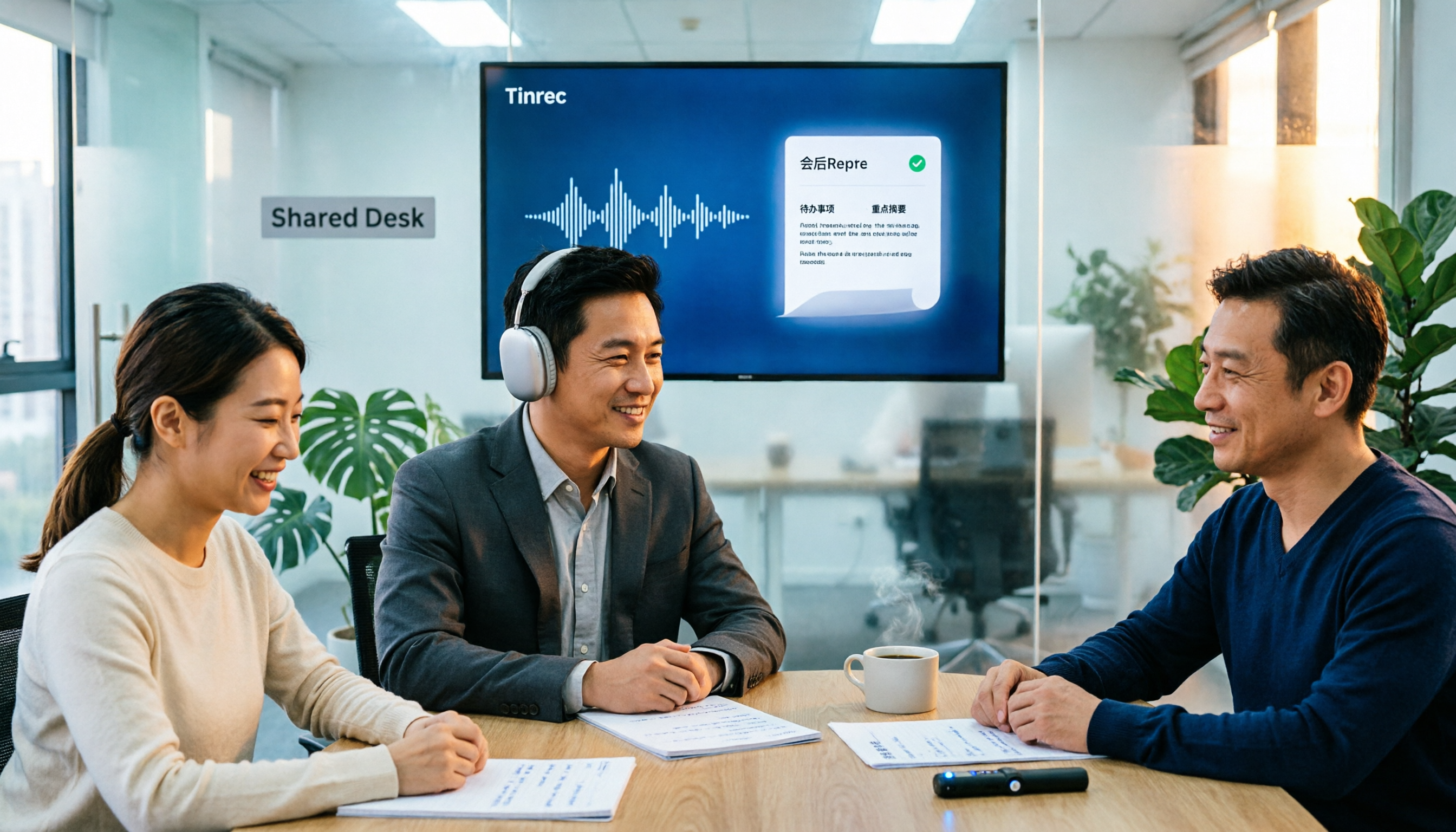
Tinrec is an AI meeting notes and collaboration tool for individuals and teams. It doesn't just convert audio to text; it turns meetings into searchable, summarizable, and queryable data. It offers desktop and mobile versions and can handle uploaded audio and video files.
No meeting bot needed. The desktop version directly captures system audio, handling online meetings on Zoom, Google Meet, Microsoft Teams, and Webex without an extra bot account appearing in the participant list. For client meetings, this matters—some clients dislike a stranger's account in the meeting room.
You can "ask" the meeting afterward. After recording, transcripts, summaries, chapters, and action items are automatically generated. Even better is AI Q&A: you can directly ask "What was the client's budget cap?" "What concerns did they have about delivery?" "Who's responsible for providing samples?" It answers based on semantics, no need to Ctrl+F through an hour-long transcript. When writing follow-up emails, this is how I retrieve details.
Stop organizing recordings by hand
Upload audio or video and automatically get a transcript, summary, and action items
Output connects directly to your workflow. Besides transcripts and summaries, it can generate reports, tables, and documents, and export to Notion, Google Docs, OneNote, Dropbox, etc. for further editing. This means "meeting → notes → work documents" can be completed in one flow.
Team version turns client meetings into transferable assets. Meeting data belongs to the team, centralized in a team space; members can view, play, and read even without a seat, but need a seat to record, upload, and edit. Admins can manage roles and seats, view usage trends and details, query and export audit logs, plus an audio recycle bin (currently 30 days) and team hotwords (maintain industry terminology to improve recognition). When a member leaves or loses their seat, their team resources can be transferred to others—for sales teams, this is much safer than data on personal phones.
Honest limitations. Tinrec doesn't promise a fixed accuracy rate; actual performance depends on recording quality, noise, accents, overlapping speech, and technical terms. For important content, verify with transcript timestamps and audio playback. Team version's detailed capabilities are subject to official release status; it's not per-file permission control but team-level sharing with role and seat governance.
Plans and pricing. Personal plans include Free, Weekly, Pro Monthly, and Pro Annual—choose based on usage frequency. Use Free for occasional recordings, Weekly for short intensive interviews, Pro for regular weekly meetings, and Annual for long-term data accumulation. Team version offers a 7-day trial for first-time eligible users, including 1 free seat and 300 minutes of team shared import quota; thereafter, monthly is USD 29.80 per paid seat per month, annual is USD 199 per paid seat per year (about USD 16.58/month), each paid seat provides 2,000 minutes of team shared import quota per month; real-time recording under active team plans and seats currently doesn't deduct minutes. Prices and benefits are subject to the official purchase page.
Who it's for. If you need Chinese meeting notes, don't want a bot in client meetings, and want to ask AI to retrieve details afterward, Tinrec is my most recommended choice. It's especially suitable for sales and customer success teams because it handles exactly "what the client said, what they agreed to, and what's next."
Besides Tinrec, What Other Options Are There?
Granola: Also a bot-free desktop meeting notes tool, combining handwritten notes with AI-generated content. Basic is free, Business is USD 14/user/month, Enterprise is USD 35/user/month. Note that it doesn't retain meeting audio and doesn't support uploading existing recordings—if you want to verify client's exact words or organize an old interview, you'll be stuck. Tinrec retains audio and can import existing files.
Otter.ai: A mature choice for English business meetings. Basic is free with 300 minutes per month, Pro annual is about USD 8.49/user/month. If your client meetings are almost all in English, it's worth considering. However, Chinese meetings and Chinese technical terms are not its strong suit; organizing data into a format directly usable by a Chinese team is easier with Tinrec for us.
Notta: Multilingual transcription and translation. Free version has 120 minutes per month, max 3 minutes per session; Pro annual is about USD 8.17/month (1,800 minutes per month), Business annual is about USD 16.67/seat/month. The 3-minute per session limit is insufficient for hour-long client meetings; bot-free desktop recording and team space are areas where Tinrec focuses more.
Pitfall Guide: 4 Most Common Mistakes in Sales Follow-Up Emails
Pitfall 1: Writing a product catalog instead of a follow-up. Clients want to know the benefits to them, not a stack of specs. Write "how this helps your problem" first, then discuss features.
Pitfall 2: Waiting for "complete information" before sending. You're waiting for internal pricing, but the client is waiting for your response. Sending a short email explaining progress and timing is far better than appearing three days later.
Pitfall 3: No clear next step at the end. "Let me know if you're interested" is like throwing the ball back without a goal. Give a low-barrier specific action, e.g., "Can I call you for 10 minutes Thursday afternoon to confirm specs?"
Pitfall 4: Writing from memory only. Two hours after a meeting, you might remember less than half the details and easily mix up different clients. Reviewing transcripts and summaries before writing makes a big difference in accuracy.
Also: Follow local regulations for recording and transcription; get participant consent when necessary.
Summary: Sales Meeting Follow-Up Emails Start with "Retaining Meeting Details"
Back to the original question: Poor follow-up emails are usually not a writing problem but a lack of material.
- Need Chinese meeting notes, use AI to retrieve client's exact words and commitments → Tinrec
- Client meetings almost all in English → Otter.ai is worth comparing
- Just want lightweight meeting notes, don't care about retaining audio → Granola
- Fragmented transcription under 3 minutes, budget-first → Try Notta free version
I suggest running through a complete process: find a real client meeting, record it with the free version, let it generate a summary and action items, then use AI Q&A to find two key details, and finally write an email following the 5 steps above. After one round, you'll know if you need a more advanced plan.
References
- 15 Follow-up Email Templates Guaranteed to Get a Reply - Tanaka System
- 15 Follow-up Email Templates Guaranteed to Get a Reply | Tanaka System
- 3 Steps to Writing Sales Letters That Get Opened | Manager Today
- Email Examples + 6 Tips for Newcomers to Write Polished and Concise Emails! | PopDaily
- Reply to an email with a meeting request in Outlook | Microsoft Support
Turn every recording into actionable outcomes
Get 60 free transcription minutes when you sign in. No credit card required.
Related Reading
You might also like

3 Meeting Minutes Email Templates Tested and Compared: Which Format Sends Fastest?
Can't write meeting minutes emails fast enough after a meeting? We tested 3 meeting minutes email templates, from simple bullet lists to decision/action item columns, and show you how to use Tinrec to automatically generate transcripts, summaries, and action items—just copy, paste, and send. Includes templates, tips, and FAQs.

6 Cantonese Speech-to-Text Tools Tested for 2026: Which Handles Mixed Chinese-English and Spoken-to-Written Conversion Best?
For Cantonese transcription needs, this article compiles hands-on experience and plan differences across 6 tools, covering mixed Chinese-English recognition, spoken-to-written output, free quotas, and team use cases, explained from the perspective of a mid-level manager juggling over a dozen meetings a week.
2026 Comparison of 5 Meeting Minutes Generators: From Transcript to Post-Meeting Report in One Click
A mid-level manager who holds 15 meetings a week shares hands-on insights: What to consider in meeting minutes generation reports? From audio capture methods, AI summarization and action item extraction, to team workspace and seat governance, we break down 5 key purchasing criteria and use Tinrec as an example to illustrate the actual workflow and limitations.

Best Cantonese Audio-to-Text Tools in 2026: We Tested 3, and This One Saves the Most Time
Turning Cantonese meeting and interview recordings into text files is painful not because of transcription itself, but because of what comes after. This article tests 3 tools in real-world scenarios, comparing language support, post-transcription processing, cross-platform access, and team collaboration to help you find the one that saves the most time.

2026 Tinrec Post-Meeting Follow-Up Tutorial: Auto-Generate Meeting Minutes & Action Items with Ready-to-Use Templates
Struggling to write effective post-meeting follow-up emails? This article provides 5 practical follow-up email templates and shows you how to use Tinrec's instant recording to automatically generate meeting minutes and action items, ensuring every follow-up email includes concrete action items and boosts response rates.

4 Meeting Notes Tools Tested for 2026: The Fastest Way to Send Follow-Up Emails After Meetings
Struggling to write follow-up emails after meetings? This article covers the most common post-meeting mistakes, outlines three key factors for choosing a meeting notes tool, and compares Tinrec, Otter.ai, Granola, and Notta. Learn how to use AI summaries and action item extraction to send follow-up emails within 24 hours that actually get replies.

AI Meeting Notes in 2026: Meeting Minutes vs. Action Items + Automatic Tracking Made Easy
What's the difference between meeting minutes and action items? This article breaks down the differences using real-world scenarios and compares AI meeting note tools like Otter.ai, Notta, and PLAUD, analyzing how Tinrec (秒聽錄音) simultaneously produces transcripts, summaries, action items, and AI Q&A. It includes buying criteria, pitfalls to avoid, and selection advice to help you find a solution that handles both meeting minutes and action tracking.

2026 AI Meeting Notes Tools Compared: How to Write Meeting Summary Emails Fast
Spending an hour writing a meeting summary email after every meeting? This article first covers the three most common mistakes, explaining how to capture key points, decisions, and action items in a meeting summary email. Then it hands-on compares four AI meeting notes tools—Tinrec, Otter.ai, Notta, and Granola—to see which one can turn a transcript into a ready-to-send summary and action list the fastest.

5 Meeting Action Item Templates Compared: Which One Actually Tracks Tasks to Completion?
There are countless meeting action item templates, but few actually track tasks to completion. This article breaks down the differences between 5 common meeting action item templates and explains how Tinrec automatically extracts owners, deadlines, and action items from recordings and transcripts. A ready-to-copy meeting action item table is included at the end.