

Turn recordings into transcripts and summaries in minutes
Upload audio or video for multilingual transcription, AI notes, and action items
Many people assume that as long as a tool says it "supports Cantonese," it will work. But real-world testing reveals that Mandarin transcribes accurately, while Cantonese falls apart; mixed Chinese-English meeting recordings turn into gibberish. Another common misconception is treating "real-time voice input" as "audio file transcription"—the former only works while speaking, the latter can process existing MP3, M4A files. They do completely different things.
There's also the most expensive and least calculated pitfall: comparing only "how many free minutes" without factoring in "how much time you'll spend organizing after transcription." A 60-minute Cantonese meeting takes an average of 3 to 4 hours to manually transcribe. Even if a tool converts it to a transcript, without segmentation, summaries, and action items, you still have to read it from start to finish.
Bottom line: when choosing a Cantonese audio-to-text tool, don't look at how big the free quota is. Look at three things—can it recognize mixed Chinese-English, can it handle existing audio files, and does it help you organize after transcription. Take Tinrec as an example: it connects recording, transcription, summarization, action items, and team collaboration into one workflow. In this roundup, it's the approach that best turns Cantonese meetings into "usable data."
What can Cantonese audio to text do for you?
Scenario 1: After a meeting, no need to stay and type a transcript Previously, after a two-hour meeting, you might spend another hour organizing notes. With Tinrec, as the meeting ends, AI has already generated summaries, chapters, and action items—who's responsible for what, deadlines, all at a glance.
Scenario 2: Turn old recordings into searchable text Your phone is full of interviews and lecture recordings. To find a specific sentence, you can only fast-forward repeatedly. Tinrec supports uploading audio and video files for transcription. After transcription, you can search by keyword without listening from start to finish.
Scenario 3: Handle mixed Chinese-English Cantonese meetings Hong Kong meetings rarely use pure Cantonese; mixed Chinese-English is the norm, and it's where most tools fail. Tinrec covers Chinese and multilingual meeting scenarios. Mixed Chinese-English content doesn't require manually switching language settings.
Scenario 4: Understand cross-language meetings in real time If you have foreign clients or colleagues, Tinrec's real-time translation lets you view original text, translation, or bilingual content during recording.
What are the core capabilities of Cantonese audio to text?
Real-time transcript: Transcribe while recording, no need to wait. Ideal for offline meetings and interviews; you can confirm key points on the spot.
Bot-free online meeting recording: This is a strength of Tinrec's desktop version. It directly captures computer system audio to handle Zoom, Google Meet, Microsoft Teams, Webex, and other online meetings without adding an extra meeting bot. To be clear, users need to open Tinrec themselves to start recording; it does not automatically join all calendar meetings.
AI summary and chapters: Not just condensing the transcript into a paragraph, but structured organization—meeting topics, conclusions, and action items listed separately. Long meetings can be broken into readable sections.
AI conversational query: After transcription, you can ask Tinrec questions directly, such as "Who mentioned the budget in the meeting?" or "What was the client's feedback?" It answers based on semantic understanding, so you don't have to flip through the transcript page by page.
Action item extraction and post-meeting output: Organize action items from discussions and further generate reports, tables, and documents. You can also export to Notion, Google Docs, OneNote, Dropbox, and other tools for further processing.
Team space: Meeting data belongs to the team, stored and shared centrally. Members can view historical meetings, while administrators can manage roles, seats, usage, audit, and recycle bin.
Practical use cases
Meeting notes: Weekly meetings, review meetings, cross-department meetings are most prone to missing key points. Use Tinrec desktop to record online meetings, and get transcripts, summaries, and action items right after. Decision basis won't stay only in someone's notebook.
Classes and lectures: In a two- or three-hour course, key points are often concentrated in a few segments. Tinrec's chapter feature segments long content, so you can jump to key points for review without re-listening to the whole thing.
Interviews and research: Interviews require transcripts, viewpoints, and quotes. Tinrec supports audio and video file uploads. After transcription, you can use AI Q&A to follow up and quickly extract key phrases mentioned by interviewees.
Team collaboration: After placing meeting data in the team space, new members can also review historical meetings. When members change, data belongs to the team and won't disappear with individuals.
Stop organizing recordings by hand
Upload audio or video and automatically get a transcript, summary, and action items
5 free/low-barrier options in 2026 at a glance
Option 1: Free online conversion websites Upload and convert, usually no registration required. Suitable for occasional one or two recordings. Downsides: free versions often have time and size limits, and most are one-time conversions without summaries, action items, or team features. Data is hard to preserve long-term.
Option 2: Platform built-in transcription Zoom, Google Meet, Teams, and other platforms offer transcription. Advantage: no extra tools. Disadvantage: each platform is siloed, cross-platform data can't be unified, and post-processing features are relatively limited.
Option 3: Meeting bot AI assistants Join meetings as a participant, automatically record, summarize, and answer questions. Mature for English business meetings. But adding it to a meeting room may concern some participants, and there's an obvious "recorder" in the meeting.
Option 4: Bot-free desktop recording Represented by Tinrec. The desktop version directly captures system audio without adding extra participants. It also offers transcription, summarization, Q&A, translation, export, and team space. Suitable for those who care about clean meetings and need post-meeting organization.
Option 5: AI recording hardware Buy a standalone device for portable recording. Suitable for phone calls and offline occasions. But you need to spend extra on hardware, and online meetings and historical files still require software processing.
6 things to note when choosing a Cantonese audio-to-text tool
1. Mixed Chinese-English recognition Hong Kong meetings rarely use pure Cantonese; mixed Chinese-English is the norm. Test with your own recording, don't just look at the official language list. Tinrec covers Chinese and multilingual meeting scenarios; mixed Chinese-English content doesn't require manual language switching.
2. Can it import existing audio files? Real-time dictation and audio file transcription are two different things. If you have a bunch of MP3, M4A, WAV files, confirm the tool supports file upload. Tinrec supports audio and video file transcription, suitable for organizing historical meetings and interviews.
3. Post-transcription organization Transcription is just the first step. Tinrec continues to generate summaries, chapters, action items, and supports AI Q&A. What you save is actually post-meeting organization time.
4. Multilingual and real-time translation Cross-language meetings need more than a transcript. Tinrec provides real-time translation, allowing you to view original text, translation, or bilingual content. Especially useful for multinational teams.
5. Team collaboration and data ownership Personal tools are for individual use; teams need to consider data ownership. Tinrec for Teams provides an independent team space. Meeting data belongs to the team, with roles, seats, usage analytics, and audit logs. Note that the team version distinguishes "roles" and "seats"—roles determine who can manage the team, seats determine who can record, upload, and edit. Members who are active but have no seat can still view, play, and read data, but cannot upload, edit, or export.
6. Free quota and plan selection Whether the free quota is enough depends on your usage frequency. Tinrec's personal version offers a free plan for you to try. For short-term intensive use, there's a weekly pass. For steady use, choose Pro monthly or annual. The team version's first eligible trial is 7 days, 1 free seat, 300 minutes of team shared import quota. Paid plans are USD 29.80 per paid seat per month, or USD 199 per paid seat per year (about USD 16.58 per month). Each paid seat provides 2,000 minutes of team shared import quota per month. Real-time recording under active team plans and seats is currently not deducted by minutes. Actual prices and promotions are subject to the official purchase page.
FAQ
Q1: What can the free version do? You can use basic quota to experience recording, import, summary, and transcription. We suggest testing with your own Cantonese recording first to confirm mixed Chinese-English recognition, then decide whether to upgrade.
Q2: Which online meetings does Tinrec support? The desktop version captures computer system audio to handle Zoom, Google Meet, Microsoft Teams, Webex, and other online meetings without a meeting bot. You need to open Tinrec yourself to start recording.
Q3: What's the difference between team and personal versions? Personal version data belongs to the individual account. The team version provides an independent team space, data belongs to the team, and adds members, roles, seats, shared benefits, usage analytics, audit logs, and audio recycle bin.
Q4: Can members without a seat see data? Yes. Active members without a seat can view, play, and read team data. To perform recording, uploading, editing, import/export, etc., a seat is required.
Q5: Can deleted recordings be recovered? After audio enters the team recycle bin, it can be restored before permanent cleanup begins. Currently, the recycle bin retention period is 30 days. Action items are not within the recycle bin scope.
Q6: Is accuracy guaranteed? We don't recommend promising fixed numbers. Transcription quality is affected by recording quality, ambient noise, accents, overlapping speakers, and technical terms. In practice, Tinrec can greatly reduce manual note-taking costs. For important content, we still recommend cross-checking with transcript timestamps and recordings.
Conclusion
The real challenge of Cantonese audio to text isn't "turning sound into text," but mixed Chinese-English recognition, importing existing files, and post-transcription organization. If you have to stay after every meeting to type a transcript, it's time to change. Tinrec puts recording, transcription, summarization, Q&A, action items, and team space into one workflow. It's currently one of the best choices to turn Cantonese meetings into usable data. We suggest trying the free version with your own meeting recording to see what AI-organized meeting notes feel like.
References
- Online AI voice, video, audio file auto transcription - free trial - cSubtitle
- 2026 Latest 4 Cantonese audio to text tools recommended: solving mixed Chinese-English and meeting notes pain points - Tinrec Blog
- 2026 Latest 5 Cantonese speech recognition to text software recommended: solving Cantonese meeting notes and mixed language pain points - Tinrec Blog
- Cantonese speech to text accuracy comparison? Bottom line first: 6 tools tested and recommended - Tinrec Blog
- SoundType AI ultra-accurate transcript, speech to text, AI dictation - Google Play App
Turn every recording into actionable outcomes
Get 60 free transcription minutes when you sign in. No credit card required.
Related Reading
You might also like

5 Best Cantonese Speech-to-Text Tools in 2026: Which Delivers the Most Accurate Transcripts and Saves the Most Time?
People searching for Cantonese audio-to-text tools often face the same problem: the text comes out, but it's not directly usable. This article starts from the decision point, breaks down five common solution types, and uses Tinrec to demonstrate a complete workflow for Cantonese transcription, bot-free online meeting recording, AI summary to-dos, and team knowledge retention, helping you decide whether to choose a free tool or a meeting collaboration solution that can take over your work.

4 Cantonese Speech-to-Text Apps Tested for 2026: Which Saves the Most Time on Mixed Chinese-English Meeting Notes?
A mid-level manager leading a 10-person team and attending 15 meetings a week tested 4 Cantonese speech-to-text apps, comparing mixed Chinese-English recognition, post-transcription organization, and team collaboration. He shares why he kept Tinrec in his workflow: live transcription, AI summaries and action items, AI Q&A, and how team spaces turn meeting notes into searchable, transferable data.

2025 Cantonese Speech-to-Text Tools Compared: Tinrec vs PLAUD Note for Meeting Notes
We tested three Cantonese transcription tools in 2025, comparing Cantonese and mixed Chinese-English recognition, input methods, AI post-meeting summaries, team collaboration, and pricing. Tinrec and PLAUD Note go head-to-head to help you decide which fits your meeting notes and team knowledge base.

2026 Free Cantonese Speech-to-Text Comparison: 5 Tools Reviewed + Pitfall Guide
Compare free Cantonese speech-to-text options in 2026, including free quotas, Cantonese and mixed Chinese-English recognition, post-meeting organization, and team collaboration. Learn the differences between Tinrec, Subanana, Google AI Studio, and SoundType AI, plus a guide to avoid common pitfalls.

2026 Comparison of 4 Post-Meeting Follow-Up Tools: The Efficiency Gap from Meeting Notes to Follow-Up Emails
When no one replies to your post-meeting follow-up email, the problem is usually not your writing—it's whether the notes you took during the meeting were specific enough. This article breaks down the four key elements of a post-meeting follow-up email, provides three templates you can adapt directly in 2026, and tests four tools—Tinrec, Otter.ai, Granola, and Notta—to compare which one truly shortens the time from meeting end to sending the follow-up.

4 AI Meeting Report Generators Tested in 2026: Which One Turns Meeting Recordings into Deliverable Reports?
The meeting is over and you have the transcript, but the report still needs to be written from scratch? This article tests 4 AI meeting report generators, comparing transcription, post-meeting organization, AI Q&A, and team collaboration, and shares buying criteria and pitfalls to help you find a tool that turns meeting content directly into actionable reports.

Which AI Follow-Up Email Tool Is Best? 2026 Hands-On Test of 4 Options—The Real Key Is Meeting Notes
If you can't keep up with follow-up emails, the problem usually isn't your writing—it's incomplete meeting notes. This article compares 4 AI follow-up email tools across four dimensions: source material, meeting note retention, post-meeting output, and team collaboration. It explains why Tinrec stands out for post-meeting organization, and outlines who ChatGPT Writer, Outlook AI Email Assistant, and Genspark are each best for, with clear recommendations based on budget and use case.
How to Organize Meeting Action Items in 2026: 5 Steps from Recording to Auto-Generated To-Dos
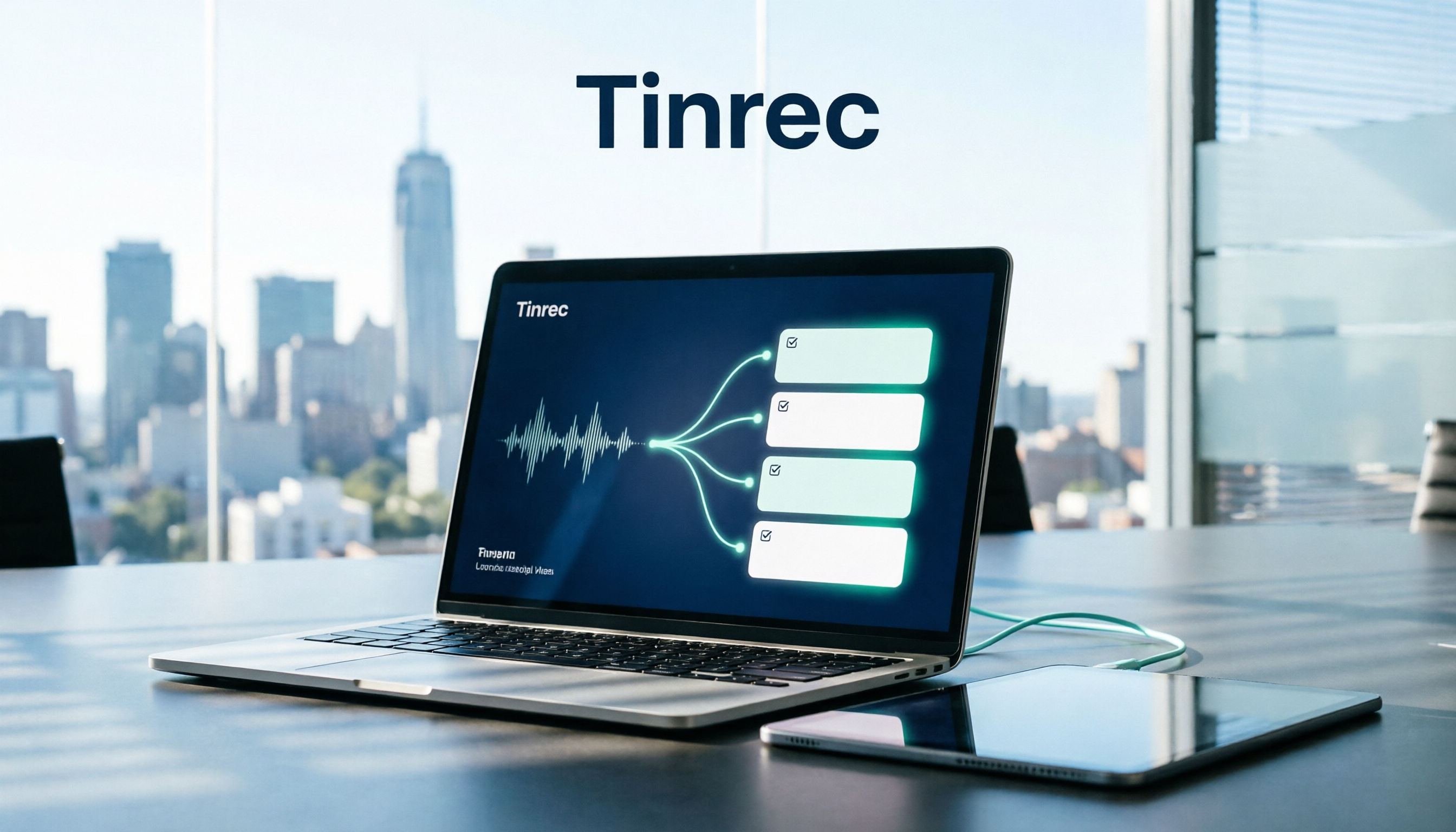
Tired of missing action items after meetings? This article breaks down the 5-step process of turning meeting recordings into trackable to-do lists, using Tinrec as an example to explain the core capabilities of free meeting action item tools, practical use cases, and 5 key points to consider when choosing one, plus FAQs.

4 Meeting Minutes Tools Tested for 2026: Which One Can Generate Follow-Up Emails in One Click?
After a meeting, no one remembers what to do? The problem usually lies in the post-meeting minutes and follow-up emails. This article starts with common pitfalls and outlines 4 key points for choosing a meeting minutes tool. It compares Tinrec, Otter.ai, Granola, and Notta in real tests on Chinese meetings, bot-free recording, and post-meeting output. It also includes a guide to avoid pitfalls and selection advice to help you find the one that turns transcripts into sendable follow-up emails.