

Turn recordings into transcripts and summaries in minutes
Upload audio or video for multilingual transcription, AI notes, and action items
2026 Multilingual Meeting Transcription Software Comparison: Tinrec vs Otter.ai — 5 Key Dimensions, Which Handles Mixed Chinese-English Meetings Better?
When choosing multilingual meeting transcription software, the question I often hear from readers isn't "which one has the most features?" but "my meetings are half Chinese and half English — which one should I pick?"
There's actually a simple starting point for this decision: if your meetings are primarily in English, you can prioritize English meeting assistants. But as soon as there's a significant amount of Chinese, mixed Chinese-English, or even daily stand-ups for a Taiwan team, the criteria flip entirely.
In this article, I compare Tinrec and Otter.ai hands-on, breaking it down into 5 dimensions to directly show you where the differences lie and how to choose.
Tinrec vs Otter.ai | Quick Overview
Tinrec is an AI meeting transcription and collaboration tool for individuals and teams, focused on turning meetings into searchable, summarizable, queryable, exportable, and further processable data.
Otter.ai is a mature AI meeting assistant that has long held a dominant position in English business meetings and meeting automation.
| Item | Tinrec | Otter.ai |
|---|---|---|
| Core positioning | AI meeting transcription and team collaboration, Chinese-friendly | English business meeting assistant, meeting automation |
| Meeting capture | Desktop version captures system audio, no bot needed | Meeting bot, desktop app, and other methods |
| Post-meeting output | Transcript, summary, chapters, action items, mind map, AI Q&A, Agent reports and tables, multi-format and third-party export | Transcript, summary, action items, AI Chat, team analytics |
| Free plan | Free version offers basic quota | Basic free, 300 minutes per month |
| Paid entry | Personal plan has weekly card, Pro monthly and annual; team plan USD 29.80 per paid seat per month | Pro annual billing equivalent to about USD 8.49 per user per month |
Below we compare 5 dimensions: Chinese and mixed Chinese-English recognition, online meeting capture methods, post-meeting organization, real-time translation and bilingual review, and team collaboration and pricing quotas.
Dimension 1 | Chinese and Mixed Chinese-English Recognition Performance
Otter.ai's strength is English meetings. It supports real-time captions, speaker identification, and integrates with mainstream online meeting software. However, third-party reviews generally note that its Chinese handling is weaker, and in environments with frequent Chinese-English switching, recognition errors are more likely. It's better suited for all-English work environments.
Tinrec, on the other hand, treats Chinese, Traditional Chinese, and multilingual meetings as its primary scenarios. Mixed Chinese-English content can be organized together, and teams can maintain custom vocabulary to handle internal company terminology.
Note that actual recognition performance is affected by recording quality, background noise, accents, overlapping speakers, and specialized terminology. No tool should promise a fixed accuracy rate externally.
→ This dimension: For Chinese and mixed Chinese-English meetings, Tinrec clearly wins.
Dimension 2 | How Online Meetings Are Captured
Otter.ai currently offers multiple capture methods including meeting bots and a desktop app. The bot mode has the advantage of high automation, at the cost of adding an extra participant identity to the meeting.
Tinrec's desktop version directly captures the computer's system audio, handling meeting audio played on the computer from Zoom, Google Meet, Microsoft Teams, Webex, etc., without inviting an extra bot to join.
Keep in mind that Tinrec requires the user to actively start and initiate recording. It does not automatically join all calendar meetings, and it does not imply official partnerships with these platforms.
→ This dimension: Both can achieve bot-free recording. The difference is that Tinrec doesn't need an extra participant, making the process more direct.
Dimension 3 | Post-Meeting Organization: From Summary to Action Items to AI Follow-Up
Otter.ai provides summaries, action items, AI Chat, and team analytics — great for those who need to quickly grasp key points of English meetings.
Tinrec's post-meeting workflow extends further: beyond the transcript, there are summaries, chapters, key points, and action items. You can continue AI Q&A around the meeting content, and through Agent post-processing generate reports, tables, and documents, finally exporting to Notion, Google Docs, OneNote, Dropbox, and other tools for further processing.
→ This dimension: Both have organization capabilities. Tinrec is more complete in the "generating deliverable outputs" stage.
Stop organizing recordings by hand
Upload audio or video and automatically get a transcript, summary, and action items
Dimension 4 | Real-Time Translation, Bilingual Review, and Specialized Terminology
For Chinese-centric cross-language meetings, Tinrec allows you to view the original text, translation, or bilingual content during recording, making comparison much less stressful. Team custom vocabulary also unifies the recognition experience for internal terminology.
Otter.ai's core remains oriented toward English meeting scenarios. Chinese or Chinese-English switching is not its strength.
→ This dimension: For Chinese cross-language meetings, Tinrec is more aligned with the need.
Dimension 5 | Team Collaboration, Seat Governance, and Pricing Quotas
Tinrec's team plan is an independent team space, not multiple people sharing a personal account: you can create multiple teams, invite members via join links, set owners/admins/regular members, and assign or revoke seats.
Meeting data belongs to the team. When a member leaves or loses their seat, they must hand over their responsible resources to other active members. There are also team custom vocabulary, usage analytics, audit logs, and a currently 30-day audio recycle bin.
On pricing, the first eligible team trial is 7 days, 1 free seat, 300 minutes of team shared import quota. Team monthly billing is USD 29.80 per paid seat per month; annual billing is USD 199 per paid seat per year (about USD 16.58 per month). Each paid seat provides 2,000 minutes of team shared import quota per month. Under active seats, real-time recording currently does not deduct by minutes. Document and web imports use the team shared quota, and will not fall back on members' personal quotas.
Otter.ai's team and enterprise capabilities are relatively mature: Basic is free with 300 minutes per month; Pro annual billing is about USD 8.49 per user per month, including 1,200 minutes of in-app recording and 10 file imports per month; Business offers unlimited meetings and in-app recording, etc. Actual prices and benefits are subject to the official page.
→ This dimension: If you only look at individual unit price, Otter.ai is lower. But if you want team shared quotas, seat and usage governance, Tinrec's team plan better fits enterprise use cases.
What Unique Advantages Does Each Have?
Tinrec's advantages:
- Desktop version records system audio without a bot, so no extra participant is needed in the meeting. Chinese and mixed Chinese-English meetings are its home turf.
- Complete post-meeting output chain: transcript, summary, chapters, action items, mind map, then AI Q&A, Agent-generated reports and tables, and export to existing workflows.
- Comprehensive team governance: separate role and seat management, shared import quota, usage analytics, audit logs, team custom vocabulary, and audio recycle bin.
- From free version, weekly card, Pro monthly and annual, to team plan, individuals and teams can upgrade in stages.
Otter.ai's advantages:
- High maturity in English business meetings and meeting automation, with a solid user mindset for English scenarios.
- Long-accumulated platform integrations and enterprise-grade team management capabilities, with smooth integration into existing workflows for multi-person English meetings.
Conclusion: Which Should You Choose?
• If your meetings are primarily in Chinese or mixed Chinese-English → Tinrec (Chinese and mixed-language content can be organized together)
• If you don't want an extra bot participant in the meeting → Tinrec (desktop version directly captures system audio)
• If you want to ask key points right after recording and also generate reports and tables → Tinrec (AI Q&A plus Agent post-processing)
• If you need team shared quotas, seats, usage, and auditing → Tinrec team plan
• If your meetings are almost entirely in English and you're already used to bot-based automation → Otter.ai is sufficient
In short, for most Taiwan teams that primarily communicate in Chinese, Tinrec is the more complete choice. Readers with limited budgets should first use the free version to test with their own meeting recordings before deciding whether to upgrade.
FAQ
Q1: Is the free version enough?
It depends on your meeting volume. Tinrec's free version offers basic quota; Otter.ai Basic offers 300 minutes per month. If you only occasionally organize a recording, the free version is usually enough. If you have meetings every week, consider evaluating a paid plan directly.
Q2: How do I record online meetings without using a meeting bot?
When meeting on your own computer, open Tinrec's desktop version and start recording. The system captures the meeting audio played on the computer without inviting an extra account into the meeting. Remember to inform participants and get consent before recording.
Q3: How accurate is transcription when multiple people speak at once?
Overlapping speech is inherently a challenge for speech recognition, and any tool will be affected. It's recommended that the meeting host moderately manage speaking order, and after recording, verify important content against transcript timestamps and audio playback.
Q4: Can team members without a seat still see meeting data?
They can view, play, and read team data, but cannot upload, edit, import, or export. A seat is required to perform resource usage-related operations.
Q5: After a member leaves, will meeting data be taken away?
No. Team resources belong to the team. When a member leaves, is removed, or loses their seat, their responsible team resources must be handed over to other active members.
Q6: Can transcription accuracy be guaranteed?
Promising a fixed number is not recommended. A more practical statement: the tool can significantly reduce manual note-taking and organization costs. For important decisions, please confirm with the transcript and audio playback.
References
- 2026 Latest 5 Chinese-English Bilingual Meeting Transcription AI Tools Recommendation: Solving Recording Organization and Cross-Language Communication Pain Points - Tinrec Blog
- 2026 Meeting Real-Time Translation Software Comparison: Which Is Most Accurate, Smooth, and Easy to Use?
- 2026 Must-See! 4 AI Audio-to-Text Tools Recommendation: Meeting Notes, Podcast Transcript神器 Comparison - Mobile01
- High-Accuracy Remote Meeting Transcription Tool Recommendation: 2026 5 AI One-Click Transcript and Action Item Generation - Tinrec Blog
- 2026 Teams Meeting Real-Time Translation and Transcription Tool Recommendation: 5 AI Software Hands-On Comparison - Tinrec Blog
Turn every recording into actionable outcomes
Get 60 free transcription minutes when you sign in. No credit card required.
Related Reading
You might also like

4 Multilingual Meeting Transcription Platforms Tested: Which Handles Mixed Chinese-English Meetings Best in 2026?
In cross-border meetings with mixed Chinese and English, the real time sink is often post-meeting organization. This article compares Tinrec, Otter.ai, Notta, and PLAUD from two angles: real-time comprehension during meetings and complete post-meeting organization. It also covers 4 key buying factors and 4 pitfalls to avoid, helping you find the tool that truly fits your workflow.

2026 Multilingual AI Meeting Recorder Comparison: Which Handles Mixed Chinese-English and Bilingual Transcripts Best?
The hardest part of cross-language meetings isn't recording—it's post-meeting organization. This hands-on comparison tests Tinrec, Notta, Otter.ai, and Fireflies.ai on recording methods, bilingual transcripts, post-meeting summaries, and team sharing for multilingual meetings. We also cover 5 key buying factors and 4 common pitfalls to help you choose the right tool for your meeting style.

4 Multilingual Meeting Transcription Tools Tested: Which Handles Mixed Chinese-English Meetings Best in 2026?
Many people search for "multilingual meeting notes examples" looking for a ready-to-use format, but the real time sink is transcribing the recording. This article tests Tinrec, Otter.ai, Granola, and Notta on mixed Chinese-English meetings, covering 4 key buying factors, 4 common mistakes, and scenario-based recommendations.

Tinrec vs Notta 2026: 5-Dimension Comparison — Which Is Better for Multilingual Meeting Notes and Live Translation?
How to choose a multilingual meeting transcription tool? This article compares Tinrec and Notta across 5 dimensions: live translation display, meeting audio capture, post-meeting output, team governance, and quota pricing. It also covers suitable scenarios for Otter.ai and Granola to help you determine which tool fits your meeting style.

Best Multilingual Meeting Transcription Software in 2026: We Tested 4 Tools, and This One Handles Mixed Chinese-English Meetings Best
After a cross-language meeting, do you still have to replay the recording to type up a transcript? We tested 4 multilingual meeting transcription tools, breaking down free tiers, mixed Chinese-English recognition, post-meeting summaries and action items, and team collaboration. We also include key buying factors and pitfalls to help you find the one whose free version is enough.

4 Free Multilingual Meeting Transcription Tools Compared for 2026: Free Tiers, Chinese Recognition, and Post-Meeting Organization
How do you choose a free multilingual meeting transcription tool? This article compares the free plans of Tinrec, Otter.ai, Notta, and Granola across four dimensions: free tier limits, Chinese and multilingual recognition, post-meeting summaries and action items, and meeting recording methods. It also covers common pitfalls and selection advice to help you find a tool that truly handles Chinese and mixed Chinese-English meetings.
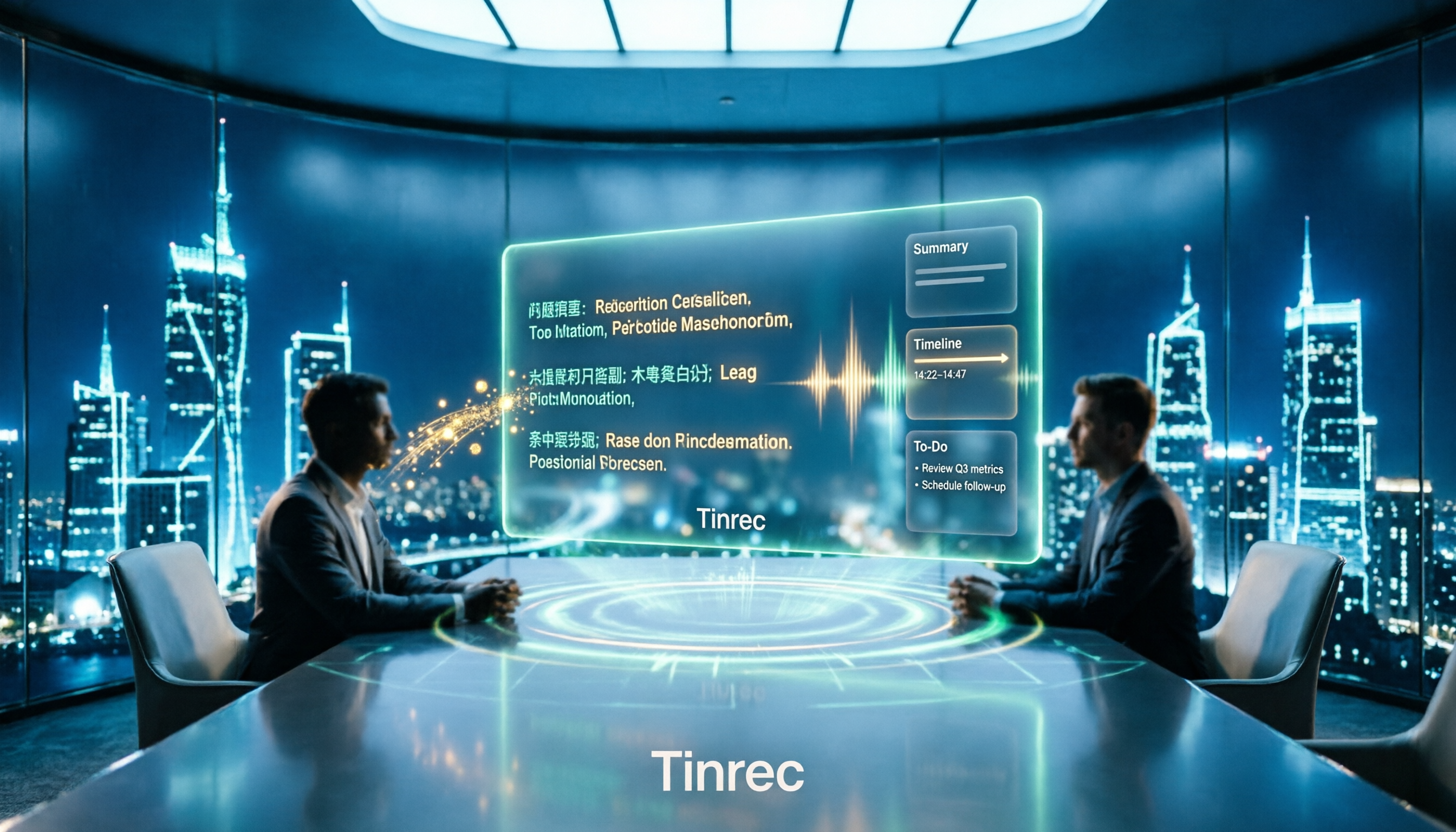
2026 Multilingual Meeting Transcription Tools Compared: Which Saves the Most Time for Chinese-English Meetings?
How to choose a multilingual meeting transcription tool? This article starts with common misconceptions, then compares Tinrec and Otter.ai across dimensions including Chinese and mixed Chinese-English recognition, meeting capture methods, post-meeting outputs, real-time translation, and team collaboration governance. It also covers free tiers, paid plans, and 6 FAQs to help you decide which tool fits your meeting scenario.

2026 Multilingual Meeting Notes Software Buying Guide: 6 Tools Tested and Recommended
This article starts with common buying pitfalls and compares 6 multilingual meeting notes tools in terms of positioning, multilingual support, post-meeting organization, and pricing, including Tinrec, Otter.ai, Notta, Fireflies.ai, Granola, and TurboScribe. It also provides scenario-based recommendations to help individuals and teams find the right solution for meetings with mixed Chinese and English.

Tinrec vs PLAUD Note: Which Multilingual Meeting Transcription Tool to Choose in 2026?
Multilingual meetings with mixed Chinese and English are time-consuming to transcribe. This article compares Tinrec and PLAUD Note across 6 dimensions: meeting capture method, multilingual and mixed-language experience, post-meeting AI organization, file import, team collaboration governance, and cost structure, with clear recommendations for individuals and teams.