

Turn recordings into transcripts and summaries in minutes
Upload audio or video for multilingual transcription, AI notes, and action items
2026 Review of 4 Multilingual Meeting Transcription Tools: Which Handles Mixed Chinese-English Bilingual Transcripts Best?
Common Pitfall: Assuming 'Record First, Organize Later' Saves Effort
'Meeting notes? Just record it and listen later when you have time.' This is probably the most common phrase among office workers—and the one they regret most.
The real pain comes after the meeting: a 90-minute audio file, a discussion mixed with Chinese and English, and the air conditioning in the meeting room going up and down. Typing while listening means a two-hour meeting often takes another two hours to organize, and your evening disappears.
Multilingual meetings are even trickier. When teams communicate with clients in Europe, the US, or Southeast Asia, switching between Mandarin, English, or even Cantonese within a single sentence is normal. But most tools' recognition models are locked to a single language, and they start mis-segmenting when languages switch. You end up with a transcript where 'every word is recognizable, but the whole sentence makes no sense,' and you have to spend more time fixing it.
The problem usually isn't that you're not trying hard enough—it's that you chose the wrong tool. Below, we'll first cover selection criteria, then dive into the hands-on reviews.
4 Key Points to Understand Before Choosing a Multilingual Meeting Transcription Tool
1. Language support isn't about quantity—it's about 'switching.' Many tools boast support for dozens of languages, but the real challenge is mixed Chinese-English within a single sentence, or a speaker suddenly switching languages. The model must rely on overall sentence semantics, not word-by-word language guessing. When choosing a tool, don't just look at the number of languages on the spec sheet—test it with a recording of your own meeting.
2. What you really need is a good meeting minutes template. A transcript is just raw material. A usable meeting minutes template usually needs fields like agenda, discussion conclusions, owners, and deadlines. It should use the meeting agenda as a skeleton and only record key points related to the agenda, not transcribe every sentence. Whether a tool can automatically organize this structure is more important than how fast it types.
3. Whether you can use it directly after the meeting determines if you save 10 minutes or 2 hours. Can you search it? Can you ask questions directly about the meeting content? Can you export to Notion or Google Docs? These are the steps that truly eat up your time.
4. Team data ownership and seat management. If meeting data only exists in individual accounts, it could disappear entirely when an employee leaves or changes devices. Teams also need to consider: who can record, who can edit, how quotas are calculated, and whether important actions are auditable.
Tinrec (秒聽錄音) — Our Top Choice After Hands-On Testing
Tinrec (秒聽錄音) is an AI meeting transcription and collaboration tool for individuals and teams, available on web, desktop, and mobile. It doesn't just convert audio to text—it organizes meetings into searchable, summarizable, queryable, and exportable data.
No more inviting bots to online meetings. The desktop version directly captures your computer's system audio, handling meeting audio from Zoom, Google Meet, Microsoft Teams, and Webex without needing a meeting bot to join as a participant. This is practical for client meetings—the other party won't see a strange account on the list. To be clear: this is not 'automatically joining all calendar meetings'; users still need to open Tinrec and start recording themselves, and it does not imply official partnerships with these platforms.
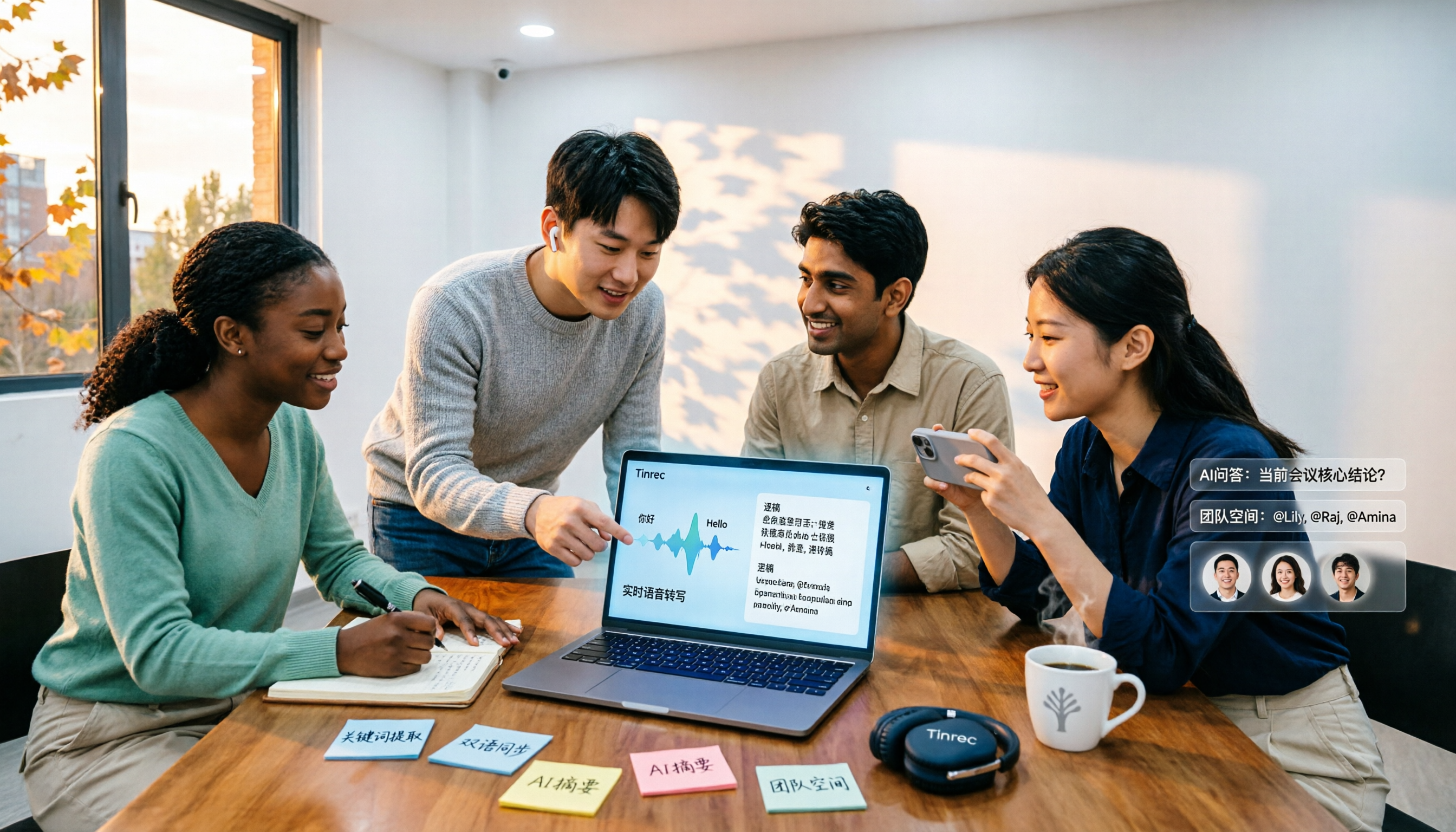
Multilingual and bilingual view. During recording, you can switch between original text, translation, or bilingual display. Chinese meetings, mixed Chinese-English, and multilingual meeting scenarios are all covered. Tinrec also offers team hotwords, allowing you to add internal product codes and project names to reduce the chance of technical terms being misheard. Actual performance is still affected by recording quality, accents, ambient noise, and multiple people speaking simultaneously; no tool should promise a fixed accuracy rate.
Post-meeting is the key. After recording, Tinrec generates a transcript, AI summary, chapters and highlights, action items, and a mind map. You can ask questions directly about the meeting content, such as 'Who mentioned the budget in the last meeting?' It answers based on semantics, not just throwing keywords at you. When you need to deliver, you can further generate reports, tables, and documents from the meeting content, or export to Notion, Google Docs, OneNote, or Dropbox for further processing.
Stop organizing recordings by hand
Upload audio or video and automatically get a transcript, summary, and action items
The team version turns a personal tool into a team database. The team version is a separate team space, not multiple people sharing one account: you can create and switch between multiple teams, invite members via link, set owners/admins/regular members, and distinguish 'roles' from 'seats'—roles determine who can manage the team, seats determine who can record, upload, edit, import/export. Members who are active but have no seat can still view, play, and read team data. There are also team shared quotas, usage analytics, audit logs, team hotwords, and an audio recycle bin. For pricing, the first eligible team trial is 7 days, 1 free seat, 300 minutes of team shared import quota; team monthly payment is USD 29.80 per paid seat per month, annual payment is USD 199 per paid seat per year (about USD 16.58 per month), each paid seat provides 2,000 minutes of team shared import quota per month; real-time recording under an active team plan currently does not deduct minutes. Actual prices, currencies, and benefits are subject to the official purchase page.
Limitations stated clearly. The personal free version offers basic quota, suitable for trying out recording, import, summarization, and transcription. For long-term, high-frequency use, consider a weekly pass or Pro. Also, Tinrec is not a fine-grained file permission system; the team version currently focuses on team-level sharing, managing governance and usage eligibility through roles and seats, rather than setting different access scopes for each file.
Who it's for. If you frequently handle mixed Chinese-English meetings, don't want bots joining online meetings, want to use AI to ask key points directly after recording, or need to turn meeting data into team assets, Tinrec is one of the closest choices for these needs.
Besides Tinrec, What Other Options Are There?
Otter.ai: A mature AI meeting assistant, strongest in the minds of users for English business meetings. Basic version is free, 300 minutes per month; Pro annual payment is about USD 8.49 per user per month, including 1,200 minutes of in-app recording and 10 file imports per month. If you almost exclusively record in English and want a mature meeting automation workflow, it's worth comparing. However, Chinese and mixed Chinese-English organization, as well as bot-free desktop system audio recording, are areas where Tinrec focuses more.
Notta: The direct competitor with the highest overlap with Tinrec, offering multi-platform transcription, meeting notes, file import, and translation. Free version is 120 minutes per month, max 3 minutes per single content; Pro annual payment is about USD 8.17 per month, 1,800 minutes per month. Its file transcription is quite mature, but team space, seat governance, and AI Q&A post-meeting workflow are areas where Tinrec aims to differentiate.
Granola: Also bot-free, using desktop system audio combined with handwritten notes to generate meeting content, supporting real-time transcript viewing, copying, and searching; Basic is free, Business is USD 14 per user per month. However, it does not support uploading pre-recorded audio files, nor does it save meeting audio—if you need to keep recordings, import historical files, or do bilingual comparison, Tinrec's workflow is more complete.
Pitfall Guide: 4 Most Common Mistakes When Choosing a Multilingual Meeting Transcription Tool
Pitfall 1: Treating 'supports multiple languages' as 'handles mixed Chinese-English.' A long official language list doesn't necessarily mean it understands two languages in one sentence. The right approach is to test with your own mixed Chinese-English meeting recording, not just read ad copy.
Pitfall 2: Treating the transcript as meeting minutes. A transcript is raw material, not a finished product. The minutes you actually deliver need agenda, conclusions, owners, and deadlines; if the tool only gives you a big block of text, you've just swapped typing for formatting.
Pitfall 3: Only looking at transcription minutes, not the post-meeting workflow. Cheap minutes don't mean time saved. Whether you can search, ask questions, and export to existing workflows after recording is the key to saving 10 minutes or two hours.
Pitfall 4: Ignoring cross-platform support and data ownership. Recording on your phone today and organizing on your computer tomorrow—insufficient cross-platform support is painful; teams need to confirm that data belongs to the team, not tied to an individual's account.
Conclusion: Which One Should You Choose?
In one sentence: the key to multilingual meeting transcription isn't 'how clearly you record,' but 'whether the post-meeting data can be used directly.'
By scenario:
- Mixed Chinese-English, need original/translation/bilingual comparison → Tinrec (multilingual transcription plus real-time translation and bilingual view)
- Online meetings without bots joining the list → Tinrec (desktop version captures system audio for recording)
- Want to use AI to follow up on key points and action items after recording → Tinrec (answers semantically, not just keywords)
- Team wants to collectively build meeting data, manage seats and usage → Tinrec team version (team space, roles, seats, usage, and audit)
- Almost exclusively record in English, and want mature English meeting automation → Otter.ai
If you currently organize meetings by 'listening later when you have time,' we suggest first using your free quota to test one or two real meetings, throw in mixed Chinese-English segments for comparison, then decide whether to use it long-term; teams can first use the 7-day trial and shared quota to confirm that members, seats, and data storage meet your governance needs.
References
- Very common English meeting minutes, foreign meeting minutes templates (NativeCamp. Blog)
- Four major directions and methods for managing English meetings and recording meeting minutes (1111 Education)
- Chinese-English meeting minutes template: format, examples, and automatic generation tutorial (Subanana)
- How to say meeting minutes in English? Related terms and recording tips (Lado Enterprise English Training)
- How to write English meeting minutes? Format, terms, and practical suggestions (Soeasy English)
Sources
- Meeting minutes template included! Very common English meeting minutes/foreign meeting minutes! | NativeCamp. Blog
- 1111 Education | Featured Articles | Four major directions and methods for managing English meetings and recording meeting minutes
- Chinese-English meeting minutes template (2026) | Corporate, school, institution meeting format, examples, and AI automatic generation tutorial | Subanana
- [Business English Meetings] How to say meeting minutes in English? Related terms and recording tips analysis | Lado Enterprise English Training
- How to write English meeting minutes? Format, terms, and practical suggestions | Soeasy English
Turn every recording into actionable outcomes
Get 60 free transcription minutes when you sign in. No credit card required.
Related Reading
You might also like

4 Multilingual Meeting Transcription Apps Tested in 2026: Which Delivers the Best Cross-Language Transcripts and Bilingual Summaries?
Multilingual meeting notes aren't just about turning on live translated captions. This article uses real examples to show what a usable bilingual meeting record should look like, then compares Tinrec, Notta, Otter.ai, and Granola across five dimensions—code-switching capability, summary language, recording method, audio retention, and team sharing—to help you choose the AI meeting notes app that truly works for you.
4 Multilingual Meeting Notes Tools Tested in 2026: Beyond Templates, Which AI Bilingual Summarizer Saves the Most Time?
Downloaded a bunch of multilingual meeting notes templates but still can't understand or finish taking notes during meetings? A senior student tested 4 tools: Tinrec's mixed Chinese-English transcription, bilingual transcripts, AI Q&A, and team workspace, compared with Notta, TurboScribe, and Granola. Includes student budget and free tier advice.

4 Multilingual Meeting Transcription Tools Compared in 2026: From Live Translation to Post-Meeting Action Items
How do you choose a multilingual meeting transcription tool? This article starts with common misconceptions, breaking down four key points: translation is not the same as transcription, the trade-offs between bot-free and bot-based recording, file import and audio retention, and team data ownership. It then compares Tinrec, Otter.ai, Notta, and Granola across positioning, strengths, and limitations to help you decide which one to pick.

4 Multilingual Meeting Transcription Tools Tested for 2026: Which Handles Mixed Chinese-English Transcripts Best?
Tired of re-reading mixed Chinese-English meeting transcripts just to organize them? This comparison reviews 4 multilingual meeting transcription tools. We start with what a practical meeting notes template should include, then compare Chinese recognition, bot-free recording, post-meeting summaries, and team collaboration. Official pricing and pitfalls to avoid are included to help you decide which tool fits your meeting style.

2026 Comparison of 4 Multilingual AI Meeting Note Tools: Which Handles Mixed Chinese-English Meetings Best?
A student's hands-on comparison of 4 multilingual AI meeting note tools, evaluating mixed Chinese-English transcription, bilingual transcripts, AI Q&A, and free tiers, plus key buying factors, pitfalls to avoid, and scenario recommendations.

How to Take Multilingual Meeting Minutes in 2026: 4 Steps from Bilingual Examples to AI Summaries
How do you write multilingual meeting minutes without missing key points? This article breaks down the essential fields of a bilingual Chinese-English meeting minutes example, explains compliance reminders for recording and transcription, and shares how Tinrec's instant recording uses real-time transcription, bilingual comparison, AI summaries, and action item extraction to turn transcripts into trackable meeting records.

Best Multilingual Meeting Transcription Tools in 2026: Testing 2 Options, Tinrec Handles Mixed Chinese-English Meetings Better
How to choose a multilingual meeting transcription tool? This article starts with the three most common purchasing mistakes, then compares Tinrec and Otter.ai across 6 dimensions: Chinese and mixed Chinese-English transcription, bot-free meeting recording, real-time translation and bilingual review, post-meeting outputs and AI follow-up questions, team workspace and data governance, and pricing and cost structure, to help you decide which one better fits your meeting scenarios.

Best Multilingual AI Meeting Notes Software in 2026: We Tested 4, and This One Handles Chinese Meetings Best
A mid-level manager with a 10-person team and 15 meetings a week tested 4 multilingual AI meeting notes tools. From bot-free recording, mixed Chinese-English transcription, real-time translation, to post-meeting AI Q&A and team data ownership, we break down the 4 key buying factors, hands-on findings, and pitfalls to avoid, with scenario-based recommendations.

How to Take Multilingual Meeting Notes in 2026: 5 Steps from Recording to AI Summary
Multilingual meetings with mixed languages are time-consuming to organize afterward. This article covers common pitfalls, explains 5 key factors for choosing multilingual meeting note software, breaks down 5 steps from recording to AI summary, and compares Tinrec, Notta, Otter.ai, and PLAUD to help you make a purchasing decision.