

Turn recordings into transcripts and summaries in minutes
Upload audio or video for multilingual transcription, AI notes, and action items
"The more languages a multilingual meeting transcription tool supports, the better, right?" If you're looking for a tool for your team, you've probably been misled by this question at least once. What really makes meeting transcription hard to use is usually not the number of languages, but mixed Chinese-English speech, an overload of technical terms, and the fact that after a 60-minute meeting, no one wants to look at the transcript a second time.
Here are the three most common mistakes before purchasing:
Mistake 1: Treating "number of supported languages" as the main metric. Supporting 90 languages sounds reassuring, but if your meetings are mainly in Chinese and mixed Chinese-English, a tool that excels at English business meetings doesn't mean your weekly meetings will be organized smoothly.
Mistake 2: Assuming a transcript means the meeting notes are done. A transcript is raw material, not a finished product. What actually gets used are summaries, sections, key decisions, and action items.
Mistake 3: Ignoring "who can use it and whether data stays." Meeting data organized under personal accounts often disappears when members leave. Whether the team needs seats, roles, usage tracking, and auditing—if these aren't clarified during purchasing, problems are most likely to arise after deployment.
A more reasonable approach is to first confirm three things: what the main language of the meeting is, whether you can accept an extra bot in the meeting list, and what exactly needs to be delivered after the meeting—a transcript, bilingual comparison, report, or a shared team database. Once confirmed, then compare tools.
Buying Guide: What to Look for in a Multilingual Meeting Transcription Tool
1. Language alignment, not language count. First confirm whether your meetings are pure Chinese, pure English, or mixed Chinese-English. How well a tool performs in your most common language scenario is more critical than how many languages it supports.
2. Whether the recording method affects the meeting experience. A meeting bot joining is the easiest, but it adds a member to the attendee list; desktop capture of computer system audio doesn't alert anyone, provided the user remembers to turn it on.
3. What to deliver after the meeting. Just a transcript, or summaries, action items, bilingual comparison, reports? Different needs call for different tools.
4. How team data is retained. Who can record, who can view, who can edit, and who owns the data after a member leaves—these should be clarified during purchasing.
One more reminder: no meeting transcription tool should promise a fixed accuracy rate. Recording quality, accents, background noise, overlapping speech, and technical terms all affect recognition results.
Tinrec vs Otter.ai | Quick Overview
Tinrec is an AI meeting transcription and collaboration tool for individuals and teams, aiming to "turn meetings into searchable, collaborative, actionable team data." Otter.ai is a mature AI meeting assistant with deep experience in transcription, summarization, AI Chat, and team management for English business meetings.
| Item | Tinrec | Otter.ai |
|---|---|---|
| Core positioning | AI meeting transcription and team collaboration | AI meeting assistant and meeting automation |
| Meeting capture | Desktop version captures system audio, no bot needed | Meeting bot, desktop, and other methods |
| Audio retention | Supported | Depends on product and plan |
| Chinese and multilingual | Chinese, Traditional Chinese, and multilingual meetings, supports mixed Chinese-English and real-time translation | Core focus on English business meeting scenarios |
| Post-meeting outputs | Summaries, sections, action items, mind maps, AI Q&A, Agent-generated reports and documents, multi-format export | Summaries, action items, AI Chat, workflows, and team analytics |
| Team capabilities | Team workspace, roles and seats, usage analytics, audit logs, audio recycle bin | Business plan offers more complete team and management capabilities |
This article compares across 6 dimensions one by one, and at the end tells you which one to choose for different scenarios.
Dimension 1 | Chinese and Mixed Chinese-English Transcription Alignment
Otter.ai is a mature AI meeting assistant with deep experience in transcription and meeting intelligence for English business meetings, making it a stable option for teams with all-English meetings. However, its main mindset and focus remain on English meeting workflows.
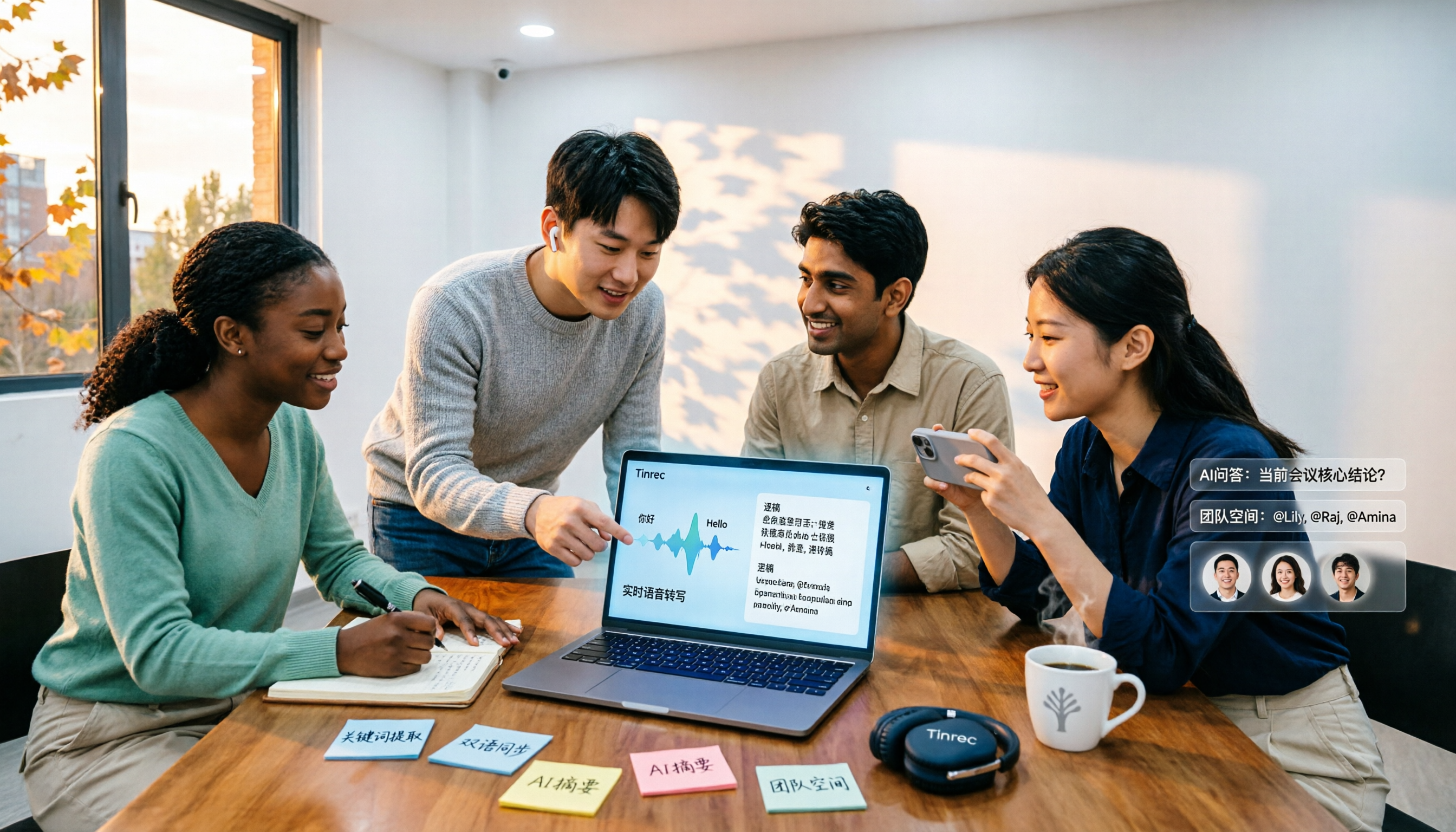
Tinrec, on the other hand, lists Chinese, Traditional Chinese, and multilingual meetings as core scenarios, supports mixed Chinese-English content organization, real-time translation, and allows maintaining company internal terminology and technical terms through team hotwords, making recognition results closer to actual conversation.
→ This dimension: For teams mainly using Chinese and mixed Chinese-English, Tinrec is clearly more aligned.
Dimension 2 | How to Record Online Meetings: Bot vs No Bot
Otter.ai offers multiple capture methods including meeting bots and desktop, providing high flexibility; but the bot format means an extra member in the attendee list, and for external client meetings, sometimes a round of communication is needed first.
Stop organizing recordings by hand
Upload audio or video and automatically get a transcript, summary, and action items
Tinrec's desktop version directly captures computer system audio, handling Zoom, Google Meet, Microsoft Teams, and Webex meetings played on the computer, without inviting an extra bot to join. In practice, users need to actively open Tinrec to start recording, not automatically join all calendar meetings.
→ This dimension: If you don't want an extra bot in the meeting list, Tinrec's approach is more direct.
Dimension 3 | Real-Time Translation and Bilingual Review
The real hassle of cross-language meetings is producing content in two languages afterward. Otter.ai focuses on English meeting transcription; Tinrec supports real-time translation during recording, allowing review by original text, translation, or bilingual format, which is more intuitive for multinational teams or scenarios requiring Chinese-English bilingual transcripts.
If your meetings are primarily in English and attendees can read English directly, the gap in this dimension narrows.
→ This dimension: For teams needing Chinese-English bilingual comparison, Tinrec is more suitable.
Dimension 4 | Post-Meeting Outputs and AI Follow-Up Questions
Otter.ai provides summaries, action items, AI Chat, and workflows, and is quite mature in post-meeting organization for English meetings.
Tinrec focuses on "what can be done after transcription": automatically generating summaries, sections, and key points, extracting action items, creating mind maps, and supporting AI Q&A around meeting content; it can also use Agent post-processing to generate reports, tables, and documents, and export to Notion, Google Docs, OneNote, Dropbox, and other tools for further processing.
→ This dimension: For deliverable post-meeting materials, Tinrec's output layer is more complete.
Dimension 5 | Team Workspace and Data Governance
Otter.ai's Business plan offers more complete team and management capabilities, suitable for organizations already deeply using English meeting workflows.
Tinrec's team version is an independent team workspace: meeting data belongs to the team, with management of owners, admins, and regular members, allocation, revocation, or transfer of seats, viewing team usage trends, member rankings and details, maintaining team hotwords, querying and exporting audit logs, and providing an audio recycle bin. It's important to note that Tinrec currently focuses on team-level sharing, where effective members can read team data, and only after obtaining a seat can they record, upload, edit, and export—it is not a file-level granular permission system.
→ This dimension: For teams needing Chinese meetings plus seat, usage, and audit governance, Tinrec is closer.
Dimension 6 | Plans and Cost Structure
Otter.ai's public plans are Basic free (300 minutes per month); Pro annual billing is about USD 8.49 per user per month, including 1,200 minutes of in-app recording per month and 10 file imports; Business offers unlimited meetings and in-app recording, more imports, and management capabilities, with actual prices possibly affected by promotions.
Tinrec's personal version offers a free version, weekly card, Pro monthly card, and Pro annual card; the team version is USD 29.80 per paid seat per month, or USD 199 per paid seat per year, about USD 16.58 per month, with each paid seat providing 2,000 minutes of team shared import quota per month, and real-time recording within the validity period is currently not deducted by minutes. Eligible teams also get a 7-day trial with 1 free seat and 300 minutes of shared import quota.
→ This dimension: Looking only at personal entry monthly fees, Otter has a lower threshold; when placed in team shared quota and governance scenarios, the two have different orientations, making it a tie. Please refer to each official purchase page for prices, currencies, and promotion details.
What Are the Unique Advantages of Each?
Tinrec's unique advantages:
- Bot-free desktop recording: directly captures system audio, no extra participant needed for online meetings.
- Multilingual and bilingual workflow: Chinese, Traditional Chinese, and multilingual meetings, plus real-time translation and bilingual review.
- Complete post-meeting output chain: from summaries, sections, action items, mind maps, AI Q&A, to Agent-generated reports, tables, and documents, with export to existing tools.
- Team data retention: team workspace, roles and seats, usage analytics, audit logs, and audio recycle bin, so data remains with the team when members change.
- Audio retention: supports retaining recordings for easy cross-checking of transcript timestamps.
Otter.ai's unique advantages:
- Mature English business meeting mindset, with deep experience in transcription and meeting intelligence for all-English meetings.
- Business plan offers unlimited meetings and in-app recording, more imports, and team management capabilities.
Conclusion: Which One Should You Choose?
- If your meetings are mainly in Chinese or mixed Chinese-English → Tinrec (Chinese and multilingual scenarios are its core)
- If you don't want an extra bot in the meeting list → Tinrec (desktop version directly captures system audio)
- If you need Chinese-English bilingual transcripts, or want to directly produce reports and documents after meetings → Tinrec
- If you want meeting data to stay with the team, not lost when members change, and need seat and usage governance → Tinrec team version
- If your team mainly meets in English and is already used to existing meeting assistant workflows → Otter.ai is still sufficient
In one sentence: For most teams mainly using Chinese and mixed Chinese-English meetings, Tinrec is a more complete choice; but whether a tool works well is highly related to your meeting style. It's recommended to first test with a segment of your own meeting recording, confirm that the transcript, summary, and action items meet expectations, and then decide whether to deploy it for the team.
Final reminder: Recording and transcription involve personal data and local regulations. Before deployment, please confirm compliance and obtain attendee consent when needed.
References
- 2026 Latest 5 Chinese-English Bilingual Meeting Transcription AI Tool Recommendations: Solving Recording Organization and Cross-Language Communication Pain Points - Tinrec Blog
- 2026 Meeting Real-Time Translation Software Comparison: Which Is Most Accurate, Smooth, and Easy to Use?
- With Meeting Minutes Template! Common English Meeting Minutes/International Meeting Minutes! | NativeCamp. Blog
- Business English Meetings: How to Say Meeting Minutes in English? Analysis of Related Terms and Recording Techniques | Lado Enterprise English Training
- No More Taking Turns Writing Meeting Minutes! 3 AI Tools for Real-Time Recording and Summary Generation, So You Can Focus on the Meeting | Manager Today
Turn every recording into actionable outcomes
Get 60 free transcription minutes when you sign in. No credit card required.
Related Reading
You might also like

4 Multilingual Meeting Transcription Apps Tested in 2026: Which Delivers the Best Cross-Language Transcripts and Bilingual Summaries?
Multilingual meeting notes aren't just about turning on live translated captions. This article uses real examples to show what a usable bilingual meeting record should look like, then compares Tinrec, Notta, Otter.ai, and Granola across five dimensions—code-switching capability, summary language, recording method, audio retention, and team sharing—to help you choose the AI meeting notes app that truly works for you.
4 Multilingual Meeting Notes Tools Tested in 2026: Beyond Templates, Which AI Bilingual Summarizer Saves the Most Time?
Downloaded a bunch of multilingual meeting notes templates but still can't understand or finish taking notes during meetings? A senior student tested 4 tools: Tinrec's mixed Chinese-English transcription, bilingual transcripts, AI Q&A, and team workspace, compared with Notta, TurboScribe, and Granola. Includes student budget and free tier advice.

4 Multilingual Meeting Transcription Tools Compared in 2026: From Live Translation to Post-Meeting Action Items
How do you choose a multilingual meeting transcription tool? This article starts with common misconceptions, breaking down four key points: translation is not the same as transcription, the trade-offs between bot-free and bot-based recording, file import and audio retention, and team data ownership. It then compares Tinrec, Otter.ai, Notta, and Granola across positioning, strengths, and limitations to help you decide which one to pick.

4 Multilingual Meeting Transcription Tools Tested for 2026: Which Handles Mixed Chinese-English Transcripts Best?
Tired of re-reading mixed Chinese-English meeting transcripts just to organize them? This comparison reviews 4 multilingual meeting transcription tools. We start with what a practical meeting notes template should include, then compare Chinese recognition, bot-free recording, post-meeting summaries, and team collaboration. Official pricing and pitfalls to avoid are included to help you decide which tool fits your meeting style.

2026 Review of 4 Multilingual Meeting Transcription Tools: Which Handles Mixed Chinese-English Bilingual Transcripts Best?
How to choose a multilingual meeting transcription tool? This article reviews Tinrec, Otter.ai, Notta, and Granola based on essential meeting minutes fields, language-switching recognition, post-meeting usability, and team seat management. It also covers 4 common pitfalls and scenario-based recommendations.

2026 Comparison of 4 Multilingual AI Meeting Note Tools: Which Handles Mixed Chinese-English Meetings Best?
A student's hands-on comparison of 4 multilingual AI meeting note tools, evaluating mixed Chinese-English transcription, bilingual transcripts, AI Q&A, and free tiers, plus key buying factors, pitfalls to avoid, and scenario recommendations.

How to Take Multilingual Meeting Minutes in 2026: 4 Steps from Bilingual Examples to AI Summaries
How do you write multilingual meeting minutes without missing key points? This article breaks down the essential fields of a bilingual Chinese-English meeting minutes example, explains compliance reminders for recording and transcription, and shares how Tinrec's instant recording uses real-time transcription, bilingual comparison, AI summaries, and action item extraction to turn transcripts into trackable meeting records.

Best Multilingual AI Meeting Notes Software in 2026: We Tested 4, and This One Handles Chinese Meetings Best
A mid-level manager with a 10-person team and 15 meetings a week tested 4 multilingual AI meeting notes tools. From bot-free recording, mixed Chinese-English transcription, real-time translation, to post-meeting AI Q&A and team data ownership, we break down the 4 key buying factors, hands-on findings, and pitfalls to avoid, with scenario-based recommendations.

How to Take Multilingual Meeting Notes in 2026: 5 Steps from Recording to AI Summary
Multilingual meetings with mixed languages are time-consuming to organize afterward. This article covers common pitfalls, explains 5 key factors for choosing multilingual meeting note software, breaks down 5 steps from recording to AI summary, and compares Tinrec, Notta, Otter.ai, and PLAUD to help you make a purchasing decision.