

Turn recordings into transcripts and summaries in minutes
Upload audio or video for multilingual transcription, AI notes, and action items
2026 Meeting Efficiency Tools Comparison: Which AI Meeting Notes Actually Save Time?
Still spending two hours after a meeting to organize? Most people choose the wrong tool from the start
When many people pick a meeting efficiency tool, their first question is "How accurate is its transcription?" But those who attend meetings daily know that what slows you down usually isn't transcription accuracy.
Pitfall 1: Treating a meeting efficiency tool as a "voice recorder plus transcript." A 30-minute meeting turns into thousands of words, but who agreed to what and what to do next still requires reading through it all. A transcript is just raw material, not a finished product.
Pitfall 2: Assuming online meetings must have a bot join. Many tools rely on a "meeting bot" joining as a participant, but an extra unknown account on the list may not be acceptable to the other company, and ad-hoc meetings can't be set up in time.
Pitfall 3: Keeping meeting records in personal accounts. When a colleague leaves, historical meetings disappear; when switching tools, a whole year of meeting records is lost.
This article isn't about installing another recording app, but about breaking down "meeting efficiency tools" into four stages—recording, organizing, querying, and archiving—and testing four tools to see which workflow truly saves time.
Before choosing a meeting efficiency tool, understand these 4 key points
1. Is it a recording tool or a meeting workflow? A tool that only converts audio to text gives you "raw material." What truly saves time is automatic summaries, chapters, key points, and action items after transcription, ideally with the ability to ask questions directly about the content. When choosing a tool, first ask: What will I have in hand the moment the meeting ends?
2. How does meeting content get in? There are three common ways: a meeting bot joining online meetings, desktop capture of system audio, or external recording hardware. Bots are visible; hardware costs extra; desktop capture of system audio doesn't require an extra participant and is currently a less intrusive way.
3. Can existing recordings be processed together? You surely have accumulated meeting recordings, interview audio, and online course videos. If a tool can only record in real-time, that old data will just sit there.
4. Who ultimately owns the data? Personal accounts are convenient but risky for teams. Tools with team spaces keep meeting data owned by the team and allow handover when members change; pure personal tools are usually blank in this area.
Tinrec – The one we most often recommend after testing
Tinrec is an AI meeting notes and collaboration tool for individuals and teams, available on web, desktop, and mobile, with the desktop version handling online meetings.
No bot invitation needed; desktop version records online meetings directly. Open Tinrec desktop, and it captures the computer's system audio without an extra meeting bot joining as a participant, handling meeting audio from Zoom, Google Meet, Microsoft Teams, Webex, etc., played on the computer. This is especially important for external client meetings—no unknown account suddenly appears on the list. Note that this is not "automatically joining all calendar meetings"; you still need to actively start recording.
Meeting ends, data is already organized. Real-time recording transcribes as it records; after the meeting, AI summaries, chapters, key points, and action items are generated together, so who is responsible for what and deadlines can be assigned directly. For bilingual situations, real-time translation can be enabled, reading in original, translated, or bilingual side-by-side.
After recording, you can ask questions directly about the meeting. This is where it differs most from ordinary transcription tools. You no longer search word by word, but ask directly: "Who mentioned the budget in the last meeting?" "What concerns did the client have about delivery?" The tool organizes answers by semantics. Transcripts, summaries, and action items can also be exported to Notion, Google Docs, OneNote, Dropbox, etc., or further processed with Agent to generate reports, tables, and documents.
In actual testing, we deliberately used real meeting scenarios, not a quiet studio: air conditioning noise, keyboard sounds, multiple people talking over each other, mixed Chinese-English technical terms—all present. Under such conditions, differences between tools truly emerge. Note that transcript readability varies significantly with recording quality, accent, and overlapping speech, so it's not advisable to rely solely on official accuracy numbers; best to test with your own recording.
Stop organizing recordings by hand
Upload audio or video and automatically get a transcript, summary, and action items
Team version turns meetings into team assets. Personal version data belongs to the individual account; team version is an independent team space where meeting data belongs to the team. Admins can create and switch multiple team spaces, invite members via join links, and distinguish "roles" and "seats"—roles determine who can manage the team, members, and team settings; seats determine who can record, upload, edit, import, and export. Members with valid but no seat can still view, play, and read team data. Other features include team-shared real-time recording and import benefits, usage trends and member rankings, team hotwords, audit logs, and audio recycle bin (restores accidentally deleted audio, currently retained for 30 days).
Pricing: Team version monthly is USD 29.80 per paid seat per month, annual is USD 199 per paid seat per year (about USD 16.58 per month); each paid seat provides 2,000 minutes of team-shared import quota per month. Eligible teams can try 7 days, 1 free seat, and 300 minutes of team-shared import quota. Also note that real-time recording under valid team plans and seats currently does not deduct minutes, but file and web link imports consume team-shared import minutes. Actual prices and benefits are subject to the official purchase page.
Its limitations are here too. The free version offers basic quota, suitable for trial; if you have many meetings weekly or need to process a large batch of existing audio files, consider upgrading or using a dedicated batch transcription tool. Also, AI summaries and Q&A may still miss or misinterpret details; for important content, verify with transcript timestamps and recording playback.
Who it's for: Those who frequently attend online meetings, have Chinese or mixed Chinese-English content, want to use AI to find key points directly after recording, and need cross-device and team sharing of meeting data.
Besides Tinrec, what other options are there?
Otter.ai: A veteran choice for English business meetings. The free version offers 300 minutes per month, quite generous. Pro annual is about USD 8.49 per user per month, including 1,200 minutes per month and 10 file imports. If you record almost exclusively English meetings, it's more cost-effective than Tinrec. But for Chinese and mixed Chinese-English meeting summaries and action item organization, Tinrec has an advantage.
Granola: Also bot-free, using desktop system audio and microphone for real-time transcription, combined with user notes to generate content. Basic is free, Business is USD 14 per user per month. Note that it does not support uploading existing recordings and does not save meeting audio—so when you need to check original audio or organize old recordings, it can't. Tinrec retains audio and supports file import.
PLAUD Note/NotePin: Representative of AI recording hardware. NotePin is USD 159, Note Pro USD 189, with additional monthly and annual membership fees. Suitable for portable, offline, long-duration recording. But hardware costs extra, must be carried, and charged; if your main scenario is online meetings on a computer, Tinrec's desktop version handles it without extra device.
Pitfall Guide: 4 most common mistakes when choosing meeting efficiency tools
Pitfall 1: Only looking at official accuracy rates. That number is usually measured in a quiet environment. Real meeting rooms have air conditioning noise, keyboard sounds, multiple people talking over each other, and performance differs significantly. Simple approach: test with your own recording using free quota—more useful than reading ten spec sheets.
Pitfall 2: Ignoring the social cost of meeting bots. For internal meetings it may be fine, but for external client meetings, an extra AI account on the list can sometimes break a deal. Before choosing, think clearly: does your meeting have "participants who cannot be seen"?
Pitfall 3: Buying a tool but only using it for transcription. Treating the transcript as the final product means using only one-third of the tool's capability. Summaries, action items, AI Q&A, and export to existing workflows are the real time-savers.
Pitfall 4: Putting team data in personal accounts. Starting with a personal version is convenient, but when data accumulates to hundreds of meetings and someone leaves, migration costs are very high. If meeting content belongs to the team, start with a solution that has team spaces, roles, and seat management.
Conclusion: Which one should you choose?
- Need Chinese, mixed Chinese-English meetings, and want to use AI to find key points directly after recording → Tinrec
- Don't want an extra bot on the meeting list, and need to handle Zoom, Meet, Teams, Webex → Tinrec
- Need web, desktop, and mobile cross-device, and archive meeting data to team space → Tinrec
- Want to keep meeting audio and organize past meeting recordings → Tinrec
- Meetings almost all in English, budget priority → Otter.ai
- Need portable, offline hardware recording → PLAUD Note series
One-sentence conclusion: In 2024, choosing a meeting efficiency tool isn't about the decimal point of accuracy, but about "how much time you still spend after the meeting ends." If you want Chinese meetings plus team archiving, Tinrec is currently the most cost-effective path.
We suggest first using the free version's basic quota, test with a segment of your own meeting recording, and consider upgrading if it fits—no need to pay from the start.
References
- 14 AI Tools You Must Know in 2024 (Part 2) | TechNews
- Generate a complete meeting summary in 5 minutes, this Traditional Chinese AI tool completely changes work efficiency | Tinrec Blog
- 12 Practical Tools for Working from Home: Video Conferencing, Project Management, To-Do Reminders All in One! | Manager Today
- 2024 Essential AI Tools Guide: 120 Powerful Tools to Boost Efficiency and Creativity | DataAgent
- 8 Free Interactive Tools to Upgrade Your Online Meetings! | Asia Concentrate
Reference Sources
- 14 AI Tools You Must Know in 2024 (Part 2) | TechNews
- Generate a complete meeting summary in 5 minutes, this Traditional Chinese AI tool completely changes work efficiency - Tinrec Blog
- 12 Practical Tools for Working from Home: Video Conferencing, Project Management, To-Do Reminders All in One! | Manager Today
- 2026 Essential AI Tools Guide: 120 Powerful Tools to Boost Efficiency and Creativity | DataAgent
- 8 Free Interactive Tools to Upgrade Your Online Meetings!
Turn every recording into actionable outcomes
Get 60 free transcription minutes when you sign in. No credit card required.
Related Reading
You might also like

Best Meeting Efficiency Tools in 2026: We Tested 5, and the One With No Bot Recording Is the Easiest
A mid-level manager who attends over a dozen meetings a week tested meeting efficiency tools using one standard: can it save an hour of post-meeting busywork? This article starts from the buying decision focus, breaks down what meeting efficiency tools can do for you, five core capabilities, real-world use cases, and five key buying considerations. It also explains Tinrec's actual performance and limitations in bot-free recording, AI summary to-dos, and team space governance.

2026 Meeting Productivity Tools Comparison: Tinrec vs Otter.ai Five-Dimension Test, Which Should Chinese Teams Choose?
There are countless meeting productivity tools, but the first thing to clarify is whether your meetings are primarily in Chinese or English, and whether data needs to stay within the team. This article compares Tinrec and Otter.ai across five dimensions, breaking down Chinese transcription, meeting capture methods, post-meeting outputs, team spaces, and pricing plans, with an FAQ to help Chinese teams quickly decide which one to choose.

2026 Meeting Productivity Tools: Tinrec vs PLAUD Note — 5-Point Hands-On Comparison
Meeting's over, but the transcript, notes, and action items aren't done? This article compares two common approaches to meeting productivity tools—Tinrec and PLAUD Note—across 5 dimensions: software-based bot-free recording, file import, post-meeting AI Q&A, and team data governance versus hardware-based portable recording. It includes step-by-step instructions and selection advice to help you decide which one actually saves you from after-hours overtime.

Best Meeting Productivity Tools in 2026: Tested 5, This One Excels at Chinese Meetings
If you have more than 3 meetings a week, post-meeting organization is often the most time-consuming part. This article, based on real-world scenarios, covers what meeting productivity tools can do, their core capabilities, and 5 key factors to consider when choosing one. It uses Tinrec as an example to illustrate the complete workflow from recording, transcription, summarization, action items, to team collaboration, and includes a FAQ at the end.

2026 Meeting Efficiency Tools Comparison: Beyond Zoom and Teams, What Are Your Options?
How do you choose a meeting efficiency tool? This article starts with common misconceptions, then compares Tinrec, Otter.ai, Notta, and Granola in real tests, explaining differences in bot-free online meeting recording, AI summaries and action items, AI Q&A, and team knowledge retention. It also covers 4 key buying factors and 3 common pitfalls to help you choose the right tool for your meeting scenarios.

2026 Meeting Productivity Tools Comparison: Tinrec vs Notta in 5 Key Areas
How to choose a meeting productivity tool in 2026? This hands-on comparison of Tinrec and Notta covers five dimensions—meeting capture, Chinese-language experience, post-meeting organization, team governance, and pricing—to help you decide which fits your meeting and team workflow.

4 Meeting Productivity Tools Tested for 2026: Which Saves Software Engineers the Most Time on Meeting Notes?
Software engineers often have meetings with mixed Chinese and English, and don't want a meeting bot appearing on the participant list. This article tests and compares 4 meeting productivity tools in 2026, covering transcripts, AI summaries and Q&A, bot-free recording, and team data ownership, and honestly lists each option's free tier and paid pricing to help you find the one that truly reduces your post-meeting work.
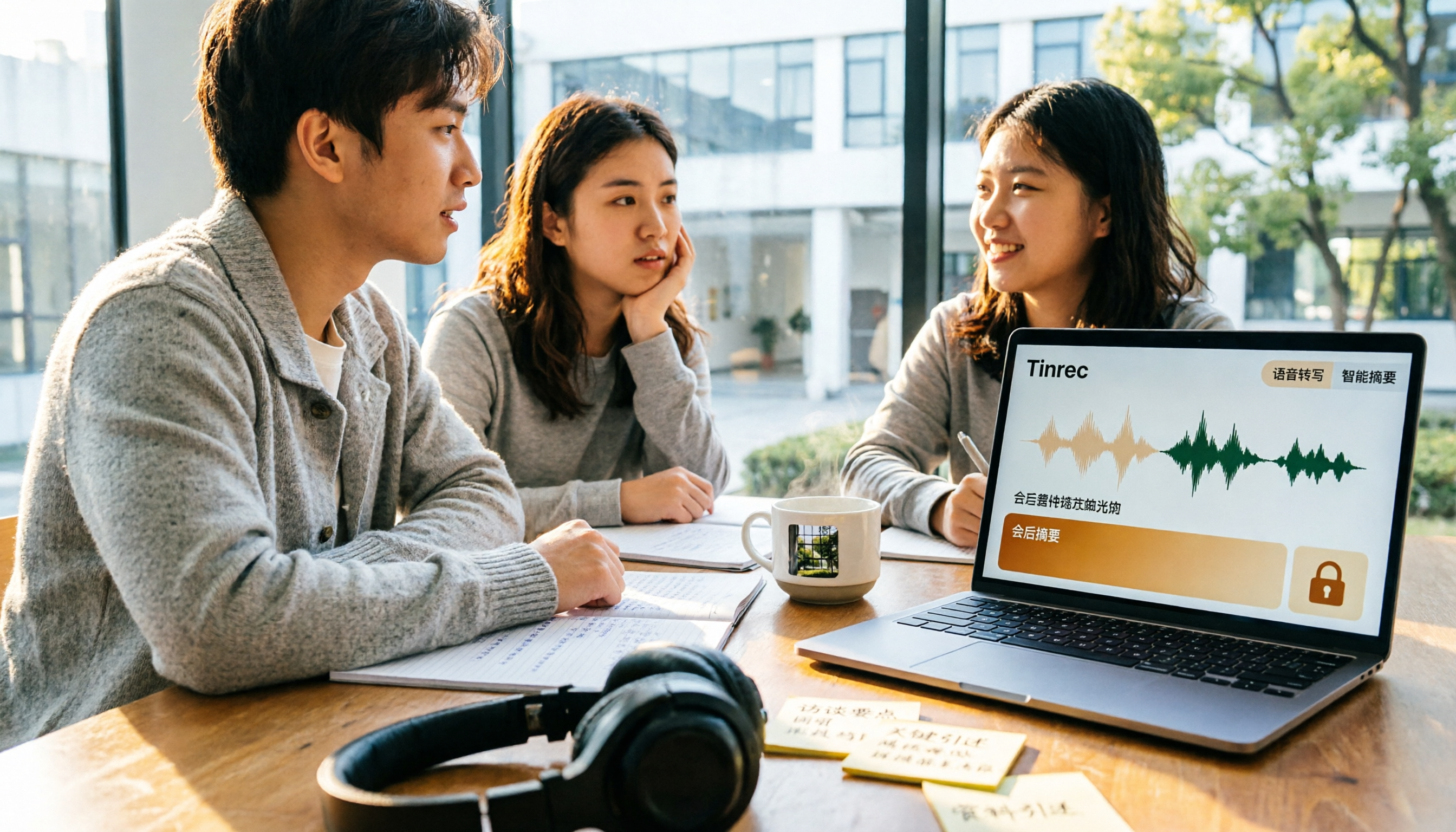
5 Best Meeting Productivity Tools in 2026: A Student's Hands-On Comparison from Free to Paid
From group discussions to graduation project interviews, I tested 5 meeting productivity tools including LINE, Google Meet, Otter.ai, and Tinrec. I compared Chinese transcription, bot-free recording, post-meeting outputs, payment flexibility, and data ownership, with a focus on the five-dimension comparison between Tinrec and Otter.ai, to help you decide which one best fits students and small teams.

Best Meeting Productivity Tools in 2026: We Tested 2 — This One Wins for Chinese Meetings
In 2026, the biggest mistake when choosing a meeting productivity tool isn't having too many meetings — it's ending up with nothing after the meeting. We break down Tinrec and Otter.ai across 5 dimensions: Chinese transcription, bot-free recording, post-meeting output, real-time translation, and team governance, so you can confidently say which one to pick on a budget.