

Turn recordings into transcripts and summaries in minutes
Upload audio or video for multilingual transcription, AI notes, and action items
2026 Meeting Productivity Tools Comparison: Tinrec vs Otter.ai Five-Dimension Test, Which Should Chinese Teams Choose?
When choosing a meeting productivity tool, I usually ask three questions first, rather than looking at the feature list.
First, are your meetings primarily in Chinese or English? Second, do meeting materials need to stay within the team so others can access them later? Third, are you willing to let a "meeting bot" join every online meeting as a participant?
The answers to these three questions will roughly determine which direction you should go.
According to a 2024 Gartner report, knowledge workers worldwide spend nearly 12 hours per week in meetings, with about 30% of that time spent organizing meeting minutes. This is why there are so many meeting notes tools these days.
This time I selected two directions that are most often compared together: Tinrec and Otter.ai. The former focuses on Chinese meeting notes plus team data accumulation, while the latter is a veteran AI meeting assistant for English business meetings. Below, I break it down across five dimensions.
Tinrec vs Otter.ai | Quick Overview
Tinrec is an AI meeting notes and collaboration tool for individuals and teams. It supports real-time audio-to-text, desktop-based bot-free online meeting recording, audio and video file import, real-time translation, and can produce summaries, chapters, to-dos, and mind maps, as well as share and follow up within team spaces.
Otter.ai is a mature AI meeting assistant on the market, covering Zoom, Microsoft Teams, and Google Meet, with real-time transcription, speaker identification, AI Chat, and team management capabilities. It is highly accepted in English business meetings.
| Item | Tinrec | Otter.ai |
|---|---|---|
| Core positioning | AI meeting notes and team collaboration | AI meeting assistant |
| Meeting capture | Desktop captures system audio, no bot needed | Meeting bot and desktop, among other methods |
| Language focus | Chinese, Traditional Chinese, mixed Chinese-English, multilingual | Primarily English business meetings |
| Free plan | Free version offers basic quota | Basic free, 300 minutes per month |
| Paid starting point | Personal weekly card / Pro monthly card / annual card; Team version USD 29.80 per paid seat per month | Pro annual billing equivalent to USD 8.49 per user per month |
(Prices and benefits are subject to official adjustments; please refer to the official purchase page before ordering.)
Next, I will compare in order: Chinese transcription experience, meeting capture methods, post-meeting outputs and AI Q&A, team space and data accumulation, and finally pricing and plan flexibility.
Dimension 1 | Chinese Meeting Transcription and Reading Experience
Otter.ai's strength is clear: English business meetings. If your team almost always meets in English, its maturity in this area is well recognized.
But if meetings are in Chinese, Traditional Chinese, or mixed Chinese-English—which is actually common in Taiwanese companies—Tinrec's design is more suited to this scenario. It covers Chinese and multilingual meetings, supports viewing original text, translation, or bilingual content during recording, and provides team hotwords to maintain a glossary of company-specific terms and product names.
One thing to be honest about: the actual performance of any tool is affected by recording quality, background noise, accents, overlapping speakers, and specialized terminology. Tinrec does not recommend promising fixed accuracy numbers. For important content, it is advisable to cross-check the transcript timestamps with the recording.
→ This dimension: For Chinese-dominant teams, Tinrec is more suitable.
Dimension 2 | Meeting Capture Methods: Do You Need an Extra Bot?
A common use of Otter is to have the meeting assistant join online meetings as a participant. The advantage is high automation, but when meeting with external clients, having an unfamiliar member on the meeting list can feel inconvenient to some.
Tinrec takes a different path. The desktop version directly captures the computer's system audio, handling meeting audio played on the computer from platforms like Zoom, Google Meet, Microsoft Teams, and Webex, without requiring an additional bot to join.
Note that this does not mean "automatically joining all calendar meetings." The current approach is for the user to actively open the Tinrec desktop version to start recording, not background automatic scheduling.
→ This dimension: For teams that don't want a bot in meetings, Tinrec's approach is more flexible.
Dimension 3 | Post-Meeting Outputs and AI Q&A
Both sides have summaries and AI Q&A. Otter's AI Chat and workflows have accumulated over a long time in English scenarios, which is its advantage.
Tinrec emphasizes a complete workflow after transcription: AI summaries, chapters, key points, to-do extraction, mind maps, and the ability to continue asking questions about a single or multiple meetings, as well as generating reports, tables, and documents through Agent post-processing. Output supports multiple formats and can be exported to Notion, Google Docs, OneNote, Dropbox, and other tools for further processing.
Simply put, if you only want a transcript, both can provide it; if you want something that can be delivered directly after the meeting, Tinrec's path is more complete.
Stop organizing recordings by hand
Upload audio or video and automatically get a transcript, summary, and action items
→ This dimension: Tie, but in terms of post-meeting delivery, Tinrec's output path is more complete.
Dimension 4 | Team Space and Data Accumulation
Otter's Business plan provides team and management capabilities, a mature enterprise solution—no doubt about that.
Tinrec's team version, on the other hand, is an independent team collaboration space, not "multiple people sharing a personal account." Audio, Folder, and TODO are centrally stored, members are invited via join links, and roles include owner, admin, and regular member. Seats can be assigned, reclaimed, or transferred; team usage trends, member rankings, and details can be viewed; team hotwords can be managed; audit logs can be queried and exported; and there is an audio recycle bin to restore accidentally deleted files.
There is an easily confused point here: roles determine who can manage the team, members, and audits; seats determine whether one can record, upload, edit, import, and export. Valid members without seats can still view, play, and read team data.
Another point to clarify: currently it is primarily team-level sharing, not file-level ACLs where each file has different permissions.
→ This dimension: If you want to manage meeting data as a team asset, Tinrec's segmentation is clearer.
Dimension 5 | Pricing and Plan Flexibility
Otter's official pricing page shows: Basic free, 300 minutes per month; Pro annual billing equivalent to USD 8.49 per user per month, including 1,200 minutes of in-app recording per month and 10 file imports; Business offers unlimited meetings and in-app recording, with prices possibly affected by promotions.
Tinrec's personal version is divided by usage tasks: for occasional recording organization, the free version is enough; for short-term intensive meetings or interviews, consider a weekly card; for stable weekly needs, the Pro monthly card is more suitable; for long-term accumulation of recording data, consider the annual card.
The team version is currently USD 29.80 per paid seat per month, or USD 199 per paid seat per year, equivalent to about USD 16.58 per month; each paid seat provides 2,000 minutes of team shared import quota per month. The first eligible team trial is 7 days, 1 free seat, and 300 minutes of team shared import quota. Additionally, under an active team plan and active seats, real-time recording currently does not deduct minutes; only file and web imports consume the team shared quota.
→ This dimension: In terms of unit price, Otter's entry-level paid threshold is lower; but considering the combination of "Chinese team + shared quota + seat governance," Tinrec's team version structure is closer to team procurement logic.
What Unique Advantages Does Each Have?
For Tinrec, I would list these:
First, bot-free desktop recording, so the meeting list doesn't have an extra person, and the meeting audio is retained for later verification.
Second, the organization experience for Chinese, Traditional Chinese, and mixed Chinese-English, plus real-time translation and team hotwords, is friendlier for Chinese-dominant teams.
Third, multiple export paths: transcripts, summaries, and to-dos can be brought into your existing workflow without a full migration.
Fourth, team space governance capabilities, including members, roles, seats, usage analysis, audit logs, and audio recycle bin.
Otter.ai's advantages are also solid: high maturity in English business meetings, long integration history with platforms like Zoom, Teams, and Meet. For all-English teams, it remains a smooth choice.
Conclusion: Which Should You Choose?
• If meetings are primarily in Chinese, Traditional Chinese, or mixed Chinese-English → Tinrec
• If you don't want a meeting bot joining every meeting but still want to keep recordings → Tinrec
• If you want to accumulate meeting data as a team asset and need to manage seats and usage → Tinrec Team version
• If you want to directly generate reports, tables, and documents after meetings → Tinrec
• If your team meets almost entirely in English, is highly tied to the Zoom or Teams ecosystem, and only needs simple meeting notes → Otter.ai is still sufficient
In one sentence: For most Chinese teams, Tinrec is the more complete choice. It is recommended to start with the free version, test it with a real meeting from your own team, see if the transcription and summary results are smooth, and then decide whether to upgrade.
FAQ
Q1: Does Tinrec have a free version? How is the quota calculated?
Yes. The free version allows you to experience recording, import, summary, and transcription with a basic quota. If you only occasionally organize a recording, starting with the free version is the most reasonable approach.
Q2: Does Tinrec require a meeting bot to join meetings?
No. The Tinrec desktop version directly captures computer system audio and can handle meeting audio played on the computer from platforms like Zoom, Google Meet, Microsoft Teams, and Webex. However, this is user-initiated recording, not automatic joining of all calendar meetings.
Q3: Is transcription accurate for Chinese meetings?
Chinese, Traditional Chinese, and mixed Chinese-English are scenarios Tinrec focuses on, and team hotwords can maintain specialized terminology. However, actual performance is affected by recording quality, noise, accents, and overlapping speakers. It is not recommended to treat it as 100% accurate; important content should still be verified against the recording.
Q4: What is the difference between the team version and the personal version?
Personal version data is managed by the individual account. The team version is an independent team space where meeting data belongs to the team, plus member invitations, role and seat management, shared quota, usage analysis, audit logs, and audio recycle bin.
Q5: Can members without seats see team data?
Yes. Valid members without seats can still view, play, and read team data; but to record, upload, edit, or import/export, a seat is required.
Q6: What should be noted about meeting recording?
Recording and transcription involve personal data and local regulations. Before recording, it is best to inform participants and obtain consent, especially for external meetings or client interviews. This part cannot be replaced by tool features.
References
- How to Choose a Conference Management System? Feature Comparison and Implementation Evaluation Key Points (Including Enterprise Use Cases)
- 2025 Review of 8 Mainstream Video Conferencing Software to Help You Improve Meeting Efficiency! - Zhihu
- 2025-2026 Meeting Notes Tool Recommendations: Five Product Comparison Experience for Professional Use Cases - IT Home
- How to Choose an Automatic Meeting Notes App? 2026 Test of 5 Tools and Tinrec Efficient Usage - Tinrec Blog
- Inefficient Meetings? 8 Free AI Tools for Content Writing, Data Analysis, and PPT to Become a Meeting Master - Jobsdb Hong Kong
Turn every recording into actionable outcomes
Get 60 free transcription minutes when you sign in. No credit card required.
Related Reading
You might also like

2024 Meeting Productivity Tools Comparison: Tinrec vs Otter.ai — Which Is Better for Chinese-Speaking Teams?
Most people choose meeting productivity tools based only on transcription accuracy, but the real pitfalls are often that no one reads the transcripts, recordings are scattered across personal accounts, and a bot unexpectedly joins the meeting. This article compares Tinrec and Otter.ai across five dimensions—Chinese-language experience, recording methods, post-meeting outputs, team governance, and pricing—to help you decide which tool better fits your meeting scenarios.

7 Best Meeting Productivity Tools in 2026: How to Choose a PTT-Approved Audio-to-Text Solution
In 2026, PTT discussions about meeting productivity often focus on mobile app usability and microphone clarity, but overlook the real bottleneck: post-meeting organization. This article reviews 7 meeting productivity tools, covering their positioning, pricing, and ideal users—from bot-free online meeting recording, transcription, AI summaries, to team knowledge retention.

4 Meeting Productivity Tools Tested for 2026: Which One Actually Saves You Post-Meeting Time?
Spending hours organizing meeting notes after the meeting ends? This article starts with common pitfalls, breaks down 4 key factors for choosing a meeting productivity tool, and compares Tinrec, Otter.ai, Notta, and Granola in Chinese transcription, post-meeting organization, and team collaboration. It also includes a guide to avoid pitfalls and scenario-based selection advice.
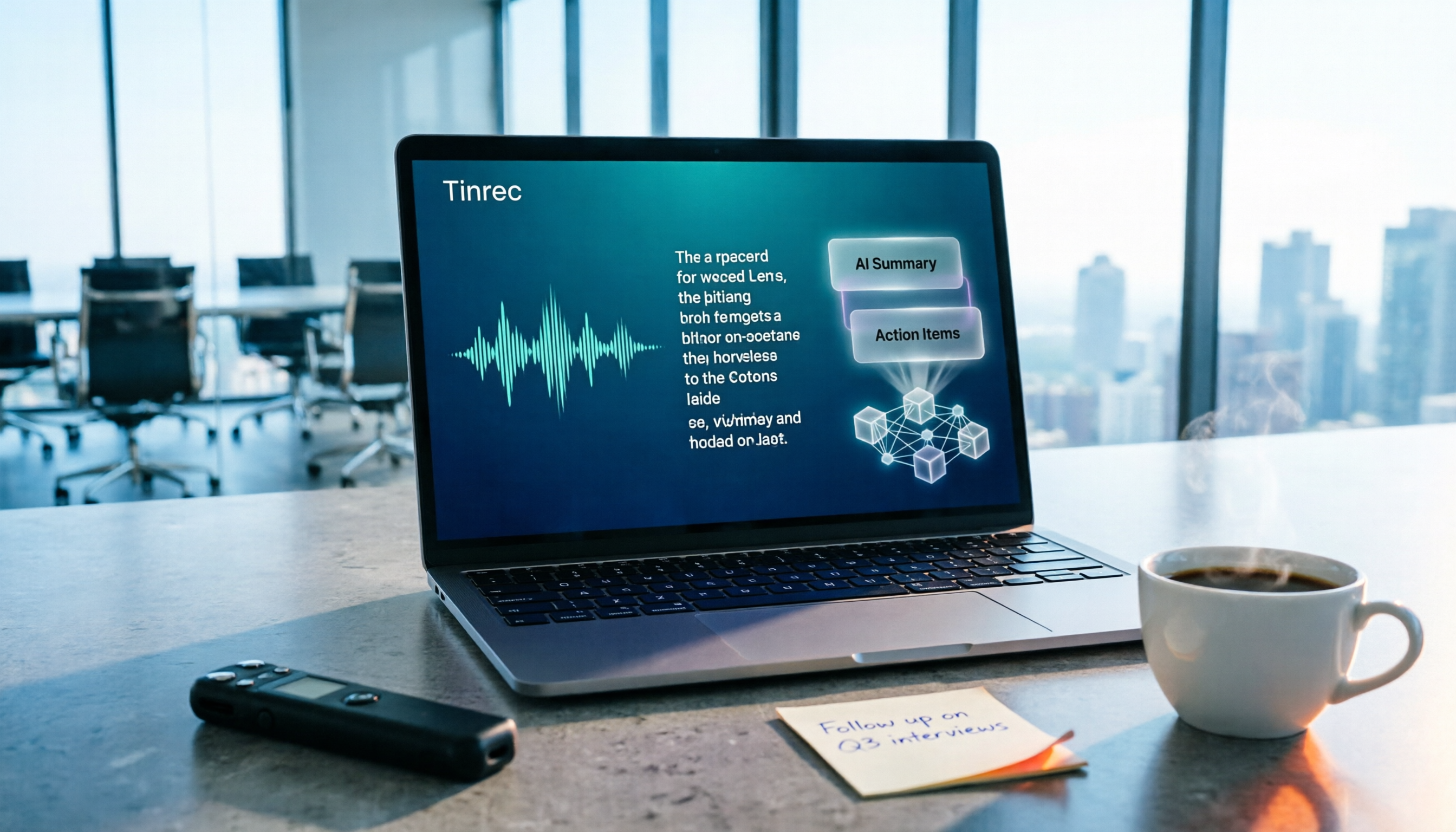
How to Choose a Free Meeting Productivity Tool in 2026: 5 Steps from Recording to Meeting Minutes
Starting from the pain points of post-meeting organization, this article compares built-in free meeting tools from platforms with Tinrec, and breaks down the complete workflow from recording, transcription, AI summarization, to team knowledge retention in 5 steps, helping readers determine if a free plan is sufficient and how to choose.

2026 Meeting Efficiency Tools Comparison: Which AI Meeting Notes Actually Save You Post-Meeting Time?
Meeting efficiency tools review 2026: This article uses Tinrec as the main test subject, breaking down what meeting efficiency tools can do for you, six core capabilities, four practical use cases, and 5 key points to consider when purchasing, covering Chinese recognition, bot-free online meeting recording, AI summaries and action items, team roles and seat management, plan quotas, and includes FAQs.

Best Meeting Efficiency Tools in 2026: We Tested 5, and the One With No Bot Recording Is the Easiest
A mid-level manager who attends over a dozen meetings a week tested meeting efficiency tools using one standard: can it save an hour of post-meeting busywork? This article starts from the buying decision focus, breaks down what meeting efficiency tools can do for you, five core capabilities, real-world use cases, and five key buying considerations. It also explains Tinrec's actual performance and limitations in bot-free recording, AI summary to-dos, and team space governance.

2026 Meeting Productivity Tools: Tinrec vs PLAUD Note — 5-Point Hands-On Comparison
Meeting's over, but the transcript, notes, and action items aren't done? This article compares two common approaches to meeting productivity tools—Tinrec and PLAUD Note—across 5 dimensions: software-based bot-free recording, file import, post-meeting AI Q&A, and team data governance versus hardware-based portable recording. It includes step-by-step instructions and selection advice to help you decide which one actually saves you from after-hours overtime.

Best Meeting Productivity Tools in 2026: Tested 5, This One Excels at Chinese Meetings
If you have more than 3 meetings a week, post-meeting organization is often the most time-consuming part. This article, based on real-world scenarios, covers what meeting productivity tools can do, their core capabilities, and 5 key factors to consider when choosing one. It uses Tinrec as an example to illustrate the complete workflow from recording, transcription, summarization, action items, to team collaboration, and includes a FAQ at the end.
2026 Meeting Efficiency Tools Comparison: Beyond Zoom and Teams, What Are Your Options?
How do you choose a meeting efficiency tool? This article starts with common misconceptions, then compares Tinrec, Otter.ai, Notta, and Granola in real tests, explaining differences in bot-free online meeting recording, AI summaries and action items, AI Q&A, and team knowledge retention. It also covers 4 key buying factors and 3 common pitfalls to help you choose the right tool for your meeting scenarios.