

Turn recordings into transcripts and summaries in minutes
Upload audio or video for multilingual transcription, AI notes, and action items
7 Best Meeting Productivity Tools in 2026: How to Choose a PTT-Approved Audio-to-Text Solution
When it comes to meeting productivity, many people's first misconception is thinking the problem is "too many meetings." But what's really discussed on PTT is often another step—the meeting is over, but the notes haven't been created yet.
In 2026, someone on the MobileComm board asked, "Besides Mo, what's the best PTT app for mobile?" On WomenTalk, people compared various PTT apps; on PC_Shopping, a user compared 3.5mm desktop microphones because online meetings took up 70% of their usage time. People are willing to spend time researching whether tools are handy and if audio is clear, but rarely ask: how does the recorded content become a truly usable record?
Three most common pitfalls:
- Assuming "having a recording" equals "having notes"—the audio file sits on your phone, and to confirm a sentence, you still have to listen from the beginning.
- Assuming a "meeting bot" is the only solution—resulting in an extra account on the meeting list, and having to explain to clients what it is.
- Assuming "transcription" is the end goal—the transcript is thousands of words, but you still have to extract the conclusions and action items yourself.
This article reviews 7 meeting productivity tools that were highly discussed in 2024, examining each by "positioning + highlights + pricing + who it's for," and finally discussing how to choose.
Why Do You Need a Meeting Productivity Tool?
Online meetings, offline interviews, weekly stand-ups, client communications—a 60-minute meeting produces about 8,000 to 10,000 words of spoken content. Typing manually while listening usually takes twice the meeting time. With hybrid work becoming the norm, meetings have moved from conference rooms to Zoom, Google Meet, Teams, Webex. Recording is easier, but the cost of organizing "after recording" hasn't decreased.
The real issues to solve are three things: capture, find, and use. The following 7 tools address these to varying degrees. Let's start with the most comprehensive one.
Option 1 | Tinrec—Turn Meetings into Searchable, Collaborative Team Knowledge
One-line positioning: An AI meeting notes and collaboration tool for individuals and teams. It doesn't just transcribe; it organizes meetings into searchable, queryable, and further processable data.
Key highlights:
- Bot-free online meeting recording. The desktop version directly captures computer system audio, handling Zoom, Google Meet, Microsoft Teams, Webex, etc., without adding a bot account to the participant list. This is practical for those who frequently meet with external clients.
- More than just a transcript. Automatically generates summaries, chapters, key points, action items, and mind maps. After a weekly meeting, you can directly ask it "What were the three concerns the client mentioned last week?" and use AI Q&A to retrieve content across meetings, instead of digging through three transcripts.
- Chinese and multilingual meetings. Supports Chinese, Traditional Chinese, mixed Chinese-English content, multilingual transcription, and real-time translation. You can switch between original, translated, or bilingual views, and maintain company terminology with team hotwords. Actual performance depends on recording quality, accents, noise, and overlapping speech; it should not be treated as a guaranteed fixed accuracy rate.
- Directly produce work outputs after meetings. Besides multi-format export (Notion, Google Docs, OneNote, Dropbox, etc.), it can also use Agent post-processing to generate reports, tables, and documents, connecting "meeting ended" to "deliverables ready."
- Team version is a separate space, not a shared account. Supports multiple team spaces, invite links, owner/admin/member roles, seat allocation and transfer, and provides team usage trends, member rankings, audit log query and export, team hotwords, and audio recycle bin. Roles determine who can manage the team; seats determine who can record, upload, edit, and export. Valid members without a seat can still view, play, and read team data, but cannot perform resource-consuming operations.
Pricing: Personal plans include Free, Weekly Pass, Pro Monthly, and Pro Annual, choose based on usage frequency. Team version offers a 7-day trial for first-time eligible users, 1 free seat, and 300 minutes of shared team import quota; Team monthly is USD 29.80 per paid seat per month, annual is USD 199 per paid seat per year (about USD 16.58/month), each paid seat provides 2,000 minutes of shared team import quota per month; under an active team plan and active seats, real-time recording currently does not deduct minutes, while file and web imports use the shared team quota. Actual prices and benefits are subject to the official purchase page.
Who it's for: Those who mainly have Chinese meetings, don't want a bot in the meeting, and need to turn content into action items and reports afterward; and departments that need to consolidate meeting records scattered across personal devices into searchable team assets.
Option 2 | Otter.ai—A Mature Choice for English Business Meetings
A mature AI meeting assistant covering Zoom, Microsoft Teams, Google Meet with real-time transcription, speaker identification, AI Chat, workflows, and team management. It has the strongest mindshare among English business meeting users. Pricing: Basic free 300 minutes/month; Pro annual equivalent to USD 8.49/user/month, including 1,200 minutes of in-app recording and 10 file imports per month; Business offers unlimited meetings and in-app recording, more imports, and management capabilities. The difference from Tinrec: Otter's strengths are English meetings and a mature team system, while Tinrec focuses on bot-free desktop recording, Chinese experience, and post-meeting data retention. Suitable for organizations primarily using English meetings and needing comprehensive team management.
Stop organizing recordings by hand
Upload audio or video and automatically get a transcript, summary, and action items
Option 3 | Notta—Multilingual Transcription and File Organization
A tool with high overlap with Tinrec, also covering multi-platform transcription, meeting notes, file import, translation, and team plans. Notta focuses more on multilingual files and subtitle processing. Pricing: Free 120 minutes/month, max 3 minutes per item; Pro annual equivalent to USD 8.17/month, 1,800 minutes/month; Business annual equivalent to USD 16.67/seat/month, offering unlimited transcription, role permissions, and usage reports. The difference is that Tinrec additionally emphasizes bot-free online meeting recording, AI Q&A, and Agent post-processing. Suitable for those with many existing audio files needing batch transcription.
Option 4 | Fireflies.ai—Meeting Automation and Team Analytics
Strengths include meeting automation, meeting bots, AI summaries, AskFred, team analytics, and extensive third-party integrations. Suitable for teams that have standardized their meeting processes. Annual pricing: Free USD 0, Pro USD 10/seat/month, Business USD 19/seat/month, Enterprise USD 39/seat/month; the official site also notes that "unlimited transcription" is still subject to storage, file upload speed, and AI Credit rules. The difference from Tinrec is the capture method: Fireflies primarily uses meeting bots, while Tinrec uses a bot-free desktop approach and focuses more on Chinese and team data management. Suitable for teams wanting to integrate CRM and automation workflows.
Option 5 | Granola—Bot-Free AI Meeting Notes
Also bot-free, using desktop system audio and microphone for real-time transcription, combined with user handwritten notes to generate more targeted meeting content. Supports real-time transcript viewing, copying, and searching, but does not support uploading pre-recorded audio files and does not save meeting audio. Pricing: Basic free, Business USD 14/user/month, Enterprise USD 35/user/month. The difference from Tinrec: if you need to keep recordings, import old files, real-time translation, or team data governance, Tinrec covers more. Suitable for those who prefer writing their own notes and don't care about saving audio.
Option 6 | TurboScribe—Cost-Effective Long File Transcription
Close to a pure file transcription tool, focusing on long files, batch uploads, subtitles, and translation. Free: 3 files per day, max 30 minutes per file; Unlimited annual USD 120 (equivalent to USD 10/month), paid version supports up to 10 hours or 5 GB per file, and can upload 50 files at once. It's the most noticeable free starting point for limited budgets. However, its strength is organizing existing audio, not real-time meetings, post-meeting Q&A, or team collaboration. Suitable for occasional transcription, those mainly working with existing recordings, and those who don't often have online meetings.
Option 7 | PLAUD Note/NotePin—AI Recording Hardware
You're buying a standalone device, portable recording, phone call recording, and hardware experience. US official prices: NotePin USD 159, Note Pro USD 189; membership plans: Starter 300 minutes/month, Pro USD 99.99/year (1,200 minutes/month), Unlimited USD 239.99/year. The difference from Tinrec: Tinrec requires no extra hardware, works on web, desktop, and mobile, and focuses more on online meetings and team spaces. Suitable for those who are often on the go and need a physical device for quick recording.
With So Many Options, How Should You Choose?
- Want the most complete AI features (transcription + AI chat query + automatic summary and action items) → Tinrec
- Meetings mainly in Chinese or mixed Chinese-English, need real-time translation and bilingual transcripts → Tinrec
- Don't want a meeting bot on the list, but need to record Zoom/Meet/Teams/Webex → Tinrec
- Need to switch between mobile, desktop, and web → Tinrec
- Need to produce reports, tables, and documents after meetings, and export to Notion, Google Docs, etc. → Tinrec
- Need to consolidate meeting data into team assets, manage members, roles, seats, usage, and audit → Tinrec Team
- Mainly English meetings, need a mature team system → Otter.ai
- Have many existing audio files for batch processing and subtitles → Notta, TurboScribe
- Want to automate meeting processes and integrate CRM → Fireflies.ai
- Prefer writing your own notes, don't need to keep recordings → Granola
- Zero budget, only occasional transcription → TurboScribe Free (3 files/day, 30 min/file)
4 Things to Know Before Using Meeting Productivity Tools
- Get consent for recording. Regardless of the tool, comply with local regulations. When necessary, inform participants and obtain consent beforehand—this is much easier than remedying afterward.
- Transcription is not the end goal. What really saves time is whether the transcription can be searched, queried, and turned into action items. When choosing a tool, consider "what it produces after the meeting." For example, Tinrec's summaries, chapters, action items, and AI Q&A are designed for this.
- Understand quotas and limitations. Free plans usually have minute or file length limits. For example, Otter free 300 minutes/month, Notta free 120 minutes/month with max 3 minutes per item, TurboScribe free 30 minutes per file. Calculate how many meetings you have per month before deciding whether to pay.
- For teams, understand the difference between roles and seats. "Members can view" does not equal "members can edit." For example, in Tinrec Team, valid members without a seat can view, play, and read data; only after obtaining a seat can they record, upload, edit, and export. Team resources belong to the team; when a member leaves, they must hand over to other valid members.
Conclusion
In 2024, most meeting productivity problems are not "can't record," but "can't use after recording." The 7 tools in this list each have their place: TurboScribe for budget-focused file transcription, Granola for note-takers, Otter and Fireflies mature in English meetings and automation, Notta excels at multilingual files, PLAUD sells hardware portability.
If you want a complete workflow from recording, transcription, summary, action items to team knowledge base, Tinrec is the most comprehensive in this list—bot-free online meeting recording, Chinese and multilingual experience, post-meeting AI Q&A and Agent outputs, plus team version with roles, seats, usage, and audit management. We suggest starting with the free version for a real meeting to see how much time you save on post-meeting organization before deciding to upgrade.
References
- BePTT - Simple mobile PTT browser (no login required) - Google Play App
- nPTT - Next Generation PTT App - App Store
- Question: Besides Mo, what's the best PTT app for mobile? - MobileComm board - PTT
- Chat: Which PTT app do you use? - WomenTalk board - PTT
- Request: Under 3K, 3.5mm connector, online meeting & gaming microphone - PC_Shopping board - PTT
Turn every recording into actionable outcomes
Get 60 free transcription minutes when you sign in. No credit card required.
Related Reading
You might also like

2026 Meeting Efficiency Tools Comparison: Which One Turns Meetings into Actionable Data?
With so many meeting efficiency tools available, how do you choose? This hands-on comparison of Tinrec, Otter.ai, Granola, and PLAUD Note breaks down meeting capture methods, post-meeting outputs, Chinese language experience, and team data ownership, plus a quick comparison table and 3 common pitfalls to help you find the right meeting notes workflow.

5 Meeting Productivity Tools Tested for 2026: Which AI Meeting Notes Actually Save Time?
The meeting is over—now the real pain begins. This hands-on comparison of Tinrec, Otter.ai, Notta, PLAUD Note, and more breaks down free tiers, Chinese and mixed-language transcription, post-meeting output, and team licensing, plus 5 buying tips and 4 common pitfalls to help you find the tool that truly saves time after the meeting.

4 Meeting Productivity Tools Tested and Compared in 2026: How to Choose an AI Meeting Recorder That Actually Works
2026 meeting productivity tool recommendations. Starting from common meeting note pain points, this article hands-on compares Tinrec, Otter.ai, Notta, and Granola, analyzing Chinese transcription, post-meeting organization, bot-free recording, and team collaboration, with buying criteria and pitfalls to avoid, helping you find the AI meeting assistant that saves the most time after meetings.

2026 Meeting Efficiency Tools Review: Tinrec vs Otter.ai for Chinese Transcription & Post-Meeting Action Items
There are countless meeting efficiency tools, but what really matters is Chinese transcription, recording methods, and post-meeting organization. This article compares Tinrec and Otter.ai across six dimensions—from bot-free recording and AI summary action items to team seat management and pricing—to help you decide which one is worth bringing into your company.

4 Meeting Productivity Tools Compared in 2026: Which AI Note-Taker Saves the Most Time for Chinese Meetings?
Looking for a meeting productivity tool but overwhelmed by mixed reviews on PTT? This hands-on comparison of Tinrec, Notta, Granola, and Otter.ai breaks down their differences—from Chinese and mixed Chinese-English recognition, meeting capture methods, post-meeting outputs, team data retention, to pricing models. We also highlight the 4 most common pitfalls when choosing a tool, so you can quickly see which one fits your needs.

2024 Meeting Productivity Tools Comparison: Tinrec vs Otter.ai — Which Is Better for Chinese-Speaking Teams?
Most people choose meeting productivity tools based only on transcription accuracy, but the real pitfalls are often that no one reads the transcripts, recordings are scattered across personal accounts, and a bot unexpectedly joins the meeting. This article compares Tinrec and Otter.ai across five dimensions—Chinese-language experience, recording methods, post-meeting outputs, team governance, and pricing—to help you decide which tool better fits your meeting scenarios.

4 Meeting Productivity Tools Tested for 2026: Which One Actually Saves You Post-Meeting Time?
Spending hours organizing meeting notes after the meeting ends? This article starts with common pitfalls, breaks down 4 key factors for choosing a meeting productivity tool, and compares Tinrec, Otter.ai, Notta, and Granola in Chinese transcription, post-meeting organization, and team collaboration. It also includes a guide to avoid pitfalls and scenario-based selection advice.
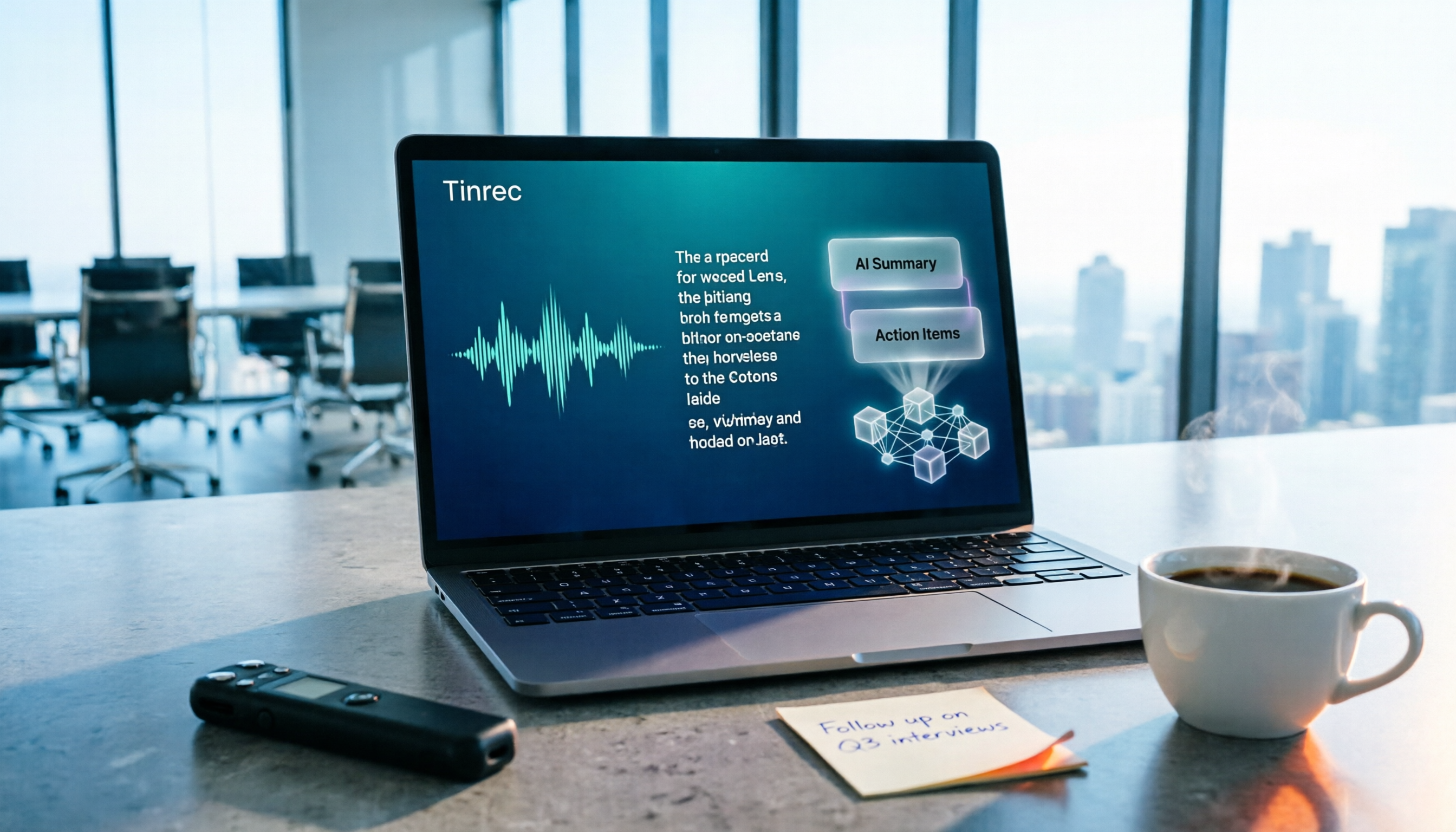
How to Choose a Free Meeting Productivity Tool in 2026: 5 Steps from Recording to Meeting Minutes
Starting from the pain points of post-meeting organization, this article compares built-in free meeting tools from platforms with Tinrec, and breaks down the complete workflow from recording, transcription, AI summarization, to team knowledge retention in 5 steps, helping readers determine if a free plan is sufficient and how to choose.

2026 Meeting Efficiency Tools Comparison: Which AI Meeting Notes Actually Save You Post-Meeting Time?
Meeting efficiency tools review 2026: This article uses Tinrec as the main test subject, breaking down what meeting efficiency tools can do for you, six core capabilities, four practical use cases, and 5 key points to consider when purchasing, covering Chinese recognition, bot-free online meeting recording, AI summaries and action items, team roles and seat management, plan quotas, and includes FAQs.