

Turn recordings into transcripts and summaries in minutes
Upload audio or video for multilingual transcription, AI notes, and action items
2026 Meeting Efficiency Tools Comparison: Which One Turns Meetings into Actionable Data?
Only After the Meeting Ends Do You Realize No One Remembers the Conclusions? The Problem Usually Isn't the Meeting Itself
It's 3 PM on a Friday, and the weekly project meeting just ended. You wrote two pages of notes, but looking back, they're just scattered keywords. Who's responsible for what, and when it's due—none of it is clear.
Three days later, the client asks in the group chat: Did we decide on that timeline we discussed last time? You have to open the 47-minute meeting recording, drag through it from start to finish, and listen at double speed just to find that one sentence.
If the meeting is a mix of Chinese and English, or the client has an accent, the difficulty goes up another notch. The recording file is saved, but what's inside might as well not exist—because you can't find it, and you don't want to look again.
This article isn't telling you to have fewer meetings. It's making one thing clear: the value of a meeting often isn't in the hour you spend in it, but in what happens after everyone leaves—whether anyone actually uses the content. Choosing the right tool can save you a lot of time in that part.
Before Choosing a Meeting Efficiency Tool, Understand These 4 Key Points
1. How is the meeting recorded?
The common approach is to send a meeting bot to join the meeting and record as a participant. Convenient, yes, but a stranger's account shows up on the screen. With external clients or security-conscious teams, you often have to explain it first.
Another approach is to capture the computer's system audio directly via a desktop app, without adding any participants. Tinrec takes the latter approach—no meeting link needed, no calendar authorization required.
2. After transcription, what do you get?
A transcript is just the starting point. If the tool only gives you a text file with thousands of words, you still have to read it yourself, pick out the key points, and organize your to-dos—that saves typing, but not brainpower.
What really sets tools apart is the post-meeting output: summaries, chapters, action items, and whether you can ask questions directly about the meeting content.
3. Real-world performance in Chinese and multiple languages
Meetings in Taiwan are rarely pure Chinese or pure English—they're usually mixed, like "this deadline we'll confirm next week." When testing, use real recordings from your own company, especially industry-specific terms—that's where tools most often fail.
Whether commonly used team terminology can be pre-loaded as hotwords is also a very practical detail.
4. Who ultimately holds the data
Are recordings stored on an individual's phone or in a team space? After a colleague leaves, are those meeting records still there? Who has permission to view, and who can edit?
These things don't matter much in a small team of three or five, but become a problem when a dozen people meet together. Starting with a free version to test the waters is fine, but if meeting data will accumulate long-term, it's worth thinking through from the start.
Tinrec: Our Top Pick After Hands-On Testing
Tinrec is an AI meeting notes and collaboration tool for individuals and teams, supporting iOS, Android, and web, with a desktop version that handles Zoom, Google Meet, Microsoft Teams, Webex, and other online meetings.
The most noticeable point first: no meeting bot. Open the desktop app before the meeting and start recording—it captures the computer's system audio directly. No extra account appears in the meeting room, and you don't have to hand over the meeting link to a third party. For those who frequently meet with external clients, this experience makes a big difference.
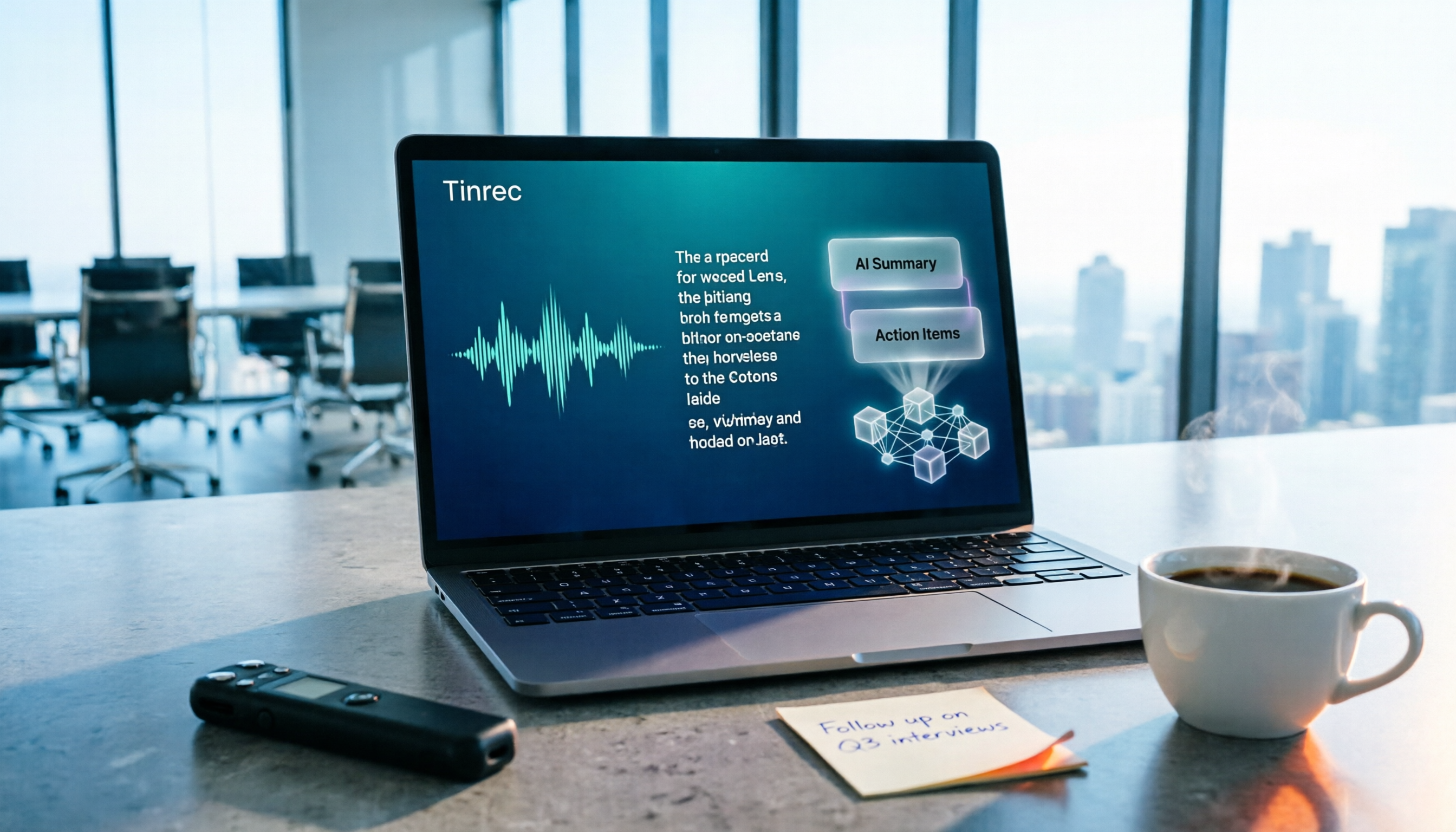
Next is post-meeting. After recording ends, Tinrec produces a transcript and automatically organizes summaries, chapters, key points, and action items. For a 50-minute meeting, what you open is a structured record—who mentioned what, which item needs follow-up—all there, without reading the entire transcript from start to finish.
Finally, a less common capability: AI Q&A. After recording, you can ask it directly, "What was the conclusion about the budget in the last meeting?" It answers based on semantics, rather than throwing a list of keyword search results for you to dig through. You can also ask the same question across multiple meetings at once, which is especially useful for tracking long-term projects.
In addition, it supports real-time translation and bilingual viewing, mind maps, export to Notion, Google Docs, OneNote, Dropbox, and other tools, and can further generate reports, tables, and documents from meeting content via Agent, bringing meeting results into your existing workflow.
Our test conditions were: an internal meeting recording mixed with Chinese and English, captured with a laptop's built-in microphone in a typical office environment. With non-overlapping speech and clear audio, the transcript's usability is high; but with multiple people talking over each other or loud air conditioning in the meeting room, you still need to check against the original audio—a common limitation of all voice tools.
Pros:
- No meeting bot; desktop app records system audio directly, safe for external client meetings.
- Complete post-meeting output: summaries, chapters, action items, and AI Q&A all in one—not just a transcript.
- Clear tiers from personal to team versions; team space centralizes meeting data and manages members, roles, and seats.
Things to note:
Stop organizing recordings by hand
Upload audio or video and automatically get a transcript, summary, and action items
- The free version offers a basic quota, suitable for trying the full workflow; if you have several meetings to organize every week, you'll need to upgrade to a paid plan.
- Accuracy is affected by audio quality, accents, and overlapping speech. For important content, cross-check with transcript timestamps and recording playback; it's not recommended to fully replace human verification.
- Team version pricing, seats, and benefits are subject to the official purchase page; confirm current plan details before adoption.
Who it's for: Individuals and teams who frequently hold online meetings, need Chinese and mixed Chinese-English records, don't want a meeting bot joining, and want meeting data to accumulate and be reused.
Besides Tinrec, What Other Options Are There?
Otter.ai A mature English AI meeting assistant that can join Zoom, Teams, Google Meet, and other meetings. Transcripts, summaries, AI Chat, and team management are all comprehensive. Free version: 300 minutes per month; Pro annual billing is about USD 8.49 per user per month. If your meetings are almost entirely in English, it's a more cost-effective choice than Tinrec. However, it's not primarily focused on Chinese meetings; Tinrec's experience with Chinese and mixed Chinese-English, as well as team space data accumulation, is more aligned with how teams in Taiwan work.
Granola Also takes a no-bot approach, using the desktop device's system audio for real-time transcription, combined with your handwritten notes to generate content. Business plan is USD 14 per user per month. Note that it doesn't support uploading existing pre-recorded audio files and doesn't save meeting audio. If you need archival playback, Tinrec can retain recordings and also supports file import and real-time translation—a significant difference.
PLAUD Note A representative of AI recording hardware. NotePin is priced at USD 159, Note Pro at USD 189, suitable for portable recording and phone call recording. Membership plans are separate, with Pro at about USD 99.99 per year. Hardware has its unique scenarios, but if your main meetings are on a computer, Tinrec doesn't require an extra device—it works on phone, web, and desktop, and the post-meeting organization and team sharing workflow is more complete.
Quick Comparison
| Tool | Core Positioning | Meeting Capture Method | Retains Audio | Post-Meeting Output | Starting Price |
|---|---|---|---|---|---|
| Tinrec | AI meeting notes and team collaboration | Desktop app captures system audio without a bot | Yes | Transcript, summary, chapters, action items, AI Q&A, export, Agent | Personal version can try basic quota; team version from USD 29.80 per seat per month (annual USD 199 per seat per year) |
| Otter.ai | AI meeting assistant | Meeting bot and desktop app | Depends on plan | Transcript, summary, action items, AI Chat | Free 300 minutes per month; Pro annual about USD 8.49 per user per month |
| Granola | No-bot AI meeting notes | Desktop app captures system audio | Does not retain meeting audio | Note enhancement, Q&A | Free Basic; Business USD 14 per user per month |
| PLAUD Note | AI recording hardware | Physical device recording | Yes | Summary, templates, Q&A | Device from USD 159; Pro plan about USD 99.99 per year |
Prices in the table are official pricing found at the time of writing; actual prices and plan details are subject to each official website.
Pitfall Guide: The 3 Most Common Mistakes When Choosing Meeting Efficiency Tools
Pitfall 1: Only looking at free minutes, not what you can do after transcription. Many people compare tools by first looking at how many free minutes they offer, but what really eats time is post-meeting organization. A 50-minute transcript still has to be read by you—that only saves typing time.
Pitfall 2: Ignoring that meeting bots are inconvenient in some situations. A bot joining a meeting leaves a participant record. For external meetings, security-sensitive clients, or simply not wanting to be asked "who is this" every time, capturing system audio via desktop is much simpler.
Pitfall 3: Using the tool as just a voice recorder. If you only use an AI meeting tool as a recorder-to-text converter, you're using only a third of its features. After recording, directly asking it what the meeting's conclusions were and who's responsible for what is much faster than flipping through a 30-minute transcript yourself.
Conclusion: Which One Should You Choose?
Need Chinese and mixed Chinese-English meeting records → Tinrec: desktop no-bot recording, post-meeting summaries and action items all in one. Want to ask questions directly about content after the meeting and track long-term projects → Tinrec: AI Q&A can ask across multiple meetings at once. Meeting data should stay with the team and not be taken away when a colleague leaves → Tinrec team version: meetings belong to the team, with management of members, roles, seats, and usage; eligible teams get a 7-day trial including 1 free seat and 300 minutes of shared team import quota. Paid seats provide 2,000 minutes of shared import quota per seat per month. Real-time recording currently does not deduct minutes under an active plan. Meetings almost entirely in English, budget priority → Otter.ai. Mainly on the go, need a physical device for portable recording → PLAUD Note.
If you're still not sure which type you are, we suggest running through the full workflow once with Tinrec's free version: record a meeting, look at its summary and action items, and try asking it a question. The basic quota is enough to judge whether this workflow suits you—upgrade only if it feels right.
Frequently Asked Questions
Q: How long can the free version record? A: The free version offers a basic quota to experience recording, import, summary, and transcription. Actual quota and plan details are subject to the official page.
Q: Will Tinrec automatically join my calendar meetings? A: No. It records via the desktop app initiated by the user, capturing computer system audio, without adding a bot to the meeting.
Q: What's the difference between the team version and personal version? A: Personal version data belongs to the individual account; the team version has a separate team space where meeting data belongs to the team, plus member and seat management, usage analytics, and audit logs.
Q: Can all team members see all meetings? A: The team version primarily shares at the team level; active members can view and play team data. A seat is required to record, upload, edit, and export.
References
- Create your own comparison chart in Canva
- How to make a comparison chart? Types, tutorials, templates - ProcessOn
- [Meeting Efficiency] The Complete Guide to Ending Ineffective Meetings | 7 Symptoms Diagnosis + 15 Practical Tips
- Compare images online or offline and find differences - Diffchecker
- 8 Free Interactive Tools to Level Up Your Online Meetings!
Turn every recording into actionable outcomes
Get 60 free transcription minutes when you sign in. No credit card required.
Related Reading
You might also like

5 Meeting Productivity Tools Tested for 2026: Which AI Meeting Notes Actually Save Time?
The meeting is over—now the real pain begins. This hands-on comparison of Tinrec, Otter.ai, Notta, PLAUD Note, and more breaks down free tiers, Chinese and mixed-language transcription, post-meeting output, and team licensing, plus 5 buying tips and 4 common pitfalls to help you find the tool that truly saves time after the meeting.

4 Meeting Productivity Tools Tested and Compared in 2026: How to Choose an AI Meeting Recorder That Actually Works
2026 meeting productivity tool recommendations. Starting from common meeting note pain points, this article hands-on compares Tinrec, Otter.ai, Notta, and Granola, analyzing Chinese transcription, post-meeting organization, bot-free recording, and team collaboration, with buying criteria and pitfalls to avoid, helping you find the AI meeting assistant that saves the most time after meetings.

2026 Meeting Efficiency Tools Review: Tinrec vs Otter.ai for Chinese Transcription & Post-Meeting Action Items
There are countless meeting efficiency tools, but what really matters is Chinese transcription, recording methods, and post-meeting organization. This article compares Tinrec and Otter.ai across six dimensions—from bot-free recording and AI summary action items to team seat management and pricing—to help you decide which one is worth bringing into your company.

4 Meeting Productivity Tools Compared in 2026: Which AI Note-Taker Saves the Most Time for Chinese Meetings?
Looking for a meeting productivity tool but overwhelmed by mixed reviews on PTT? This hands-on comparison of Tinrec, Notta, Granola, and Otter.ai breaks down their differences—from Chinese and mixed Chinese-English recognition, meeting capture methods, post-meeting outputs, team data retention, to pricing models. We also highlight the 4 most common pitfalls when choosing a tool, so you can quickly see which one fits your needs.

2024 Meeting Productivity Tools Comparison: Tinrec vs Otter.ai — Which Is Better for Chinese-Speaking Teams?
Most people choose meeting productivity tools based only on transcription accuracy, but the real pitfalls are often that no one reads the transcripts, recordings are scattered across personal accounts, and a bot unexpectedly joins the meeting. This article compares Tinrec and Otter.ai across five dimensions—Chinese-language experience, recording methods, post-meeting outputs, team governance, and pricing—to help you decide which tool better fits your meeting scenarios.

7 Best Meeting Productivity Tools in 2026: How to Choose a PTT-Approved Audio-to-Text Solution
In 2026, PTT discussions about meeting productivity often focus on mobile app usability and microphone clarity, but overlook the real bottleneck: post-meeting organization. This article reviews 7 meeting productivity tools, covering their positioning, pricing, and ideal users—from bot-free online meeting recording, transcription, AI summaries, to team knowledge retention.

4 Meeting Productivity Tools Tested for 2026: Which One Actually Saves You Post-Meeting Time?
Spending hours organizing meeting notes after the meeting ends? This article starts with common pitfalls, breaks down 4 key factors for choosing a meeting productivity tool, and compares Tinrec, Otter.ai, Notta, and Granola in Chinese transcription, post-meeting organization, and team collaboration. It also includes a guide to avoid pitfalls and scenario-based selection advice.
How to Choose a Free Meeting Productivity Tool in 2026: 5 Steps from Recording to Meeting Minutes
Starting from the pain points of post-meeting organization, this article compares built-in free meeting tools from platforms with Tinrec, and breaks down the complete workflow from recording, transcription, AI summarization, to team knowledge retention in 5 steps, helping readers determine if a free plan is sufficient and how to choose.

2026 Meeting Efficiency Tools Comparison: Which AI Meeting Notes Actually Save You Post-Meeting Time?
Meeting efficiency tools review 2026: This article uses Tinrec as the main test subject, breaking down what meeting efficiency tools can do for you, six core capabilities, four practical use cases, and 5 key points to consider when purchasing, covering Chinese recognition, bot-free online meeting recording, AI summaries and action items, team roles and seat management, plan quotas, and includes FAQs.