

Turn recordings into transcripts and summaries in minutes
Upload audio or video for multilingual transcription, AI notes, and action items
6 Free Meeting Transcription Apps Compared in 2026: Which Free Version Is Actually Enough?
Why Do You Need a Free Meeting Transcription App?
Meetings that run until the end of the workday, and then having to sit down and listen to the recording to type a transcript—that's the daily routine for many office workers. When you look for a tool to help, you find that most popular AI meeting tools only offer a few minutes of free trial, and after converting the recording to text, they prompt you to upgrade, making the trial pointless.
This article compiles 6 meeting transcription tools that have free plans (or are entirely free), detailing the free quota, paid pricing, and ideal users for each, so you don't have to open accounts one by one to try them out.
Option 1 | Tinrec — The Most Complete AI Meeting Transcription Assistant
Tinrec is an AI meeting transcription and collaboration tool for individuals and teams. It not only converts audio to text but also organizes meetings into searchable, summarizable, queryable, and exportable data.
- Record online meetings without inviting a meeting bot: The desktop version directly captures computer system audio, handling Zoom, Google Meet, Microsoft Teams, Webex, and other online meetings without needing an extra bot account to join the meeting room; in-person meetings can also be recorded in real-time via mobile, transcribing as you record.
- The real value comes after the meeting ends: Automatically generates summaries, chapters, key points, action items, and mind maps, and you can also use AI Q&A to follow up on meeting content, for example, to check "what was decided in the last meeting."
- Multilingual and real-time translation: Handles Chinese, mixed Chinese-English, and multilingual meetings; during recording, you can switch between original text, translation, or bilingual view.
- Team version keeps data within the team: Meeting recordings, transcripts, summaries, and action items are centralized in the team space, with governance capabilities such as members, roles, seats, usage analytics, audit logs, and audio recycle bin.
Free and paid plans: The personal version offers a free plan with basic quota to experience recording, import, summary, and transcription; there are also weekly cards, Pro monthly, and Pro annual, corresponding to temporary high-frequency use, stable use, and long-term data accumulation. The team version offers a 7-day trial for first-time eligible users, 1 free seat, and 300 minutes of shared team import quota; team monthly is USD 29.80 per paid seat per month, annual is USD 199 per paid seat per year (about USD 16.58 per month), each paid seat provides 2,000 minutes of shared team import quota per month; under an active team plan and seat, real-time recording is currently not deducted by minutes. Actual prices and benefits are subject to the official purchase page.
Who it's for: Those who need Chinese meeting transcription, don't want a bot to join meetings, and want meeting data to become a team asset.
Option 2 | Otter.ai — A Veteran Choice for English Business Meetings
Otter is a mature AI meeting assistant covering Zoom, Microsoft Teams, and Google Meet, offering real-time transcription, speaker identification, AI Chat, and team management. The official pricing page currently shows: Basic free, 300 minutes per month; Pro annual equivalent to about USD 8.49 per user per month, including 1,200 minutes of in-app recording per month and 10 file imports; Business offers unlimited meetings and in-app recording, etc., prices may be affected by promotions. The free version allows you to try it out, but its focus is on English business meetings; Chinese meetings and post-meeting team data accumulation are not its main strengths. Who it's for: Teams that primarily hold English meetings and only need basic summaries.
Option 3 | Notta — Multilingual Transcription and File Import
Notta overlaps significantly with Tinrec, also covering multi-platform transcription, meeting notes, file import, translation, and team plans. Official statements: Free 120 minutes per month, max 3 minutes per single content; Pro annual equivalent to about USD 8.17 per month, 1,800 minutes per month; Business annual equivalent to about USD 16.67 per seat per month, offering unlimited transcription, role permissions, and usage reports. The free version's 3-minute limit per session is tight for formal meetings. Who it's for: Those who need multilingual transcription and often process existing files.
Stop organizing recordings by hand
Upload audio or video and automatically get a transcript, summary, and action items
Option 4 | Granola — Bot-free AI Meeting Notes
Granola also uses a bot-free approach, transcribing in real-time via the desktop device's system audio and microphone, and combining with the user's handwritten notes to generate content. Basic is free, Business is USD 14 per user per month, Enterprise is USD 35 per user per month. Note that Granola supports viewing, copying, and searching real-time transcripts, but does not support uploading pre-recorded audio files, nor does it save meeting audio files. Who it's for: Those who hold meetings on their computer and are used to taking their own notes during the meeting.
Option 5 | PLAUD Note / NotePin — Hardware Recording Enthusiasts
PLAUD is a representative of AI recording hardware; users buy a standalone device for portable recording and phone call recording experience. The US official website currently shows NotePin at USD 159, Note Pro at USD 189; membership plans: Starter 300 minutes per month, Pro USD 99.99 per year with 1,200 minutes per month, Unlimited USD 239.99 per year. The advantage is that you can record by picking up the device, but the cost is carrying an extra piece of hardware and an additional device fee. Who it's for: Those who frequently visit clients and need phone call recording.
Option 6 | Google NotebookLM — A Completely Free Option for Zero Budget
If your budget is truly zero and you only want to organize existing materials, Google's free AI note assistant NotebookLM is a common choice: just import files to generate audio summaries, and further convert audio content into mind maps and presentation videos, so you can quickly grasp key points without re-listening to recordings. It focuses on organizing existing content rather than real-time meeting recording. Who it's for: Students, or those who only need to organize course or interview recordings afterward.
With So Many Options, How Should You Choose?
- Want the most complete post-meeting workflow (transcription + summary + action items + AI Q&A + export) → Tinrec, one of the few tools that puts all these in a single workflow.
- Mainly Chinese or mixed Chinese-English meetings → Tinrec, its Chinese meeting experience and team hotwords are key features.
- Don't want a bot to join the meeting room → Tinrec desktop version or Granola; but if you need to keep recordings and upload existing audio files, Tinrec is more suitable.
- Need to switch between mobile, computer, and web → Tinrec, all platforms can continue the same meeting data.
- Want meeting data to stay within the team and be transferable even if members leave → Tinrec team version, with roles, seats, usage, and auditing.
- Zero budget, only need to occasionally convert a recording to text → Start with free versions or free tools like NotebookLM.
4 Things to Know Before Using a Free Meeting Transcription App
- Free quotas are mostly measured in minutes and may limit single-session length. For example, Notta's free version cuts off after 3 minutes per session, which is not enough for long meetings. When choosing, first look at the two numbers: "monthly minutes" and "single-session limit."
- Get consent from participants before recording. Recording and transcription involve local regulations and company policies, especially for international meetings; inform and obtain consent when necessary.
- Free versions usually do not include team and governance features. If meeting data needs to be shared, searched, or handed over, check whether the plan provides team space, member and seat management; for example, Tinrec's team version focuses on team-level sharing and uses roles and seats to distinguish who can manage and who can use resources.
- Transcripts still need to be verified. AI transcription is affected by audio quality, noise, accents, overlapping speakers, and technical terms. For important decisions, it is recommended to cross-check the transcript timestamps with the recording. The correct approach is to use tools to save manual typing time and focus your energy on verification and judgment.
Conclusion
The difference between free meeting transcription apps is not whether they are free, but whether the free quota is enough to complete a full workflow. If you only occasionally convert a recording, a completely free tool is sufficient; but if you have meetings every week and need to turn records into action items and team data, a tool like Tinrec that goes from transcription all the way to AI Q&A, export, and team collaboration will save you more time than a simple text conversion app. Try running a full cycle of "record → transcript → summary → action items" with the free quota first, then decide whether to upgrade.
References
- 104 Workplace: Unlimited time! 3 free AI transcription tools, highly recommended!
- Reddit r/ProductivityApps: Discussion on free or cheap meeting transcription apps
- Meeting Ink: AI meeting transcription tool hands-on test
- Otter.ai, Notta, Granola, TurboScribe, PLAUD official pricing pages
References
- Unlimited time! 3 free AI transcription tools, highly recommended! AI voice notes generate meeting minutes, presentations, mind maps | 104 Workplace
- r/ProductivityApps on Reddit: Does anyone know of a free or cheap app that will do meeting notes for you?
- AI meeting transcription software recommendations: 5 major apps tested and compared, automatic transcription makes meetings easy!
- Meeting Ink - 2026 AI meeting transcription tool hands-on test | 7 voice-to-text and summary speed comparison | Meeting Ink - AI meeting transcription assistant automatically transcribes and summarizes meeting minutes
- Recently many people ask me if there are any AI tools for meeting notes? They still type manually, often can't multitask, and waste time. I always answer — SeaMeet. Why recommend it? Here's a summary: - Linked to Google Meet, online meetings sync transcripts and have real-time summaries, super convenient. - No need to refresh, after the meeting, directly email all participants. - Operation is super simple, even middle-aged and elderly people who have never used AI tools, I taught them in 10 minutes. - In-person meetings
Turn every recording into actionable outcomes
Get 60 free transcription minutes when you sign in. No credit card required.
Related Reading
You might also like

5 Free Meeting Notes Apps Tested in 2026: Which Free Version Is Actually Enough?
There are countless free meeting notes apps, but is the free version really enough? This article starts with common misconceptions, tests the free plans of several tools, and uses Tinrec as the main example to walk through the full workflow from recording to transcript to summary to action items. It also covers the differences between free and paid plans, 5 key points to consider when choosing, and frequently asked questions.

Free Meeting Notes Apps in 2026: 5 Options Compared
How do you choose a free meeting notes app? This article breaks it down using three key questions: how many meetings you have per month, whether they're online or in person, and whether you need to share notes with a team. It covers Tinrec's free plan and paid options, including real-time transcription, bot-free online meeting recording, AI summaries and Q&A, export and post-processing, and team workspaces, plus 5 buying checkpoints and FAQs to help you decide which plan truly fits your needs.

2 Free Meeting Transcription Apps Compared in 2026: How Do Chinese Transcripts, AI Summaries, and Post-Meeting Organization Differ?
What exactly does "free meeting transcription app" mean? This article breaks down the keyword using a student scenario and compares Tinrec and Otter.ai across five dimensions: free quota, Chinese recognition, meeting capture methods, post-meeting organization, and team collaboration, helping you decide which one better fits your classes and group discussions.

4 Free Meeting Notes Apps Tested for 2026: Which Free Version Is Actually Enough?
Which free meeting notes app is best? We tested Tinrec, Otter.ai, Notta, and Granola across five areas: free limits, Chinese and mixed Chinese-English recognition, recording methods, post-meeting organization, and team collaboration. We also break down free version restrictions, paid pricing, and common pitfalls to help you pick the one that saves the most time.

4 Free Meeting Transcription Apps Tested in 2026: How to Download and Which Free Tier Is Enough?
Starting from the common misconception that "free download doesn't mean free to use," we tested four popular free meeting transcription apps, covering their download methods, free tier limits, and real-world performance. We also explain how Tinrec differs for Chinese meetings and bot-free recording, and provide recommendations based on different scenarios.

3 Free Meeting Notes Apps Tested in 2026: Is Tinrec's Free Version Enough?
We tested 3 meeting notes apps with free plans, using Tinrec as an example to show how to record, transcribe, generate summaries, and extract action items with its free version. We also compare the free limitations of Otter.ai, Notta, and Granola to help you find the best free meeting notes tool.

Tinrec vs Otter.ai 2026: 5-Dimension Comparison for Chinese Meetings
Choosing between Tinrec and Otter.ai in 2026? This article compares them across five dimensions: Chinese and mixed-language transcription, online meeting recording methods, post-meeting outputs and AI processing, multilingual real-time translation, and team spaces and governance. It also outlines each tool's unique strengths and suitable scenarios to help managers and teams making meeting note software purchasing decisions find the best fit for their meeting context.

2026 Meeting Notes Software Comparison: Why Tinrec Beats Notta and Otter.ai for Chinese-Speaking Teams
Looking for meeting notes software recommendations and a comparison chart? This article compares Tinrec with Notta, Otter.ai, and other common tools across Chinese meeting transcription, bot-free online meeting recording, post-meeting summaries and action items, team data retention, and plan quota structures, with two practical comparison tables to help you decide based on your budget and use case.
How to Write Meeting Minutes in 2026: 6 AI Meeting Note-Takers + Action Item Method
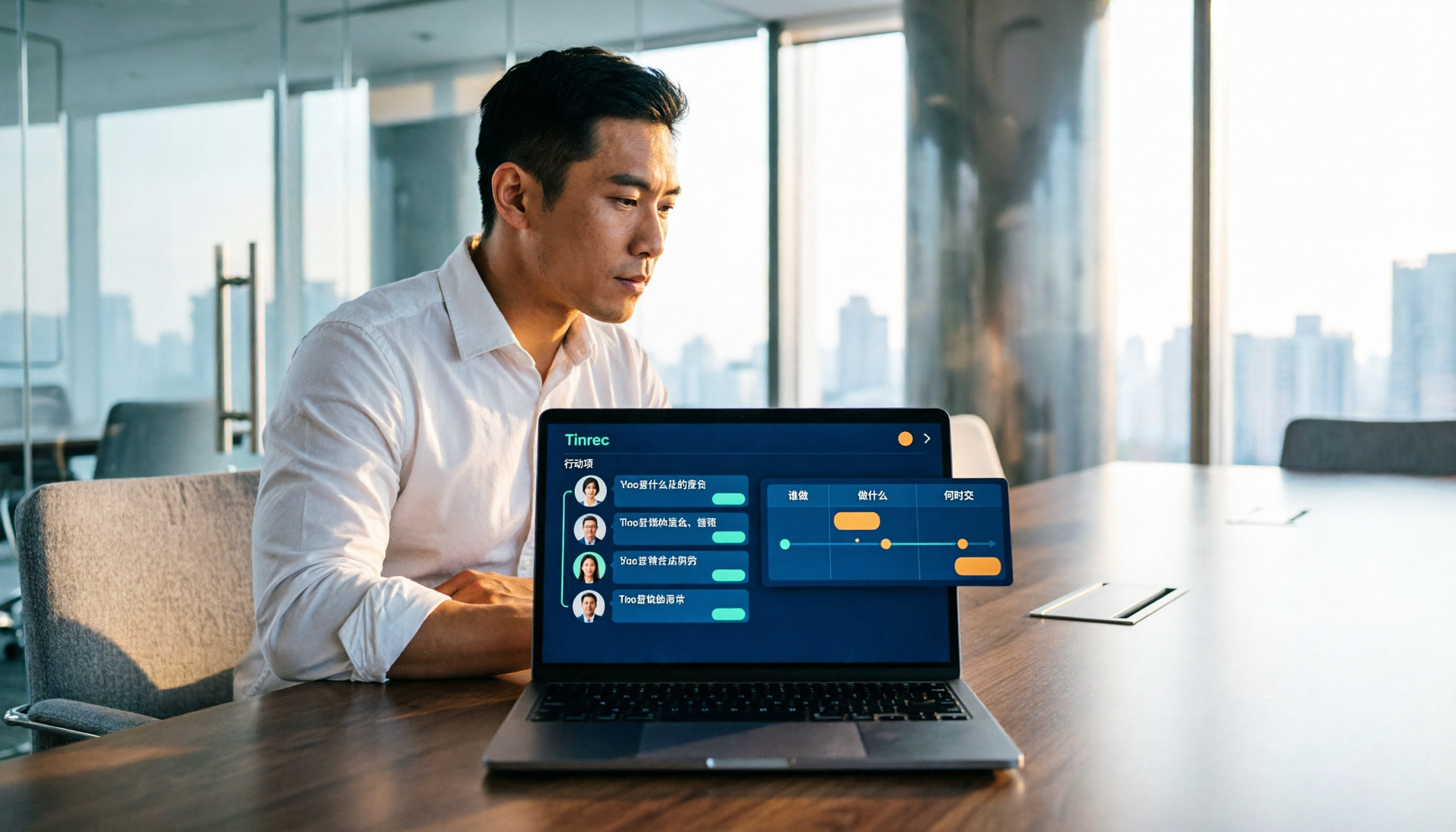
Meeting minutes aren't a transcription exercise. This guide starts with the action item formula of 'who + what + when' and reviews 6 meeting note-taking tools, including Tinrec's bot-free recording and AI Q&A, Otter, Fireflies, Notta, Granola, TurboScribe, and PLAUD Note, with practical selection advice and 4 things to know before you start.