

Turn recordings into transcripts and summaries in minutes
Upload audio or video for multilingual transcription, AI notes, and action items
Many people looking for a free meeting transcription app start by searching "meeting notes" in the App Store, see the word "free," and download it. But after installing four apps, none of them are actually usable.
The more common misconception is treating "free download" as "free to use."
Most meeting transcription apps on the market are free to download with in-app purchases. The download itself costs nothing, but to actually get transcripts, summaries, or export files, you often need a subscription. So the real question is never "where to download," but "what can the free version actually do after downloading?"
This article approaches from that angle, testing several popular free meeting transcription apps and also compiling download methods for you.
Two-hour meeting, two more hours to organize—what you need isn't a tool, it's the right method
Having a two-hour meeting and then spending another one or two hours re-listening to the recording and typing up key points is a daily routine for many office workers.
If the meeting mixes Chinese and English, and people talk over each other, the difficulty goes up another notch: miss one sentence, and the entire conclusion might be wrong.
The problem usually isn't that you're not diligent enough, but that you're spending time on "re-listening."
Try a different approach: let the tool generate transcripts and key points while recording, and you just need to proofread and supplement. That's the right way to truly handle meeting notes.
Before choosing a free meeting transcription app, understand these 4 key points
How to evaluate free tiers: Just because an ad says "free" doesn't mean it's enough. You need to look at two things—monthly available minutes and the maximum length per recording. Some tools give you hundreds of minutes per month, but only allow 3 minutes per recording, which is essentially unusable for meetings.
Is the download source safe: Always download from the official App Store, Google Play, or the product's official website. Unknown APKs or "cracked versions" not only risk malware but also won't get future updates.
Do you need cross-platform support: If you record on your phone today and want to organize on your computer tomorrow, lack of cross-platform support will be painful. Ideally, the same account should let you see the same data on mobile, web, and desktop.
What else after transcription: A tool that only gives you a transcript is only doing half the job. The real time-saver is automatic summaries, action item extraction, and the ability to ask "what was the conclusion of the last meeting?" by voice.
Tinrec—the most recommended after testing
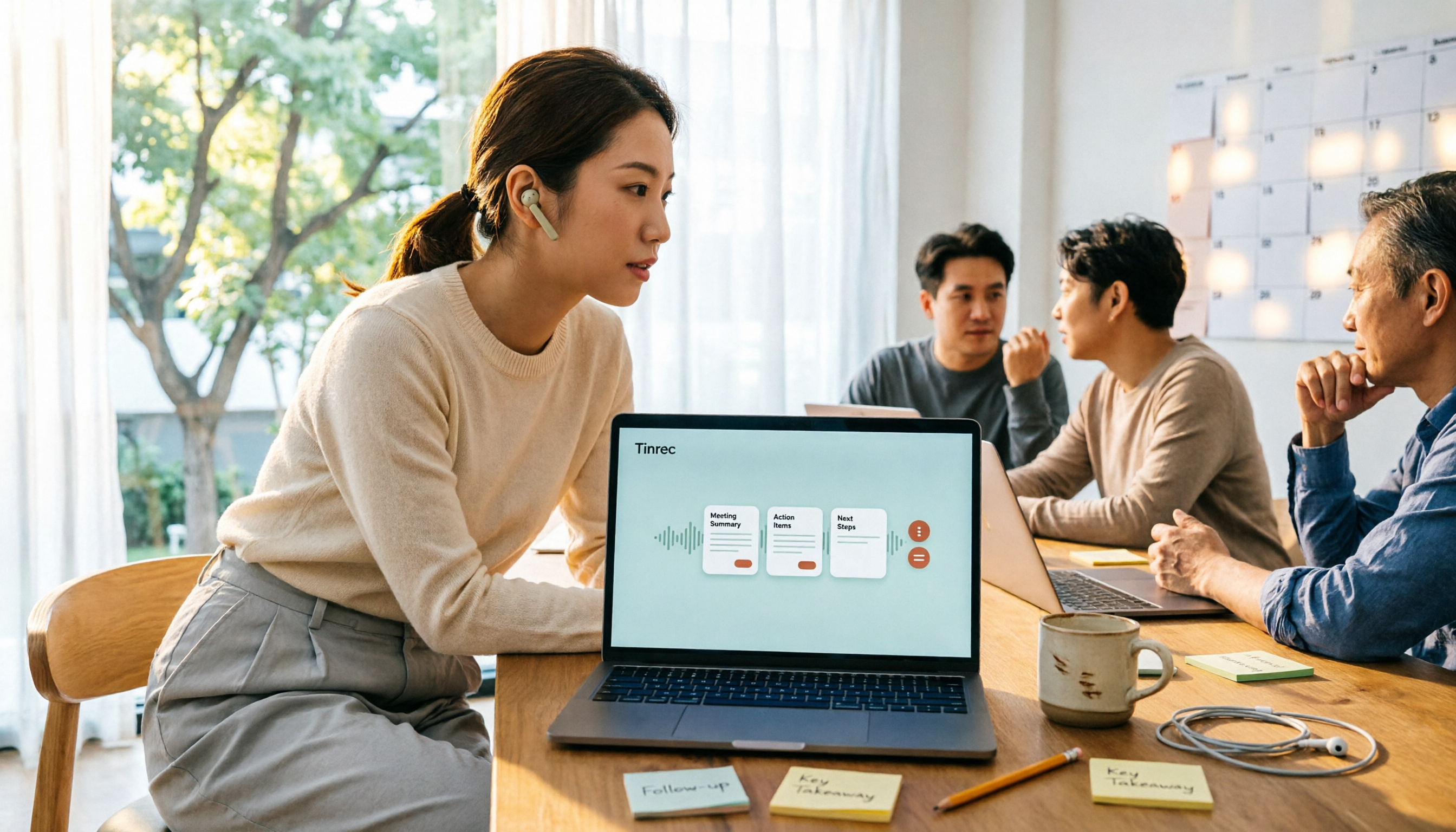
Tinrec is an AI meeting transcription and collaboration tool for individuals and teams, supporting iOS, Android, and also web and desktop versions.
How to download: Simply search for Tinrec in the App Store or Google Play, or access the web version from the official website. No additional hardware needed.
What impressed me most is that the desktop version can record online meetings without a meeting bot.
In the past, the most annoying thing about using meeting transcription tools was having to invite a bot account into Zoom or Google Meet. Attendees would see an extra person on the list and often ask "who is this?" Tinrec's desktop version instead directly captures the computer's system audio. You just open it and press record, and it can handle Zoom, Google Meet, Microsoft Teams, and Webex. No strange members appear in the meeting list.
The second highlight is post-recording processing. As soon as the meeting ends, the transcript is already generated, and AI summaries, chapters, and action items are organized—who is responsible for what and when it's due, listed directly for you, no need to dig through from scratch.
Even better is AI Q&A. You can ask directly about a meeting: "Who mentioned the budget last time?" It will give you the answer, rather than dumping a bunch of keyword search results for you to find yourself.
Stop organizing recordings by hand
Upload audio or video and automatically get a transcript, summary, and action items
The third is team knowledge retention. The team version provides a separate team space where meeting data belongs to the team, and members can share and view. Admins can manage roles and seats, view usage, and export audit logs. Even if someone leaves, the data doesn't disappear and can be handed over to other members.
Note: The free version provides basic quota, suitable for trying out. If you have regular meetings to organize every week, you'll need to consider upgrading. Also, actual transcription quality can be affected by recording quality, background noise, accents, and overlapping speech. For important content, it's recommended to cross-check with the transcript timestamps and recording.
Who it's for: People who frequently have Chinese or mixed Chinese-English meetings, don't want to invite a meeting bot, and want to use AI to find key points directly after recording.
Besides Tinrec, what other free options are there?
Notta: A veteran tool for multilingual transcription. The free version offers 120 minutes per month, but each recording is limited to 3 minutes. It's suitable for transcribing short audio files, but lacks Tinrec's bot-free desktop meeting recording and team data retention space.
Otter.ai: The top choice for English meetings. The free version offers 300 minutes per month, which is quite generous. But it excels in English business scenarios, and the Chinese meeting experience is not its focus. If you mainly record English content, it's more cost-effective than Tinrec—this is one of the few scenarios in this article where we recommend another app.
TurboScribe: More of a file transcription tool. The free version allows 3 files per day, with a maximum of 30 minutes per file. After paying, you can upload large batches of long files at once. It's suitable for those who already have many recording files to process in batches, but it lacks real-time meeting recording, AI Q&A, and team collaboration capabilities.
Pitfall guide: The 4 most common mistakes when downloading free meeting transcription apps
Pitfall 1: Only looking at "free download," not the free quota. Many tools are free to download, but the free version only gives a few dozen minutes per month, or limits each recording to a few minutes. Check the quota before downloading, otherwise installing it is as good as not installing.
Pitfall 2: Downloading from unknown sources. Any meeting transcription app should be obtained from the App Store, Google Play, or the official website. APKs or cracked versions circulating on forums may contain malware and cannot be updated.
Pitfall 3: Ignoring cross-platform support. Recording on your phone and then wanting to organize on your computer but can't open it is a common pain point. Before choosing, confirm it works on all your devices.
Pitfall 4: Only using it as "audio to text". If you only use it to generate transcripts, you're only using part of its capabilities. Features like Tinrec's AI Q&A, action item extraction, and export are what truly turn meetings into usable data.
Conclusion: Which one should you choose?
In one sentence: For Chinese meetings and not wanting to invite a bot, Tinrec is the most recommended after my testing.
By scenario:
- Chinese or mixed Chinese-English meetings, need bot-free online meeting recording → Tinrec
- Want to use AI to follow up on key points and extract action items after recording → Tinrec
- Need to use on both phone and computer, want unified data storage → Tinrec
- Want to turn meetings into a shared team knowledge base → Tinrec Team version
- Zero budget, only recording pure English meetings → Otter.ai
I suggest downloading the free version of Tinrec first and trying it out with a real meeting you have on hand. Experience the quality of transcripts, summaries, and action items. If it works for you, then consider upgrading—no need to pay upfront.
Before recording and transcribing, also remember to confirm compliance with local regulations and obtain consent from participants when necessary.
References
- r/ProductivityApps on Reddit: Does anyone know of a free or cheap app that will do meeting notes for you?
- No time limit! 3 free AI transcription tools, highly recommended! AI voice notes generate meeting minutes, presentations, mind maps | 104 Career Power
- Meeting.ai: Agent for Work - Google Play App
- AI meeting minutes software recommendation: 5 major app tested and compared, automatic transcription makes meetings super easy!
- Notta - Super Accurate Transcript, Speech to Text, Meeting Recording, AI Summary App - App Store
Turn every recording into actionable outcomes
Get 60 free transcription minutes when you sign in. No credit card required.
Related Reading
You might also like

Free Meeting Notes App 2026: Tinrec Free Plan Tested + AI Summaries & Action Items in One Go
How to choose a free meeting notes app? This article uses the standard of 'can the free version handle a full meeting?' to compare the free quotas and limitations of Tinrec, Otter.ai, Notta, and PLAUD Note. It breaks down 5 key decision points and 4 common pitfalls, and fully explains Tinrec's workflow from no-bot recording to AI summaries, action items, and team spaces.

2026 Comparison of 5 Free Meeting Notes Apps: Which Free Version Is Actually Enough?
Which free meeting notes app is better? This article starts with three common misconceptions, then tests and compares free tier limits, Chinese language support, and post-meeting organization capabilities. It uses Tinrec as an example to demonstrate the complete workflow from recording to transcript, summary, action items, and AI Q&A, helping you decide whether a free version is truly sufficient.

2026 Free Meeting Notes App Guide: From Class to Group Projects, How to Choose Your Free Tier
A college student's hands-on review of free meeting notes apps, covering class recordings, group discussions, and capstone projects. We break down the 4 key factors: free tier limits, summary and to-do features, Chinese recognition, and cross-device support. Plus, we share which campus scenarios suit Tinrec, Otter.ai, Notta, and Granola, and what pitfalls to avoid.
5 Free Meeting Transcription Apps Tested for 2026: Which Free Tier Actually Lasts?
Which free meeting transcription app is worth using? We tested five tools with free plans—Tinrec, Granola, TurboScribe, PLAUD, and Otter.ai—comparing free minute limits, Chinese and mixed-language recognition, online meeting recording methods, and post-meeting summaries and Q&A. We also highlight four common pitfalls to help you find the one that truly covers a month of meetings.

5 Free Meeting Notes Apps Compared in 2026: Why Tinrec Beats Notta for Chinese Meetings
A guide to choosing a free meeting notes app in 2026, comparing Tinrec and Notta to help you decide which is better for Chinese meeting recognition, free quotas, post-meeting summaries, and team collaboration.

5 Free Meeting Notes Apps Tested in 2026: Which Free Version Is Actually Enough?
There are countless free meeting notes apps, but is the free version really enough? This article starts with common misconceptions, tests the free plans of several tools, and uses Tinrec as the main example to walk through the full workflow from recording to transcript to summary to action items. It also covers the differences between free and paid plans, 5 key points to consider when choosing, and frequently asked questions.

Free Meeting Notes Apps in 2026: 5 Options Compared
How do you choose a free meeting notes app? This article breaks it down using three key questions: how many meetings you have per month, whether they're online or in person, and whether you need to share notes with a team. It covers Tinrec's free plan and paid options, including real-time transcription, bot-free online meeting recording, AI summaries and Q&A, export and post-processing, and team workspaces, plus 5 buying checkpoints and FAQs to help you decide which plan truly fits your needs.

2 Free Meeting Transcription Apps Compared in 2026: How Do Chinese Transcripts, AI Summaries, and Post-Meeting Organization Differ?
What exactly does "free meeting transcription app" mean? This article breaks down the keyword using a student scenario and compares Tinrec and Otter.ai across five dimensions: free quota, Chinese recognition, meeting capture methods, post-meeting organization, and team collaboration, helping you decide which one better fits your classes and group discussions.

4 Free Meeting Notes Apps Tested for 2026: Which Free Version Is Actually Enough?
Which free meeting notes app is best? We tested Tinrec, Otter.ai, Notta, and Granola across five areas: free limits, Chinese and mixed Chinese-English recognition, recording methods, post-meeting organization, and team collaboration. We also break down free version restrictions, paid pricing, and common pitfalls to help you pick the one that saves the most time.