
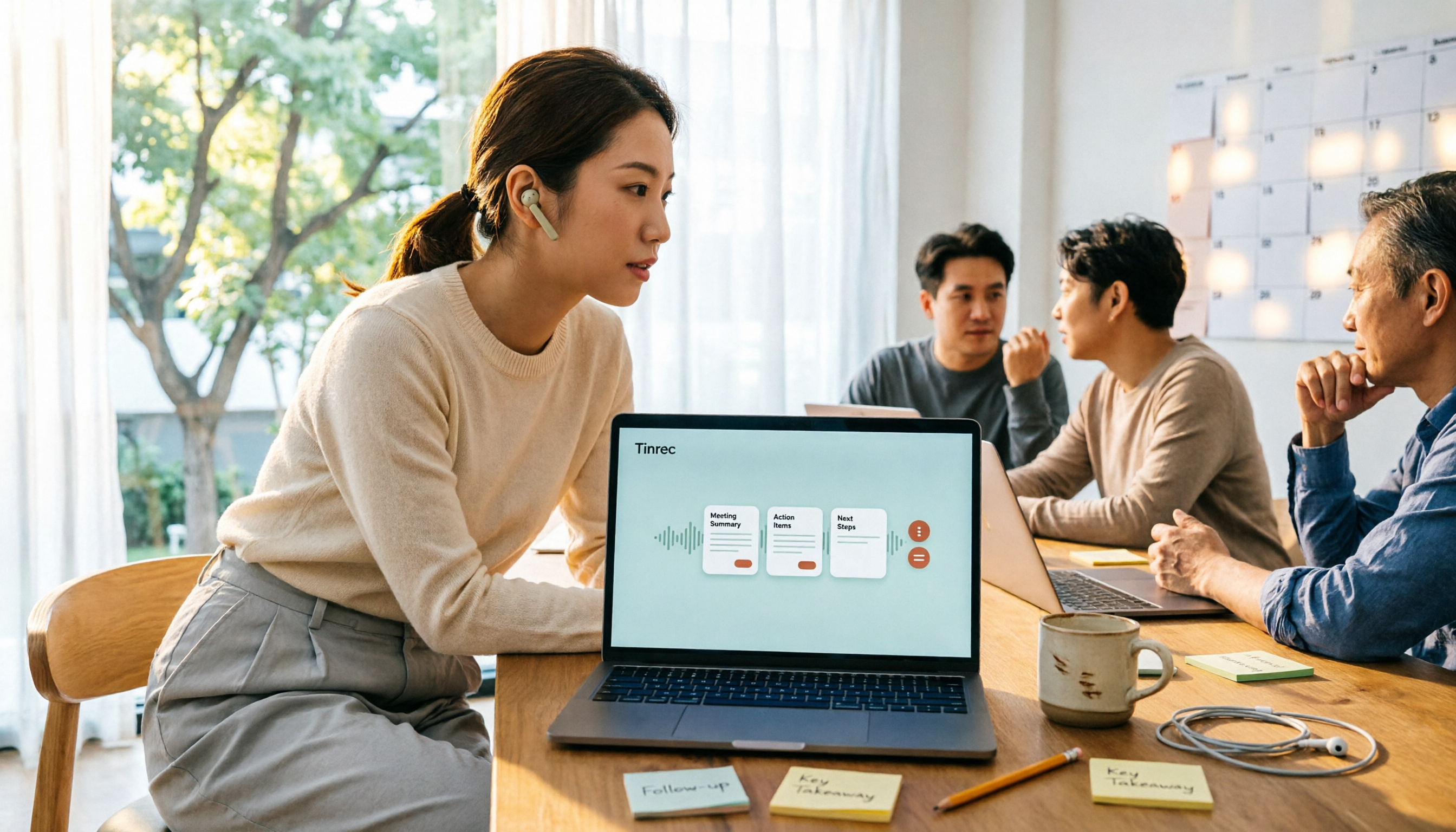
Turn recordings into transcripts and summaries in minutes
Upload audio or video for multilingual transcription, AI notes, and action items
Why Most People Pick the Wrong Free Meeting Transcription App from the Start
Most people choose a free meeting transcription app the same way: open the App Store, search for keywords, see which one has the most downloads and highest stars, and download it without a second thought.
The problem is that "free" in meeting transcription tools has two completely different meanings. One is free features—the tool doesn't charge, but you have to organize the output yourself. The other is free quota—you get a few dozen to a few hundred minutes per month, and once you use them up, you pay.
More often than not, you download an app only to find it only recognizes English, or after the meeting it just dumps a long transcript on you, leaving you to write the summary and action items yourself.
So the real question isn't "which app is free," but "which free plan can last through a month of my meetings and give me results I can use right away."
In this article, I tested several meeting transcription tools with free plans using the same criteria and organized the differences for you.
Before You Choose, Understand These 5 Key Points
How the free quota works. Some tools give you minutes per month, while others limit the length per recording. If the per-recording limit is short, a 40-minute meeting has to be split into several uploads, which is more troublesome than you'd think.
Chinese and mixed Chinese-English recognition. Meetings in Taiwan are rarely pure Chinese or pure English. When choosing a tool, look at how it handles mixed Chinese-English, names, and technical terms—not just the accuracy rate the company claims, which is usually measured in a very quiet environment.
How to record online meetings. One way is to send a meeting bot that appears in the participant list; the other is a desktop app that captures your computer's system audio directly, without adding another participant. If your company has security restrictions on external tools, the second approach is much simpler.
What you get after recording. Just a transcript, or also a summary, chapters, action items, and even the ability to ask questions about the content? This determines how much time you spend wrapping up after the meeting.
Cross-platform and team use. Recording on your phone and organizing on your computer is common. If you later want to share meeting data with colleagues, you'll also need to check for team spaces, member permissions, and usage management.
Tinrec (秒聽錄音) — The Most Recommended After Testing
Tinrec (秒聽錄音) is an AI meeting transcription and collaboration tool for individuals and teams, supporting iOS, Android, and web, with a desktop version for handling online meetings on your computer.
Its most practical feature is the recording itself. When you start a Zoom, Google Meet, Microsoft Teams, or Webex meeting, just open the desktop app and it captures your computer's system audio directly—no need to invite any meeting bot. For participants, no unfamiliar account appears in the list, which makes a big difference in more formal client meetings.
The post-recording organization is where it stands out from ordinary transcription tools. After the meeting, the AI automatically generates a summary, chapters, key points, and action items—who is responsible for what and when it's due, all in one place. When you want to confirm a detail, you can ask questions directly about the meeting content, such as "What was the budget decided in the last meeting?" It gives you the answer instead of a list of keyword search results for you to dig through.
It also handles mixed Chinese-English meetings and supports real-time translation, so you can view in the original language, translation, or bilingual mode. The organized content can be exported to Notion, Google Docs, OneNote, Dropbox, and other tools, and you can further use Agent to generate reports, tables, and documents.
In my test, I used a roughly 25-minute mixed Chinese-English meeting recording in a typical office environment with air conditioning noise and multiple speakers taking turns. The transcript was mostly complete; the parts needing manual correction were mainly names, product codes, and technical terms—a common weakness of almost all speech-to-text tools, not unique to this one. What really saved time was the automatically generated summary and action items afterward; I saved the effort of re-listening to the entire recording.
A few things to note. The free version is for experiencing the full workflow, with limited quota. If you have several meetings to organize every week, you'll still need to consider a paid plan; actual quota and pricing are subject to the official plan page. Also, transcription quality is affected by recording environment, accents, and multiple people talking over each other. For important content, it's best to cross-check with the original audio at specific timestamps.
Its clear advantages:
Stop organizing recordings by hand
Upload audio or video and automatically get a transcript, summary, and action items
- Record online meetings without a meeting bot—desktop app captures system audio.
- Not just a transcript—summary, chapters, action items, and AI Q&A all in one.
- Audio files are retained, and you can upload existing audio and video files to organize old meetings later.
- Team version offers independent team spaces, meeting data owned by the team, plus member roles, seats, usage analytics, and audit logs.
If you frequently hold Chinese meetings, don't want a bot in the meeting room, and want to use AI to find key points right after recording, Tinrec is currently the closest match to these needs.
Besides Tinrec, What Other Free Options Are There?
Granola: Also a bot-free AI meeting notes tool with a free Basic plan. However, two limitations stand out—it doesn't save meeting audio files and doesn't support uploading pre-recorded audio. If you want to re-listen later or have a bunch of old recordings to organize, this will be a problem; Tinrec retains audio and supports file import.
TurboScribe: Focuses on cost-effective file transcription. The free version allows 3 files per day, up to 30 minutes per file; paid plans extend to 10 hours per file. It's good for batch converting long audio and video to text, but its focus is transcription itself—post-meeting summaries, action items, and Q&A are not its main strength, where Tinrec is more complete.
PLAUD: A representative of AI recording hardware. The NotePin is priced at USD 159 on the US official website, with a Starter plan of 300 minutes per month. Suitable for those who often need to record on the go and prefer a physical device; the trade-off is carrying an extra device, and online meetings still need to be handled back in the app. Tinrec requires no extra hardware—computer, phone, and web all work directly.
Otter.ai: If your meetings are almost entirely in English, its free plan with 300 minutes per month is a mature choice; English business scenarios are its home turf.
Pitfall Guide: The 4 Most Common Mistakes When Choosing a Free Meeting Transcription App
Pitfall 1: Only looking at downloads and ratings. High ratings often go to older tools that have accumulated years of reviews, but their Chinese meeting performance may not be as good as English. Instead of looking at stars, look at how they handle Chinese and mixed Chinese-English.
Pitfall 2: Mistaking a "free trial" for a "free plan." Some tools only give you a few minutes to try, and once used up, they prompt you to pay—this is different from a fixed monthly free minute allowance. Before downloading, confirm whether the free plan is long-term or just a trial.
Pitfall 3: Ignoring recording consent. Recording involves personal data and local regulations. Informing participants before the meeting and obtaining consent when necessary is a basic step when using such tools, not just a formality.
Pitfall 4: Treating it only as a transcription machine. If you only use it to convert speech to text, you're only using a small part of its capabilities. For example, Tinrec's AI Q&A lets you ask "What was the conclusion of this meeting?" right after recording, which is much faster than manually flipping through a 30-minute transcript.
Conclusion: Which One Should You Choose?
Back to the initial question: which free meeting transcription app is good? First confirm three things—are your meetings in Chinese or English, online or in-person, and do you need to continue using the data after recording? Once you're clear, the answer usually narrows down to one or two.
- Chinese meetings, mixed Chinese-English content → Tinrec
- Don't want a bot joining the meeting → Tinrec (desktop app captures system audio)
- Want to ask key points directly after recording, need automatic summaries and action items → Tinrec
- Need team sharing of meeting data, manage members and usage → Tinrec Team
- Meetings almost entirely in English → Otter.ai free plan
- Only need to convert a large number of existing files to text → TurboScribe
I suggest first using the free quota to record one of your most realistic meetings, see if the transcript and summary meet your expectations, and then decide whether to pay. That's more useful than reading ten reviews.
Frequently Asked Questions
Q: How many meetings can the free version cover? It varies widely. TurboScribe free allows 3 files per day, 30 minutes per file; PLAUD Starter is 300 minutes per month; Otter.ai free is 300 minutes per month. Tinrec's free version is an experience quota; actual numbers are subject to the official plan page. The key is to test with one real meeting first—that's more accurate than looking at spec sheets.
Q: Do I need to inform others before recording an online meeting? Yes, it's recommended. Recording involves personal data and local regulations. Informing participants before the meeting and obtaining consent when necessary is basic courtesy and risk management.
Q: Can I really record Zoom audio without installing a meeting bot? Yes. Tinrec's desktop app captures the computer's system audio directly, so no account needs to join the meeting, and no extra person appears in the participant list.
Q: What level of transcript accuracy can I expect? Don't expect 100%. Recording quality, background noise, accents, overlapping speech, and technical terms all affect results. A more practical approach is to treat it as a tool that gives you 80% of the draft, and you correct the remaining 20% by cross-checking with the original audio at specific timestamps.
References
- No time limit! 3 free AI transcription tools, highly recommended! AI voice notes generate meeting minutes, presentations, mind maps | 104 Career Power
- AI meeting minutes software recommendations: 5 major apps tested and compared, automatic transcription makes meetings super easy!
- r/ProductivityApps on Reddit: Does anyone know of a free or cheap app that will do meeting minutes for you?
- Meeting Ink - 2026 AI meeting minutes tools tested | 7 speech-to-text and summary speed comparison | Meeting Ink - AI meeting minutes assistant automatic transcription and summary
- The most recommended AI meeting minutes tool of 2026, the must-have for time-saving meetings!
Turn every recording into actionable outcomes
Get 60 free transcription minutes when you sign in. No credit card required.
Related Reading
You might also like

Best Free Meeting Notes Apps in 2026: We Tested 2 Options, iPhone Users Don't Need to Buy Hardware First
How do you choose a free meeting notes app? From a mid-level manager's perspective, I tested Tinrec and PLAUD Note across five dimensions: upfront cost, online meeting recording, cross-device continuity, post-meeting AI organization, and team collaboration. I also highlight three common mistakes to help you decide which option fits your meeting style.

5 Free Meeting Transcription Apps Tested and Compared in 2026: How to Choose a Free Plan That Actually Works
How can a free meeting transcription app really save you time? This article examines four key factors—how free quotas are calculated, supported online meeting audio sources, post-meeting outputs, and team sharing—and puts Tinrec, Otter.ai, Notta, and PLAUD Note to the test. It also highlights the three most common pitfalls to help you pick the one that truly meets your needs.

Free Meeting Notes App Download 2026: Tinrec No-Bot Recording + AI Auto Summary
How to download a free meeting notes app without getting burned? This guide starts with common pitfalls, then compares Tinrec and Otter.ai across 5 dimensions, covering the 3-step download process, how to choose a free plan, Traditional Chinese and mixed Chinese-English recognition, no-bot online meeting recording, post-meeting summaries and action items, team seats and data governance, and ends with clear recommendations.

2026 AI Meeting Notes Free Plans Compared: 5 Apps to Consider
Starting from the three most common misconceptions, this article reviews the actual free quotas and limitations of 5 free meeting notes apps in 2026, and compares Tinrec, Notta, Otter.ai, PLAUD Note, and Granola in terms of Chinese transcription, online meeting audio capture, summarization, and AI Q&A, helping you find a free but sufficient option.

4 Free Meeting Transcription Apps Compared: Which Free Tier Actually Lasts?
Tired of spending time after meetings organizing notes? This article compares four free meeting transcription apps—Tinrec, Otter.ai, Notta, and Granola—breaking down how free tiers are calculated, how meeting audio is captured, what you can do after transcription, and who ultimately holds your recordings and data. We also outline four key selection criteria and four common pitfalls to help you find the one whose free version can handle your real meeting length.

Free Meeting Notes App 2026: Tinrec Free Plan Tested + AI Summaries & Action Items in One Go
How to choose a free meeting notes app? This article uses the standard of 'can the free version handle a full meeting?' to compare the free quotas and limitations of Tinrec, Otter.ai, Notta, and PLAUD Note. It breaks down 5 key decision points and 4 common pitfalls, and fully explains Tinrec's workflow from no-bot recording to AI summaries, action items, and team spaces.

2026 Comparison of 5 Free Meeting Notes Apps: Which Free Version Is Actually Enough?
Which free meeting notes app is better? This article starts with three common misconceptions, then tests and compares free tier limits, Chinese language support, and post-meeting organization capabilities. It uses Tinrec as an example to demonstrate the complete workflow from recording to transcript, summary, action items, and AI Q&A, helping you decide whether a free version is truly sufficient.

2026 Free Meeting Notes App Guide: From Class to Group Projects, How to Choose Your Free Tier
A college student's hands-on review of free meeting notes apps, covering class recordings, group discussions, and capstone projects. We break down the 4 key factors: free tier limits, summary and to-do features, Chinese recognition, and cross-device support. Plus, we share which campus scenarios suit Tinrec, Otter.ai, Notta, and Granola, and what pitfalls to avoid.

5 Free Meeting Notes Apps Compared in 2026: Why Tinrec Beats Notta for Chinese Meetings
A guide to choosing a free meeting notes app in 2026, comparing Tinrec and Notta to help you decide which is better for Chinese meeting recognition, free quotas, post-meeting summaries, and team collaboration.