

Turn recordings into transcripts and summaries in minutes
Upload audio or video for multilingual transcription, AI notes, and action items
What Does a Free Meeting Transcription App Really Do? Ask Yourself This First
After a meeting, do you want "a recording" or "meeting notes you can send out right away"? This question determines which app you should download.
Most people first look for a free meeting transcription app because of the same scenario: a two-hour meeting, typing while listening, then spending another hour organizing after it ends, and in the end only remembering "someone mentioned the budget."
If your problem is just "occasionally wanting to turn a recording into text," then free tools are basically sufficient. But if you want a transcript plus summaries, action items, and even cross-device use, you need to compare how free quotas are calculated, not just look at who writes the word "free."
Before Choosing a Free Meeting Transcription App, Understand These 4 Key Points
How free quotas are calculated. Some offer a fixed number of minutes per month, some have a per-recording length limit, and some "pop up a paid reminder after a few trial minutes." First check clearly whether it's how many minutes per month or a maximum of how many minutes per file—the difference is huge.
Whether recording sources are supported. Online meetings (Zoom, Google Meet, Teams, Webex) and in-person meetings are handled differently. Some tools rely on a meeting bot to join, some use a desktop app to directly capture computer system audio, and some only accept uploaded audio files. First confirm which type your regular meetings fall into.
What you get after transcription. Tools that only provide a transcript still require you to read through it yourself; those that automatically generate summaries, chapters, and action items are where you truly save time.
Whether team sharing is needed. If meeting data needs to be viewed by colleagues or handed off, a personal account won't be enough—you'll need to check for team spaces, roles, and seat design.
Tinrec (Miao Ting Lu Yin) — The Most Convenient One After Testing
Tinrec is an AI meeting transcription and collaboration tool for individuals and teams. It supports real-time recording, bot-free online meeting transcription, audio/video file import, and real-time translation, and automatically generates summaries, chapters, action items, and mind maps. It covers iOS, Android, desktop, and web.
The actual workflow is roughly like this: open Tinrec to record during the meeting, and it produces a transcript while recording; when the meeting ends, the AI summary, chapters, and action items are already organized, so you can directly see who is responsible for what and what the next steps are.
Online meetings are even easier. The desktop version directly captures computer system audio and handles meeting content from Zoom, Google Meet, Microsoft Teams, and Webex without adding a meeting bot to the room, so no unfamiliar account appears in the participant list.
After recording is where it stands out from ordinary transcription tools. You can directly ask questions about the meeting content, such as "Who mentioned the budget in the last meeting?" It answers based on semantics rather than just giving you keyword search results. Transcripts can also be exported to Notion, Google Docs, OneNote, and other tools for continued use, or post-processed with an Agent to generate reports, tables, and documents.
Advantages:
- No extra hardware needed; works on phone, computer, and web.
- Handles mixed Chinese-English and multilingual meetings, with real-time translation and bilingual viewing.
- Complete post-meeting outputs: transcript, summary, chapters, action items, mind map, AI Q&A, and multi-format export.
Limitations should also be clear. The free version provides a basic quota so you can experience recording, import, summaries, and transcription; heavy users need to upgrade. Actual transcription quality is affected by recording quality, noise, accents, and multiple people talking over each other. For important content, it's recommended to replay and verify against transcript timestamps.
Stop organizing recordings by hand
Upload audio or video and automatically get a transcript, summary, and action items
If meeting data needs to be shared with a team, check the team version: independent team space, member invitations, role and seat management, usage analytics, audit logs, and audio recycle bin. The officially announced team plan includes a 7-day trial for first-time eligible users, 1 free seat, and 300 minutes of team shared import quota; paid seats are USD 29.80 per month or USD 199 per year (about USD 16.58/month), with each paid seat providing 2,000 minutes of team shared import quota per month. Real-time recording under an active plan and seat is currently not deducted by minutes. Actual prices and benefits are subject to the official purchase page.
Who it's for: People who have meetings every week, want usable notes and action items immediately after the meeting, need Chinese and multilingual scenarios, and want to keep meeting data within the team for ongoing search.
Besides Tinrec, What Other Free Options Are There?
Otter.ai: A veteran choice for English meetings. The Basic free plan offers 300 minutes per month, which is quite generous. But its strength is English business meetings; Chinese and mixed Chinese-English scenarios may not be as smooth. If almost all your recordings are English meetings, it could be a more cost-effective entry option than Tinrec.
Notta: Good multilingual transcription performance. The Free plan offers 120 minutes per month, with a maximum of 3 minutes per recording, suitable for fragmented short meetings. Note that its bot-free desktop recording, post-meeting AI Q&A, and team data retention are not as complete as Tinrec's.
PLAUD Note / NotePin: A representative AI recording hardware. NotePin costs about USD 159, and the Starter membership offers 300 minutes per month. Its value lies in portable recording and phone call recording, but it requires buying additional equipment. If you mainly handle online meetings on a computer, software like Tinrec is more direct.
Pitfall Guide: The 3 Most Common Mistakes When Looking for a Free Meeting Transcription App
Pitfall 1: Only looking at the word "free." Many popular tools only let you transcribe a few minutes for free, then pop up an upgrade reminder. Before downloading, check clearly whether the free quota is calculated monthly or is a per-recording limit.
Pitfall 2: Ignoring what kind of meeting you're having. Tools that only support audio file upload require you to record yourself first and then upload for online meetings; tools that rely on a meeting bot will have the bot appear in the participant list. First think clearly about which one you can accept.
Pitfall 3: Treating the transcript as the end goal. The transcript is just raw material; what really saves time is summaries, action items, and a searchable database. If you still manually read from beginning to end after recording, you're only using one-third of the tool's value.
Conclusion: Which One Should You Choose?
- Need Chinese or mixed Chinese-English meetings, both online and offline recording → Tinrec
- Want to ask AI directly after the meeting "What was the conclusion?" → Tinrec (AI Q&A and Agent post-processing)
- Need to use on phone, computer, and web → Tinrec
- Meeting data needs to be shared with the team and handed off → Tinrec team version
- Only record English meetings, want to try free quota first → Otter.ai
It's recommended to start with Tinrec's free version and try it with one of your recent real meetings to see whether the transcript and summary help you, then decide whether to upgrade. The best way to know if a tool works is to try it with your own meeting once.
References
- No time limit! 3 free AI transcription tools, highly recommended! AI voice notes generate meeting minutes, presentations, mind maps | 104 Workplace Power
- r/ProductivityApps on Reddit: Does anyone know of a free or cheap app that will do meeting notes for you?
- Meeting Ink - 2026 AI Meeting Minutes Tools Tested | 7 Speech-to-Text and Summary Speed Comparison | Meeting Ink - AI Meeting Minutes Assistant Automatically Transcribes and Summarizes Meetings
- AI Meeting Minutes Software Recommendations: 5 Major Apps Tested and Compared, Automatic Transcription Makes Meetings Super Easy!
- Recently many people have asked me if there are any AI tools for meeting notes. They still type manually, often can't multitask, and waste a lot of time. I always answer — SeaMeet. Why recommend it? Here are the key points: - Integrates with Google Meet, synchronizes online meeting transcription, and provides real-time summaries, super convenient. - No need to refresh; after the meeting ends, it directly emails all participants. - So simple that I taught middle-aged and older people who have never used AI tools in 10 minutes. - In-person meetings
Turn every recording into actionable outcomes
Get 60 free transcription minutes when you sign in. No credit card required.
Related Reading
You might also like

Best Free Meeting Notes Apps in 2026: We Tested 2 Options, iPhone Users Don't Need to Buy Hardware First
How do you choose a free meeting notes app? From a mid-level manager's perspective, I tested Tinrec and PLAUD Note across five dimensions: upfront cost, online meeting recording, cross-device continuity, post-meeting AI organization, and team collaboration. I also highlight three common mistakes to help you decide which option fits your meeting style.

Free Meeting Notes App Download 2026: Tinrec No-Bot Recording + AI Auto Summary
How to download a free meeting notes app without getting burned? This guide starts with common pitfalls, then compares Tinrec and Otter.ai across 5 dimensions, covering the 3-step download process, how to choose a free plan, Traditional Chinese and mixed Chinese-English recognition, no-bot online meeting recording, post-meeting summaries and action items, team seats and data governance, and ends with clear recommendations.

2026 AI Meeting Notes Free Plans Compared: 5 Apps to Consider
Starting from the three most common misconceptions, this article reviews the actual free quotas and limitations of 5 free meeting notes apps in 2026, and compares Tinrec, Notta, Otter.ai, PLAUD Note, and Granola in terms of Chinese transcription, online meeting audio capture, summarization, and AI Q&A, helping you find a free but sufficient option.

4 Free Meeting Transcription Apps Compared: Which Free Tier Actually Lasts?
Tired of spending time after meetings organizing notes? This article compares four free meeting transcription apps—Tinrec, Otter.ai, Notta, and Granola—breaking down how free tiers are calculated, how meeting audio is captured, what you can do after transcription, and who ultimately holds your recordings and data. We also outline four key selection criteria and four common pitfalls to help you find the one whose free version can handle your real meeting length.

Free Meeting Notes App 2026: Tinrec Free Plan Tested + AI Summaries & Action Items in One Go
How to choose a free meeting notes app? This article uses the standard of 'can the free version handle a full meeting?' to compare the free quotas and limitations of Tinrec, Otter.ai, Notta, and PLAUD Note. It breaks down 5 key decision points and 4 common pitfalls, and fully explains Tinrec's workflow from no-bot recording to AI summaries, action items, and team spaces.

2026 Comparison of 5 Free Meeting Notes Apps: Which Free Version Is Actually Enough?
Which free meeting notes app is better? This article starts with three common misconceptions, then tests and compares free tier limits, Chinese language support, and post-meeting organization capabilities. It uses Tinrec as an example to demonstrate the complete workflow from recording to transcript, summary, action items, and AI Q&A, helping you decide whether a free version is truly sufficient.

2026 Free Meeting Notes App Guide: From Class to Group Projects, How to Choose Your Free Tier
A college student's hands-on review of free meeting notes apps, covering class recordings, group discussions, and capstone projects. We break down the 4 key factors: free tier limits, summary and to-do features, Chinese recognition, and cross-device support. Plus, we share which campus scenarios suit Tinrec, Otter.ai, Notta, and Granola, and what pitfalls to avoid.
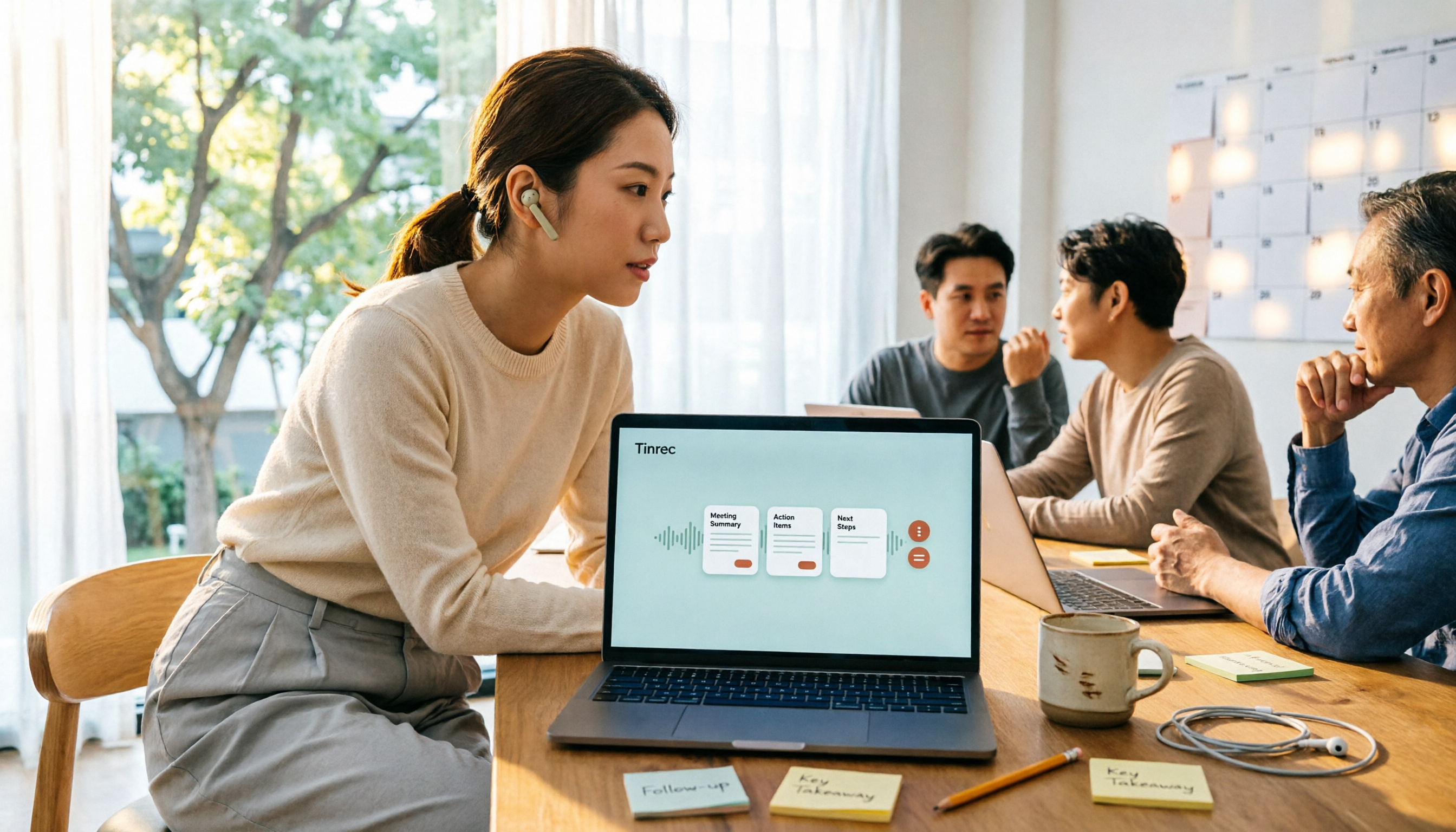
5 Free Meeting Transcription Apps Tested for 2026: Which Free Tier Actually Lasts?
Which free meeting transcription app is worth using? We tested five tools with free plans—Tinrec, Granola, TurboScribe, PLAUD, and Otter.ai—comparing free minute limits, Chinese and mixed-language recognition, online meeting recording methods, and post-meeting summaries and Q&A. We also highlight four common pitfalls to help you find the one that truly covers a month of meetings.

5 Free Meeting Notes Apps Compared in 2026: Why Tinrec Beats Notta for Chinese Meetings
A guide to choosing a free meeting notes app in 2026, comparing Tinrec and Notta to help you decide which is better for Chinese meeting recognition, free quotas, post-meeting summaries, and team collaboration.