

Turn recordings into transcripts and summaries in minutes
Upload audio or video for multilingual transcription, AI notes, and action items
After a 60-minute meeting, the real time sink is often not the meeting itself, but organizing the content afterward into something others can understand and you can find later.
Most professionals aren't stuck on whether to use AI office tools, but on a few very specific choices.
Should the meeting be joined by a meeting bot, or should you capture system audio directly from a desktop app? Does the tool only give you a transcript, or can it also organize summaries, action items, and searchable data? Does this content stay in a personal account, or does it become a shared team asset?
This article starts from these decision points, puts 5 common AI office tools side by side, and tells you which approach actually saves time.
Still Spending Two Hours After a Meeting? You Need a Solution, Not Just a Tool
Your online meeting ends, and the meeting bot notifies you that the transcript is ready. You open it and see over 10,000 words of raw text. Who mentioned the budget, which decision needs follow-up—you still have to dig through it yourself.
Another common scenario is cross-language meetings. In discussions mixing Chinese and English, transcription tools often misspell proper nouns, and you have to go through it line by line afterward.
An even more troublesome one: data scattered across individual accounts. When a colleague leaves, the agreed specifications and client commitments disappear with them.
If you've experienced any of these, the problem usually isn't whether you're using AI, but that the tool only takes you halfway. It turns voice into text, but doesn't turn text into actionable, searchable, transferable data.
Before Choosing an AI Office Tool, Understand These 5 Key Points
First, how the meeting is recorded. A meeting bot appears on the participant list as an attendee, which can be awkward for some client meetings or external interviews. Capturing system audio directly from a desktop app doesn't add an extra participant to the meeting room, making it more suitable for situations requiring discreet recording.
Second, what remains after transcription. A transcript is just the starting point. What really determines how much time you save is whether it can automatically generate summaries, chapters, action items, and even let you find key points through Q&A.
Third, real-world performance with Chinese and multiple languages. Meetings in Taiwan are rarely pure Chinese or pure English; mixing Chinese and English is the norm. Actual results are affected by recording quality, background noise, accents, and multiple people talking over each other—you can't just look at promotional numbers.
Fourth, how team data is managed. Does meeting content stay in personal accounts or go into a team space? Is the data still there after a member leaves? These things aren't noticeable for individual use, but become very painful when scaled to a team.
Fifth, free tier and paid pricing. You need to clearly understand what the free version offers and what you get after paying, so you don't wait until the quota runs out to realize it's not enough.
Tinrec – Our Top Pick After Testing
Tinrec is an AI meeting notes and collaboration tool for individuals and teams, available on iOS, Android, and web, with a desktop version as well.
The most direct difference is how it captures meetings. Open the Tinrec desktop app, and it directly captures your computer's system audio, handling Zoom, Google Meet, Microsoft Teams, Webex, and other online meetings without adding a meeting bot to the participant list. For those who frequently meet with external clients, this saves a lot of explanation.
During the meeting, Tinrec transcribes in real time, handling mixed Chinese and English content. If there are foreign-language participants, you can enable real-time translation and view in original, translated, or bilingual mode.
After the meeting is where it truly stands out. AI automatically generates summaries, chapters, and action items, breaking long meetings into quickly scannable sections, listing who is responsible for what and when it's due.
Even better is AI Q&A. After recording, you can directly ask "Who mentioned the budget last meeting?" or "What did the client say about the delivery date?" It doesn't give you keyword search results—it gives you answers directly. Most tools at the same price point are still stuck at "here's your transcript."
If you want takeaways you can use, Tinrec supports export to Notion, Google Docs, OneNote, Dropbox, and other common tools, and can use Agent post-processing to turn meeting content into reports, tables, or documents, so you can move straight to the next task.
Stop organizing recordings by hand
Upload audio or video and automatically get a transcript, summary, and action items
The team version is another level. It provides an independent team space where meeting data belongs to the team, and supports member invitations, roles like owner/admin/member, and seat allocation. Admins can view usage trends, member rankings, and details, and can query and export audit logs. When a member leaves or loses their seat, data is transferred to other active members, rather than disappearing with the individual.
Note that the free version offers a basic quota, suitable for trying out recording, import, summaries, and transcription. The team trial is 7 days, 1 free seat, 300 minutes of shared team import quota. Team monthly is USD 29.80 per paid seat per month, annual is USD 199 per paid seat per year (about USD 16.58 per month), with each paid seat providing 2,000 minutes of shared team import quota per month. Actual pricing and benefits are subject to the official purchase page.
Also, to be honest, Tinrec does not recommend using a fixed accuracy rate as a guarantee. Recording quality, noise, accents, and overlapping speech all affect results. For important content, it's still recommended to cross-check with transcript timestamps and audio playback.
Overall, if you frequently hold Chinese or mixed Chinese-English meetings, don't want a bot in the meeting, want to find key points directly via Q&A after recording, and need data to stay with the team, Tinrec is currently the closest fit for this workflow.
Besides Tinrec, What Other Options Are There?
Otter.ai: A mature choice for English meeting notes. Free Basic gives 300 minutes per month; Pro annual is about USD 8.49 per user per month. It's not focused on mixed Chinese-English or Chinese meetings, and unlike Tinrec, it doesn't centralize meeting data into a team space or retain complete post-meeting outputs. If you almost exclusively hold English meetings, consider it; if you need Chinese meetings and team knowledge retention, Tinrec is more suitable.
Notta: Known for multilingual transcription. Free version gives 120 minutes per month, max 3 minutes per session; Pro annual is about USD 8.17 per month. It overlaps significantly with Tinrec, but Tinrec adds desktop bot-free recording, team space, and AI Q&A. If you mainly upload files for transcription, Notta is sufficient; if you need real-time meeting recording and post-meeting Q&A, Tinrec's workflow is more complete.
Granola: Also records meetings without a bot. Business is USD 14 per user per month. The difference is it doesn't support uploading existing audio files and doesn't retain meeting audio, making it more limited for later listening or recovery. Tinrec retains recordings, supports file import and real-time translation, making it more practical for situations requiring original records and team sharing.
Pitfall Guide: 4 Most Common Mistakes When Choosing AI Office Tools
Pitfall 1: Only looking at advertised accuracy. Many tools claim high accuracy, but that's usually measured in quiet environments. Real meeting rooms have air conditioning noise, keyboard sounds, and people talking over each other—performance will differ noticeably. It's better to test with your own recording during a free trial than to trust ads.
Pitfall 2: Ignoring how the meeting is recorded. A meeting bot appears on the participant list, which isn't suitable for some occasions. Using desktop system audio capture is much friendlier for external meetings and client interviews, and won't disrupt the meeting flow.
Pitfall 3: Treating the tool as just speech-to-text. If you only use it to produce transcripts, you're using only a third of its capabilities. With Tinrec's AI Q&A, you can directly ask "What was the conclusion of this meeting?" after recording—much faster than manually scanning a 30-minute transcript.
Pitfall 4: Not thinking through data ownership. Personal accounts are convenient, but teams need "data that stays even when people leave." When choosing a tool, first confirm whether it has a team space, roles, and seat concepts. Otherwise, when someone leaves, you may find the data can't be transferred, and it's hard to fix.
Conclusion: Which One Should You Choose?
In short, to save time on meeting notes, three things matter: using the right capture method, choosing a tool with post-meeting processing, and putting data in the right place.
Need Chinese or mixed Chinese-English meeting transcription → Tinrec (Chinese experience and multilingual scenarios are its strength)
Don't want a meeting bot joining → Tinrec (desktop captures system audio directly)
Want to use AI to find key points and organize action items after recording → Tinrec (AI Q&A and action item extraction are clear differentiators)
Need to keep meeting data for the whole team → Tinrec (team space, roles and seats, usage and audit all in one)
Zero budget, almost only English recordings → Otter.ai (free 300 minutes, the rare exception in this article)
Start with the free version, run through a real meeting of your own, and see if the transcript, summary, and Q&A save you the time you'd otherwise spend. If it works for you, consider upgrading—no need to pay upfront.
References
- Top 20 Must-Have AI Tools for the Workplace! Expert: 90% of Workers Will Need to Know AI in the Future | 104 Career Power
- 12 Best AI Productivity Tools You Can't Miss in 2026
- [AI Cheat Sheet] Just Read This! 2026 Recommended AI Free vs Subscription Tools to Boost Productivity & Workplace Competitiveness! (Continuously Updated) | 104 Career Power
- Workplace AI Revolution: Beyond ChatGPT, Generative AI Tools You Must Learn! - myMKC Management Knowledge Center
- How to Build an Efficient Workflow with 11 AI Tools? My Most Frequent Use Cases - Project Management Life Thinking
Turn every recording into actionable outcomes
Get 60 free transcription minutes when you sign in. No credit card required.
Related Reading
You might also like

5 Free Meeting Transcription Apps Compared: Which Handles Chinese Meetings and Free Tiers Best in 2026?
Only three lines of notes after a meeting? This hands-on comparison of 5 popular free meeting transcription apps examines Chinese recognition, online meeting recording methods, free tier limits, post-meeting output, and team governance. It takes a deep look at Tinrec and Otter.ai, plus the free plan limits of Notta and TurboScribe, to help you decide if a free version is enough.

2026 Free Meeting Notes App Options: VS Code Collaboration and 5 Alternatives Reviewed
How to choose a free meeting notes app in 2026? This article starts from the common misconception of 'looking for meeting notes extensions in VS Code,' outlines 5 key selection criteria, breaks down Tinrec's free and team plan capabilities from a hands-on perspective, and compares alternatives like VS Code Live Share, PLAUD Note, and inFin, with a pitfalls guide and scenario-based recommendations.

Tinrec vs Notta 2026: 5-Dimension Comparison of Free Meeting Transcription Apps
How to choose a free meeting transcription app? This article compares Tinrec and Notta across 5 dimensions: free quota, Chinese recognition, meeting audio sources, and post-meeting organization. It also covers selection tips, practical use cases, and FAQs to help budget-conscious professionals find a truly useful meeting transcription tool.

How to Use AI Office Tools in 2026: 5 Steps to Build an Efficient Meeting Notes Workflow
Dreading the post-meeting cleanup? This guide walks you through 5 key steps to choose the right AI office tool, with hands-on testing of Tinrec's bot-free recording, AI summaries, action item extraction, and AI Q&A. We also review Otter.ai, Notta, and Granola for different use cases, plus a pitfalls guide and selection tips to help you find the best meeting notes workflow.

4 Free Meeting Transcription Apps Tested: Which Free Version Is Actually Enough?
Every meeting transcription app in the store says "free download," but how long can you really use it? This article uses "can the free version survive a real meeting?" as the standard. It first covers 5 key buying criteria, then breaks down the free version limits, Chinese meeting performance, post-meeting output, and team data ownership of Tinrec, Otter.ai, Notta, and Granola, and finally offers recommendations based on different needs.
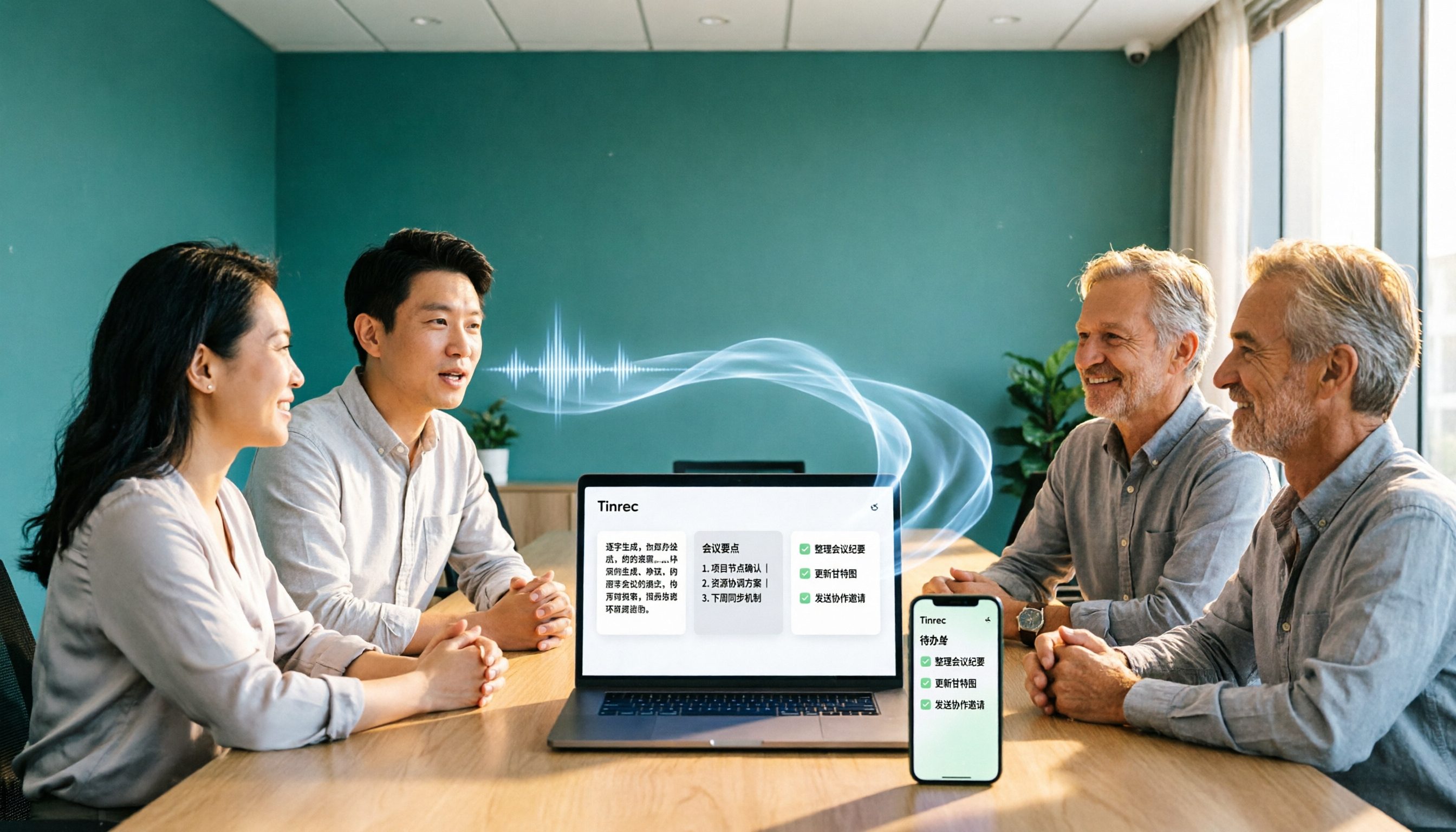
How to Choose a Free Meeting Notes App in 2026: 5 Steps from Recording to AI Summary
How do you pick a free meeting notes app without getting burned? This article starts with common pitfalls and walks you through 5 steps covering the complete workflow from recording, transcription, AI summary, action items, to export. It also covers 5 key buying factors including free quota, Chinese recognition, audio retention, and team permissions, using Tinrec as a hands-on example.
6 Free Meeting Notes Apps Tested in 2026: Which Is Easiest to Download and Most Useful on the Free Plan?
Free meeting notes apps are easy to download, but the real challenge is discovering the free tier isn't enough after you install. This guide compares six popular tools' free plans, paid pricing, and download methods, including Tinrec for bot-free online meeting recording, Notta for multilingual transcription, Otter for English meetings, and completely free options NotebookLM and inFin. It also covers four things to check before choosing.

5 Free Meeting Transcription Apps Compared in 2024: From Free to Paid, Explained
This article rounds up the free meeting transcription apps worth considering in 2024, comparing free tiers, bot-free recording, AI summaries and Q&A, Chinese recognition, and team collaboration. Tinrec stands out for Chinese meetings and post-meeting organization, while Otter.ai, Notta, Granola, and others each suit different scenarios. By the end, you'll know which one fits your meeting style.

4 Free Meeting Transcription Apps Compared: Why Apple Pencil Handwriting and Transcripts Need Separate Tools
Many people use an iPad with Apple Pencil to find a free meeting notes app, only to discover that handwriting looks great but transcripts don't generate. This article breaks down that common misconception, outlines 4 key selection criteria, and compares the free plans, recording methods, and post-meeting outputs of Tinrec, Notta, Otter.ai, and Granola, with a pitfalls guide and scenario-based recommendations.