
Turn recordings into transcripts and summaries in minutes
Upload audio or video for multilingual transcription, AI notes, and action items
How to Choose a Meeting Transcription Tool in 2026: Notta vs. Transkriptor + Tinrec's Differentiated Advantages
"What was the discount floor we discussed with the client last week?" Three days after the meeting, your manager drops this question in the group chat. You open your phone, the recording is 87 minutes long, you drag from minute 12 onward, and halfway through you feel like you might have heard it around minute 40.
Most people searching "notta vs transkriptor" aren't actually looking to research tools—they want to put an end to "can't find the key point again." But after comparing the two brands, you usually realize: the real problem isn't who transcribes faster, but what you actually get after transcription.
What Can Meeting Transcription Tools Do for You?
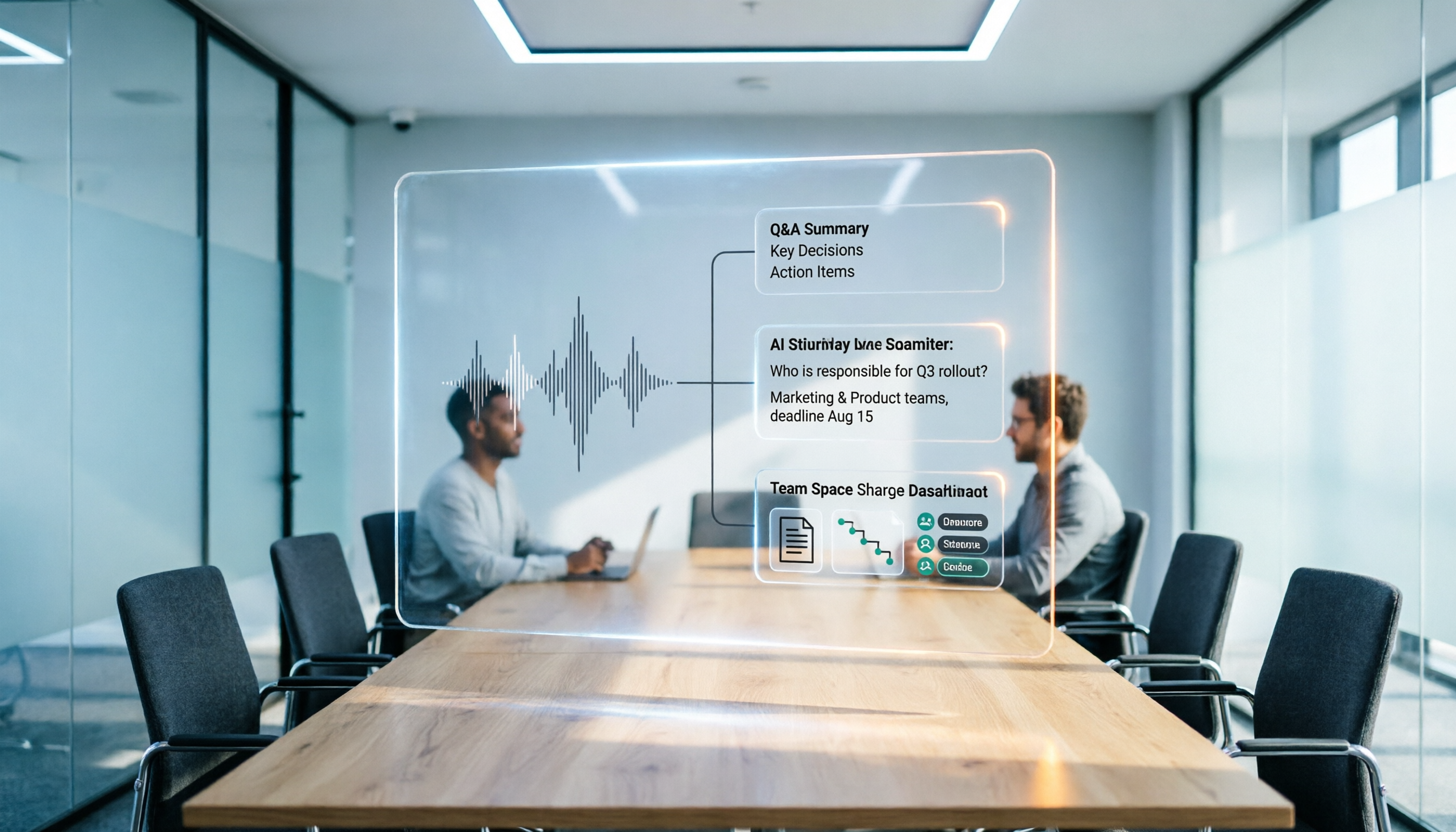
Scenario 1: After the meeting, key points are already organized A two-hour meeting used to require another hour to write up notes. Take Tinrec for example: when the meeting ends, the transcript is already done, and summaries, chapters, and action items are generated together. Who's responsible for what and when it's due—just look at the list.
Scenario 2: No need to bring a meeting bot into the room Many tools work by sending a bot account to join the meeting, adding an extra participant on screen, and clients ask "who's that?" Tinrec's desktop version directly captures computer system audio, so when handling online meetings like Zoom, Google Meet, Microsoft Teams, and Webex, no additional bot needs to join.
Scenario 3: Historical recordings become a queryable database Interviews from three months ago, review meetings from last year—just import them into Tinrec and use AI Q&A to directly ask "what were the client's concerns about pricing at that time" without re-listening to the whole thing.
Scenario 4: Cross-language meetings are understandable in real time During recording, you can view the original text, translation, or bilingual content, so international meetings don't have to wait until after to find a translator.
What Are the Core Capabilities of Meeting Transcription Tools?
Bot-free online meeting recording Tinrec captures system audio through the desktop version; users simply start recording themselves, without inviting an extra account to join. Note when communicating externally: this is not the same as "automatically joining all calendar meetings"—users still need to initiate it themselves.
Real-time transcript and live translation Transcribe while recording, so you can check for missed key points during the meeting; for cross-language meetings, switch between original, translation, or bilingual view.
AI summaries, chapters, and action item extraction It's not about condensing the entire transcript into one paragraph, but structuring it: meeting topics, discussion conclusions, and action items listed separately. Long meetings are automatically split into chapters for easy skimming.
AI Q&A After transcription, you can ask questions directly—"Which option did this meeting decide on?" "Who mentioned the budget?" Tinrec answers based on the meeting content, saving re-listening time.
Multi-format export and post-meeting processing Results can be exported or brought into tools like Notion, Google Docs, OneNote, Dropbox for further use; you can also generate reports, tables, and meeting minutes documents, turning transcripts into deliverable work outputs.
Team spaces and governance The team version centralizes meeting data in one space; admins can manage members, roles, seats, usage, and audit logs, so data doesn't leave with individuals when members change.
Practical Application Scenarios
Weekly stand-ups and project meetings Project weekly meetings are prone to "last time we said we'd change this, and this time we forgot again." Record regularly with Tinrec, and action items are listed right after the meeting; review last week's notes before the next meeting, and it's clear whether action items were implemented.
Customer interviews and sales meetings The value of customer interviews lies in the details—hesitant tone, additional requests, casually mentioned competitors. Tinrec keeps transcripts and recordings, allowing questions about a single session or across sessions, compiling customer needs summaries, and exporting for team reference.
Content creation and course organization Interview recordings, online courses, lectures—after importing, first look at chapters to grasp the structure, then pull out key paragraphs for writing. For editors and marketers who need high output, this saves a round of transcription time.
Cross-department and cross-language teams After international meetings, participants often understand the same sentence differently. Bilingual transcripts plus team space sharing allow those who didn't attend to check back themselves, rather than waiting for someone to relay.
Stop organizing recordings by hand
Upload audio or video and automatically get a transcript, summary, and action items
How Do Notta, Transkriptor, and Tinrec Differ?
Each brand has clear strengths: Notta leans toward multi-device transcription and subtitle applications, supporting speaker identification and multi-device editing—suitable for those who need quick draft output or video subtitles; Transkriptor is positioned in source materials as having broad language coverage, supporting multiple file formats and professional terminology recognition—suitable for multilingual teams handling large volumes of audio files.
| Aspect | Notta | Transkriptor | Tinrec |
|---|---|---|---|
| Main positioning | Multi-device transcription, subtitles, and meeting notes | Multilingual transcription and file processing | AI meeting notes and team collaboration |
| Clear strengths | Subtitle generation, speaker identification, multi-device editing | Language coverage, format support, terminology recognition | Bot-free recording, post-meeting Q&A, team knowledge retention |
| Best for | Individuals needing subtitles and drafts | Multilingual teams and high-volume file needs | Chinese meetings, teams wanting to retain team data |
The key difference is after the meeting: if your need stops at "turning voice into text," the first two can handle it; if you want summaries, action items, follow-up questions, export, and team handover after transcription, Tinrec's design leans more in that direction.
5 Things to Note When Choosing a Meeting Transcription Tool
1. How the meeting is recorded The bot-joining-meeting approach often causes awkwardness in external client meetings, and some corporate policies don't allow external accounts to join. Tinrec uses a bot-free method, with users initiating recording on the desktop version—this is its most practical differentiator.
2. What you get after transcription Transcripts are just the starting point. When choosing a tool, ask directly: Is there a summary? Are there chapters? Can I extract action items? Can I ask questions about the content? Tinrec has all of these in the same workflow, no extra integration needed.
3. Real-world performance with Chinese and mixed Chinese-English Meetings in Taiwan are rarely pure Chinese; it's usually "this campaign's budget needs to be confirmed again." Tinrec supports Chinese, Traditional Chinese, and multilingual scenarios, and provides team hotwords for maintaining professional terminology. Actual results will still be affected by recording quality, accents, noise, and overlapping speakers—recommend testing with your own recordings.
4. Team governance depends on roles and seats This is the part most easily misunderstood in procurement. Tinrec's team version separates "roles" and "seats": roles determine who can manage the team, members, and audits; seats determine who can record, upload, edit, and export. Members who are active but have no seat can still view, play, and read team data, but cannot perform resource-consuming operations. Currently, team monthly billing is USD 29.80 per paid seat per month, annual billing is USD 199 per paid seat per year (equivalent to about USD 16.58 per month), each paid seat provides 2,000 minutes of team shared import quota per month, and real-time recording under an active plan is currently not deducted by minutes; first-time eligible teams can try 7 days, 1 free seat, and 300 minutes of shared import quota. Prices and benefits are subject to the official purchase page.
5. Data retention and personnel changes What employees take with them when they leave is experience, not meeting records. Tinrec's team resources belong to the team; when a member leaves or is removed, their responsible resources need to be handed over to other active members; accidentally deleted audio goes to the recycle bin and can be restored before permanent cleanup (currently retained for 30 days).
Frequently Asked Questions
Q: Which is better, Notta or Transkriptor? There's no absolute answer. Need subtitles and multi-device editing—lean toward Notta; need multilingual and high-volume file processing—lean toward Transkriptor; need post-meeting organization and team knowledge retention—Tinrec is more aligned.
Q: Does Tinrec need to add a bot to the meeting? No. The desktop version directly captures system audio; users start recording themselves before the meeting begins, and no extra participant account appears.
Q: How accurate is Chinese meeting transcription? It provides high-quality transcription with clear audio and common meeting scenarios, but does not promise a fixed accuracy rate. In practice, it's recommended to verify important numbers and decisions against transcript timestamps and recording playback.
Q: What's the difference between the personal and team versions? Personal version data belongs to the individual account; the team version is an independent team space with additional member invitations, role and seat management, shared quota, usage analytics, audit logs, and audio recycle bin.
Q: Can members without seats see meeting data? Yes. Active members can view, play, and read team data, but need a seat to record, upload, edit, and export.
Q: Can I try before deciding? You can start with the free version to experience recording, importing, summaries, and transcription, confirm the workflow fits your team's habits, then evaluate upgrading or adopting the team version.
Conclusion
The real value of a meeting tool isn't in the seconds of transcription, but in the hours you save after the meeting, and whether you can still find that key sentence three months later.
If you only occasionally need a transcript, most transcription tools on the market can handle it; but if you have more than three meetings a week and your team often goes back and forth confirming "who said what," then the difference comes down to bot-free recording, AI summaries and Q&A, and whether meeting data can stay within the team. Take Tinrec for example: from recording, transcription, summary, action items to team space, it's a complete post-meeting workflow—run a real meeting with the free version first, then decide if it's worth adding to your procurement list.
References
- Notta vs. Transkriptor: Which Transcription Tool Wins in 2026?
- Compare Notta VS Transkriptor | Techjockey.com
- Transkriptor vs Notta 2026 Buying Guide: Hands-On Test and Recommendations for Two Transcription Tools - Official Tinrec Blog
- Notta vs. Transkriptor Comparison
- Compare Notta vs. Transkriptor in 2026
Turn every recording into actionable outcomes
Get 60 free transcription minutes when you sign in. No credit card required.
Related Reading
You might also like

Transkriptor vs Notta: Which Is Better? 2026 Comparison of 3 Tools — This One Is Better for Chinese Meetings and Team Knowledge Retention
Comparing Transkriptor and Notta? This article examines four angles: Chinese recognition, post-meeting organization, meeting audio capture methods, and team authorization. It also explains how Tinrec uses desktop-based bot-free recording for online meetings, generates summaries and action items, and compares publicly available data on language counts, custom vocabulary, free quotas, and pricing between Transkriptor and Notta to help you choose the right transcription tool.

3 AI Meeting Transcription Tools Tested: Otter vs Notta (Reddit Buzz) and How to Choose in 2026
We break down real Reddit discussions comparing Otter and Notta, covering meeting types, input sources, and post-meeting deliverables. Then we walk through the complete workflow with Tinrec—from recording and transcription to AI summaries and team knowledge retention—to help you decide which tool fits your needs.

Tinrec vs Yating Transcribe 2026: 5-Dimension Comparison — Which Is Better for Accuracy and Post-Meeting Organization?
People searching for 'Yating Transcribe accuracy' often need to know not just a single number, but how much time they'll spend organizing after transcription. This article compares Tinrec and Yating Transcribe across 5 dimensions: Chinese and mixed Chinese-English recognition, post-meeting output, meeting capture and input sources, cross-device and team collaboration, and pricing and trial flexibility. It also summarizes each tool's unique strengths and ideal users.

Tinrec vs iPhone Voice Memos in 2026: 5-Dimension Comparison — Which Recording App Should You Use?
iPhone's built-in Voice Memos is free and easy to use, but it often falls short for meeting notes, transcription, and post-meeting organization. This article compares Tinrec and iPhone Voice Memos across 5 dimensions—Chinese transcription, online meeting recording, AI Q&A, team collaboration, and pricing—to tell you which one to use in which situation.

Traditional Recording Apps vs Tinrec in 2026: A 5-Dimension Comparison — The Real Difference Is What Happens After Recording
Discussions about recording apps on PTT often revolve around issues like calls interrupting recordings, files ending up 0 seconds long, and Android internal recording failures. This article, from a student's practical perspective, breaks down the most common misconceptions when choosing a recording app and compares 'recording-only' vs 'record-and-organize' across 5 dimensions, explaining how Tinrec works in practice for transcripts, summaries, to-dos, and team collaboration.

Yating Transcript Pricing 2026: Free Minutes and Hourly Rates Explained
Does Yating Transcript cost money? This guide breaks down the free quota, the NT$100 per hour plan, bulk purchases, and API billing. It also covers 4 key things to understand before choosing a transcription tool, and compares pricing models from Tinrec, Notta, Otter.ai, and others to help you decide which option is most cost-effective for you.

Notta vs TurboScribe in 2026: 3 Speech-to-Text Tools Tested—Which Saves the Most Time After Meetings?
Notta and TurboScribe are both popular speech-to-text tools, but one leans toward meeting notes and the other toward batch file transcription. This hands-on comparison examines their positioning, free tiers, and limitations, and explains how Tinrec differs in post-meeting organization and team collaboration to help you decide which fits you best.
2026 Guide: 5 Artistic Vocology Training Resources Compared — How to Choose Italian Courses, Societies, and Lecture Recording Tools
Planning to study vocologia artistica in 2026? Italian course info is scattered across four or five websites, all in Italian, with different deadlines. This guide compares 2026 programs from Nuova Artec, GIVA, Unicusano, La Voce Artistica, and the University of Bologna, and shares a tested method using Tinrec to capture Italian lectures.

2026 AI Voice Collaboration Platform Comparison: vocol.ai vs. Tinrec — Which One Ends the Post-Meeting Cleanup Nightmare?
Endless weekly meetings are bad, but post-meeting cleanup is the real nightmare. This article compares vocol.ai, Tinrec, Otter.ai, and Notta from a mid-level manager's hands-on perspective, covering Chinese transcription, post-meeting summaries, AI Q&A, team collaboration, and pricing. It also honestly points out each tool's limitations to help you decide which one deserves a spot in your team's workflow.