
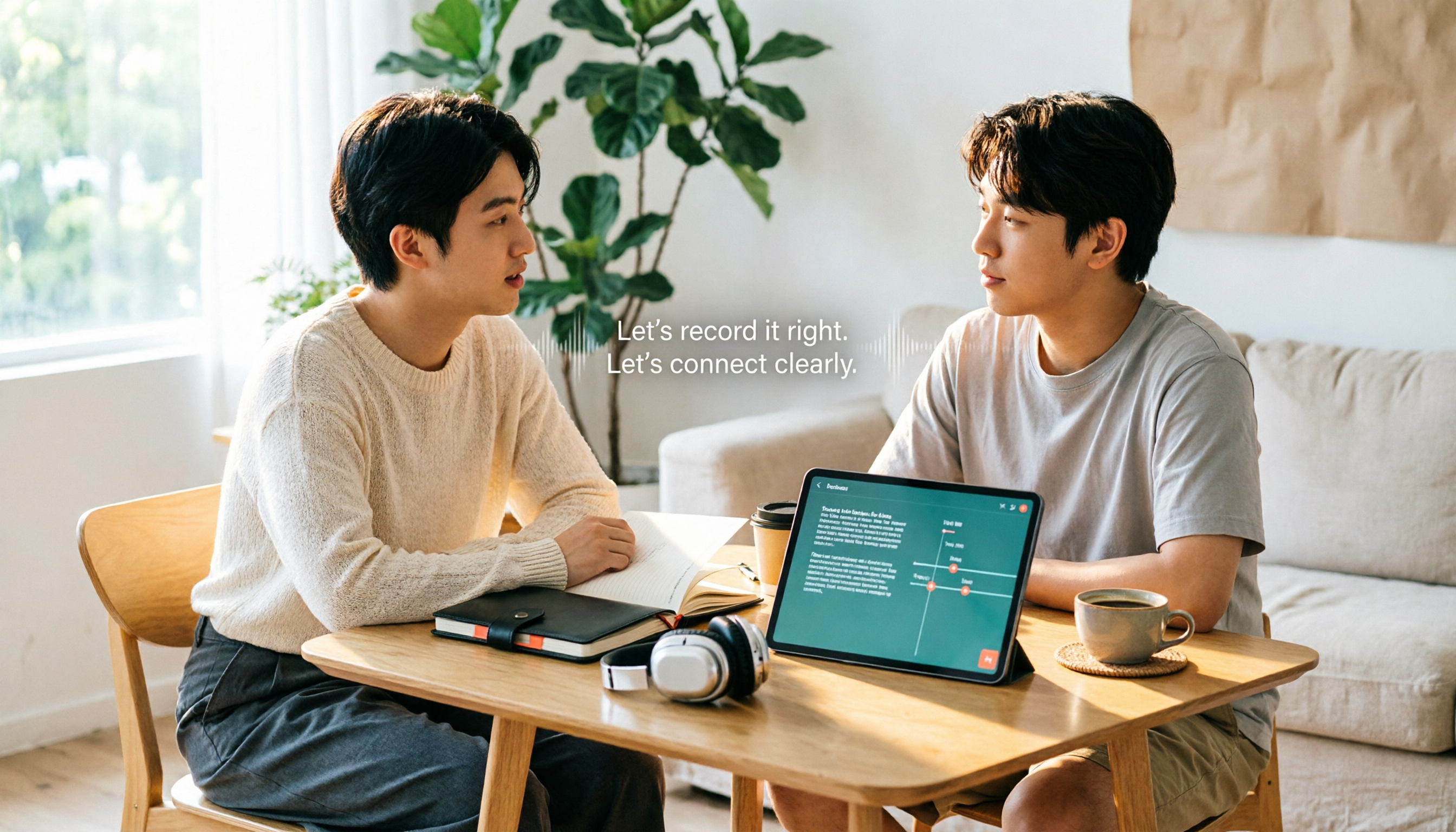
Turn recordings into transcripts and summaries in minutes
Upload audio or video for multilingual transcription, AI notes, and action items
Many people search for 'Notta subtitle recommendations' thinking, 'I just need a tool that can automatically generate subtitles.'
This is the most common first misconception I've seen: treating 'transcript' and 'subtitle' as the same thing.
A transcript only needs to have the correct text; subtitles add a layer of timecodes—if one sentence doesn't match the seconds, the entire video has to be re-adjusted.
So I usually ask first: Do you want to 'understand the content' or 'directly publish the video'? The answer determines which tool to choose.
Before Searching for 'Notta Subtitle Recommendations,' Avoid These 3 Common Misconceptions
Misconception 1: Having a transcript means having subtitles.
A transcript is a document; subtitles are a string with timecodes. Some tools transcribe quickly and accurately, but the export format doesn't include timecodes, so you still have to manually sync the seconds.
Misconception 2: Only looking at monthly quota, not the per-segment length limit.
This is the easiest pitfall. A quota of '120 minutes per month' sounds sufficient, but if the per-segment limit is only 3 minutes, a 20-minute video must be split into 7 segments and then merged. Subtitle creators are particularly sensitive to this.
Misconception 3: Treating 'transcription' as the end goal.
Record, transcribe, save, and then never open it again. The real time-consuming part is post-meeting organization: who said what, what the conclusions were, and who is responsible for next steps.
In this article, I will break down these aspects using the perspective of 'the same recording, the same set of standards.'
When Choosing a Subtitle-to-Transcript Tool, Understand These 4 Key Points First
1. How the quota is calculated.
Distinguish between 'total minutes per month' and 'per-session or per-segment limit.' The total determines whether you can use it long-term; the per-segment limit determines whether you can handle long videos. Both numbers matter.
2. Export formats and timecodes.
If you need to add subtitles, timecode formats like SRT are essential. Also note that some tools put format downloads in paid plans, offering only plain text in the free version.
3. Performance with Chinese and mixed Chinese-English.
Meetings in Taiwan are rarely pure Chinese; they usually mix Chinese with English product names and technical terms. The differences between tools are significant here. Test with your own recordings rather than relying on official accuracy claims—those are typically measured in quiet environments.
4. What you can do after transcription.
Summaries, chapters, action items, Q&A, translation, team sharing. This layer determines whether you 'bought a transcription tool' or 'bought a post-meeting workflow.'
Tinrec (Instant Recording) — After Testing, I Rank It First
Tinrec (Instant Recording) is an AI meeting notes and collaboration tool for individuals and teams, supporting web, desktop, and mobile.
Its most distinctive feature is that the desktop version directly captures the computer's system audio to record online meetings.
This means: for Zoom, Google Meet, Microsoft Teams, Webex meetings, you don't need to invite a meeting bot as a participant—just open Tinrec and start recording. For client meetings where 'the participant list cannot have one more person,' this difference is very practical.
Post-transcription organization is where it stands out from pure transcription tools.
After the meeting ends, the transcript is already there, and it automatically generates summaries and chapters, breaking a one-hour discussion into several key sections and organizing action items. For cross-language meetings, you can enable real-time translation and view in original, translated, or bilingual mode.
Even better is the AI Q&A. After recording, you can directly ask it 'What were the conclusions of this meeting?' or 'What was the budget cap the client mentioned?' It finds answers from the content rather than giving you a list of keyword search results.
For output, besides transcripts and summaries, it can generate reports, tables, and documents, and export to Notion, Google Docs, OneNote, Dropbox, and other tools for further processing.
Honestly, two things to note.
First, if you need batch processing of large long files (e.g., dozens of videos for subtitling at once), Tinrec is not designed for that scenario; there are more suitable tools for such needs.
Second, subtitle timecode formats and export details vary by plan. I recommend running a segment of your own video through the free version to confirm, rather than just looking at the feature list.
Stop organizing recordings by hand
Upload audio or video and automatically get a transcript, summary, and action items
Regarding cost, the free version provides a basic quota to experience recording, import, summaries, and transcription; for short-term intensive use, there's a weekly card; for steady use, there are Pro monthly and annual cards.
For team use, the team version is a separate collaboration space, not multiple people sharing one account. Eligible teams can try 7 days free with 1 free seat and 300 minutes of team shared import quota; monthly USD 29.80 per paid seat per month, annual USD 199 per paid seat per year (equivalent to about USD 16.58 per month), with each paid seat providing 2,000 minutes of team shared import quota per month.
The team version also distinguishes roles and seats: members without seats can still view, play, and read team materials, but need a seat to record, upload, or edit. The admin side can view usage trends, member rankings, and export audit logs; accidentally deleted audio goes to the recycle bin and can be recovered within the time limit. When a member leaves, their team resources can be handed over to others and won't disappear with them.
**Who it's for:** People and teams who frequently hold mixed Chinese-English online meetings, don't want bots joining the meeting room, and want to directly find key points via Q&A after recording.
Besides Tinrec, What Other Options Are There?
Notta: The One Most Often Mentioned for Subtitle Needs
Notta's official website currently lists a free plan with 120 minutes per month, but a maximum of 3 minutes per segment—this greatly affects subtitle creators, meaning long videos must be split first. Pro annual billing is about USD 8.17 per month with 1,800 minutes per month; formats like SRT, TXT, DOCX, PDF, XLSX require Pro or above to download. It supports 58 languages and real-time transcription translation; the officially advertised 98.86% accuracy is a figure under quiet conditions, and actual performance depends on your recording conditions; also, it's a Singaporean company, technical support is mainly in English, and the interface has Traditional Chinese. If you need multilingual file transcription and subtitle output, Notta is a reasonable option. But if you care about team management—seat allocation, usage analysis, audit logs, and audio recycle bin—Tinrec's team version puts these in one space, which is the most complete I've seen so far.
TurboScribe: Long Files and Batch Subtitling
A cost-effective file transcription tool, free for 3 files per day with a maximum of 30 minutes per file; Unlimited annual billing USD 120 (about USD 10 per month), maximum 10 hours or 5 GB per file, can upload 50 files at once. For processing large numbers of long videos and batch generating subtitles, it's more suitable than Tinrec. But it's essentially a file transcription tool; post-meeting Q&A, action items, and team knowledge retention are not its focus—Tinrec fills that layer.
Otter.ai: The Veteran Choice for English Meetings
Basic free plan has 300 minutes per month; Pro annual billing is about USD 8.49 per user per month, with high maturity for English business meetings. If 90% of your recordings are in English, it's a very cost-effective option. But Chinese and mixed Chinese-English are not its strong suit, which is why most Taiwanese users ultimately turn back to Chinese tools.
Pitfall Guide: The 3 Most Common Mistakes in Subtitle Creation
Pitfall 1: Only trusting officially published accuracy rates.
Numbers like 98% or 99% are typically measured in quiet environments with clear single-speaker pronunciation. Real meetings have air conditioning noise, keyboard sounds, and multiple people talking over each other. A more reliable approach: run the same segment of your own recording (preferably including mixed Chinese-English and overlapping speech) through each tool's free version once, and see whose error types you can better tolerate.
Pitfall 2: Ignoring the free version's per-segment length limit.
Subtitle creation is continuous work; the time cost of splitting segments is often higher than transcription itself. When choosing a tool, first clarify the 'per-segment limit,' then look at the monthly total.
Pitfall 3: Buying a tool but only using transcription.
Treating such tools as just 'audio-to-text' means using only one-third of their capabilities. After recording, directly asking 'What client objections came up in this interview?' is much faster than flipping through a 30-minute transcript yourself.
One more reminder: recording and transcription involve personal data; please comply with local regulations in actual use, and obtain participant consent when necessary.
Conclusion: Which One Should You Choose?
To sum up in one sentence: subtitle quality is 80% determined by whether you chose the right tool, not by how hard you edit afterward.
- Chinese or mixed Chinese-English meetings, needing post-meeting minutes and action items → Tinrec
- Don't want meeting bots joining the room → Tinrec desktop version (system audio capture)
- Team needs to share meeting materials, manage seats and usage → Tinrec team version
- Need to process many long files or batch subtitling at once → TurboScribe
- Pure English meetings, zero budget → Otter.ai
I recommend taking a segment of your own recording and running it through the free versions first. You'll know if it fits in ten minutes, without paying upfront.
(Prices and benefits of each plan are subject to the official pages; plan contents may be adjusted at any time.)
References
- Notta | Learn AI
- What is Notta? Free Plan Limits, Pricing, and Traditional Chinese Transcript Tutorial | Mason AI Lab
- [Tutorial] 2026 Notta: Audio-to-Text + AI Summary and Multilingual Support - Instant Recording Blog
- Super Useful Audio-to-Text Tool — Notta
- Comparison of 5 AI Meeting Notes Tools: Otter, Notta, and More Features and Pricing
Turn every recording into actionable outcomes
Get 60 free transcription minutes when you sign in. No credit card required.
Related Reading
You might also like

Notta Online Transcription Review 2026: Free Plan Limits, Traditional Chinese Accuracy, and Tinrec Alternative
How does Notta online transcription work, and is the free plan enough? This article breaks down Notta's meeting bot and desktop bot-free recording, the 120-minute monthly and 3-minute per-recording limits, and Traditional Chinese recognition considerations. It also compares Tinrec across five dimensions—meeting initiation, post-meeting organization, multilingual support, team governance, and pricing—to help you choose the right online transcription solution.

The Complete 2026 Guide to Apple Watch Voice-to-Text: A Better Team Choice Beyond Notta
Recording on Apple Watch is convenient, but the real challenge is post-meeting organization. This article addresses common misconceptions about watch recording and explains how to import Apple Watch voice memos into Tinrec to generate transcripts, summaries, action items, and enable team collaboration. It also clarifies the boundaries of Notta's Apple Watch solution.

2026 Notta Online Captions Review: Free Tier Limits + SRT Timecode Test
A practical breakdown of Notta's online captions and meeting transcription limits: free plan offers 120 minutes per month with a 3-minute cap per segment, and SRT export requires Pro or higher. We also compare Tinrec's no-bot meeting recording, AI Q&A, and team knowledge retention workflow, with buying tips, pitfalls to avoid, and scenario-based recommendations.

2026 AI Meeting Transcription Software Cost Comparison: Notta vs. Tinrec Subscription Plans
How much does Notta cost? This article breaks down Notta's free plan limits (120 minutes per month, 3 minutes per session), the difference between Pro annual at US$8.17/month and monthly at US$13.99, and Business per-seat pricing. It also compares actual costs and use cases for Tinrec, Otter.ai, and TurboScribe to help you understand the costs before committing to an annual plan.

Notta vs Tinrec 2026: 5-Dimension Comparison — Which Free Version Is Enough?
Notta's free plan offers 120 minutes per month but only 3 minutes per recording — is that enough? This article compares Notta and Tinrec free versions across 5 dimensions from a mid-level manager's meeting perspective, and covers how Tinrec handles recording, transcription, summaries, action items, and team collaboration in practice, helping you decide whether to upgrade.

3 AI Meeting Transcription Tools Tested for 2026: Is Notta Any Good? Is the Free Version Enough?
Is Notta worth it? This hands-on review breaks down Notta's transcription, translation, AI summaries, and three key free-plan limits (3 minutes per recording, Pro required for export, 10 summaries per month), compares Pro and Business pricing, and contrasts it with Tinrec and Otter.ai to help you decide which tool fits your meeting style.

2026 Comparison of 6 Audio-to-Text Tools: Beyond Notta, Which Is More Time-Saving for Chinese Meetings?
When choosing an audio-to-text tool, most people only look at accuracy, but the real money-wasters are quota calculations, single-recording length limits, and post-meeting organization workflows. This article compares 6 tools, starting from Notta's positioning, explaining who each is suitable for, how plans are calculated, and how to choose for Chinese meeting scenarios.

How to Use Notta's Recommended Features in 2026: 5-Step Hands-On Test and Selection Advice
Starting from a weekly meeting that couldn't reach a conclusion, this hands-on review covers Notta's 6 recommended features and free version limitations, and compares Tinrec, Otter.ai, and TurboScribe on Chinese meetings, bot-free recording, AI Q&A, and team collaboration. It also includes 3 key pitfalls to avoid when choosing a tool and scenario-based recommendations.

Notta Company Profile 2026: Japanese Entity, Parent Company, and 3 Practical Decision Points for Choosing a Tool
What company is Notta? This article covers Notta's operating entity (Japanese corporation Notta Inc.), overseas parent company NOTTA INC., founder background, and development team. It also provides three practical decision points—recording method, post-meeting workflow, and team governance and pricing—to help you decide between Notta and other AI meeting transcription tools.