

Turn recordings into transcripts and summaries in minutes
Upload audio or video for multilingual transcription, AI notes, and action items
Wednesday afternoon, a two-hour project meeting just ended. You press stop recording and look at the 118-minute audio file on your phone. Your first thought isn't about the conclusions you just reached—it's: how much time will I need to spend re-listening?
This is where most people get stuck. The meeting is over, but the notes haven't even started. The old way was to listen and type simultaneously; a two-hour meeting often took another three to four hours to organize. Now, you can feed the recording to an AI transcription tool and get the full text in just over ten minutes.
But here's the question—what happens after you get the transcript? If it just turns speech into a big block of text, you still have to read through it yourself, pick out the key points, and write your own action items. The real time-saver is whether the tool can help you organize after transcription.
In this article, I'll use Tinrec as the main example to show you what AI transcription can actually help with and what to look out for when choosing a tool.
What Can AI Transcription Do for You?
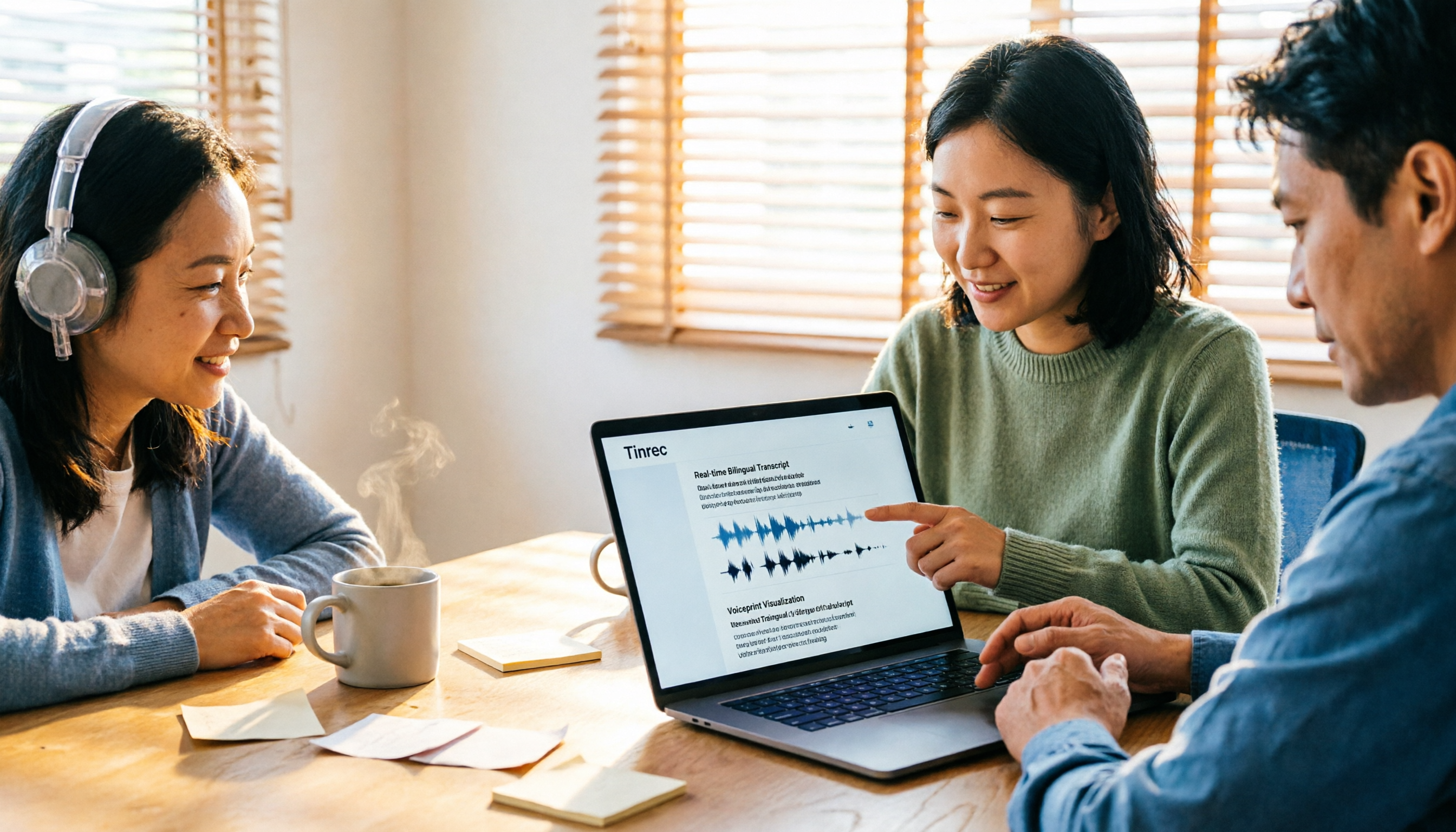
Scenario 1: No more re-listening after meetings In the past, the meeting ending was just the start of work—re-listen, pause, type, re-listen again. Now, with Tinrec as an example, text is generated in sync while recording. By the time the meeting ends, you already have a searchable transcript, plus automatically organized summaries and action items.
Scenario 2: Interviews and lectures—no need to rely on memory to find quotes The worst part of interviews is thinking, "I remember they said something really important, but I can't remember where." Once the transcript becomes searchable text, you can jump back to that segment with a keyword, making it much faster to pull quotes.
Scenario 3: Cross-language meetings—confirm as you listen When meeting with international colleagues, the most exhausting part isn't understanding—it's not being able to take notes fast enough. Tinrec supports real-time translation during recording, allowing you to switch between original text, translation, or bilingual view. Reviewing afterward also makes it less likely to miss details.
Scenario 4: Turn scattered recordings into searchable data Over a year, you accumulate dozens of meeting recordings, usually left in a folder and never opened again. The value of transcripts plus AI Q&A is turning those past recordings into a database you can query directly when needed.
What Are the Core Capabilities of AI Transcription Tools?
Real-time transcription: text appears as you speak It's not transcribing after recording—text runs on the screen while you're speaking. With Tinrec, during a meeting you can visually confirm in real time whether you've missed key points. If you notice someone speaking too fast or not clearly, you can clarify on the spot.
Bot-free online meeting recording This point deserves special mention. Tinrec's desktop version directly captures your computer's system audio to process online meetings, without needing to invite an extra meeting bot as a participant. Note that this does not mean "automatically joining all meetings on your calendar"—you need to actively open Tinrec to start recording, and it won't become a fourth participant in the meeting.
Audio/video file import Already-recorded meetings, interviews, lectures, audio files, or videos can be uploaded directly for transcription. This is especially useful for "organizing old recordings from the past year." Tinrec also has some web link import capability, but this is a supplementary feature, not its main positioning.
AI summaries and chapters The most troublesome part of long meetings is knowing something was discussed but not being able to find which minute it was in. Tinrec automatically generates summaries and breaks long meetings into chapters and key points, making browsing much easier.
Action item extraction This is what I find most practical. Who agreed to what during the discussion, what the deadlines are—AI organizes these into an action item list, so you don't have to go back through the transcript afterward.
AI Q&A After transcription is complete, you can ask questions directly about the meeting content—"What were the client's concerns about pricing?" "Who is responsible for this decision?" Tinrec answers based on semantic understanding, not just keyword matching.
Export and post-processing Organized results can be exported to Notion, Google Docs, OneNote, Dropbox, and other tools for continued use. You can also use Agent post-processing to turn meeting content into reports, tables, or meeting minutes documents.
Practical Application Scenarios
Weekly stand-ups and project meetings Regular meetings are best handled by tools. After recording with Tinrec, summaries, chapters, and action items are all in place at once. Before the next meeting, reviewing last week's action items to see if they're done is far more reliable than scrolling through chat history.
Client interviews and requirements communication What sales and customer success teams really need to capture are the requirements, concerns, and commitments clients have expressed. Transcripts preserve the original wording, summaries capture key points, and when writing follow-up emails afterward, you can quote directly without distortion.
Courses and lectures Taking notes during a two-hour lecture is hard while also listening. Record with Tinrec, transcribe to text, then use AI Q&A to ask follow-up questions like "What were the three methods the speaker mentioned?"—essentially giving yourself an extra review.
Stop organizing recordings by hand
Upload audio or video and automatically get a transcript, summary, and action items
Content creation and team knowledge retention Turning interview recordings into transcripts, then generating article outlines or summaries, saves writers a lot of prep work. For an entire team, these records are centralized in the team space, and new members can look back at them too.
6 Things to Consider When Choosing an AI Transcription Tool
After comparing several common tools side by side, I found that the biggest differences aren't actually transcription speed—they're the following six things.
1. Chinese and mixed Chinese-English recognition performance Meetings in Taiwan are rarely pure Chinese—they usually mix Chinese with English terminology. I recommend testing with your own recordings; it's more reliable than reading official descriptions. Tinrec focuses on Chinese and multilingual meetings and also supports team hotwords, so you can add frequently used company terminology. Note that no tool should promise a fixed accuracy rate—recording quality, accents, and multiple people speaking simultaneously all affect results.
2. How the meeting is recorded Some tools rely on a meeting bot joining, while others capture system audio via desktop. Tinrec uses the latter—no extra bot sitting in the meeting room. If you serve clients who care about the participant list, this difference matters.
3. Can it help you organize after transcription? Tools that only provide transcripts are essentially handing the organization work right back to you. When choosing, look directly for summaries, chapters, action items, and AI Q&A—that's where the time savings are.
4. How quotas are calculated Free tiers are usually just enough to try it out; for long-term use, look at paid plans. Tinrec's personal plans include a free version, weekly pass, Pro monthly, and Pro annual, suited for different tasks: for occasional recording organization, the free version is enough; for short bursts of intensive meetings, consider the weekly pass; if you have regular weekly needs, look at Pro.
5. For team use, governance capabilities matter If an entire department will use it, the focus shifts from "is it easy to use" to "how do we manage it." Tinrec's team plan provides independent team spaces, member and seat management, usage analytics, audit logs, team hotwords, and an audio recycle bin. One commonly misunderstood point: roles determine who can manage the team, while seats determine who can record, upload, edit, and export. Members without a seat can still view, play, and read team materials but cannot upload or edit.
6. Data retention and export methods Ask upfront whether audio files are retained, whether deleted files can be recovered, and whether you can take your data with you. Tinrec retains audio files; team audio moved to the recycle bin can be restored before permanent deletion begins, with a current retention period of 30 days. For export, common file formats and third-party tools are supported.
How to Choose a Tinrec Plan
Personal use The free version provides a basic quota, enough to experience the recording, import, summary, and transcription workflow. The weekly pass is good for short sprints—for example, if you have four or five interviews scheduled in a week. The Pro monthly plan suits office workers with steady weekly needs; if you're building a long-term recording archive, the Pro annual plan has a lower monthly equivalent cost.
Team use The team plan isn't "several people sharing one account"—it's an independent collaboration space. Eligible teams can try it free for 7 days, including 1 free seat and 300 minutes of shared team import quota. Paid plans are USD 29.80 per paid seat per month, or USD 199 per paid seat per year (equivalent to about USD 16.58/month), with each paid seat providing 2,000 minutes of shared team import quota per month.
Also, under an active team plan and active seats, real-time recording currently does not deduct minutes; file and web imports do consume shared team quota. Actual prices, currencies, and promotional details are subject to the official purchase page.
Frequently Asked Questions
Q1: How accurate is AI transcription? With clear recordings and non-overlapping speakers, performance is usually good, but don't expect 100%. In practice, I treat the transcript as a document that's "already typed 90% of the draft for you." For important numbers, amounts, and names, double-check against the recording timestamps.
Q2: Is the free version enough? It depends on how often you use it. For occasional interview or lecture organization, the free quota is worth trying first. If you have meetings every day, the free quota will likely run out in about a week—that's when it makes sense to consider a paid plan.
Q3: Do I need a meeting bot to join the meeting? With Tinrec, no. The desktop version directly captures system audio, so there's no extra participant. However, note that you must actively open Tinrec to start recording—it won't schedule itself into your calendar.
Q4: Which online meeting platforms are supported? Tinrec can process meeting audio from Zoom, Google Meet, Microsoft Teams, Webex, etc., played on your computer. This is support based on system audio capture and does not imply official partnerships with these platforms.
Q5: Can transcripts be used in other tools? Yes. Tinrec supports multi-format export and can bring results to Notion, Google Docs, OneNote, Dropbox for further editing, or use Agent post-processing to generate reports and tables.
Q6: If a team member leaves, will meeting data disappear? No. Team resources belong to the team, not the individual uploader. When a member leaves, is removed, or loses their seat, their team resources can be transferred to other active members. This is also the biggest difference between team plans and shared personal accounts.
Conclusion
What AI transcription really solves is never "typing is slow"—it's "those few hours after a meeting that no one wants to do."
If you only need to turn audio files into text, there are plenty of options on the market. But if you want summaries, action items, and the ability to ask questions and search later right after the meeting, then you should look at the workflow after transcription. Tinrec puts real-time transcription, bot-free meeting recording, AI summaries, and team spaces into one workflow—for those who have meetings three or more times a week, it's an option worth trying before deciding.
I suggest running a real meeting with the free version first to see if what it organizes is actually meeting notes you would use.
References
- Yating Transcription
- No time limit! 3 free AI transcription tools, highly recommended! AI voice notes generate meeting records, presentations, mind maps | 104 Career Power
- "SoundType AI Ultra-Precise Transcription, Speech to Text, AI Dictation" App - App Store
- Asking the Threads community: any recommended AI tools that can turn audio files into transcripts?
- Google AI Studio Transcription Tutorial: Free AI Audio-to-Text Tips - Mr. Mad
Turn every recording into actionable outcomes
Get 60 free transcription minutes when you sign in. No credit card required.
Related Reading
You might also like

The Complete Guide to Zoom Meeting Recording Tools in 2026: Tinrec's Bot-Free Transcription and Post-Meeting Organization
Recording a Zoom meeting isn't as simple as hitting record. Drawing from real student project experience, this guide breaks down common pitfalls of "recording but never using it," explains the differences between bot-free recording, transcripts, AI summaries, and action item organization, and helps you determine if free tiers are sufficient and how to properly archive meeting data for team projects.
4 Zoom Transcription Tools Tested: Which One Actually Saves Meeting Notes Time in 2026?
Recording a Zoom meeting doesn't automatically give you a transcript. This article addresses three common misconceptions and compares Zoom's built-in transcription, Tinrec, Notta, and TurboScribe on speed of getting transcripts, post-meeting organization, Chinese and mixed Chinese-English handling, and team data ownership. It also lists 4 key points to consider before buying and 4 common pitfalls, with clear recommendations based on use cases.

6 Zoom Meeting Settings and Recording Tools Compared for 2026: From Built-in to AI-Powered
Getting your Zoom meeting settings right determines whether your transcript is usable. This guide starts with microphone audio and recording methods, then compares 6 meeting recording tools—Zoom built-in, Otter, Notta, Granola, TurboScribe, and Tinrec—covering pricing, quotas, and ideal users so you can decide which one to use.

2026 Comparison of 4 Online Meeting Transcription Tools: Which One's Post-Meeting Output Is Actually Ready to Use?
A meeting transcription tool isn't automatically useful just because it produces text. This article addresses three common misconceptions, breaks down 4 key factors for choosing a tool, and compares Tinrec, Otter.ai, Notta, and TurboScribe in terms of meeting capture methods, post-meeting output, Chinese language performance, and team data retention.

Tinrec vs Notta 2026: 5-Dimension Comparison — How to Take Meeting Minutes Without Staying Late
Meeting minutes aren't transcripts. This guide starts with a 4-field framework — decisions, action items, open issues, and notes — then reviews 6 practical tool options and compares Tinrec and Notta across 5 dimensions to help you choose the best meeting-notes approach for your team.

Tinrec vs Yating Transcription 2026: 5-Dimension Comparison, Which Transcription Tutorial Should You Choose?
There are many transcription tutorials, but the real decision isn't 'how to convert audio to text'—it's 'whether the transcribed text can be used directly.' This article compares Tinrec and Yating Transcription across 5 dimensions: ease of use, input sources, post-transcription processing, cross-platform export, and team collaboration, helping you decide which workflow to learn.

4 Speech-to-Text Tools Tested in 2026: Notta Review, Usage Limits, and Alternatives
We break down Notta's pros and cons, free tier limits, and pricing based on real-world usage and public reviews, and compare it with Tinrec, Otter.ai, TurboScribe, and Fireflies.ai to help you decide which tool to use for Chinese meetings.

2026 Audio-to-Text Tools Compared: Notta Tutorial, Free Limits, and How Tinrec Differs
Starting from a meeting that ended with no one organizing the notes, this guide walks through Notta's actual workflow, its free plan limits of 120 minutes per month and 3 minutes per recording, and the differences between Pro and Business plans. It also compares Tinrec, Otter.ai, and TurboScribe on Chinese transcription, post-meeting AI Q&A, and team data management to help you pick the tool that truly saves time.

Arsenal vs Nottingham Forest 2026: 5 Key Comparisons — Stats, Lineups & Match Preview
Arsenal travel to the City Ground to face Nottingham Forest on October 18, 2026. This preview breaks down the kick-off time, league position gap, recent form, head-to-head record, and the 62% implied probability using verifiable data, and highlights the three things most often misread before kick-off plus a scoreline assessment.