

Turn recordings into transcripts and summaries in minutes
Upload audio or video for multilingual transcription, AI notes, and action items
Tinrec vs Yating Transcription 2026: 5-Dimension Comparison, Which Transcription Tutorial Should You Choose?
Before learning transcription, ask yourself one question: Do you want 'a recording turned into text' or 'a meeting turned into data you can keep using'? These two things determine which workflow you should learn.
If your scenario is recording a quick thought during your commute and organizing it into notes at home, then the tool with the lowest entry barrier is enough. But if you're dealing with weekly online meetings, client interviews, or cross-department discussions, transcription is just an intermediate product—what you really need is summaries, action items, and a searchable content library. This article compares Tinrec and Yating Transcription across 5 dimensions so you can see the differences at a glance.
Tinrec vs Yating Transcription | Quick Overview
Yating Transcription is a speech recognition service developed by a Taiwanese team. Its official page centers on the slogan 'You talk, we type,' focusing on converting voice memos into text, with the main entry point currently in the app. Tinrec (Miao Ting Lu Yin) is an AI meeting notes and collaboration tool for individuals and teams. Besides transcription, it also includes summaries, action items, AI Q&A, translation, export, and team spaces.
| Item | Tinrec | Yating Transcription |
|---|---|---|
| Product Positioning | AI meeting notes and team collaboration | Voice memo to text |
| Main Platforms | Web, desktop, mobile | App as main entry point |
| Core Difference | Post-transcription organization, follow-up questions, and team knowledge retention | Lightweight, record and transcribe on the go |
Below is a dimension-by-dimension comparison covering ease of use, input sources, post-transcription processing, cross-platform export, and team collaboration.
Dimension 1 | Ease of Use: How to Take the First Step in a Transcription Tutorial
Yating Transcription's advantage is its simplicity. The official page clearly states: you talk, it types, organizing voice memos in more ways, and the service entry is right in the app. For someone who has never used transcription before, installing the app, opening it, and pressing record has almost zero learning cost. However, the official page doesn't provide much guidance on 'importing existing audio files,' 'desktop operation,' or 'output formats.' If you want to learn a complete transcription workflow, you'll have to piece it together yourself.
Tinrec's learning path is relatively clear and can be broken into three steps: 1) Record live or upload audio/video files; 2) The system generates a transcript and automatically organizes summaries and chapters; 3) Extract action items from discussions, ask follow-up questions with AI, and export in the desired format. The desktop version can directly capture computer system audio, handling online meetings on Zoom, Google Meet, Microsoft Teams, Webex, etc., without needing to invite an extra bot to join.
→ This dimension: If you just record casually, both have similar barriers; if you want to learn a complete workflow from recording to delivery, Tinrec's tutorial path is more comprehensive.
Dimension 2 | Input Sources: Just a Microphone, or Can It Handle Existing Files?
Yating Transcription's official positioning revolves around 'voice memos,' with usage scenarios leaning toward real-time recording on mobile. For someone who only has a phone and records whenever inspiration strikes, this design is straightforward. But if you have a batch of interview audio files, a recording of an online meeting that already took place, or a public YouTube video, the process gets stuck at 'how to feed the content in.'
Tinrec covers a broader range of input sources: live recording is suitable for offline meetings and interviews; the desktop version handles online meetings via system audio; audio/video files can be uploaded directly to organize past meetings; mobile is suitable for on-the-go and on-site communication; some public video content can be imported via web links. It should be clarified that Tinrec is not a meeting bot that 'automatically joins all meetings'; instead, users actively open the desktop version to initiate bot-free recording.
→ This dimension: Tinrec wins. The difference lies in whether it can handle 'existing audio files' and 'meetings running on a computer.'
Dimension 3 | After Transcription: Summaries, Action Items, and AI Follow-up Questions
Yating Transcription's official appeal is 'More ways to organize voice memos,' focusing on organizing voice memos—turning spoken words into readable, reviewable text. For personal notes, this already solves the core pain point, but the official page does not explain summaries, action items, or follow-up questions after transcription is complete.
Stop organizing recordings by hand
Upload audio or video and automatically get a transcript, summary, and action items
Tinrec treats transcription as a starting point, not an endpoint. After the transcript is generated, it automatically creates summaries and chapters, breaking long meetings into browsable structures; then it extracts action items from discussions, giving post-meeting actions a basis; it also supports AI Q&A around single or cross-meeting content, allowing you to ask questions like 'What did the client say about the budget at that time?' For cross-language meetings, real-time translation can be enabled, viewed in original, translated, or bilingual format. When you need to generate reports, tables, or documents, Agent post-processing can directly produce work deliverables.
→ This dimension: Tinrec wins. The gap is not in transcription itself, but in the work that comes after transcription.
Dimension 4 | Cross-Platform and Export: Transcripts Must Be Able to Move to the Next Workflow
Yating Transcription currently uses the app as its main entry point. The advantage of this form is that it's lightweight and always available; the limitation is that when you want to organize a 40-minute meeting at your office computer, a phone is not the most comfortable work environment.
Tinrec can be used across web, desktop, and mobile, with meeting data following your account and not tied to a single device. For export, it supports multiple formats and can be taken to existing tools like Notion, Google Docs, OneNote, and Dropbox for further processing. For those who need to write reports, make slides, or archive, this saves copy-paste time.
→ This dimension: Tinrec wins. The key is 'whether the transcript can directly enter the next workflow.'
Dimension 5 | Team Collaboration: From One Person's Transcript to a Team's Database
Yating Transcription's official page focuses on personal app usage, with no mention of team spaces, member permissions, or usage management. This is not a problem for individual users, but for companies that need to keep meeting notes at the team level, they will encounter the old problem of 'whose phone is the data on?'
Tinrec's team version is a separate team collaboration space, not a shared personal account for multiple people. Management separates 'roles' and 'seats': roles determine who can manage the team, members, audit, and settings; seats determine whether members can record, upload, edit, import/export. Active members without seats can still view, play, and read team data, but cannot perform resource usage operations. Team data belongs to the team; when a member leaves or is removed, the resources they are responsible for need to be handed over to other active members. There are also team hotwords, usage analytics (trends, member rankings, details), audit logs, and an audio recycle bin.
Current team version terms: first eligible team trial for 7 days, 1 free seat, 300 minutes of team shared import quota; monthly payment USD 29.80 per paid seat per month, annual payment USD 199 per paid seat per year (equivalent to about USD 16.58 per month); paid seats provide 2,000 minutes of team shared import quota per month; under active plans and seats, live recording is currently not deducted by minute, while file and web imports use the team shared quota. Actual prices and benefits are subject to the official purchase page.
→ This dimension: Tinrec wins. The difference lies in the positioning of 'personal tool' versus 'team asset.'
What Are Their Unique Advantages?
Tinrec's Unique Advantages
Bot-free online meeting recording: The desktop version directly captures system audio, so you don't need to pull an extra bot into the meeting room—especially useful for external client meetings.
Complete workflow after transcription: Summaries, chapters, action items, mind maps, AI Q&A, real-time translation, Agent-generated reports and tables—connecting 'recording' with 'usage.'
Team governance capabilities: Team spaces, separation of roles and seats, usage analytics, audit logs, audio recycle bin, team hotwords—suitable for organizations that want to turn meetings into assets.
Consistent cross-platform experience and third-party export: Switch between web, desktop, and mobile, and take content to Notion, Google Docs, OneNote, Dropbox for further processing.
Yating Transcription's Unique Advantages
Minimal entry: App-centric, speak and it transcribes—no learning burden for those who just want to quickly turn voice memos into text.
Focused positioning: Official appeal clearly focuses on voice memo organization, without needing to understand concepts like meetings, teams, or permissions.
Conclusion: Which One Should You Choose?
- If you need to handle online meetings and don't want a bot joining the meeting room → Tinrec (desktop bot-free recording)
- If you want more than a transcript—summaries, action items, and post-meeting follow-up questions → Tinrec (AI Q&A and Agent post-processing)
- If you often switch between phone and computer, and transcripts need to go into Notion or Google Docs → Tinrec (cross-platform + third-party export)
- If you want to keep meeting notes in a team rather than a personal account → Tinrec (team space, roles and seats, usage and audit)
- If you just want an app to casually record a voice snippet and turn it into text, without meeting or team features → Yating Transcription is sufficient
In one sentence: For most people who need a 'transcription tutorial,' the real question is never how to turn sound into text, but what to do after the text is generated. Tinrec does this part more completely and is more suitable for workers who need to accumulate meeting content over the long term. We recommend starting with Tinrec's free version, testing with a real recording of your own, then choosing a weekly card, Pro monthly card, or annual card based on usage frequency; if you have team needs, then evaluate the team version's seat configuration.
Final reminder: Recording and transcription involve personal data and communication privacy. Before actual use, please confirm compliance with local regulations and obtain consent from participants when necessary.
References
- Yating Transcription
- Google AI Studio Transcription Tutorial, Free AI Audio-to-Text Tips - Mr. Mad
- EP10 | Boss Wants Meeting Minutes: How to Choose AI Transcription Tools? – Knowledge Nomad Studio
- Good Tape Tutorial | Audio-to-Transcription Tool, Supports Chinese and 40 Other Languages | Manager Today
- Chinese Transcription - Scratch Tutorial | STEAM Education Learning Network
Turn every recording into actionable outcomes
Get 60 free transcription minutes when you sign in. No credit card required.
Related Reading
You might also like

5 AI Transcription Tools Tested for 2026: Which Offers the Best Free Tier, Chinese Accuracy, and Post-Meeting Organization?
Two-hour meeting recording, but three more hours to organize? This article starts from real-world usage scenarios to explain what AI transcription can do for you and what core capabilities to look for. Using Tinrec as an example, it demonstrates the complete workflow of real-time transcription, bot-free online meeting recording, AI summaries, and action item extraction. It also compiles 6 purchase checkpoints and differences between personal and team plans.

4 Speech-to-Text Tools Tested in 2026: Notta Review, Usage Limits, and Alternatives
We break down Notta's pros and cons, free tier limits, and pricing based on real-world usage and public reviews, and compare it with Tinrec, Otter.ai, TurboScribe, and Fireflies.ai to help you decide which tool to use for Chinese meetings.

2026 Audio-to-Text Tools Compared: Notta Tutorial, Free Limits, and How Tinrec Differs
Starting from a meeting that ended with no one organizing the notes, this guide walks through Notta's actual workflow, its free plan limits of 120 minutes per month and 3 minutes per recording, and the differences between Pro and Business plans. It also compares Tinrec, Otter.ai, and TurboScribe on Chinese transcription, post-meeting AI Q&A, and team data management to help you pick the tool that truly saves time.

Arsenal vs Nottingham Forest 2026: 5 Key Comparisons — Stats, Lineups & Match Preview
Arsenal travel to the City Ground to face Nottingham Forest on October 18, 2026. This preview breaks down the kick-off time, league position gap, recent form, head-to-head record, and the 62% implied probability using verifiable data, and highlights the three things most often misread before kick-off plus a scoreline assessment.

4 Match Review Tools Tested in 2026: How to Record Man City vs Nottm Without Missing Key Details
Starting from the key takeaways of the 2-2 draw between Man City and Nottm, this article addresses a commonly overlooked problem: why after watching a match, a week later all you remember is the score. Based on hands-on testing, it compares Tinrec, Granola, Notta, and PLAUD NotePin in organizing match content, and provides a ready-to-follow post-match review workflow and a pitfall-avoidance checklist.

Notta vs Granola 2026: Which AI Meeting Tool to Choose for Bot-Free Recording & Team Knowledge Base
Notta and Granola are both popular AI meeting note tools, but one focuses on all-around transcription and the other on note enhancement. This article compares them from five angles—meeting capture, audio retention, post-meeting Q&A, team knowledge retention, and pricing—to help you decide which workflow suits you, and explains the practical differences of Tinrec in bot-free recording and team data management.

2026 Comparison of 3 Audio-to-Text Tools: 3 Things to Know Before Using Notta
Most people searching for 'Notta tutorial' make the same mistake: they hit record, get a transcript, but still don't know the meeting conclusions. This article, from a student's hands-on perspective, breaks down three common pitfalls, shares my complete recording workflow this semester, and demonstrates how Tinrec handles real-time transcription, bot-free online meeting recording, AI summaries, and action items.

2026 AI Meeting Recorder Comparison: Notta Platform Review & Chinese Meeting Tool Picks
A complete Notta platform overview: core features, 58-language support, free plan limits of 120 minutes per month and 3 minutes per session, Pro and Business pricing, plus a comparison with Tinrec's bot-free meeting recording, AI Q&A, and team workspace to help you choose the right tool for your meeting needs.
2026 AI Recording Tool Buying Guide: Notta Showcase and 3 Meeting Transcription Tools Tested
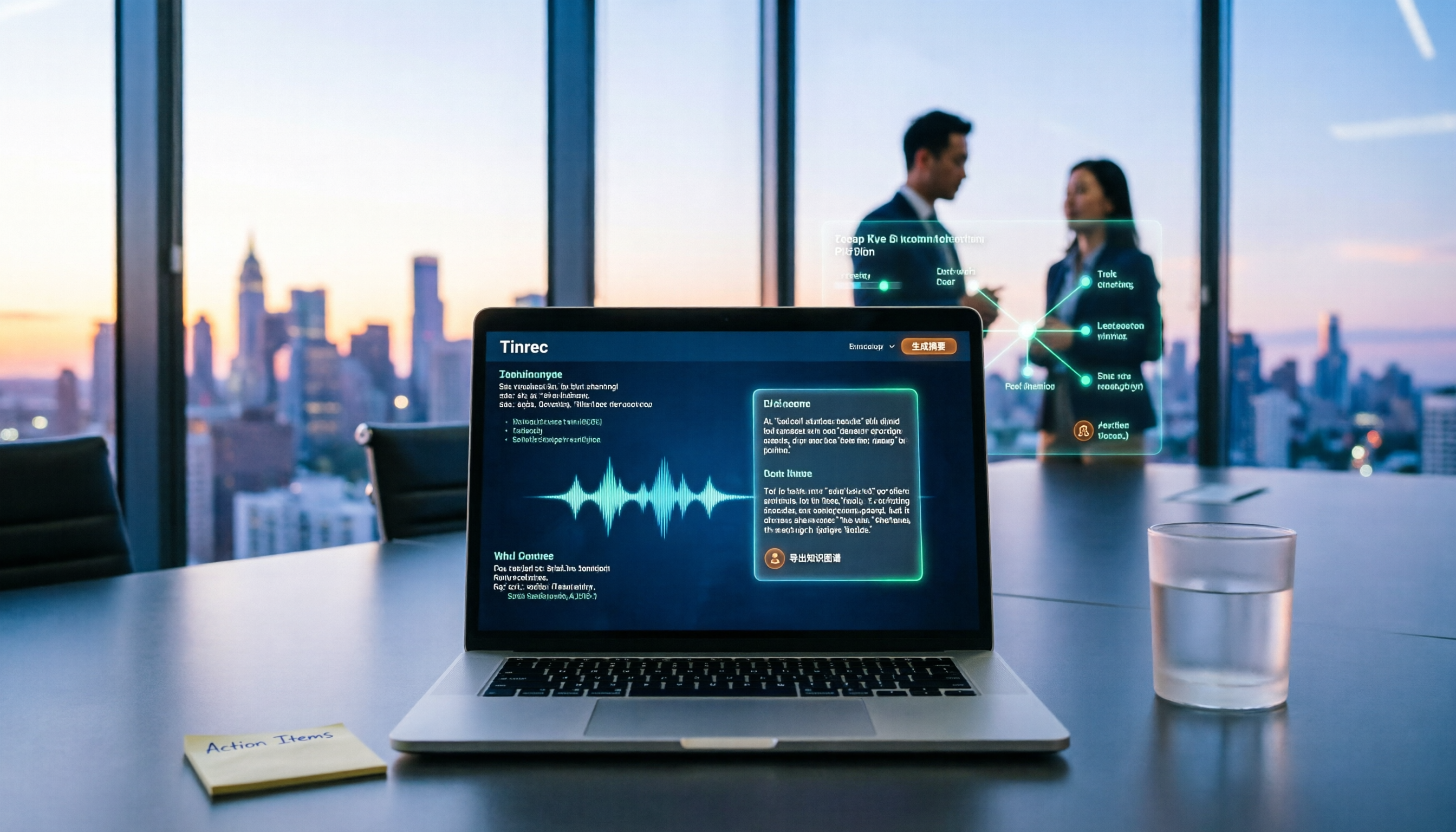
A process document took three days to revise, and meeting minutes took two hours to produce—the problem is often not the tool but the method. This article starts from the gap between "recording" and "data," first explains four key buying criteria, then tests Tinrec's bot-free recording, AI Q&A, and team knowledge retention, and explains who Notta Showcase, a flowchart and document tool, is for. It ends with a pitfalls guide and scenario-based selection advice.